
Enhancements
Control Cloud data access with Access Policies
Yarken has introduced an additional layer of access control for Cloud data, giving organizations more granular control over the data users can access.
Administrators can now use Admin > User Management > Access Policies to define access rules using supported Cloud FOCUS and External attributes, such as cloud provider or billing account. You can then assign a policy to a user from User Management > Users.
Access Policies apply wherever Yarken uses Cloud data, including dashboards, Analytics, Ask Yarken, Insights, exports, and APIs.
Key capabilities include:
-
Restricting Cloud data access using supported attributes and filter conditions.
-
Including or excluding specific Cloud data.
-
Assigning one Access Policy to each user.
-
Applying Access Policies alongside existing role, account, cost center, and entity restrictions.
-
Recording Access Policy changes and assignments in the Audit Log.
Admin and Cost Model Manager users remain unrestricted by Access Policies. For existing users in roles that require an Access Policy, Yarken automatically provides the default Full Access Policy. This preserves their existing unrestricted Cloud data access. The Full Access Policy is system-defined and cannot be edited or deleted.
New non-admin & non-cost model manager users must have an Access Policy assigned before they can access Yarken. Existing users retain unrestricted Cloud data access unless an administrator assigns a policy.
If no Access Policy is assigned to a non-admin user and non-cost model manager, Yarken displays the No Access Policy Assigned message, and the user cannot access the application until an administrator assigns a policy.
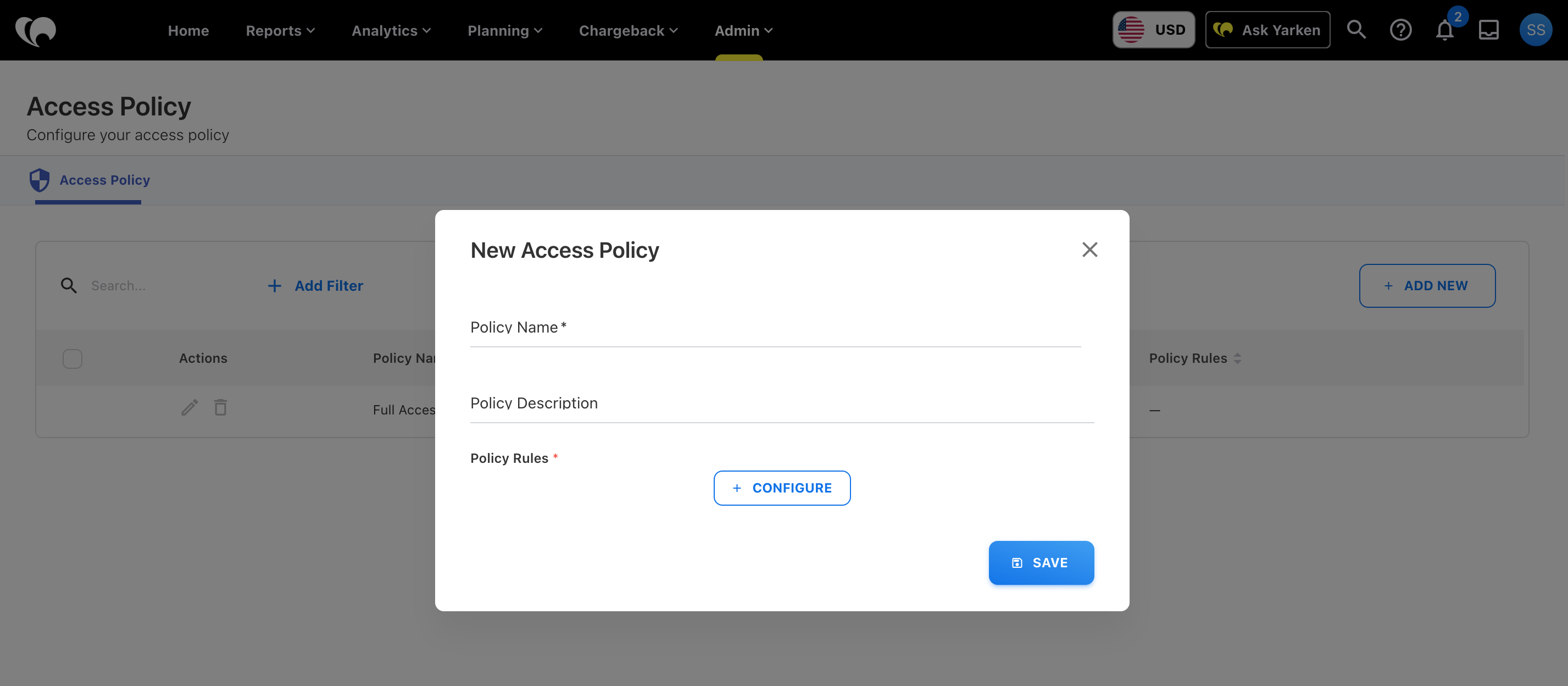
Learn more: Access Policies
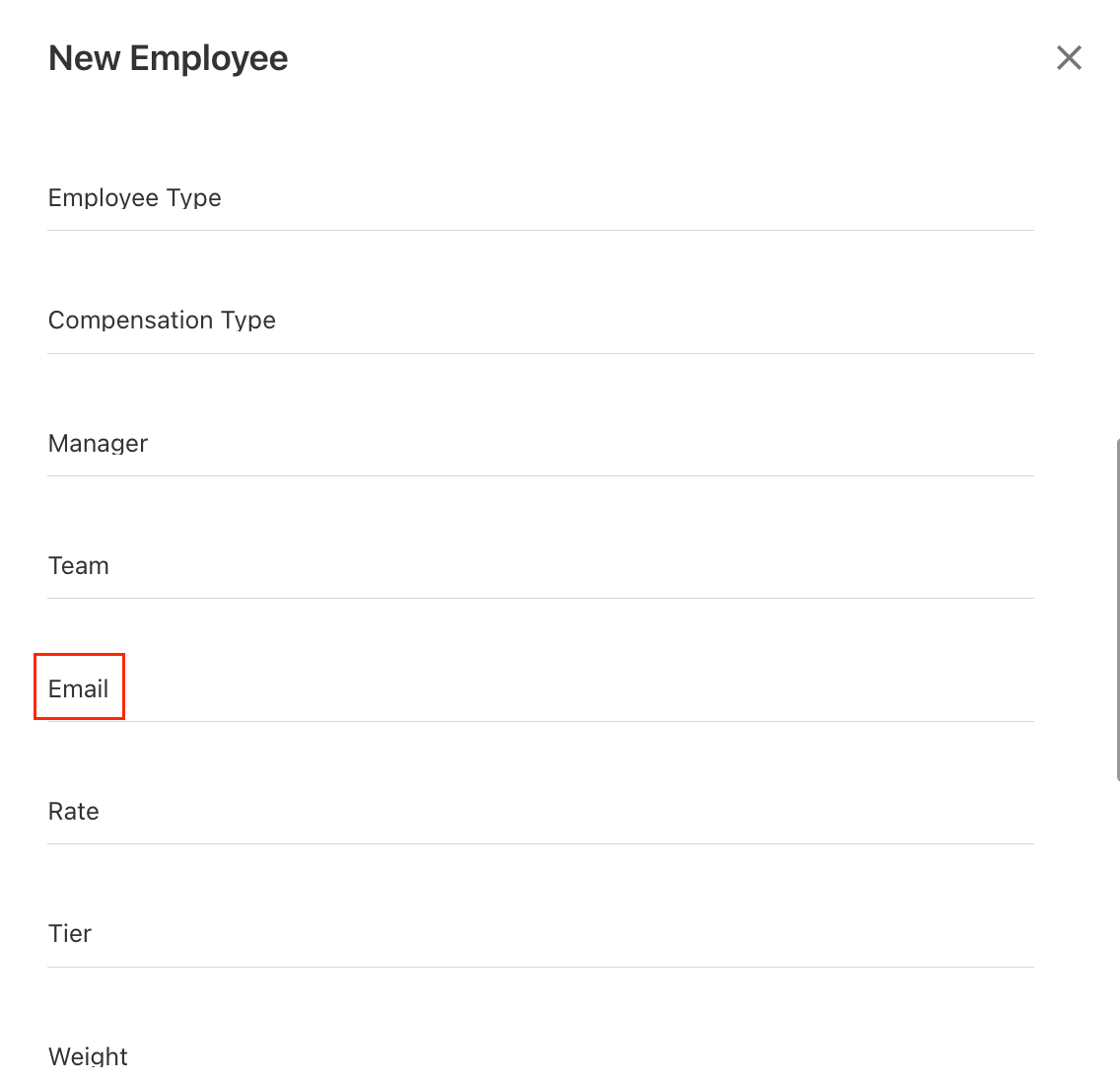
Email field for Employee Assets
Employee Assets now include an Email field, providing an additional attribute for identifying and managing employee asset data.
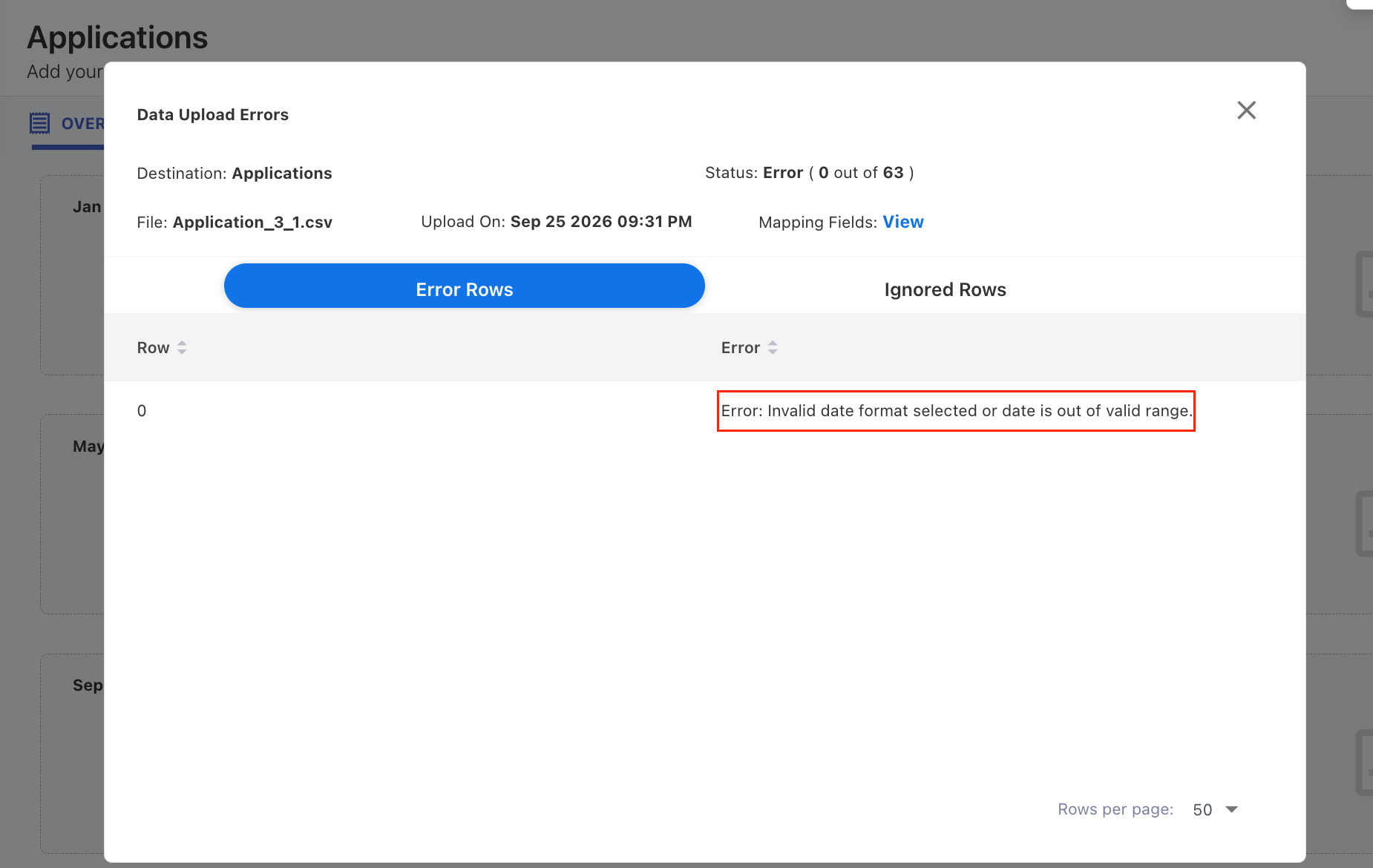
Asset upload date validation improved
Asset file uploads now validate date formats before processing. If an invalid date format is detected, Yarken displays a validation error so the issue can be corrected before the data is loaded.
This helps prevent downstream processing issues, including cube refresh failures.
Enhancements
Publish Custom Dashboards to the Yarken menu
Custom Dashboards can now be published directly to the Yarken menu, making shared dashboards easier for users to discover and access.
You can organize dashboards into folders, publish individual dashboards or entire folders, and reorder published items. Dashboards can also remain unpublished while they are being developed or are intended for personal use.
Unpublished dashboards remain accessible through direct links or drill-downs for users with the appropriate access. Existing Custom Dashboards remain unchanged until you organize and publish them.
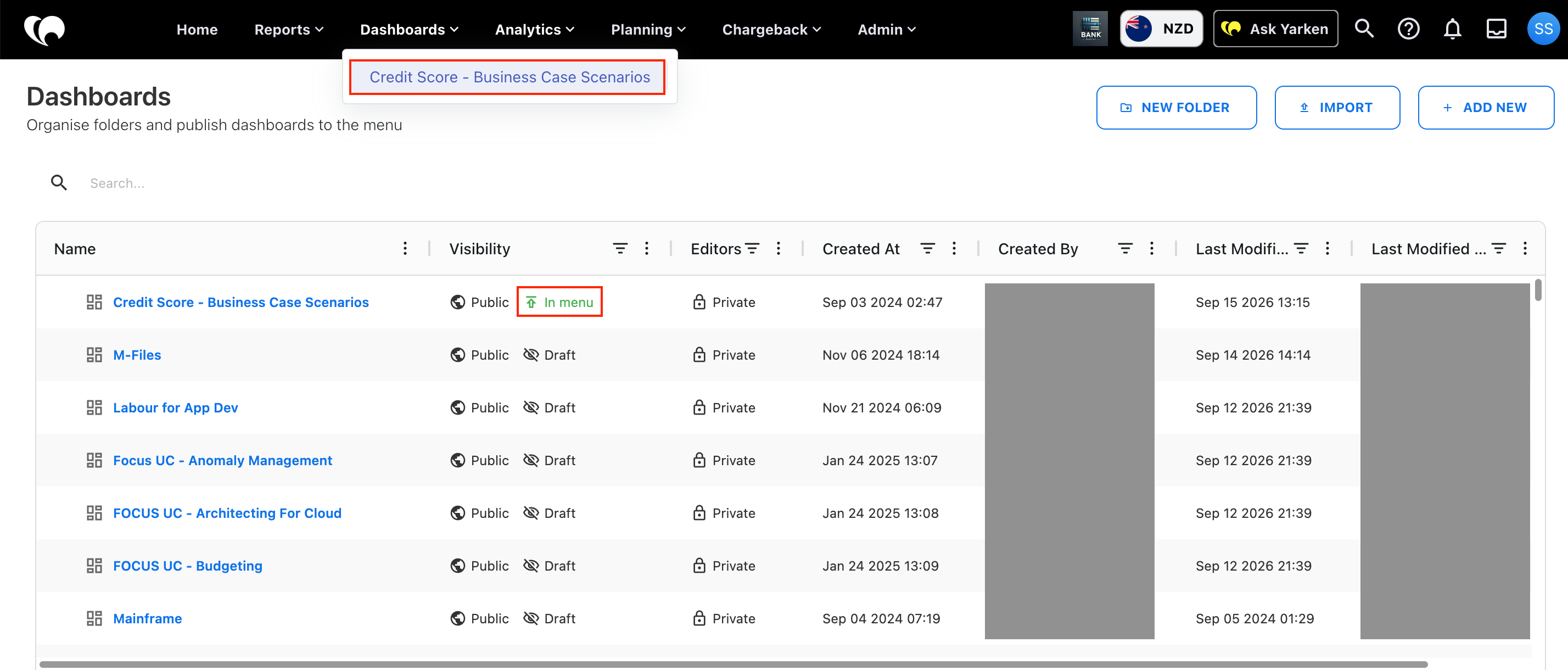
Learn more: Organize and publish Custom Dashboards
Top N and Other grouping for charts
Charts in Analytics and Custom Dashboards now support Top N and Other grouping, helping you keep visualizations focused when working with many categories.
Use Prioritize by to display the Top N values based on a selected field or prioritize specific values. Remaining values can be grouped under Others.
You can customize the number of values displayed, rename the Others label, and choose whether to include the remaining values in the chart.
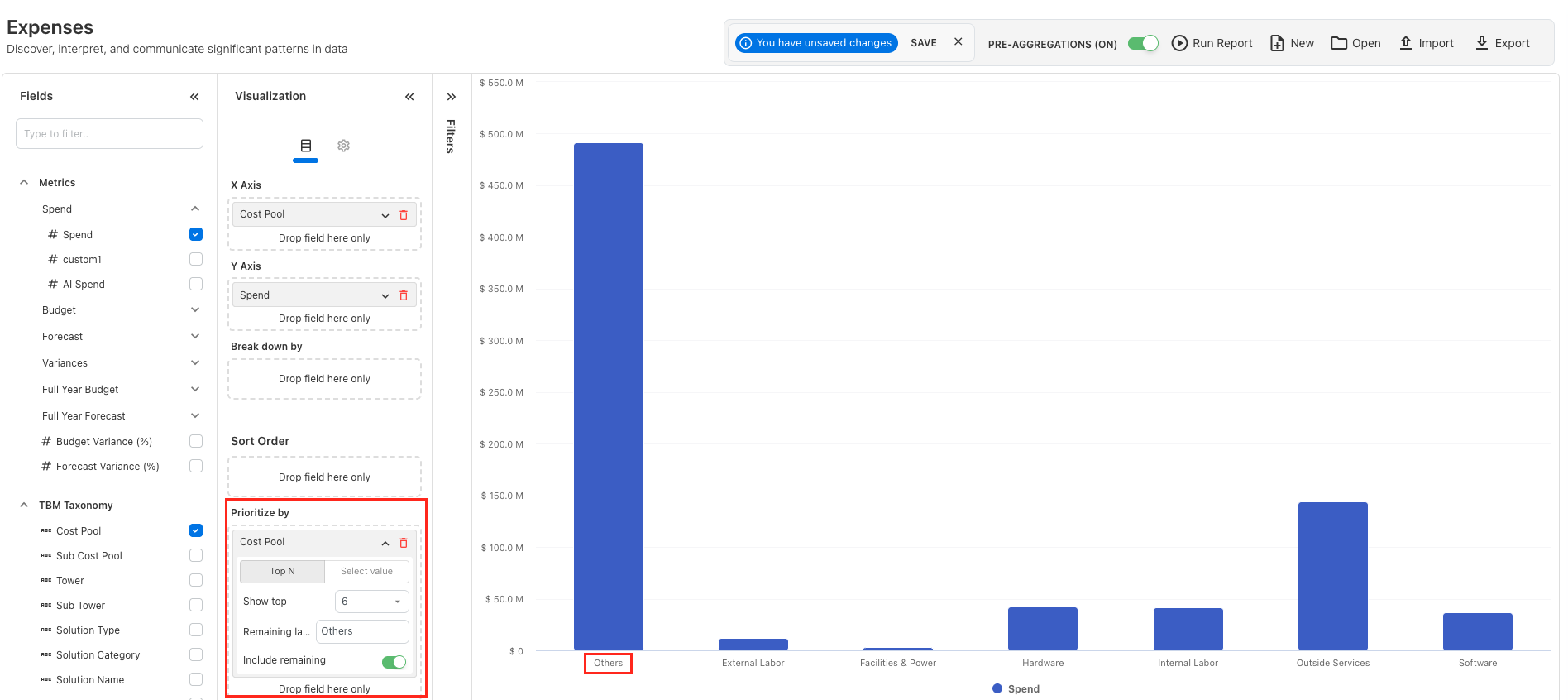
Learn more: Prioritize values in a chart
More flexibility for Proportional Bar charts
The Proportional Bar visualization in Custom Dashboards now provides more flexibility for comparing and presenting measures.
You can add an additional comparison measure, choose between stacked and non-stacked layouts, adjust bar sizes, and customize display options such as column headers, percentages, additional measure values, and serial numbers.
The visualization also includes additional color themes and now supports dashboard drill-downs and Ask Yarken, making it easier to move from high-level comparisons to deeper analysis.
-20260915-074258.png?cb=96d3f6211f598185de2e25b8b57da710)
Enhancements
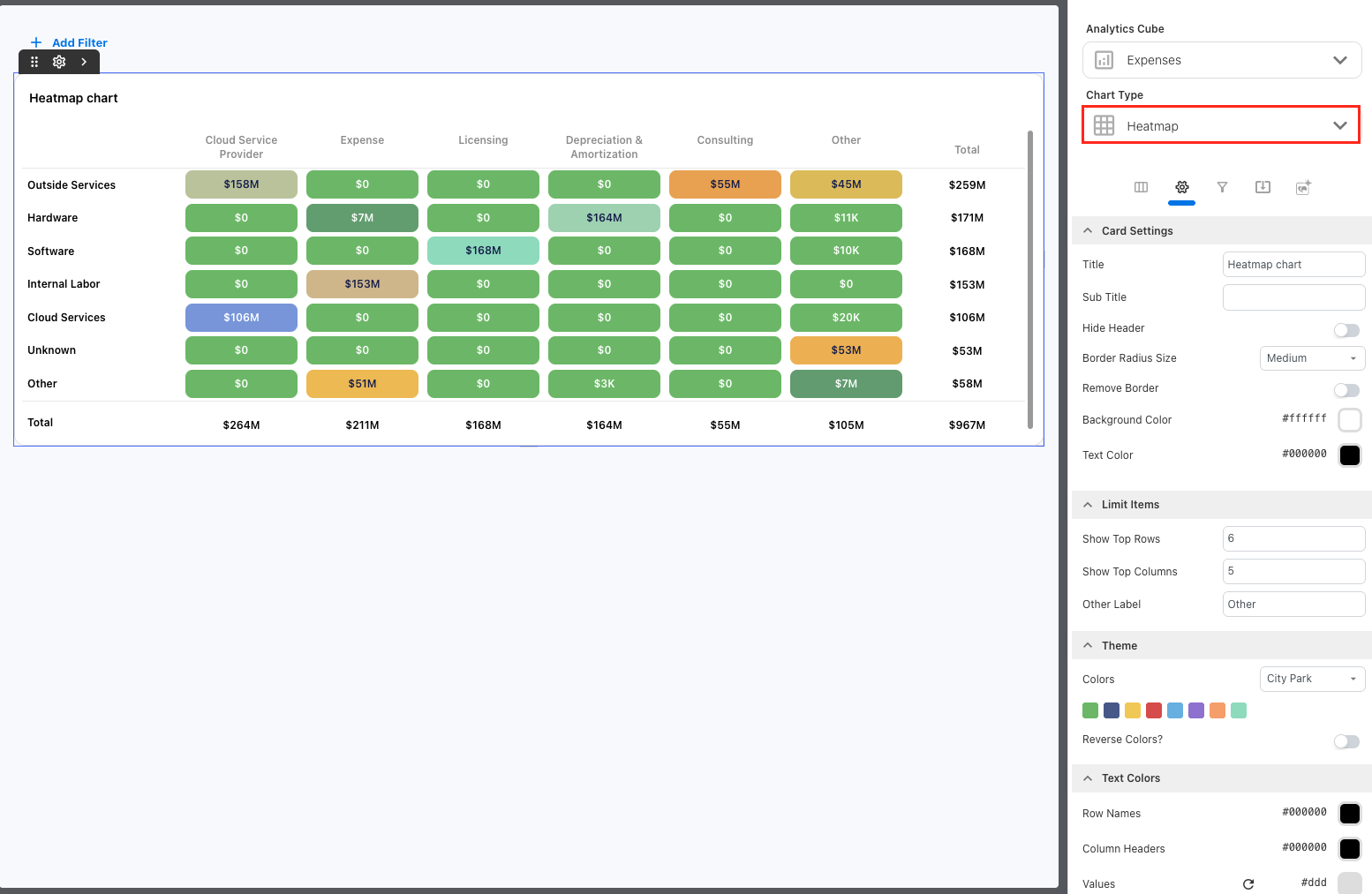
Heat Map visualization for Custom Dashboards
Custom Dashboards now support a new Heat Map visualization, making it easier to compare values across two dimensions and identify patterns, concentrations, and outliers at a glance.
You can configure row and column dimensions, select a measure, limit displayed values, and group remaining values under Other. The Heat Map also supports totals, drill-down, configurable themes, and Ask Yarken for deeper analysis.
Additional appearance settings provide greater flexibility to align the visualization with your dashboard design.
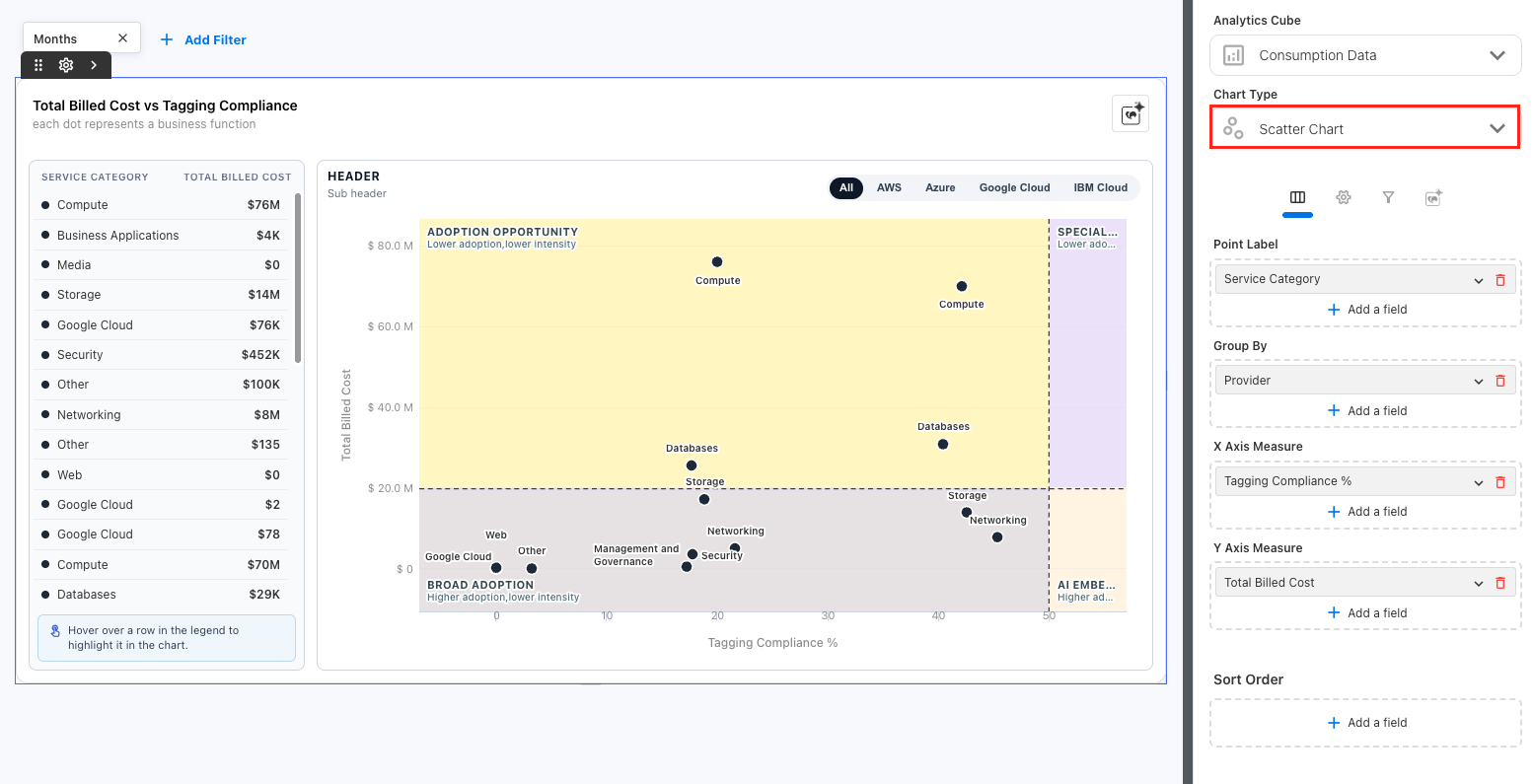
Scatter Chart visualization for Custom Dashboards
Custom Dashboards now support a new Scatter Chart visualization, helping you compare two measures and identify relationships, clusters, and outliers across your data.
You can configure measures for the X-axis and Y-axis, display point labels, and show supporting values in a side list. The chart also supports configurable axis ratios, quadrant labels, colors, and hover details to provide additional context while exploring the data.
This visualization is useful for comparing performance across categories and highlighting areas that may require further investigation.
More control over Cloud Publish distribution
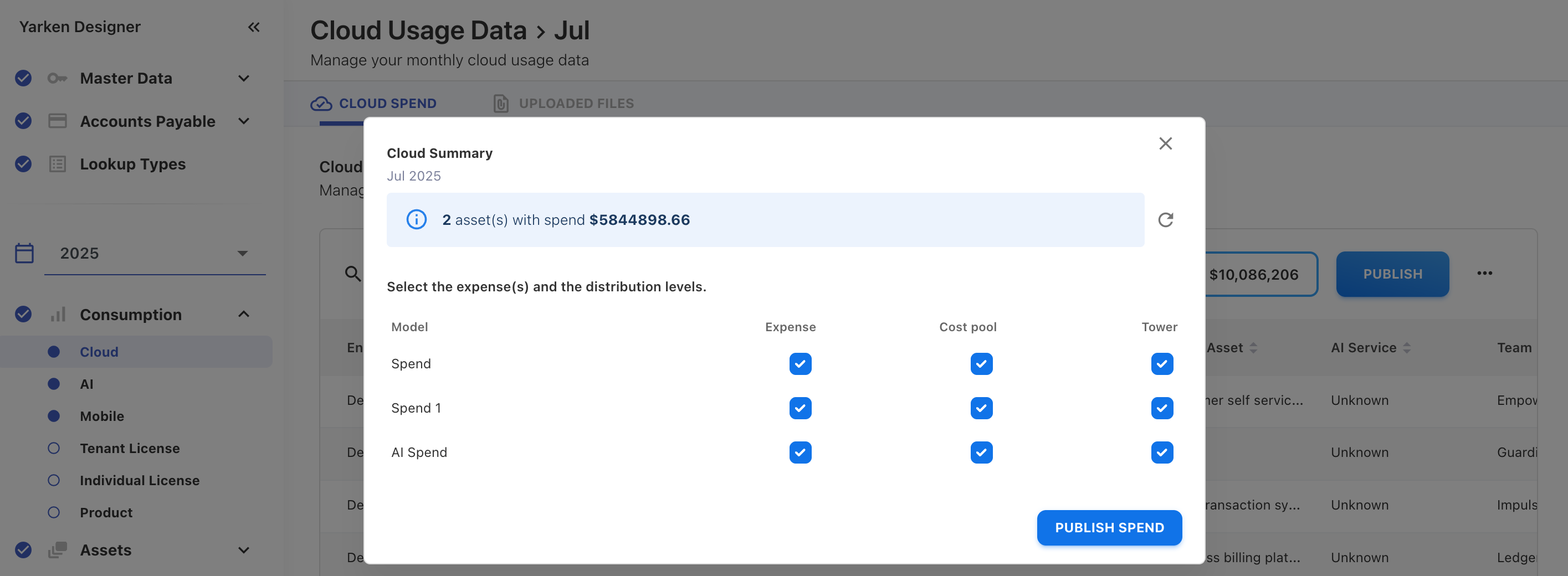
Cloud Publish now gives you greater control over how cloud spend is distributed when publishing to selected Spend models.
For each selected model, you can choose the required distribution level:
-
Expense
-
Cost Pool
-
Tower
This allows you to stop the publish process at the required level instead of always distributing cloud spend through the full allocation flow.
The Cloud Summary dialog now displays the selected Spend models and their chosen distribution levels before you select Publish cloud spend.
Z-Score bounds for Analytics and Custom Dashboards
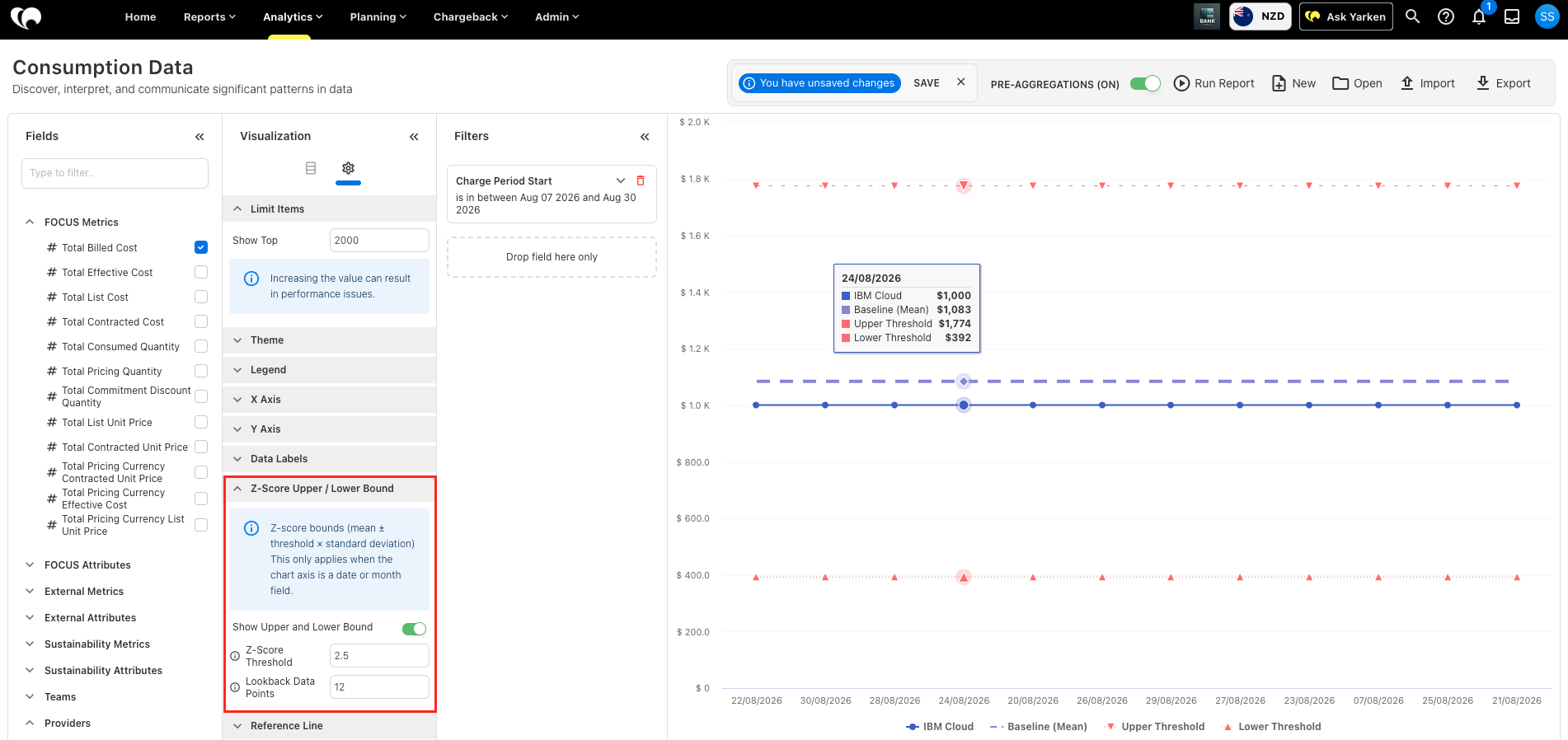
Line charts in Analytics and Custom Dashboards now support Z-Score Upper and Lower Bounds, helping you identify values outside the expected range based on recent historical data.
You can configure the Z-Score Threshold and Lookback Data Points used to calculate the baseline and upper and lower bounds. The default threshold is 2.5, with a default lookback of 12 data points.
Z-Score bounds are available for supported Line Charts with a date or month axis and a defined reporting period, making unusual changes easier to identify for further investigation.
Note: Z-Score bounds are a chart visualization and are separate from Z-Score anomaly detection rules in Insights.
Enhancements
Graph Explanation Copilot on chart and graph
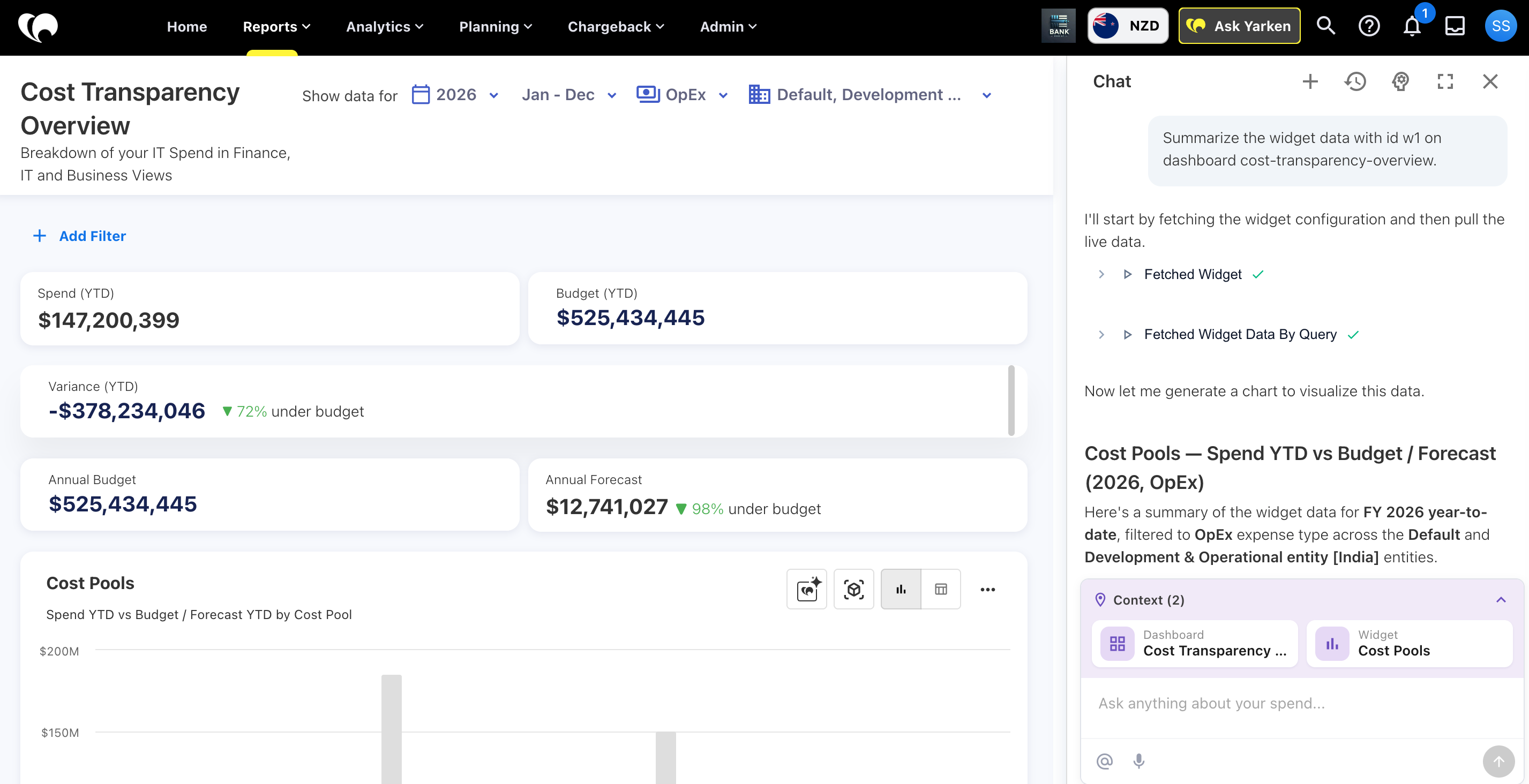
The Graph Explanation Copilot now provides a conversational way to investigate dashboard data. Instead of receiving only a static chart summary, you can open Ask Yarken from a supported chart or widget and continue with follow-up questions.
Ask Yarken keeps the selected dashboard and widget as context. You can explore trends, compare reporting periods, investigate other supported widgets on the same dashboard, and ask Ask Yarken to adjust supported filters such as Year, Month, Expense Type, and Entity.
Graph Explanation Copilot remains scoped to the current dashboard and does not combine data from other dashboards or external data sources in the same contextual conversation.
Custom Dashboard enhancements
Ask Yarken widget for Custom Dashboards
Custom Dashboards now include an Ask Yarken widget, allowing users to ask questions directly from the dashboard and explore the data in context.
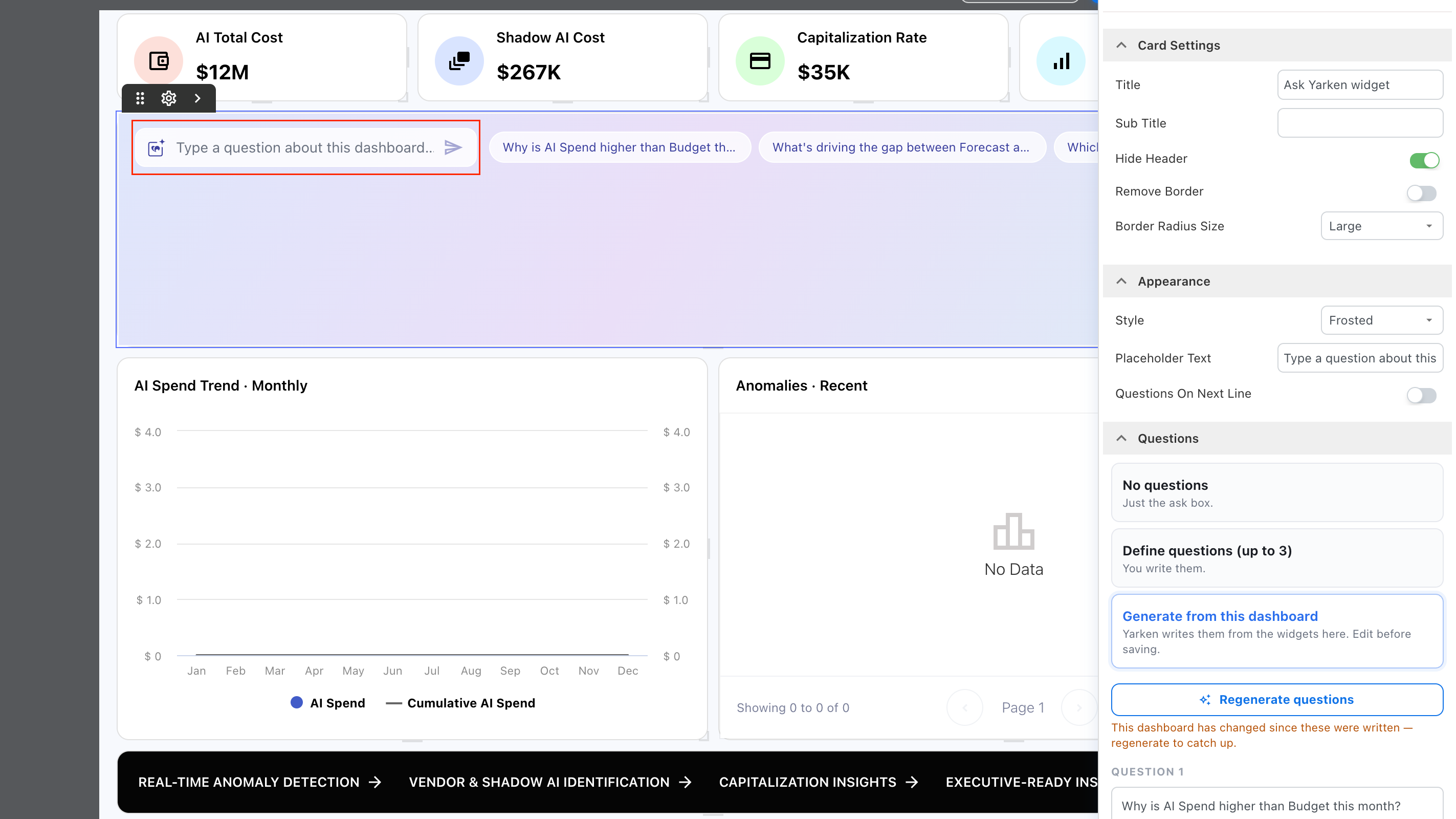
You can customize how the widget appears and guide users with suggested questions.
The widget allows you to:
-
Choose a visual style: Gradient Sweep, Quiet Field, or Frosted.
-
Select Custom style to configure the widget Background Color and Text Color.
-
Choose whether suggested questions appear as Link or Pill styles.
-
Define the placeholder text shown in the Ask Yarken input.
-
Choose whether suggested questions appear on the same line or the next line.
-
Add up to three suggested questions manually.
-
Let Yarken generate suggested questions from the widgets already available on the dashboard, then review and edit them before saving.
-
Use the widget without suggested questions if you prefer a simple question box.
This makes it easier to create a more guided and contextual Ask Yarken experience directly within a Custom Dashboard.
Previous-year comparison for KPI widgets
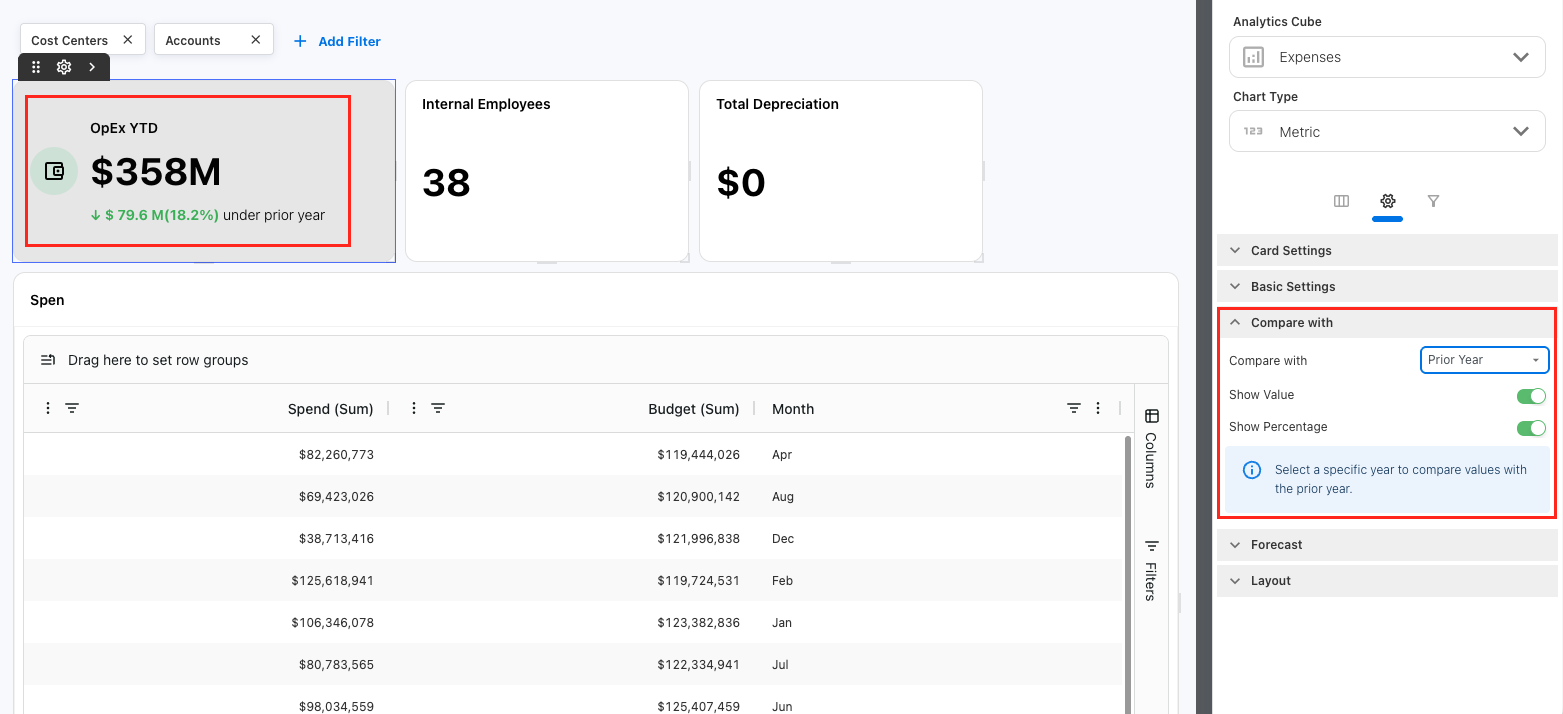
KPI widgets in Custom Dashboards now support a dedicated Compare with prior year option, making it easier to track changes in key metrics over time.
When a year is selected, you can compare the current value with the previous year and display the change as a value, percentage, or both.
Previously, prior-year comparison relied on selecting Delta Value and Delta Percentage columns. When Compare with Prior Year is enabled, these delta columns are now disabled for selection to avoid duplicate comparison logic and keep the KPI configuration consistent.
Proportional Bar visualization for Custom Dashboards
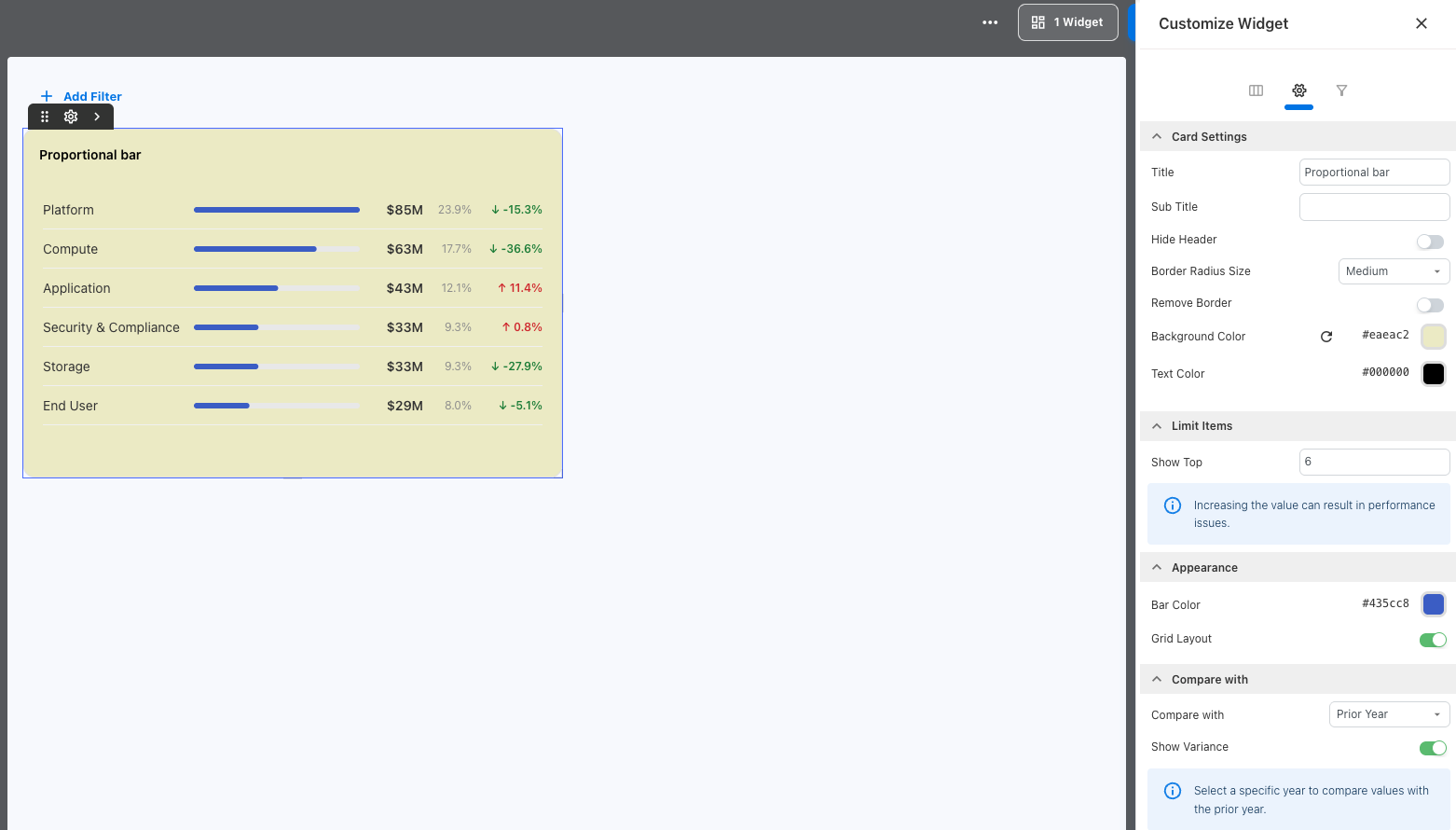
Custom Dashboards now include a new Proportional Bar visualization for comparing metrics across categories.
You can display a metric alongside its previous-year value and percentage change, making it easier to compare performance and identify changes across categories at a glance. The comparison uses the same filters applied to the selected period.
The visualization supports multiple categories, flexible layouts, and both financial and non-financial metrics, making it suitable for a wide range of reporting scenarios.
Dashboard background color for Custom Dashboards
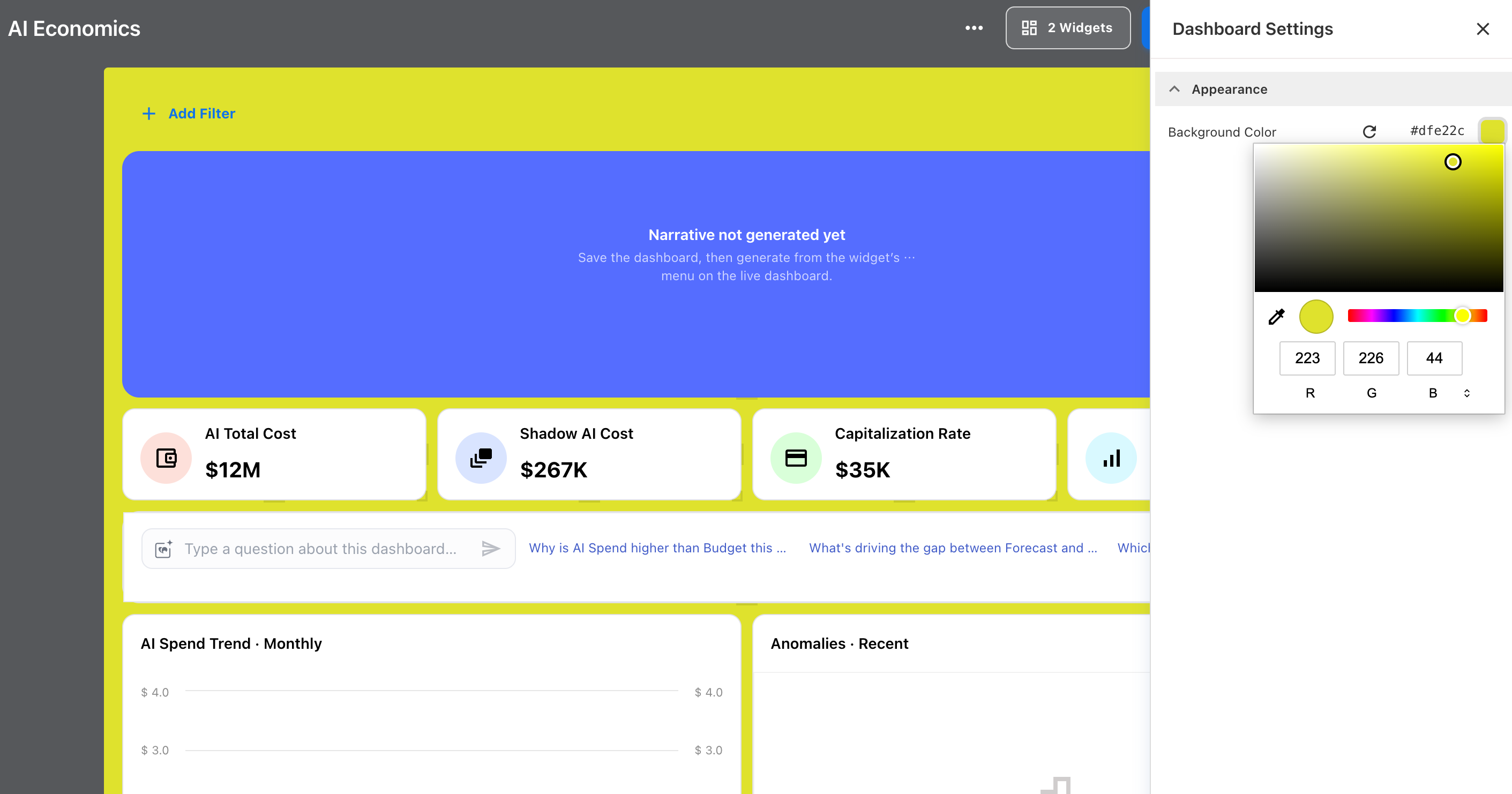
Custom Dashboards now support a configurable dashboard background color, giving you more control over the overall appearance of your dashboard.
The Dashboard Settings are accessible when you click an empty area of the dashboard. From there, you can select your preferred background color under Appearance.
Linear trendline for Analytics and Custom Dashboards
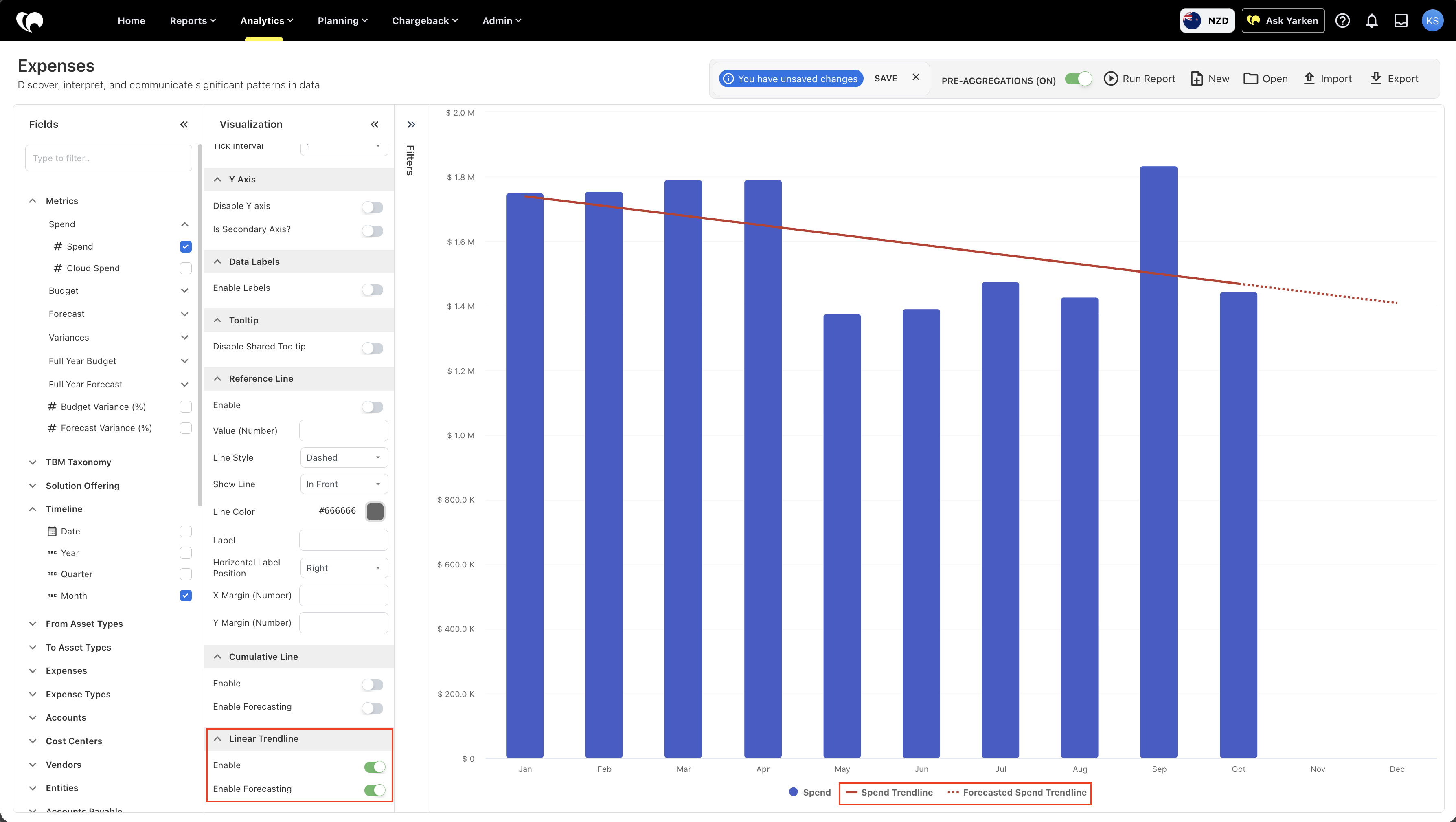
Analytics and Custom Dashboards now support a linear trendline for column chart visualizations. The trendline uses linear regression to extend existing data patterns and show projected trends across future periods.
Both cumulative and linear trendlines now support configurable line colors, making it easier to distinguish trendlines within a chart.
Improved data table pagination and totals
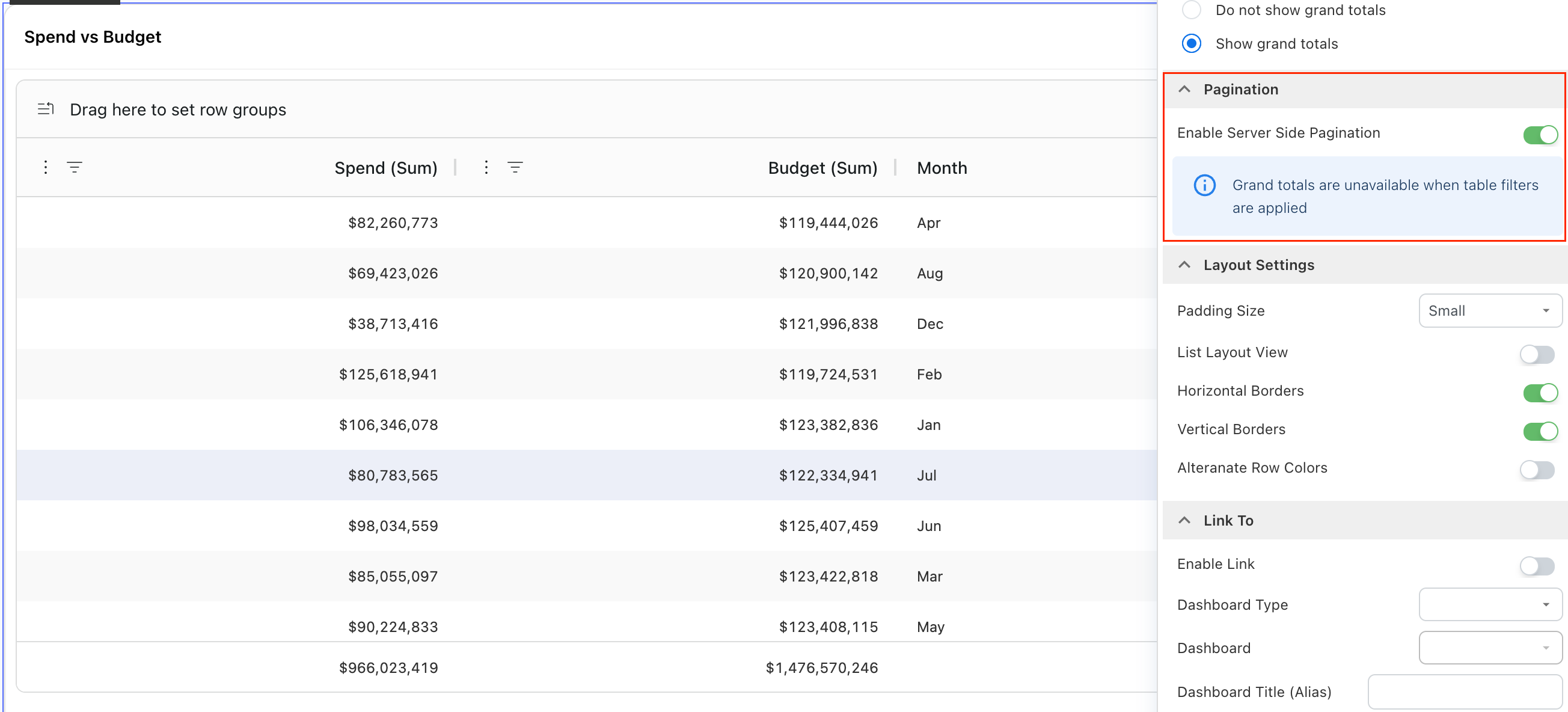
Data tables in Custom Dashboards have been enhanced to provide more flexibility when working with large datasets and more accurate Grand Totals.
You can now choose between:
-
Server-side pagination — loads data page by page, helping improve performance when working with larger datasets.
-
Client-side pagination — loads the full dataset into the browser, which can be useful for smaller datasets and local filtering.
The Grand Total now reflects the complete dataset rather than only the current page. When local table filters are applied, the Grand Total is hidden to prevent displaying a misleading total.
Enhancements
Custom Dashboard enhancements
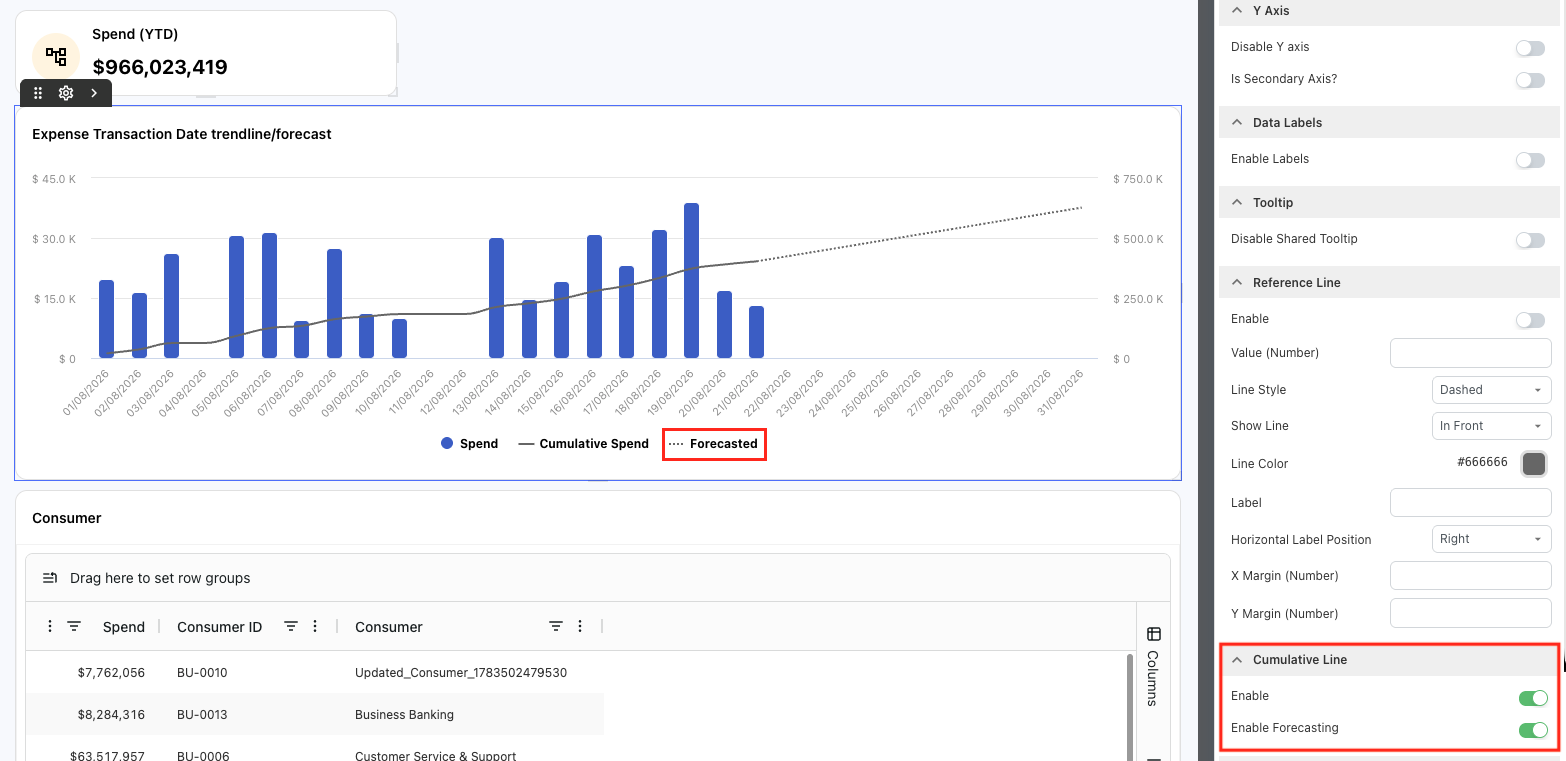
Daily trend lines and forecasting
Custom Dashboards now extend trend lines and forecasting to support daily time-series data.
Daily charts can display cumulative actuals alongside forecast values, providing more granular visibility into current trends and projected performance across the selected reporting period.
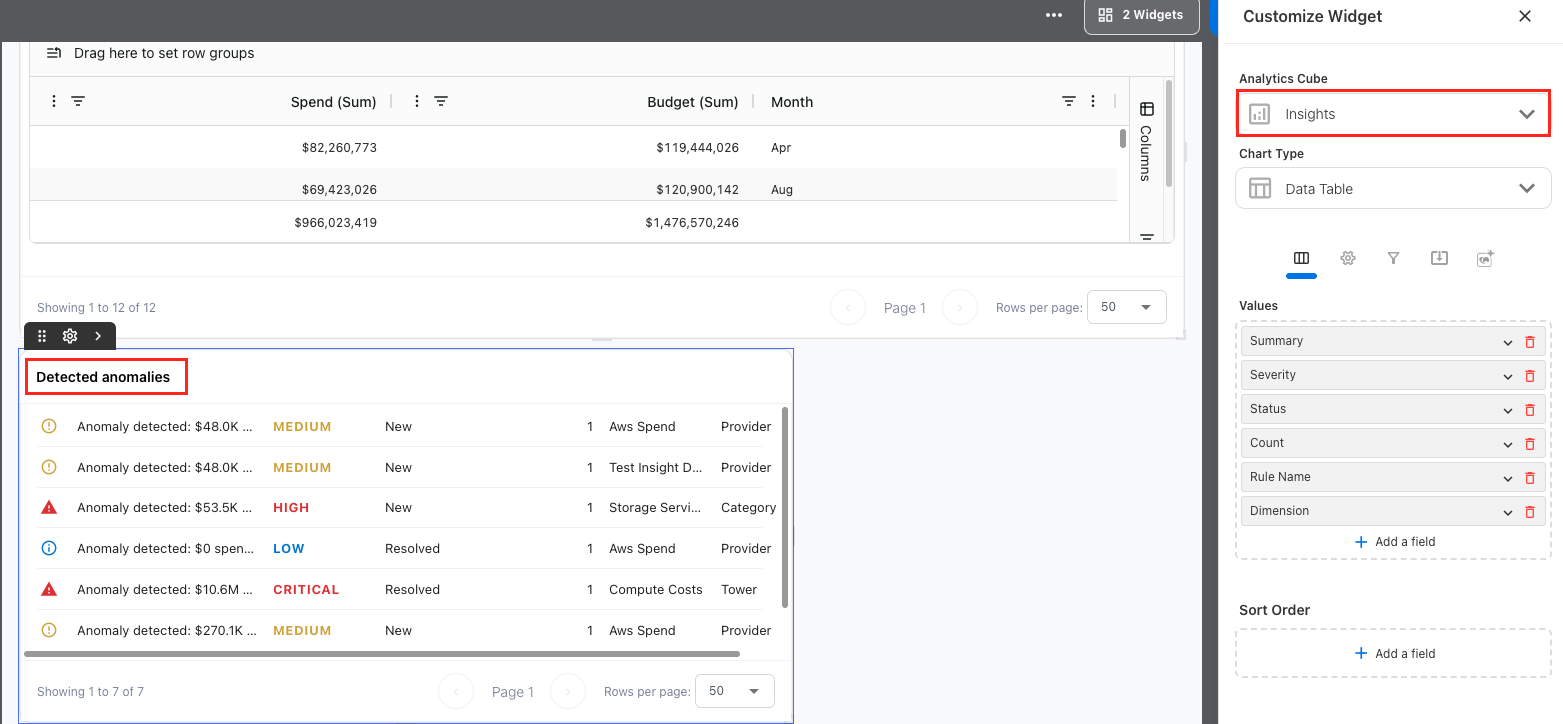
Insights in Custom Dashboards
Custom Dashboards can now support the creation of Insights and anomalies report directly within dashboard data tables, making it easier to review important findings alongside other dashboard metrics.
The table experience includes:
-
Severity-based visual indicators for values such as Low, Medium, High, and Critical
-
Insight icons for easier identification
-
Time information to provide additional context
-
Optional table headers that can be shown or hidden based on the dashboard layout
Insight data is surfaced through the Insights cube, providing a consistent way to bring anomaly information into Custom Dashboards.
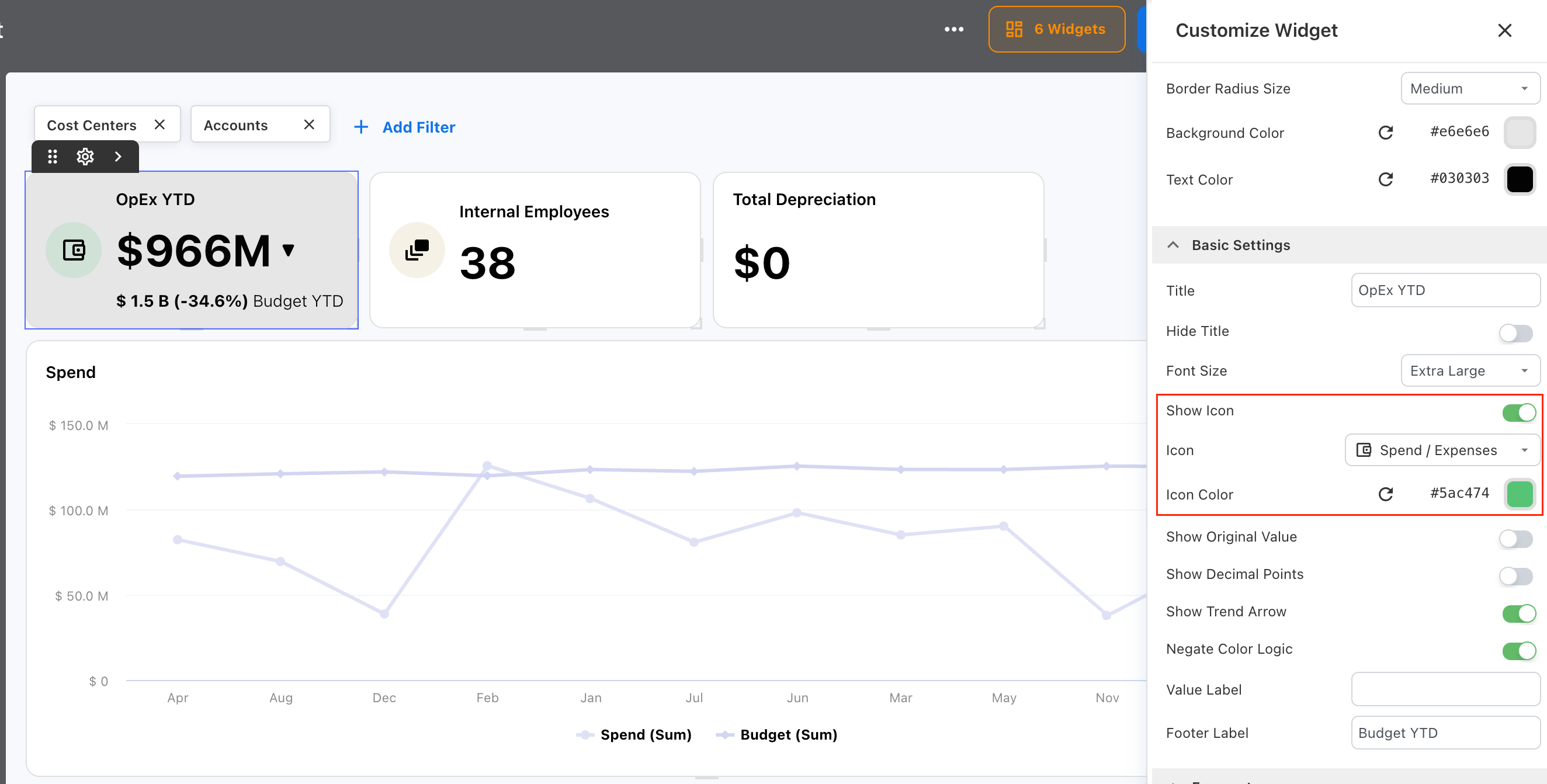
Customize metric (KPI) widget enhancements
KPI widgets in the custom dashboard now support customizable icons, giving dashboard designers more flexibility to visually distinguish key metrics.
You can:
-
Show or hide icons on individual KPI widgets
-
Select from a library of Yarken-styled icons
-
Customize the icon color to match dashboard themes or status indicators
Enhanced Dashboard Shortcut widget
The Dashboard Shortcut (link) widget now offers more customization options to create clearer and more engaging navigation within Custom Dashboards.
You can use enhanced layouts, styling, and icons to make important links easier to identify and better align them with your dashboard design.
-20260825-062008.png?cb=663a1a98b00e8436f402a1785903e03a)
The existing Dashboard Shortcut (dashboard link) can also be switched to a new layout to show icons on the widgets by enabling the New Layout option in the Bar appearance settings.
-20260825-062143.png?cb=c788a46eab917b36807812ac635d2e44)
Enhancements
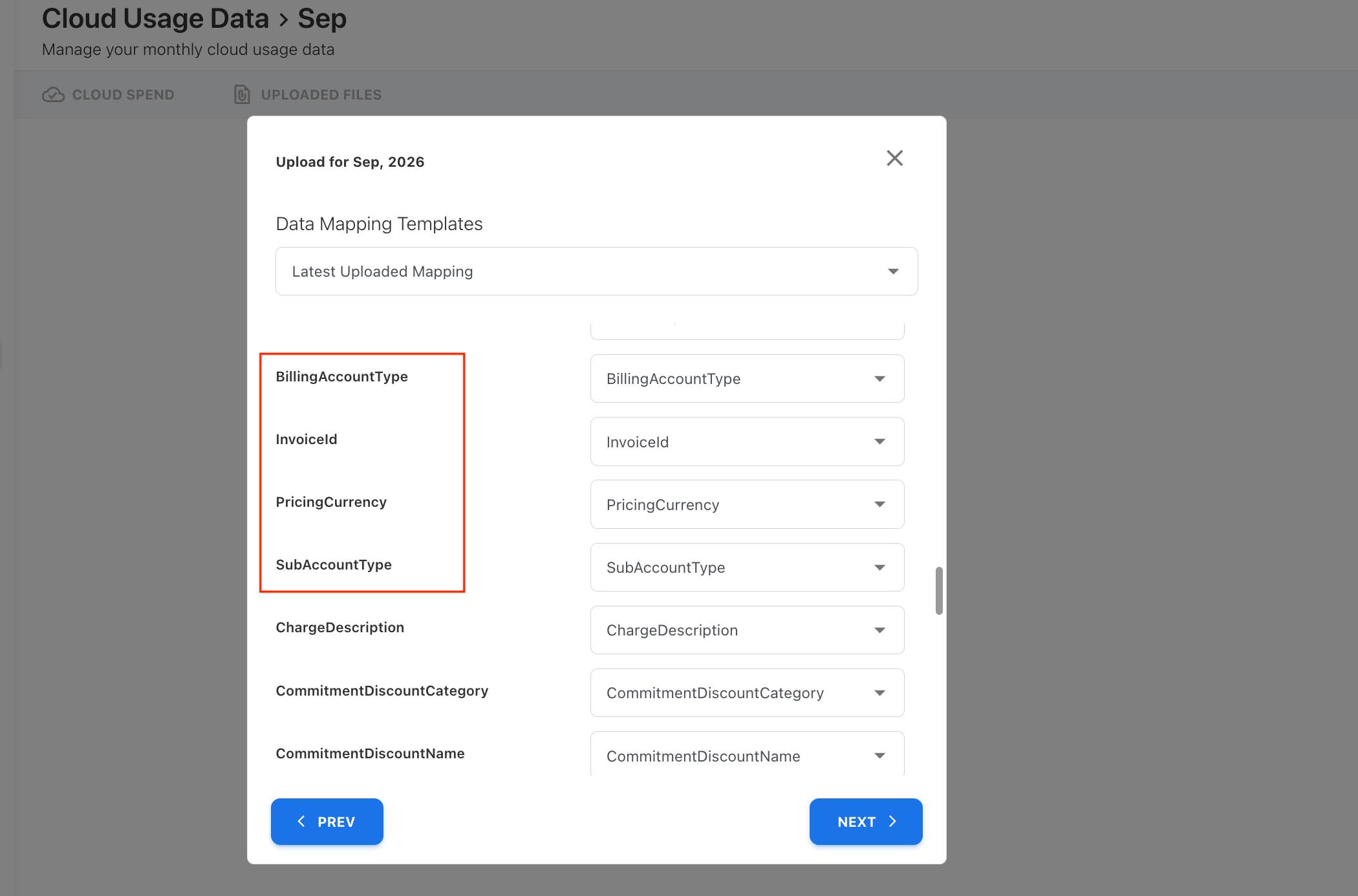
FOCUS 1.2 support
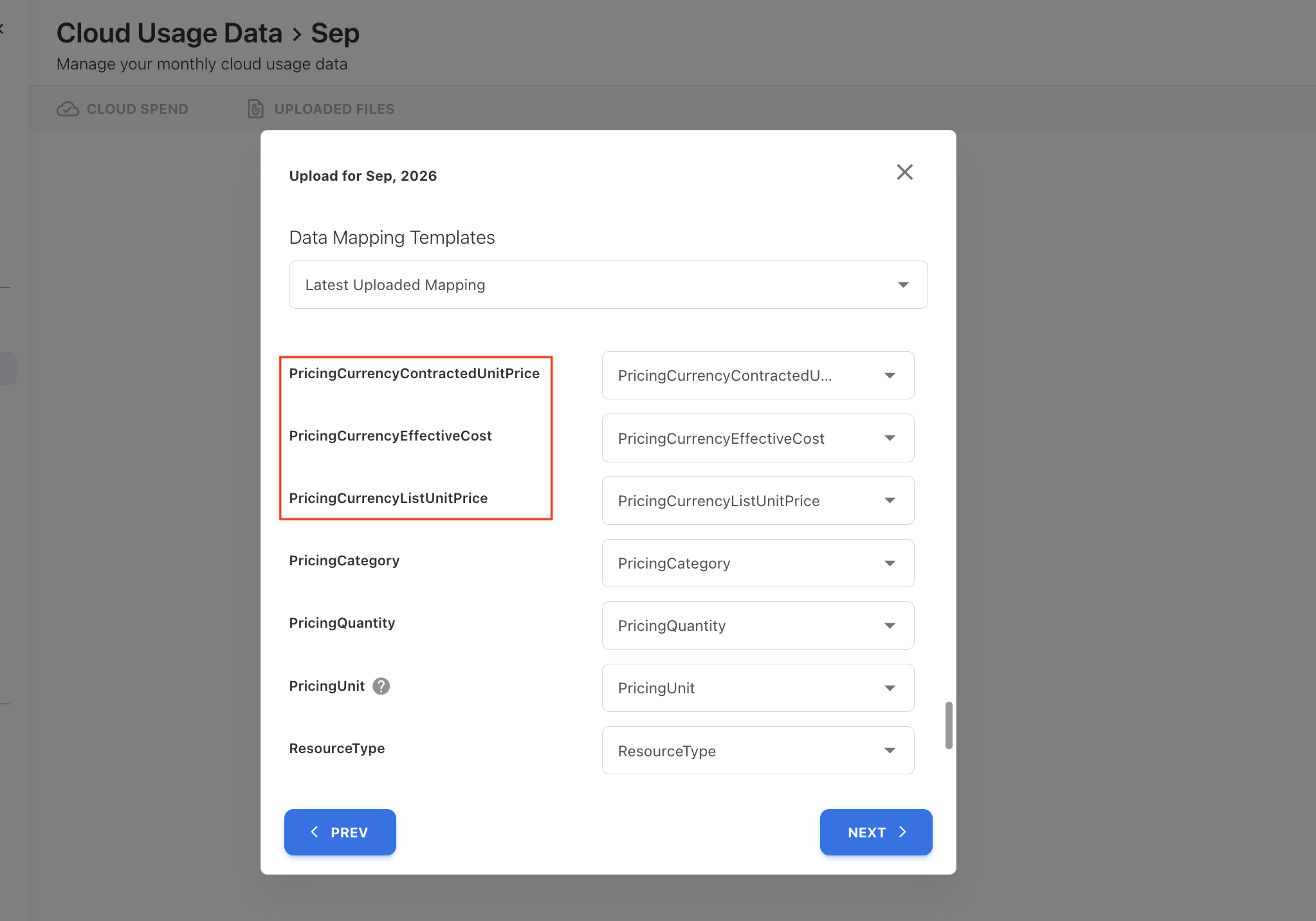
Yarken now supports additional fields introduced in FOCUS 1.2, expanding the cloud cost and billing data available for ingestion and analysis.
Newly supported fields include:
-
InvoiceId
-
PricingCurrency
-
SubAccountType
-
PricingCurrencyContractedUnitPrice
-
PricingCurrencyEffectiveCost
-
PricingCurrencyListUnitPrice
-
BillingAccountType
These fields can be mapped during data ingestion, enabling richer cloud cost reporting and analysis.
Analytics report view and edit permissions
Analytics reports now support separate view and edit permissions, giving you greater control over how shared reports are used. You can allow users to view a report without permitting changes, helping protect shared report configurations across your organization.
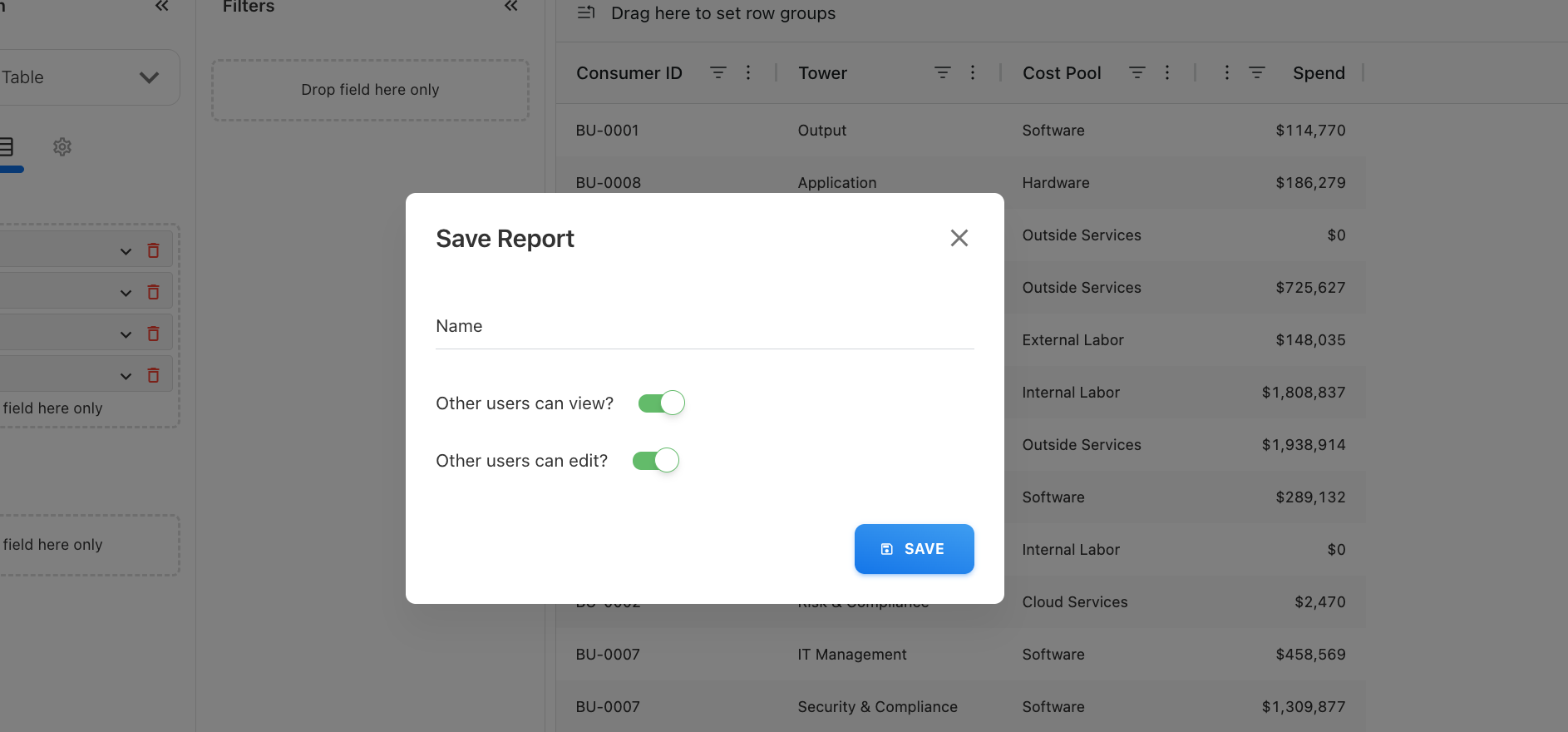
Users without edit permission will not see the Save option but can still use Save As to create their own copy. Edit permissions are also retained when reports are imported or exported.
Custom Dashboard visual enhancements
Custom Dashboards now offer a cleaner and more consistent visual experience, with refined card styling and spacing, updated text styles, and cleaner widget presentation.
Global filters have also moved to the top of the dashboard, and a widget-count indicator is now available, with a warning when a dashboard contains more than four widgets.
-20260818-074203.png?cb=a17ef71d54b5558d063afdac28d85134)
Simplified Settings navigation
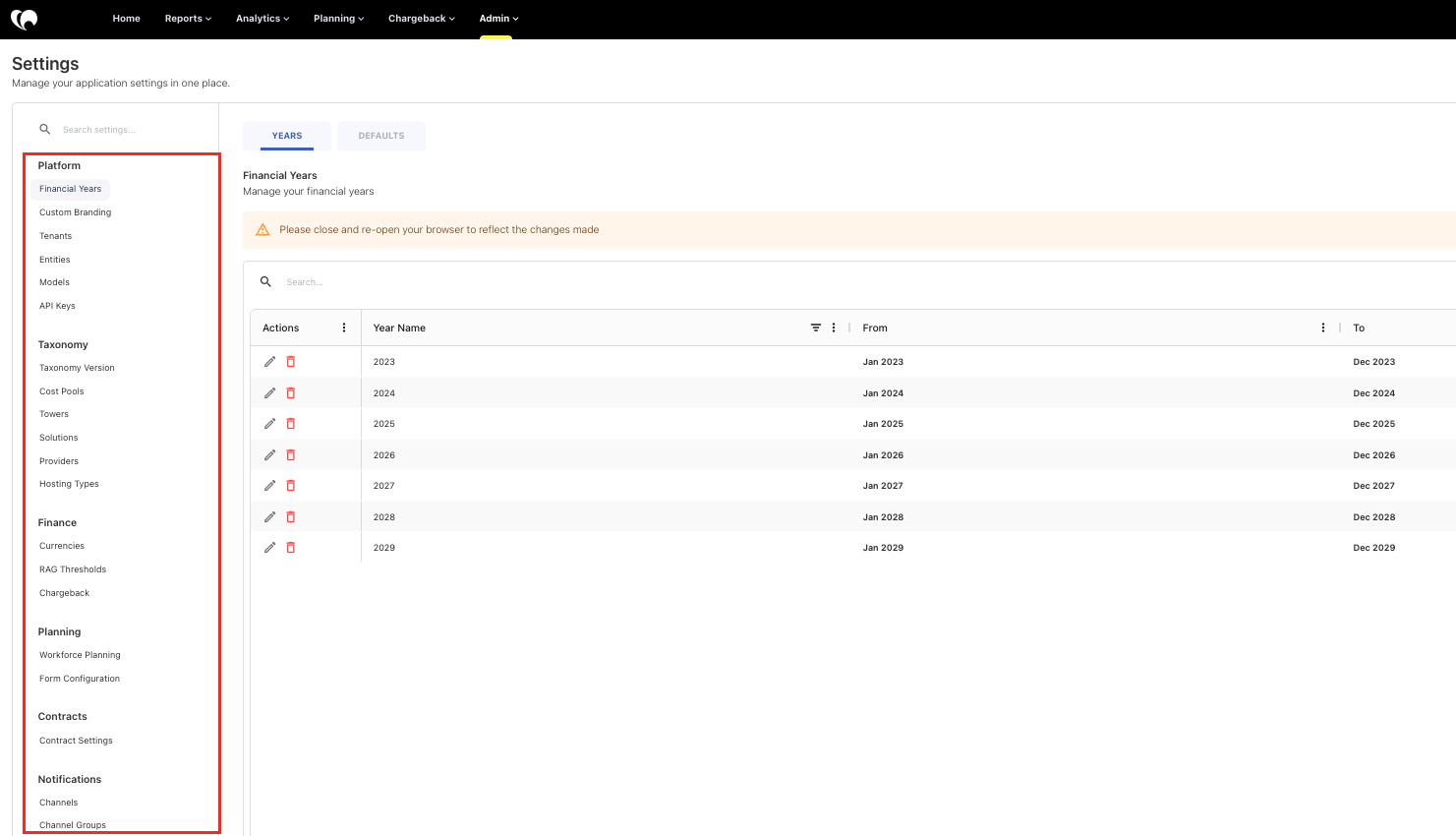
Settings have been reorganized to make related configurations easier to find and reduce duplicate entries.
Key updates include:
-
Default year and month settings are moved under Financial Settings.
-
App Personalization is now called Custom Branding.
-
TBM Taxonomy is now called Taxonomy.
-
Foreign Currencies and Exchange Rates are now grouped under a single Currencies page, with separate tabs for each.
-
Channels and Channel Groups are now grouped under Notifications, with separate tabs for Channels and Groups.
-
Contract-related settings have moved from General > Default Settings to a dedicated Contracts page.
Note: Existing configuration values in the Admin > Settings are retained automatically, so no action is required after the update.
Enhancements
Delete existing expenses before file upload
The Expenses file upload process now includes an optional delete before load capability, allowing you to delete existing data for the target month before importing a new Excel file.
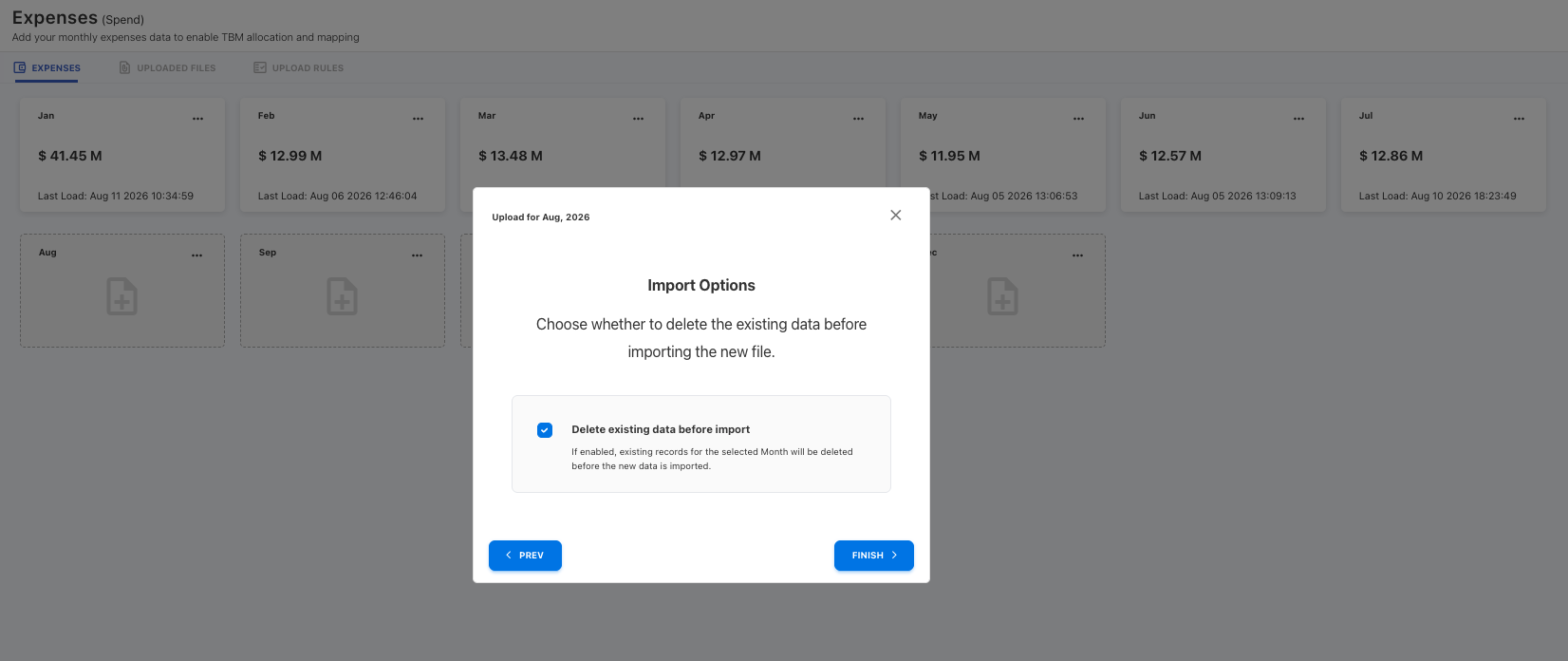
A confirmation message is displayed before deletion, and the standard upload process continues once confirmed. The selection is preserved during the reload of the same file.
This selection is also retained when automating the files using Pipelines, helping prevent duplicate spend when complete datasets are loaded repeatedly. The deletion is also recorded in Audit Logs for traceability.
Custom dashboard & Analytics enhancements
Cumulative lines and forecasting
Custom Dashboards and Analytics now support cumulative lines and forecasting for timeline-based column charts, providing greater visibility into historical trends and expected future performance.
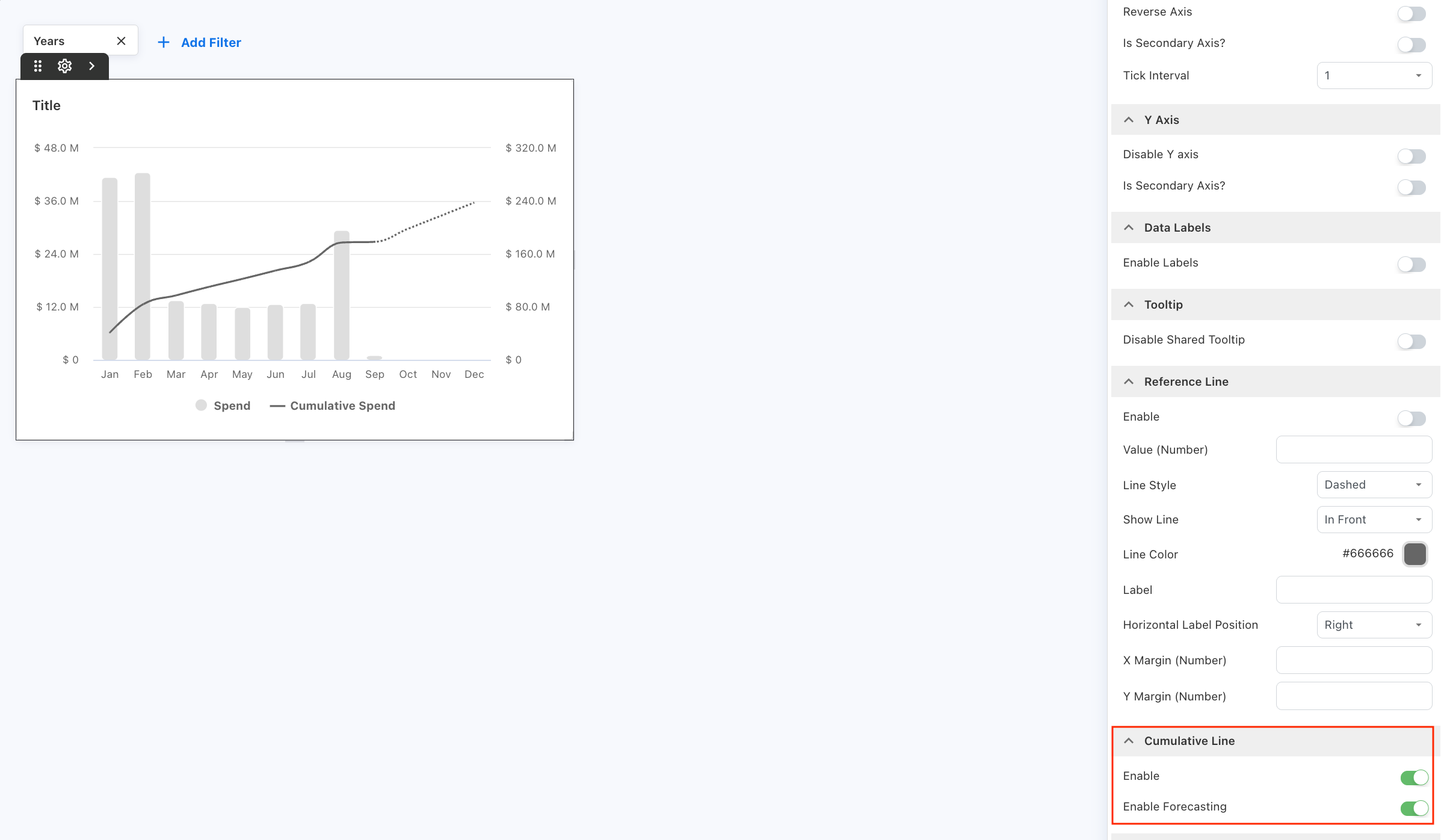
You can apply a trend line to supported measures and extend the visualization with a forecast for the remaining time periods. Forecasting can be enabled or disabled as needed.
The current forecasting methodology uses a cumulative average to calculate projected values.
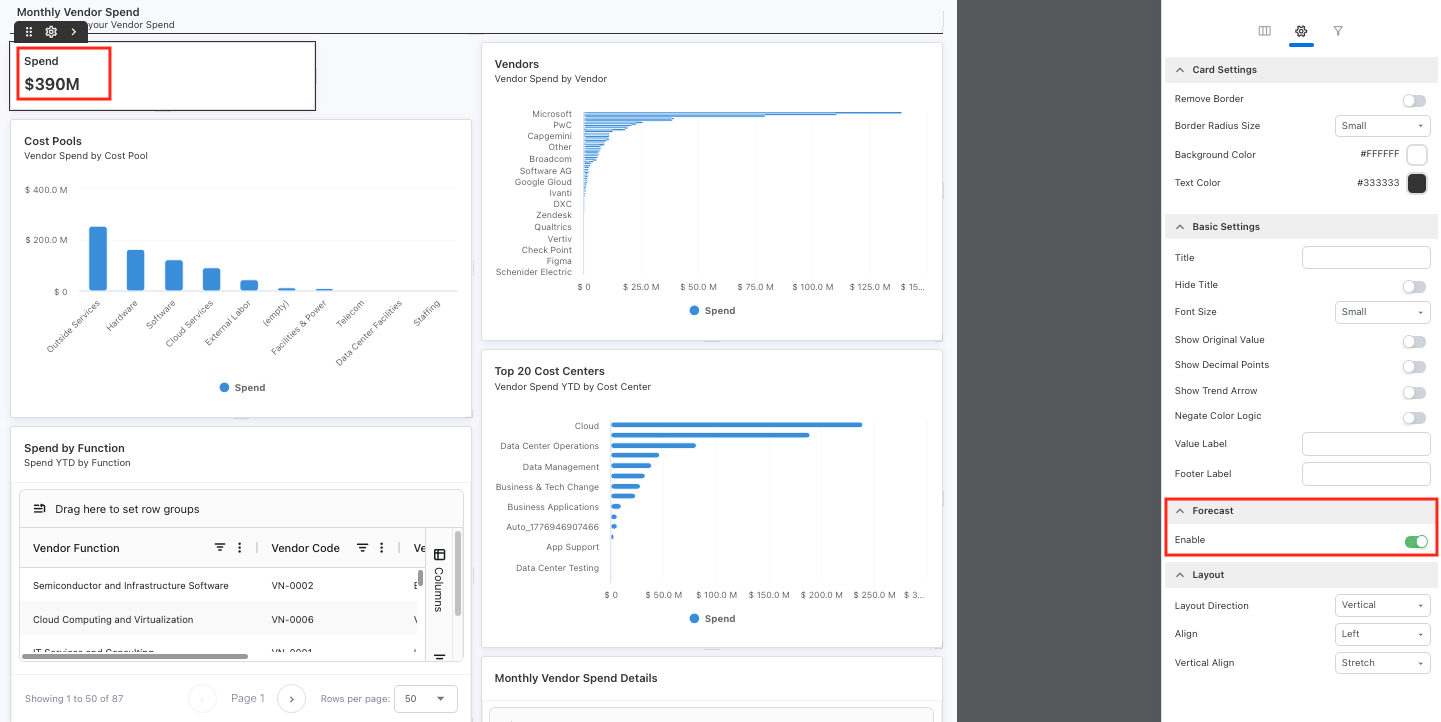
End-of-year forecast KPI
Custom Dashboards now allows you to create an end-of-year forecast KPI widget (metric). Select a financial metric to project the total spend at the end of the financial year based on historical spending data.
Refresh control added to Cost Explorer
Cost Explorer now includes a Refresh button next to the filters. You can update multiple filter selections first, then refresh the data when ready.
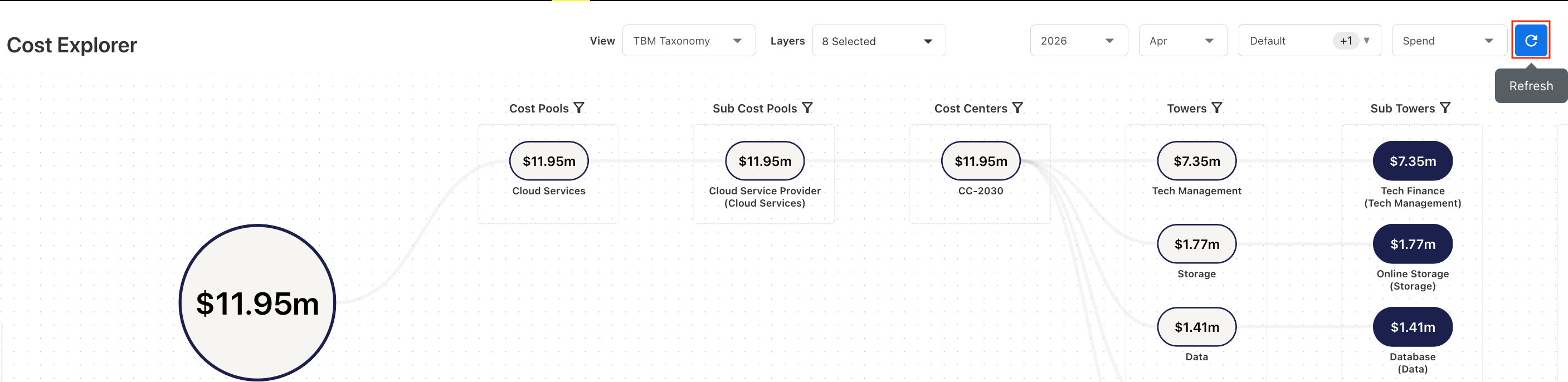
This avoids reloading the page after every filter change and improves the overall filtering experience, especially when working with larger datasets.
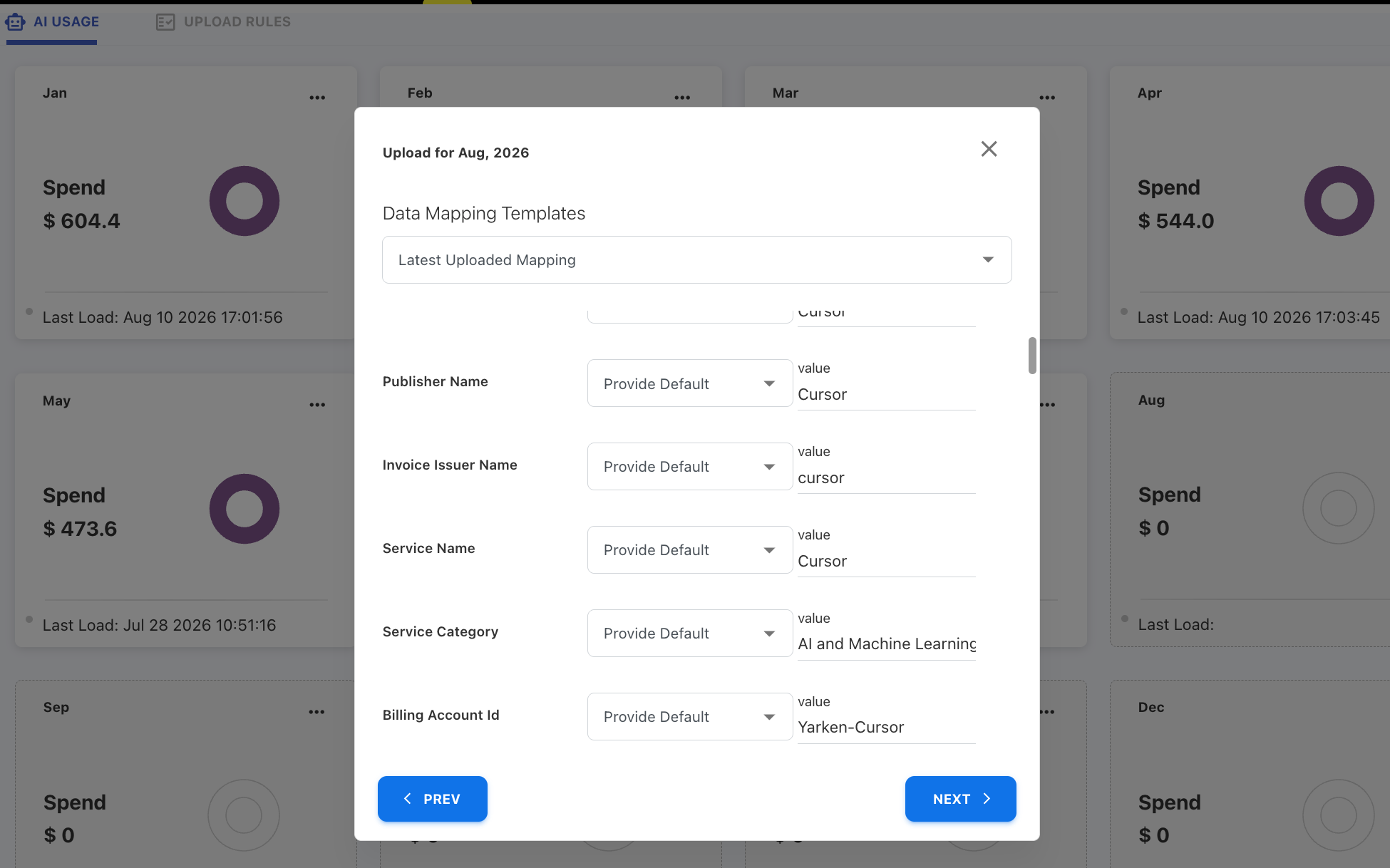
AI Usage reporting standardization
AI Usage reporting has been standardized to improve consistency and cost visibility across AI services.
For Cursor, AI usage data now follows a standardized field mapping structure, including consistent service category, provider, service name, collector source, charge category, and billing account values.
AI Usage terminology has also been updated to use more provider-neutral field names:
-
Prompt Tokens → Input Tokens
-
Completion Tokens → Output Tokens
Enhancements
An AI Service reporting
AI Service field added across asset types
A new AI Service field is now available across all asset types, providing deeper visibility into AI-related spend and infrastructure.
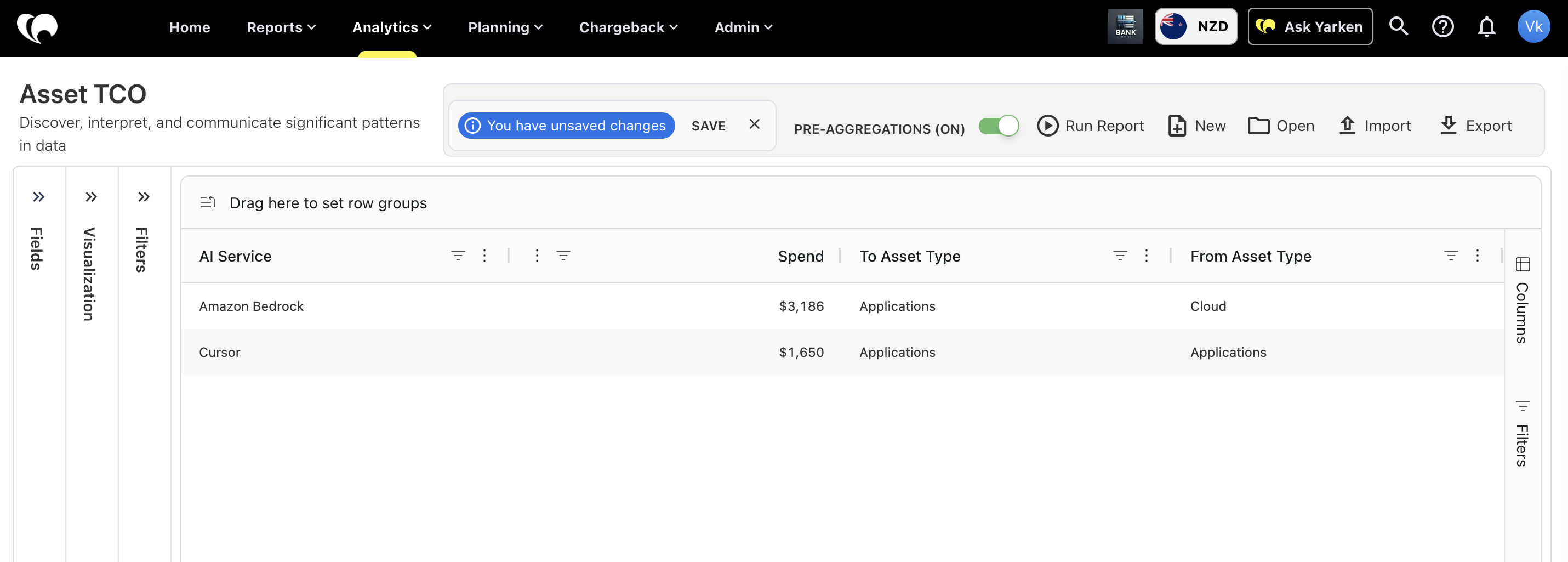
The field is also available in Analytics → Asset TCO → From Assets, enabling users to report on AI services alongside existing asset metrics.
AI Service mapping for Cloud Consumption
You can now map Cloud Consumption spend directly to AI Services using Upload Rules. When cloud spend is published, the configured mappings automatically populate the AI Service field for Cloud assets in the selected reporting month.
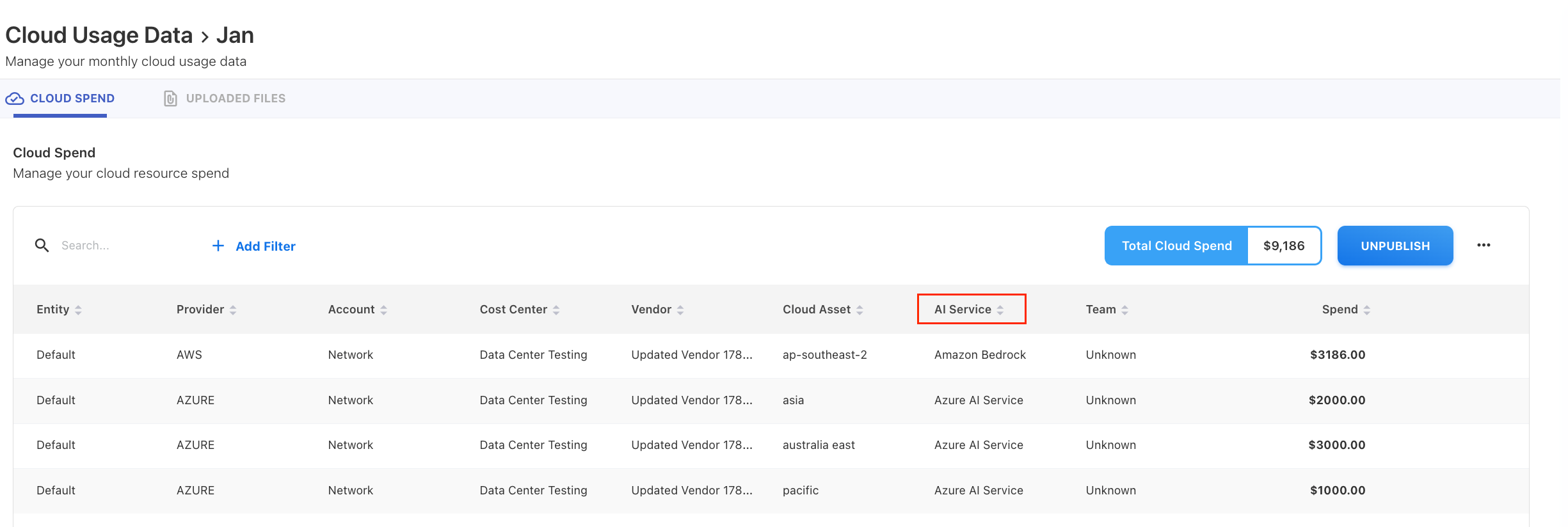
This enhancement makes it easier to categorize AI-related cloud spend and improves reporting and TCO analysis for AI services.
Automated Cloud Recommendation asset association
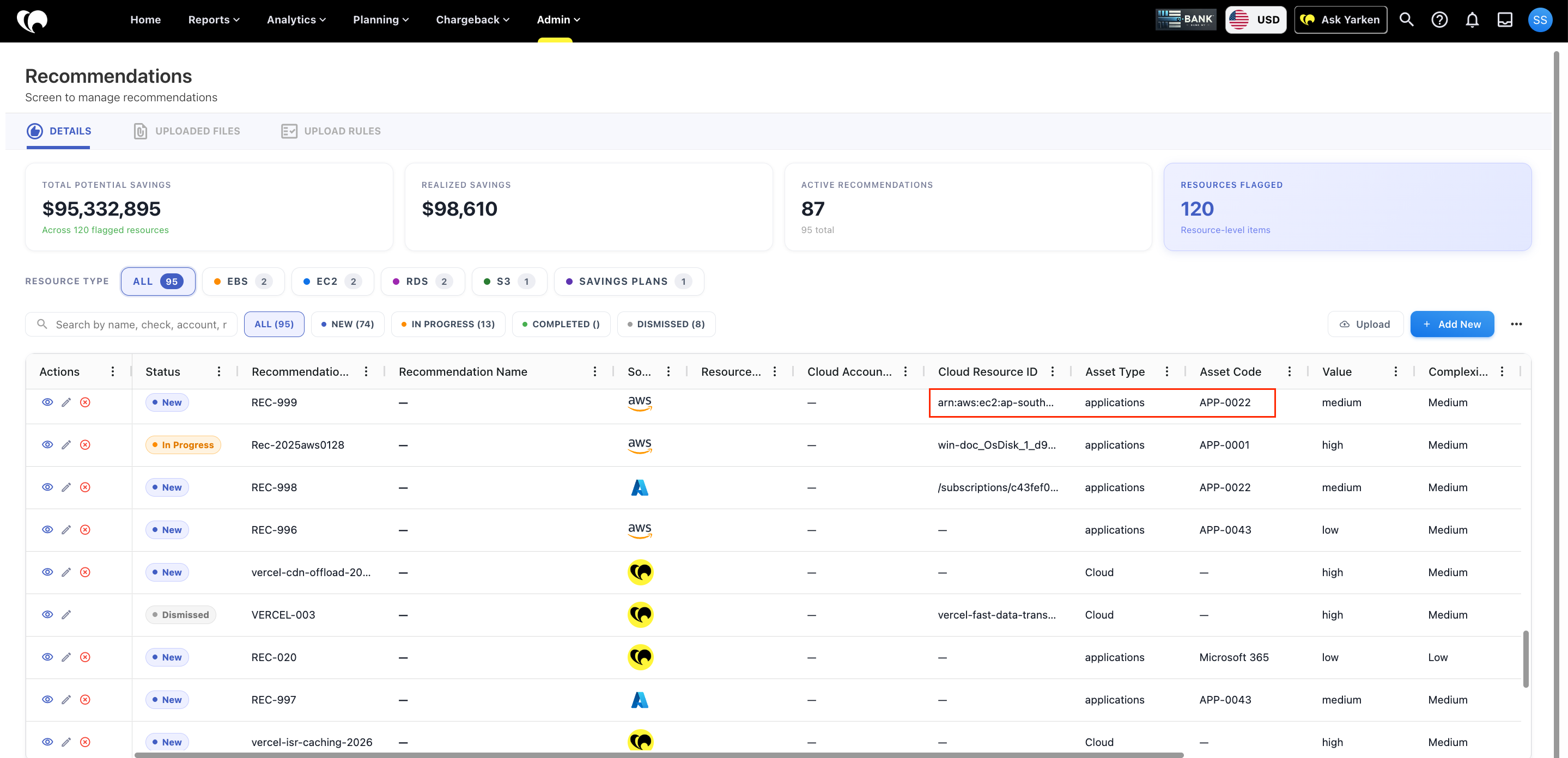
Cloud Recommendations are now automatically associated with the appropriate Applications, Products, or Services during data ingestion, improving visibility into realized and potential savings from recommendations across dashboards.
-
Recommendations are matched using Resource ID as the primary identifier.
-
Asset association is determined using a priority order of Application Tag, Service Tag, and Product Tag.
-
The association process runs automatically for both manual file uploads and Workflow Automation integrations.
-
Existing manual associations are preserved and take precedence over automatic associations.
This enhancement improves the accuracy of recommendation-to-asset mapping and provides better visibility into cloud optimization opportunities.
AI-Driven Automation for Insights
We have enhanced the Insights feature by integrating AI Studio Automations (Beta) directly into the anomaly detection lifecycle. When an anomaly is triggered, the full context of the insight is automatically passed to the AI workflow, enabling more intelligent, context-aware analysis and response.
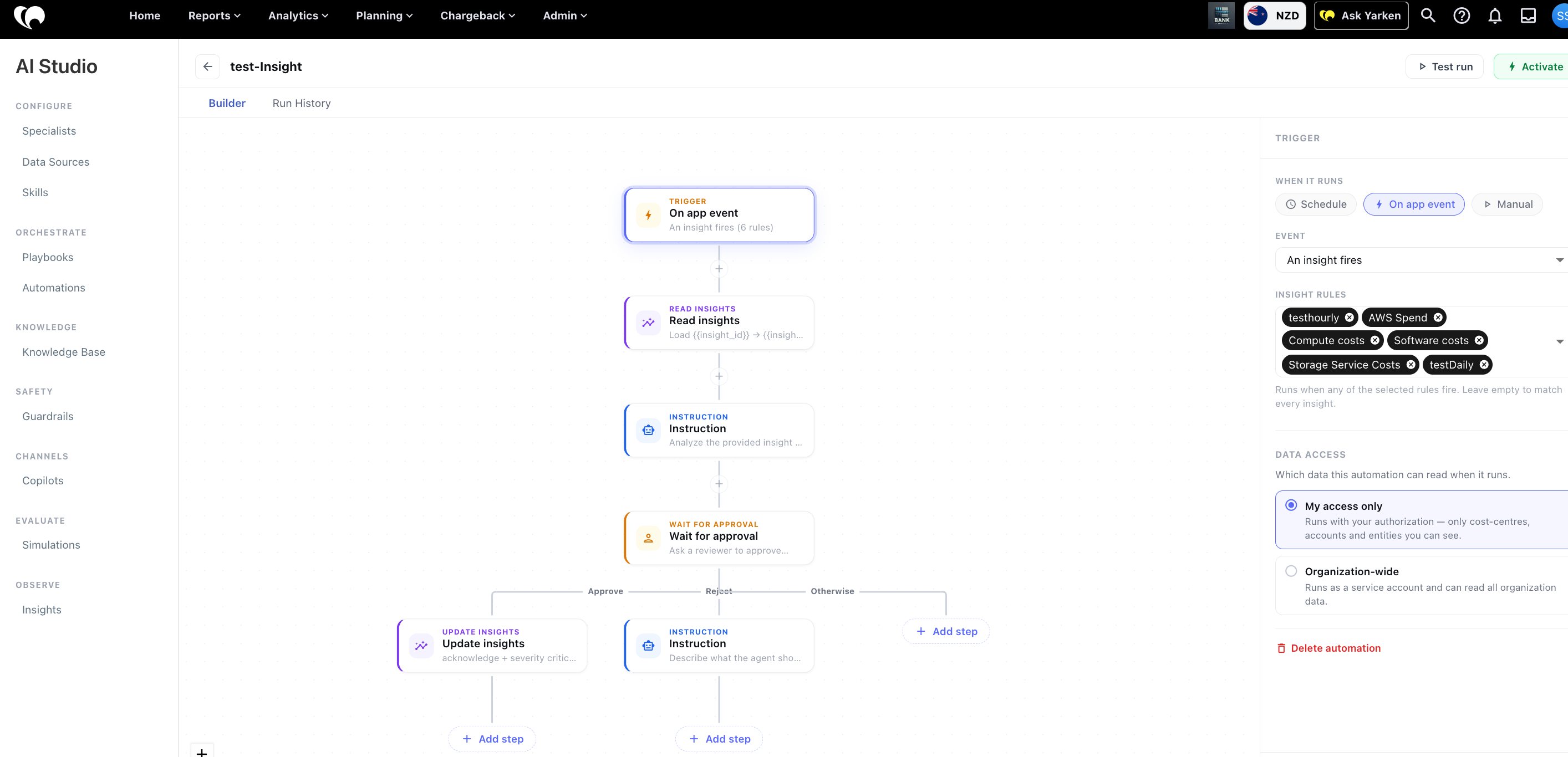
Key Capabilities:
-
Automated Triage: Automations can now automatically update an insight's status (e.g., Acknowledge, Resolve), adjust severity levels, and add comments to the timeline.
-
Human-in-the-Loop: You can now include an approval step within the workflow, ensuring a specialist reviews the AI's findings before actions are finalized.
-
Flexible Notifications: Configure notifications to be sent via Email, Microsoft Teams, or Slack. These can be routed to specific channels, groups, or individuals, both within the app and externally.
Owner Tag for cloud resources
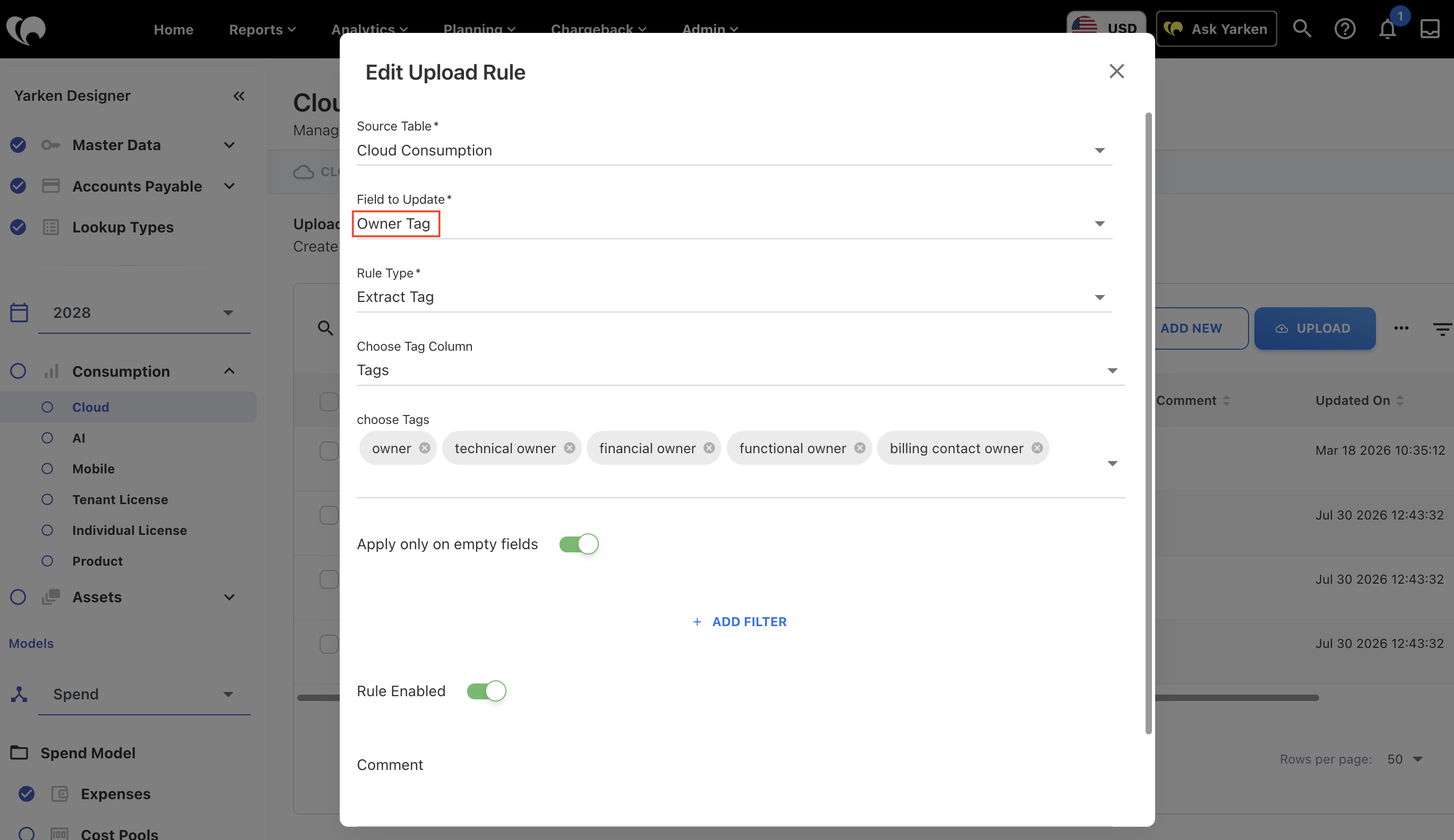
Cloud Consumption now supports an Owner Tag field, enabling you to map business owners directly to individual cloud resources. To streamline this process, a default upload rule automatically identifies and processes Owner Tags during data ingestion, ensuring resource ownership is consistently maintained.
Enhancements and bug fixes
AI Usage dashboard for Cursor
We have introduced a new AI Usage dashboard to help you monitor and analyze your organization's Cursor AI usage and associated costs.
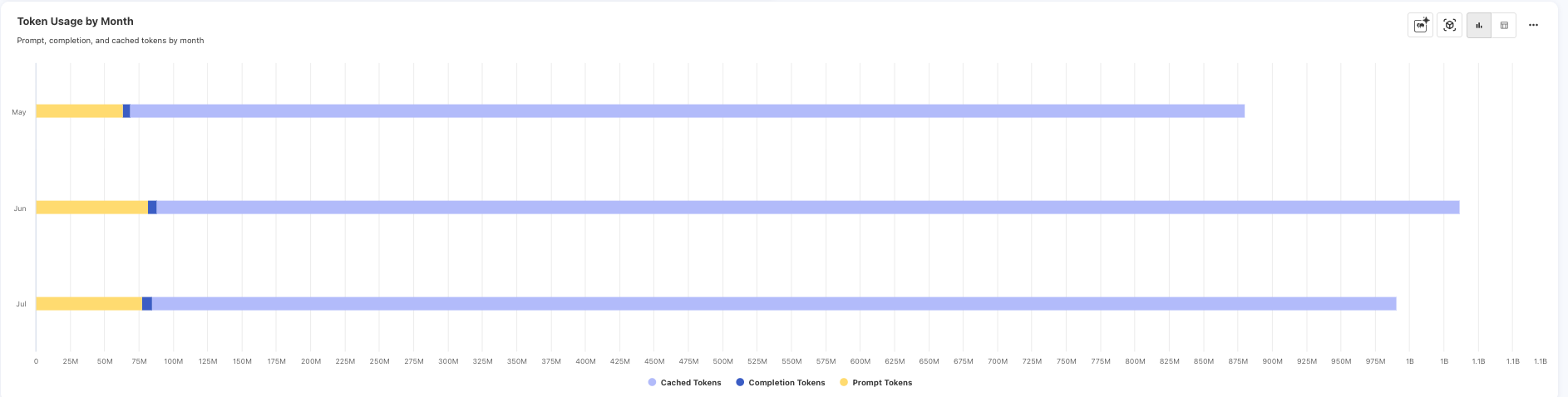
The dashboard provides visibility into key AI usage metrics, including monthly spend trends, spend by AI model, prompt and output token usage, cache utilization, and a comparison of Cursor-native and third-party AI models. These insights help you understand AI adoption, monitor usage patterns, and identify opportunities to optimize AI costs across your organization.
Cursor usage data can be automatically ingested through an Advanced Integration, ensuring the dashboard remains up to date with the latest usage information. The dashboard is accessible through Reports > AI Usage > Cursor.
AI Specialist widget added to the homepage
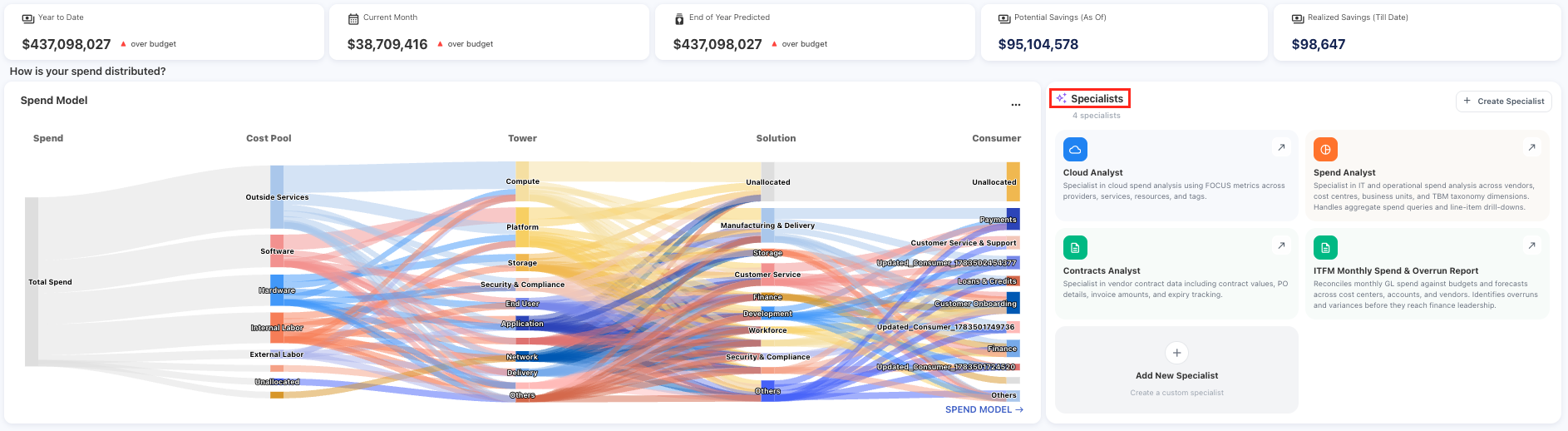
The Spend by Expense Type chart has been replaced with the AI Specialist widget on the homepage for Admin users. The widget provides a quick overview of the available AI Specialists and their purpose.
This widget appears only for Admin users who have been included in the Ask Yarken beta feature access. Admin users who are not included in the beta access list will continue to see the Spend by Expense Type widget.
Improved Cloud Publish allocation accuracy
Resolved an issue where the Cloud Publish process incorrectly distributed Cloud asset spend across all towers and sub-towers within a vendor. The allocation process now accurately assigns spend to the appropriate towers, sub-towers, and assets based on actual allocation data. As a result, Cloud asset spend in the Asset TCO cube now aligns correctly with the corresponding tower and sub-tower values in the Consumption cube.
Enhancements and bug fixes
Advanced Integrations and Automation
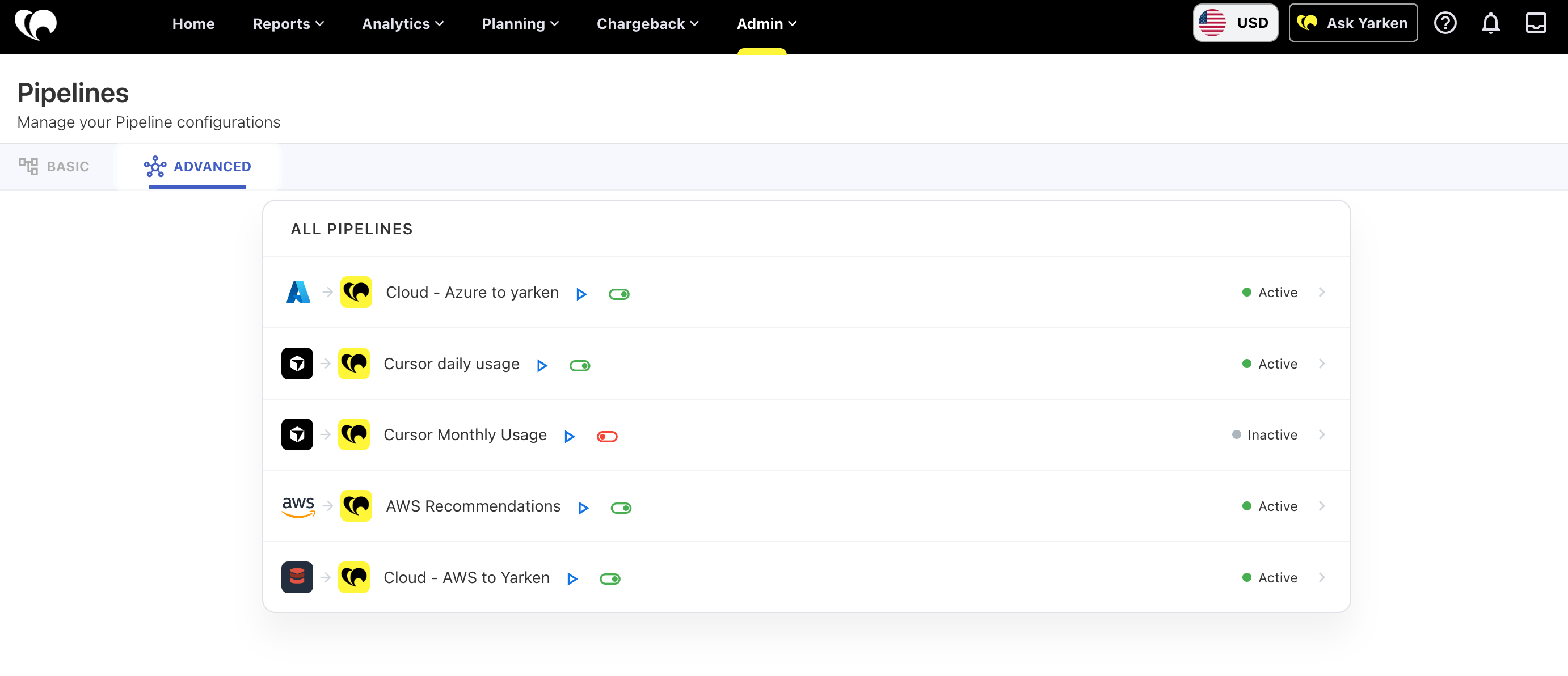
Yarken now supports Advanced Integrations, enabling you to automate data exchange between Yarken and external systems using pre-built automation recipes. Advanced Integrations reduce manual effort, improve data consistency, and help streamline recurring integration tasks.
Advanced Integrations are deployed by Yarken during implementation. After deployment, administrators can authorize external connections, manage automation recipes, and monitor integration activity directly within Yarken.
This release includes:
-
A new Advanced tab in Connections for authorizing external applications.
-
A new Advanced tab in Pipelines for managing deployed automation recipes.
-
Support for AWS Trusted Advisor integration to automatically import cloud optimization recommendations.
-
Automated file uploads from supported cloud storage providers using automation recipes.
-
Improved visibility into connection status and automation execution history.
Benefits
-
Reduce manual integration tasks through automation.
-
Simplify the management of external system connections.
-
Improve visibility into automated integration processes.
-
Help ensure consistent and reliable data synchronization between Yarken and connected systems.
Availability
Advanced Integrations are deployed as part of your Yarken implementation. Contact Yarken Support if you would like to enable additional advanced integrations for your environment.
New feature: Contract Extraction
We’ve introduced Contract Extraction, a new capability that helps organizations onboard and manage contracts more efficiently by automatically extracting key information from contract documents.
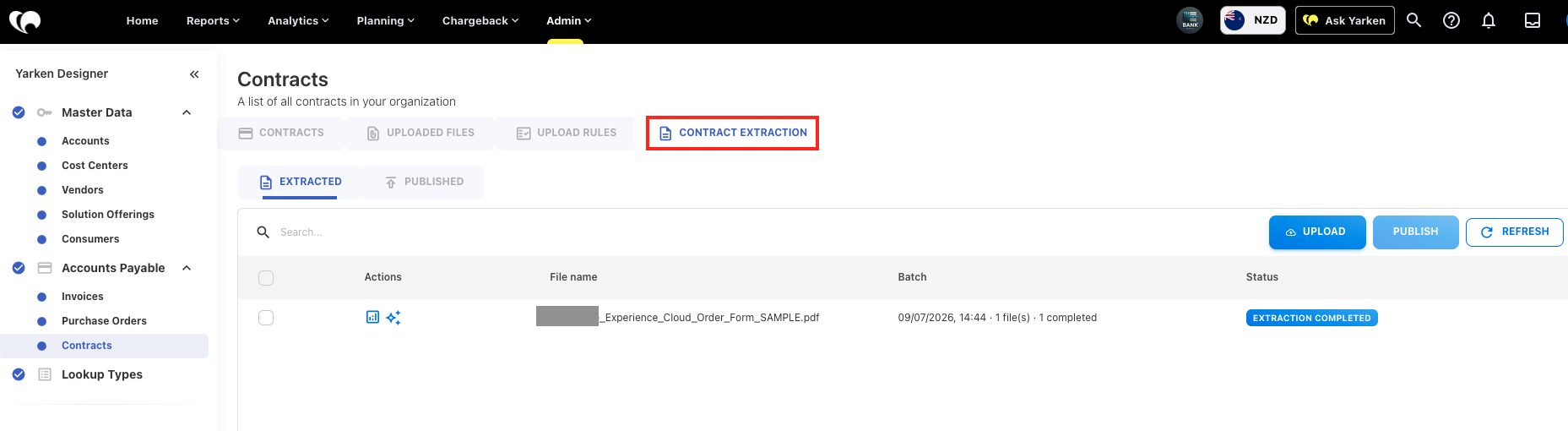
You can now upload contract PDFs and have Yarken automatically identify and extract important contract details, reducing the need for manual data entry and accelerating contract setup.
What's included
Automated contract extraction
Upload contract documents and automatically extract key contract information, including:
-
Vendor Name
-
Contract Description
-
Contract Amount
-
Start Date
-
End Date
-
Vendor Information
Review and validation workflow
Extracted information can be reviewed and updated before publication. Contracts that require additional attention are automatically flagged for review, helping users maintain accurate contract records.
Contract publishing
Once validated, extracted contract information can be published directly into Yarken, streamlining the contract onboarding process.
Contract Explorer
Contract Explorer enables users to search and interact with contract content using natural language.
Users can ask questions such as:
-
What are the payment terms?
-
When does the contract expire?
-
What are the renewal conditions?
-
What are the termination requirements?
Responses include supporting references from the original contract document, making it easier to verify information and locate important clauses.
Benefits
With Contract Document Extraction, organizations can:
-
Reduce manual contract data entry
-
Accelerate contract onboarding
-
Improve contract data quality
-
Increase visibility into vendor agreements
-
Quickly locate key contractual information
-
Enhance contract management efficiency
Multi-Cube Analytics (reporting)
Yarken Analytics now includes Multi Cube, an advanced capability that enables you to create reports and dashboards using data from multiple analytics cubes within a single view.
Instead of being limited to a single dataset, you can now combine dimensions and measures from different cubes to generate richer, cross-domain insights — without requiring manual data exports or offline consolidation.
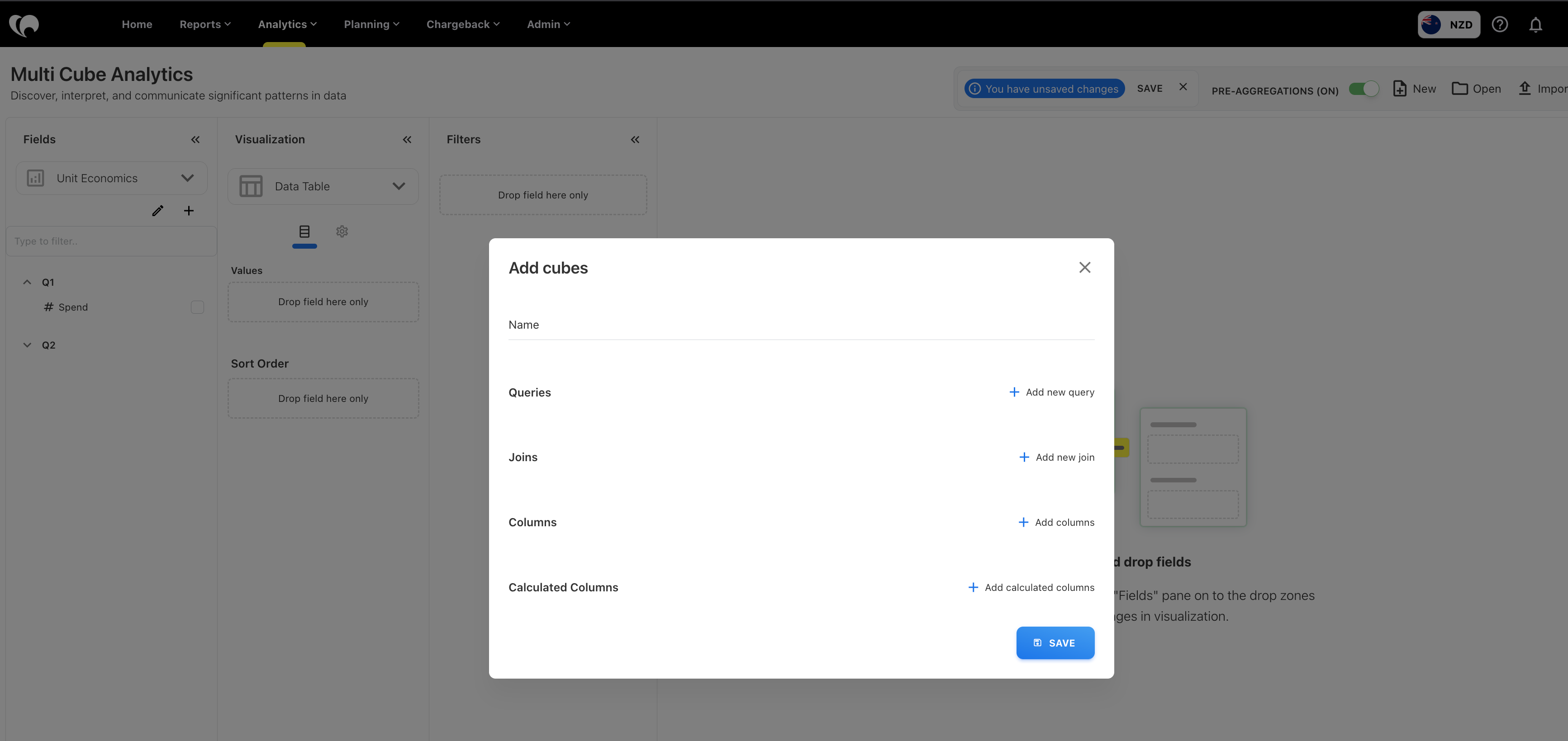
What's included
Cross-cube reporting
-
Combine fields from multiple cubes in a single report
-
Create cross-domain analytical reports spanning operational, financial, and usage data
-
Build advanced visualizations using related datasets
-
Reduce manual data exports and offline data preparation
How it works
-
Multi Cube Analytics dynamically combines data from multiple cubes at query time using shared business identifiers.
-
At runtime, the Analytics engine retrieves and joins the required data from the selected cubes and presents results as a unified dataset within the visualization.
Service Principal authentication for Azure Blob Storage
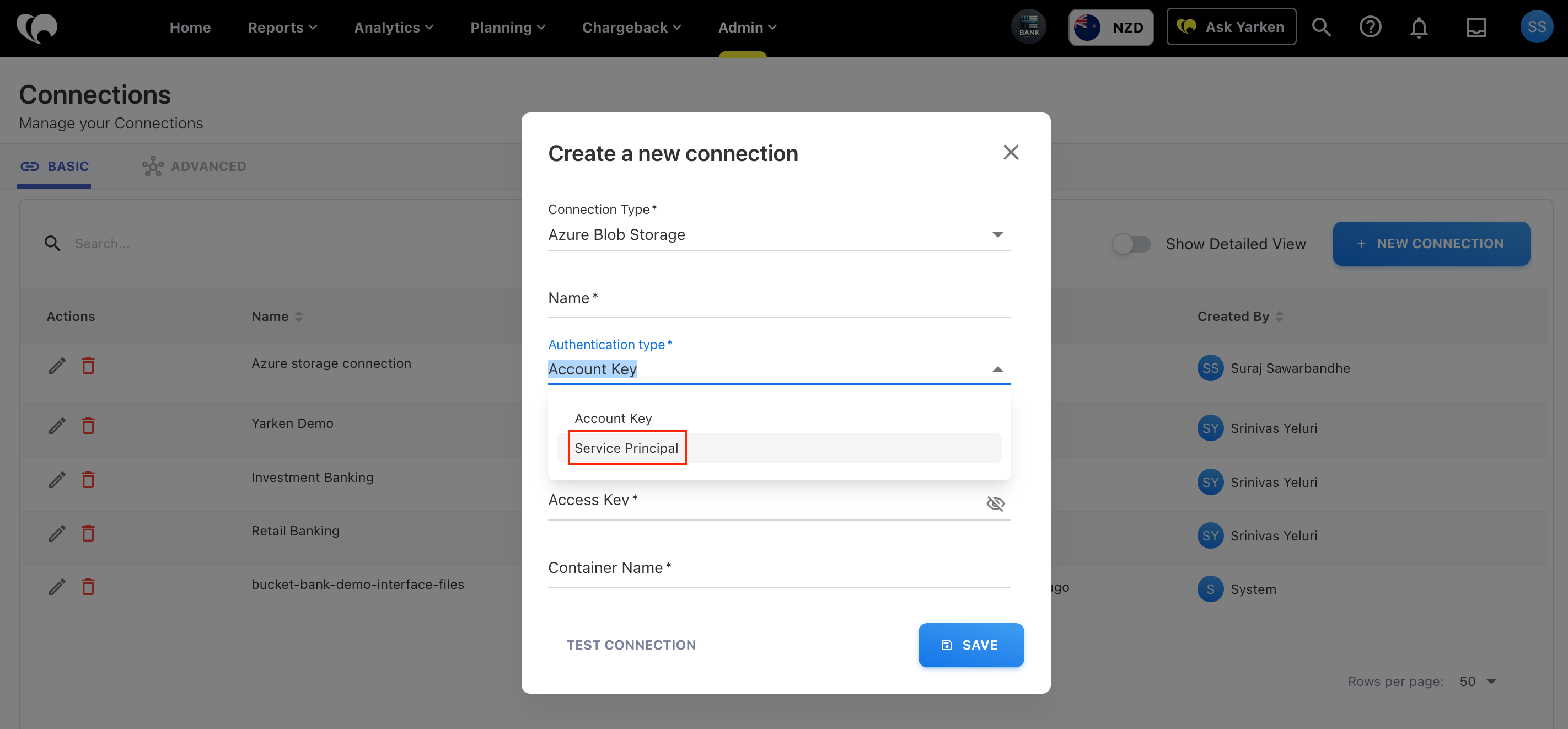
Yarken now supports Service Principal authentication for Azure Blob Storage connections.
This authentication method uses Microsoft Entra ID to securely access Azure Blob Storage without requiring a Storage Account Access Key. It is recommended for organizations using role-based access control (RBAC) because it provides more secure, auditable access to storage resources.
When creating an Azure Blob Storage connection, you can select Service Principal as the authentication type and provide the required credentials. Pipeline execution requires the Service Principal to have sufficient permissions to read billing export files from the configured storage container.
New By Usage split type for Asset Rules
A new By Usage split type is now available for Asset Rules, enabling you to distribute costs based on usage data instead of fixed percentages or existing allocation methods.
When configuring a rule, you can select a usage table, choose the dimension that identifies the destination assets, and allocate costs using a numeric measure such as Billed Cost or Quantity.
The initial release supports Cloud Consumption data, with support for additional usage tables planned in future releases.
-20260721-065547.png?cb=a031b101b8ecd3306d0efa7eaa99b494)
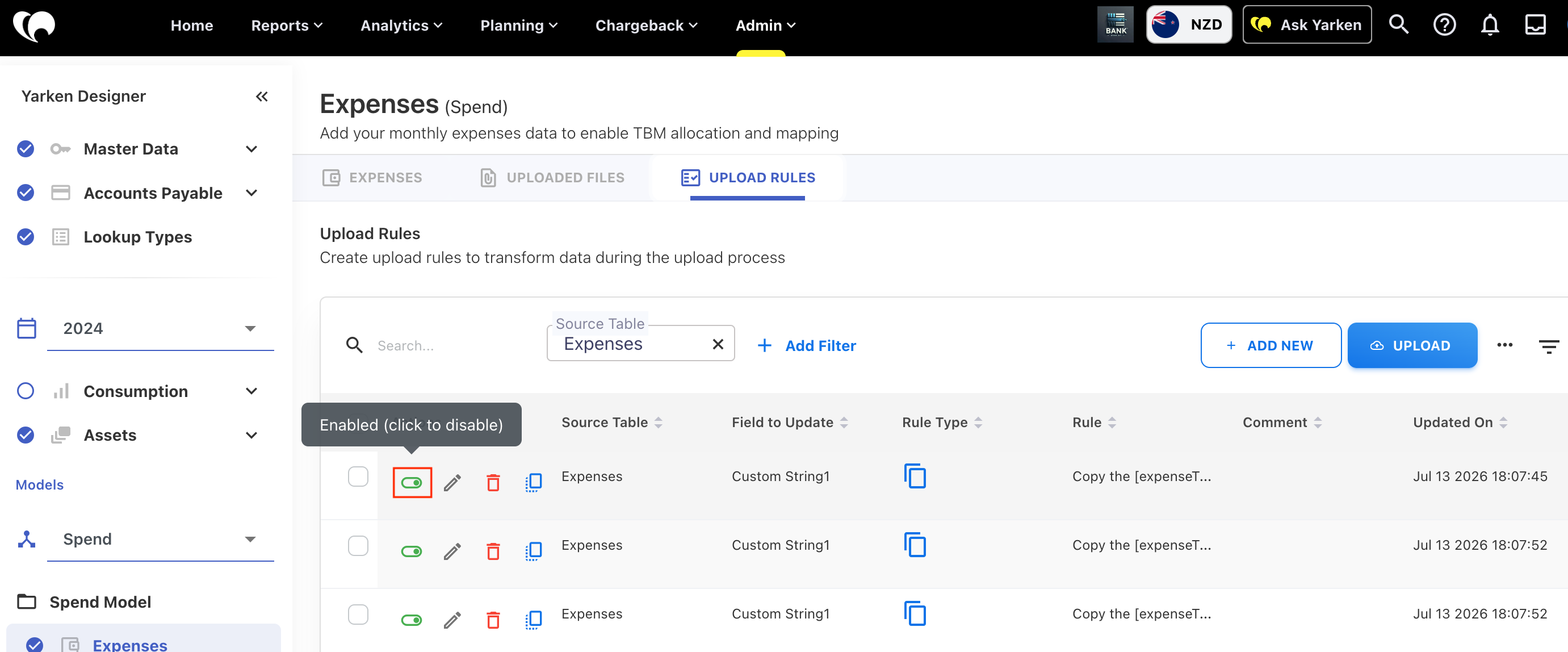
Rule enable/disable support added
You can now enable or disable rules across the following rule types:
-
Upload Rules
-
Cost Pool Rules
-
Tower Rules
-
Solution Rules
-
Lookup Rules
-
Consumption Rules
-
Asset Rules
Disabled rules are excluded from processing during data reloads while remaining available for future use. Rule status is also preserved during import, export, and copy operations, making it easier to test, troubleshoot, and manage rule configurations without recreating them.
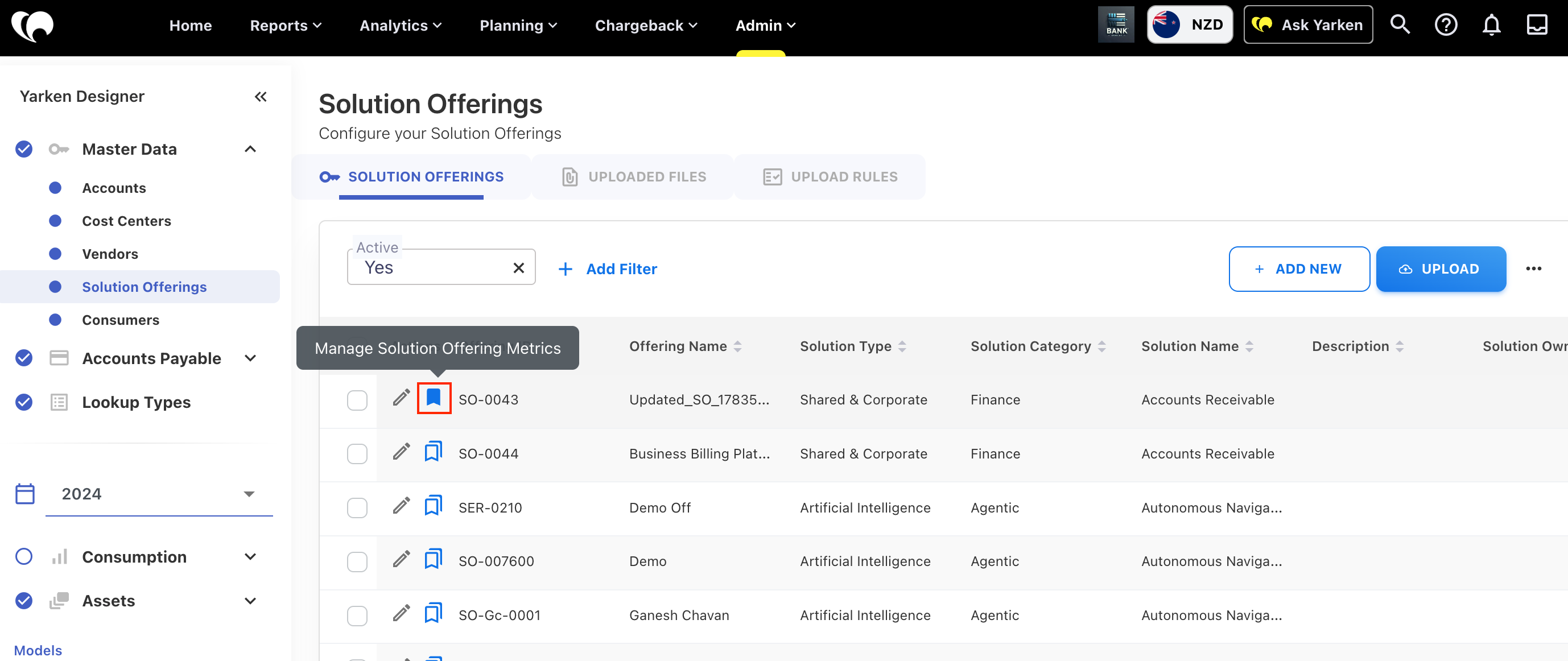
Companion Metrics linked to Solution Offerings
Companion Metrics can now be associated with Solution Offerings in Master Data, extending the existing metrics capability available for Contracts.
Configured metrics are displayed in the Solution Portfolio and Solution TCO reports, enabling you to analyze operational metrics alongside solution cost and performance.
Updated terminology for financial models
To better support Spend, Budget, and Forecast models, reporting terminology has been updated to use Expenses where the data is not limited to the Spend model.
This update applies across Cost Explorer, Analytics, Custom Dashboards, and Finance Overview, providing more consistent terminology when working with multiple financial models. Labels that specifically refer to the Spend model continue to use Spend.
Insight Rules deletion
Insight Rules can now be deleted even when related Insights already exist.
Previously, these deletions failed due to dependency errors. Deleting an Insight Rule now removes only the rule and does not affect any Insights that were already generated.
Pipeline scheduling
Pipeline scheduling now supports the configured instance time zone instead of UTC. The system-generated timestamps—including pipeline schedules, trigger times, and execution logs—are displayed consistently across the application.
Enhancements and bug fixes
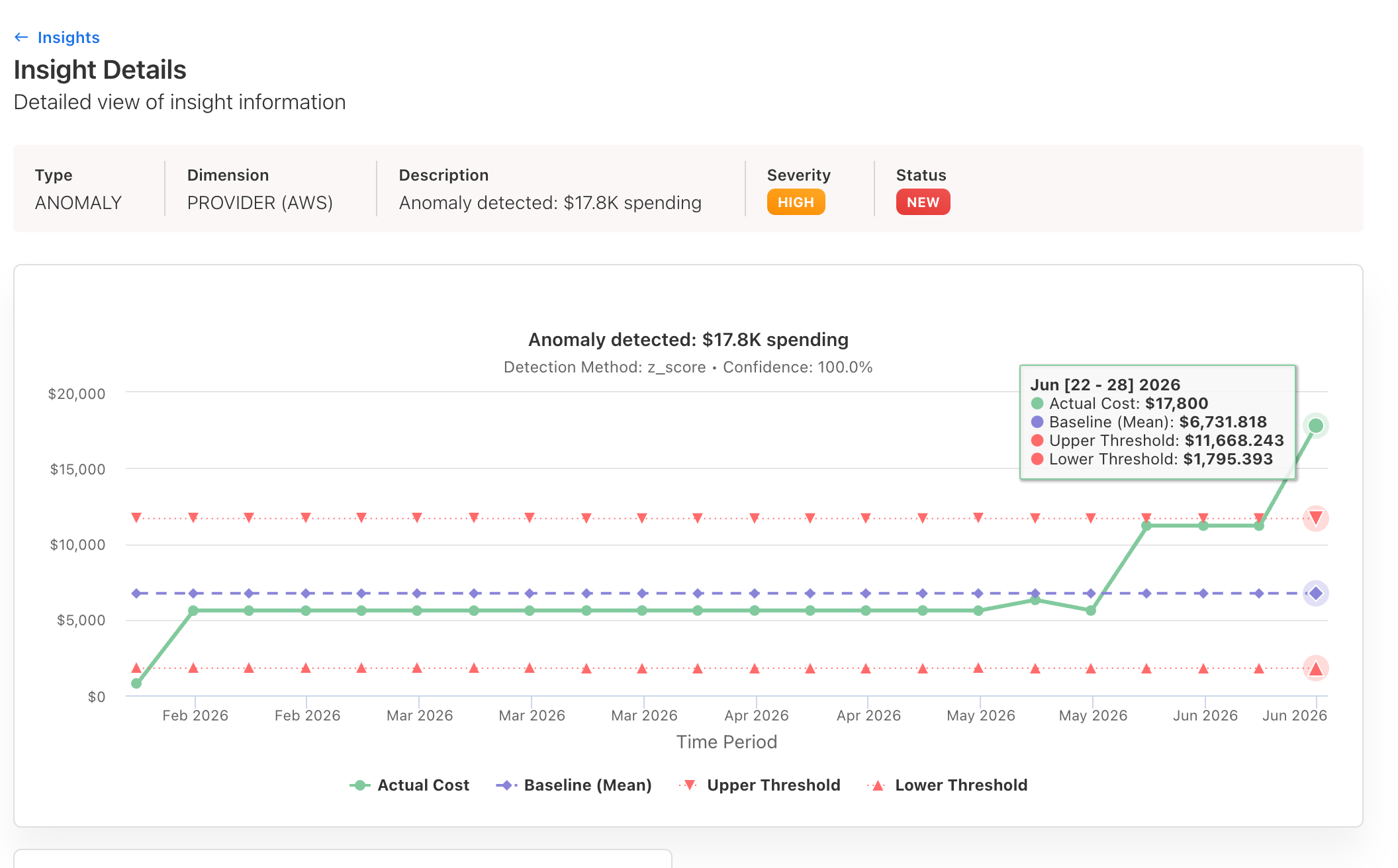
Insight anomaly charts
Insight anomaly charts now use the frequency configured in the Insight Rule to aggregate data and detect anomalies.
-
Data is aggregated based on the selected frequency (for example, weekly or monthly) before anomaly detection is performed
-
Z-score calculations are applied to the aggregated data rather than individual data points
-
Detected anomalies are displayed using the same frequency as the configured Insight Rule (for example, weekly anomalies are shown on a weekly timeline)
-
Insight execution continues to follow the configured rule frequency
This enhancement provides more meaningful anomaly detection by aligning the analysis and visualization with the selected reporting frequency.
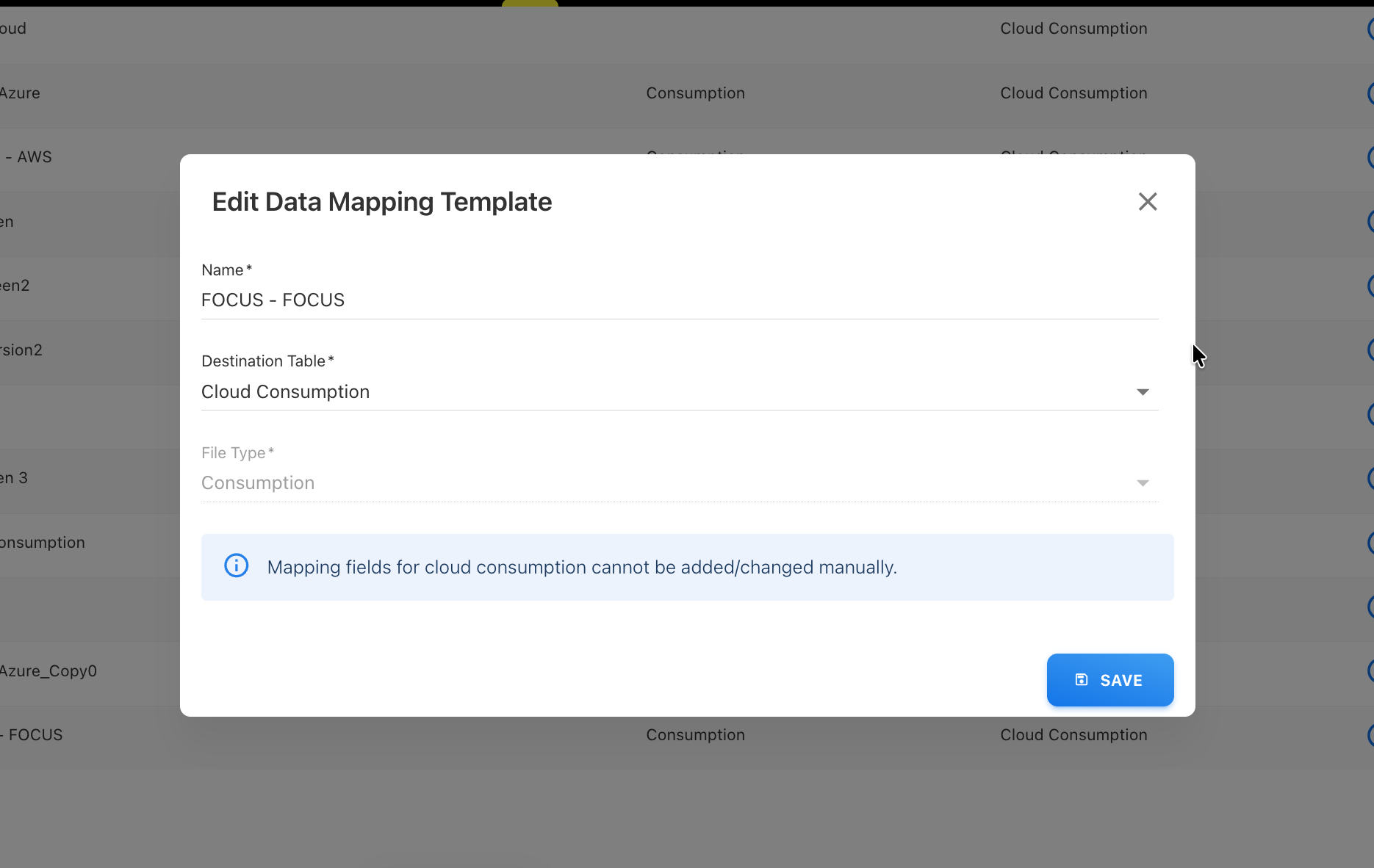
FOCUS template support in Pipelines
Pipelines can now be configured directly using the FOCUS default template, eliminating the need to upload a file before creating a pipeline.
-
Configure pipelines with the FOCUS default template without a prior file upload
-
Account, Cost Center, and Vendor fields are now populated through Upload Rules instead of manual entry. These mappings must be configured before data can be published.
-
Date format selection has been improved. When you select a cloud provider data mapping template (for example, Azure Cloud Consumption), the appropriate date format is automatically pre-selected, with the option to change it if required.
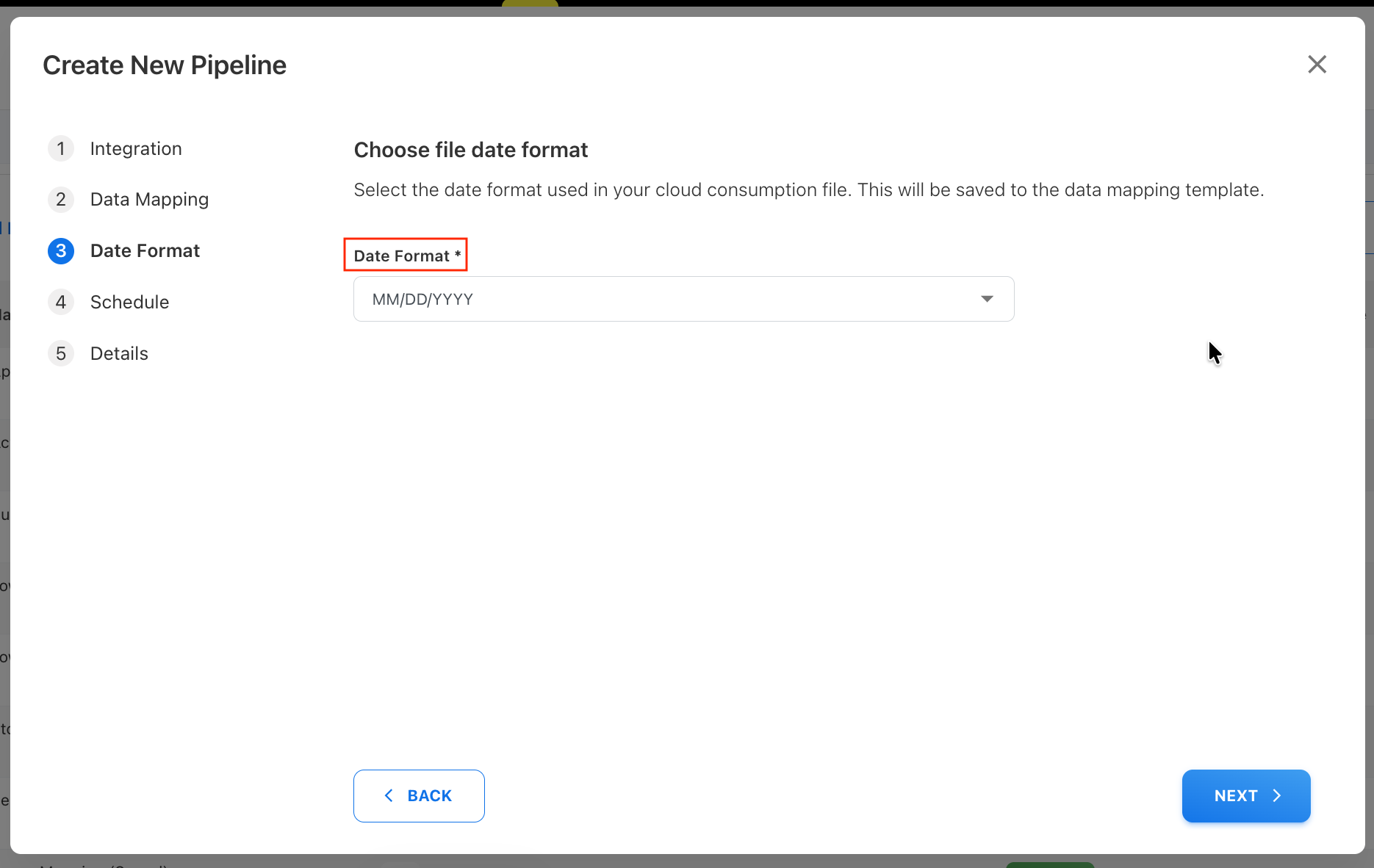
This enhancement simplifies pipeline configuration while ensuring required mappings are consistently managed through Upload Rules.
Chargeback locking across models
Chargeback month locking has been enhanced to ensure consistent protection of data across all models.
-
Chargeback locks now apply across all models, with lock indicators displayed for affected months
-
Chargeback can only be created in the Spend model (default model). Other models such as Budgets, Forecast, and any custom models (including custom spend models) are not allowed to create Chargeback. However, when Chargeback is created, the month locking is applied across all models.
-
Copy To operations for rules, mappings, and assets automatically skip chargeback-locked months
-
Assets and Cloud Consumption are locked during the chargeback month to prevent changes
-
Cloud Consumption cannot be published or unpublished for chargeback-locked months
-
Model import and copy operations automatically skip chargeback-locked months
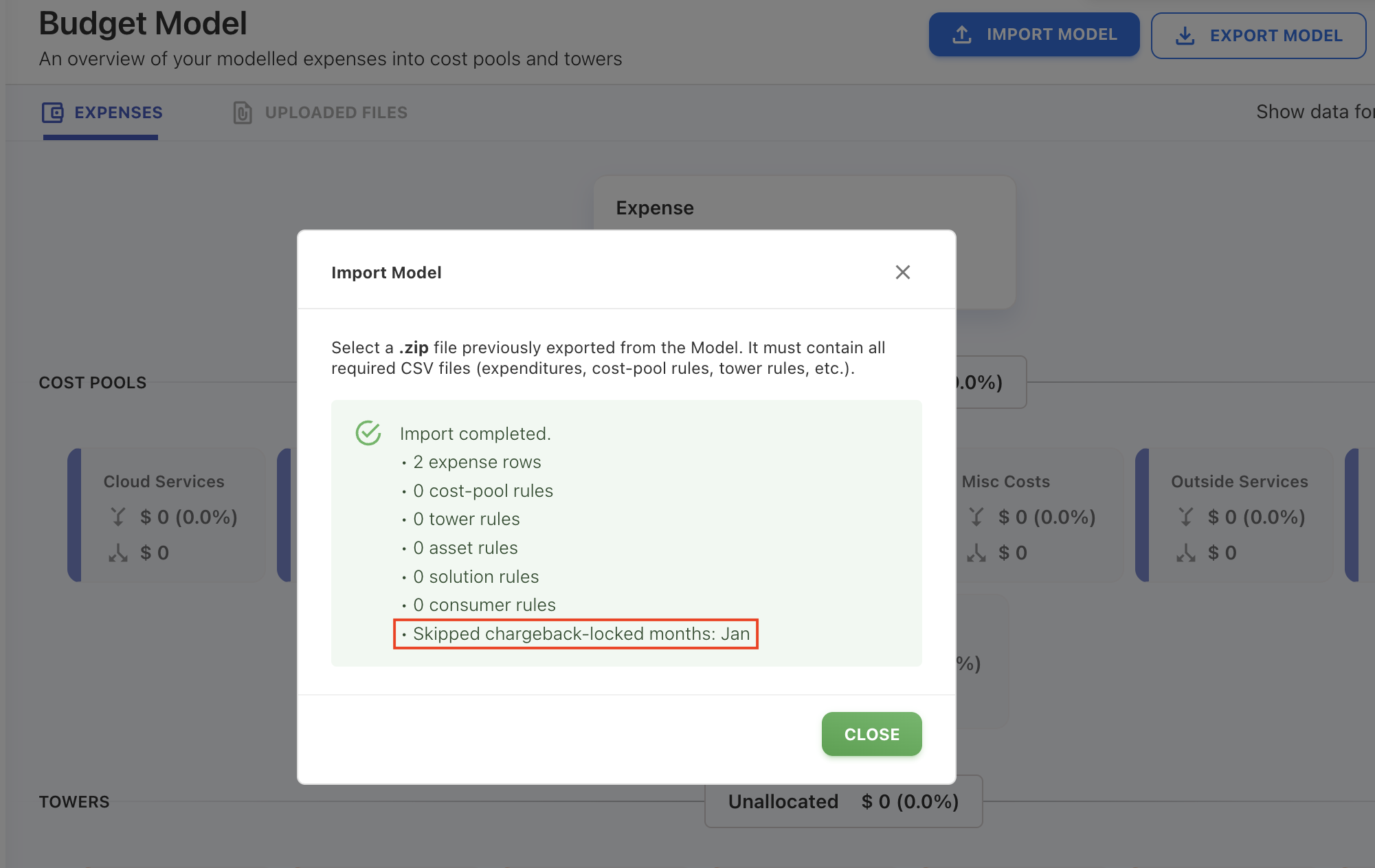
-
Background Processes record any months skipped due to chargeback locks, providing full traceability
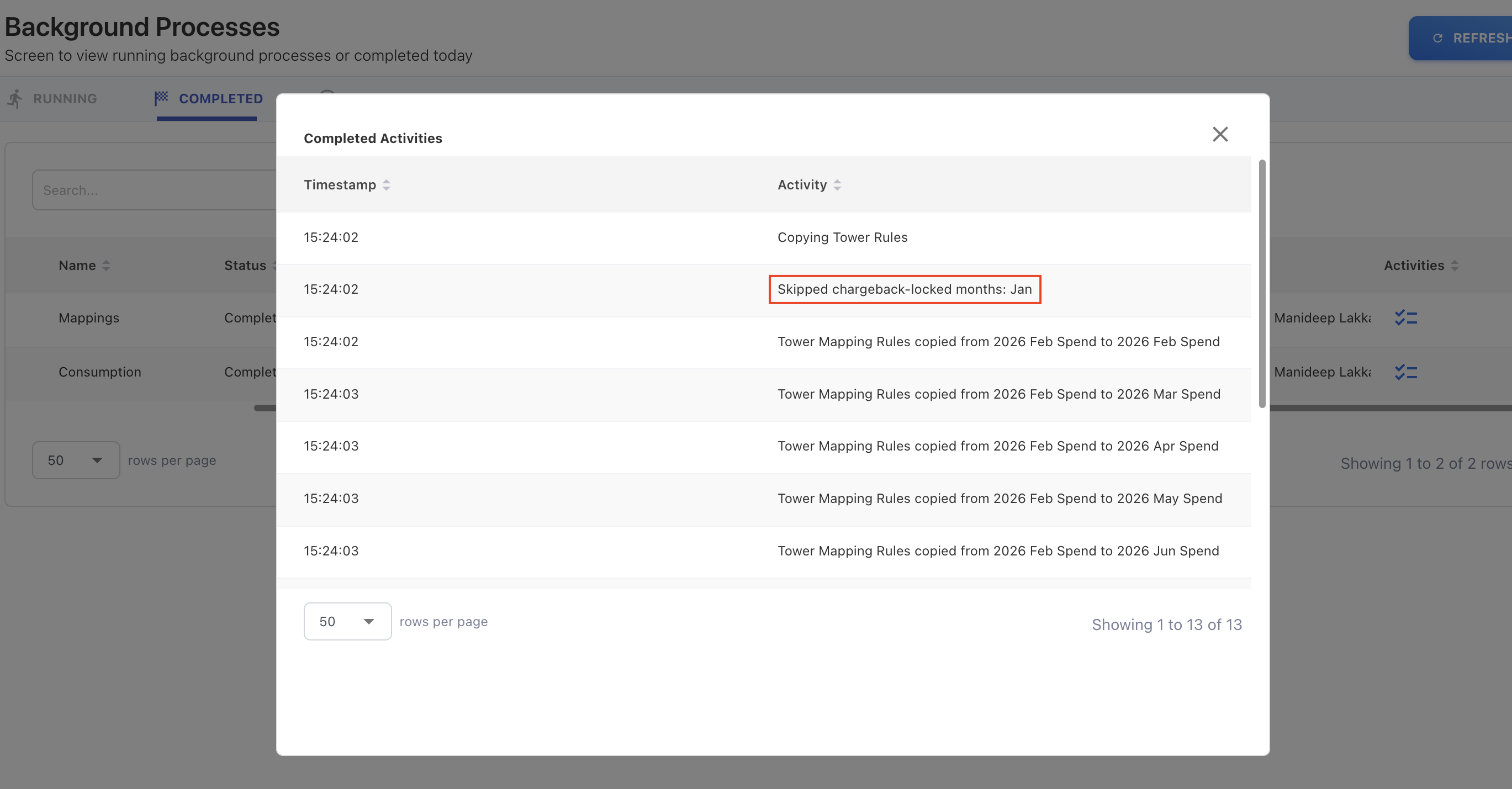
This enhancement helps preserve data integrity by preventing updates to periods that have been locked for chargeback processing.
Increased character limits for text fields
The maximum character limit has been increased from 255 to 512 characters for text fields such as Asset Description, Journal Line, and Expense Custom Strings, allowing more detailed information during file uploads.
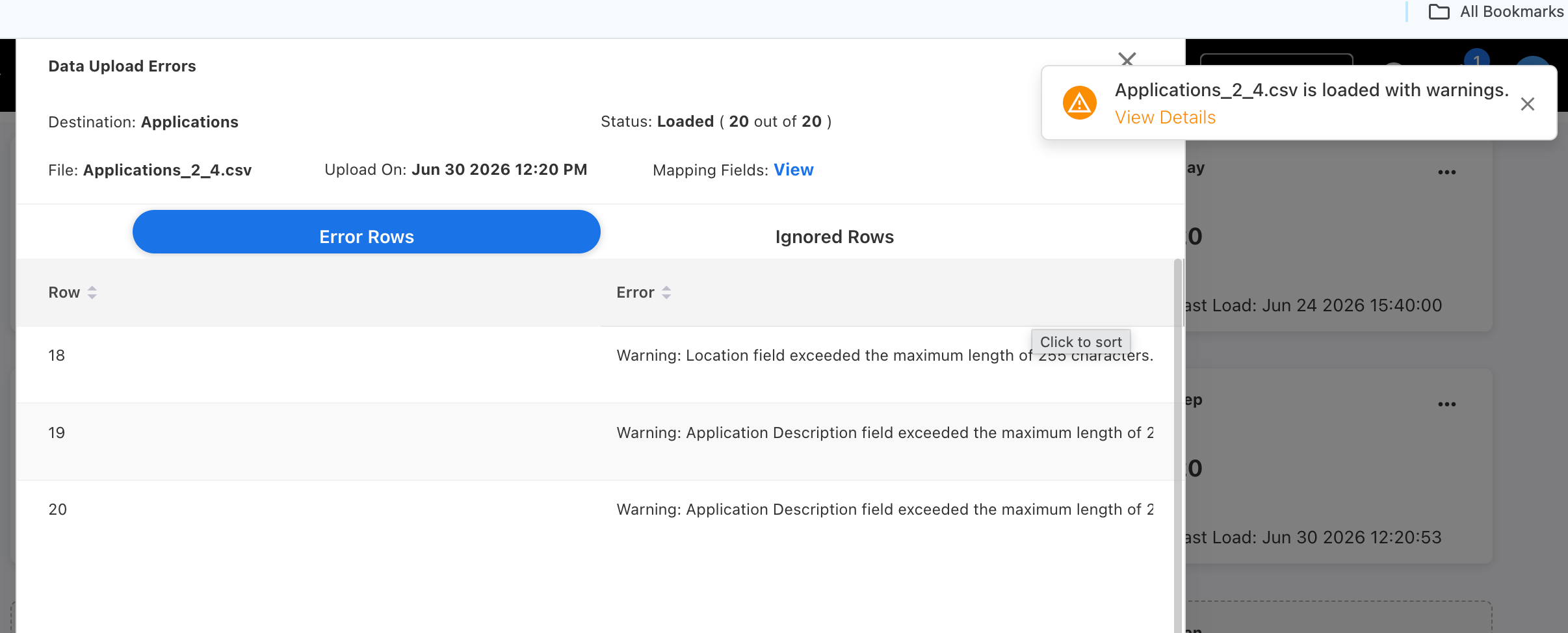
Previously, rows containing text fields that exceeded the allowable character limit were rejected during upload. Now, these rows will be uploaded successfully, with the exceeding text automatically truncated to fit within the maximum limit.
Enhancements and bug fixes
Insight Rules: Multi-Value dimension selection
You can now select multiple values within a single dimension when creating or editing Insight Rules. This means broader monitoring coverage with fewer rules.
What's new
Previously, each dimension in an Insight Rule accepted only one value. For example, setting Provider = AWS and Category = Compute meant the rule monitored only AWS Compute spend. To monitor Azure Storage as well, you had to create a separate rule.
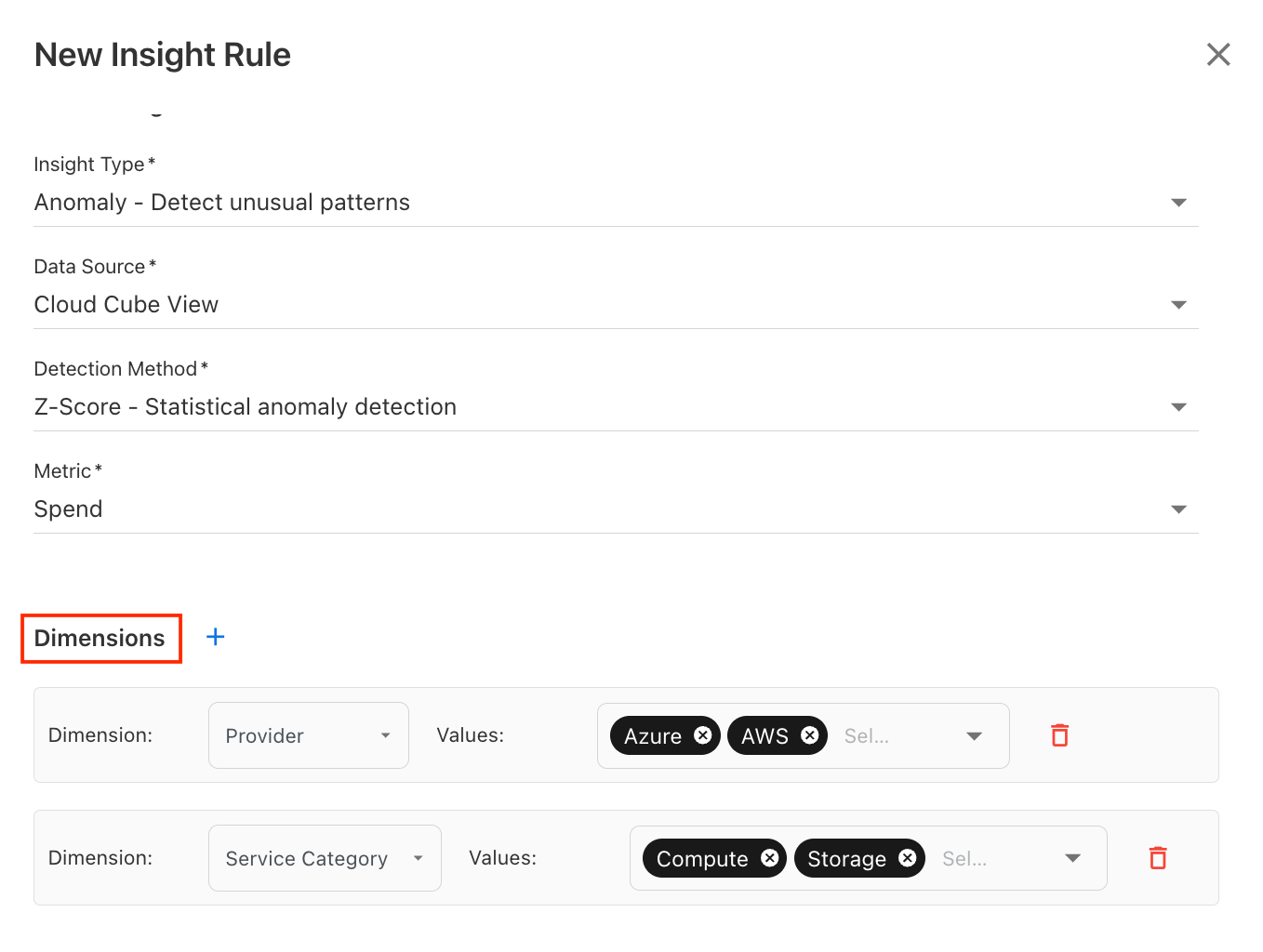
Now, you can select multiple values per dimension within a single rule. For example:
-
Provider = AWS, Azure
-
Service Category = Compute, Storage
How it works
-
Within a dimension — values are combined using OR logic (e.g., AWS or Azure)
-
Across dimensions — values are combined using AND logic
Using the example above, the rule monitors: (AWS OR Azure) AND (Compute OR Storage) — covering AWS Compute, AWS Storage, Azure Compute, and Azure Storage automatically.
Benefits
-
Fewer rules to manage — cover multiple scenarios in a single rule instead of creating one per combination
-
Broader monitoring — a single rule can track spend across multiple providers, categories, or other dimensions simultaneously
-
Simpler maintenance — update one rule instead of many when thresholds or conditions change
Global filters in Custom Dashboards
Custom Dashboards now support global filters, allowing you to apply filters across multiple widgets from a single location.
The following fields are available as global filters:
-
Year
-
Month
-
Expense Type
-
Entity
You can also enable or disable global filters for a dashboard and choose whether specific widgets should participate in global filtering.
Configurable cloud providers
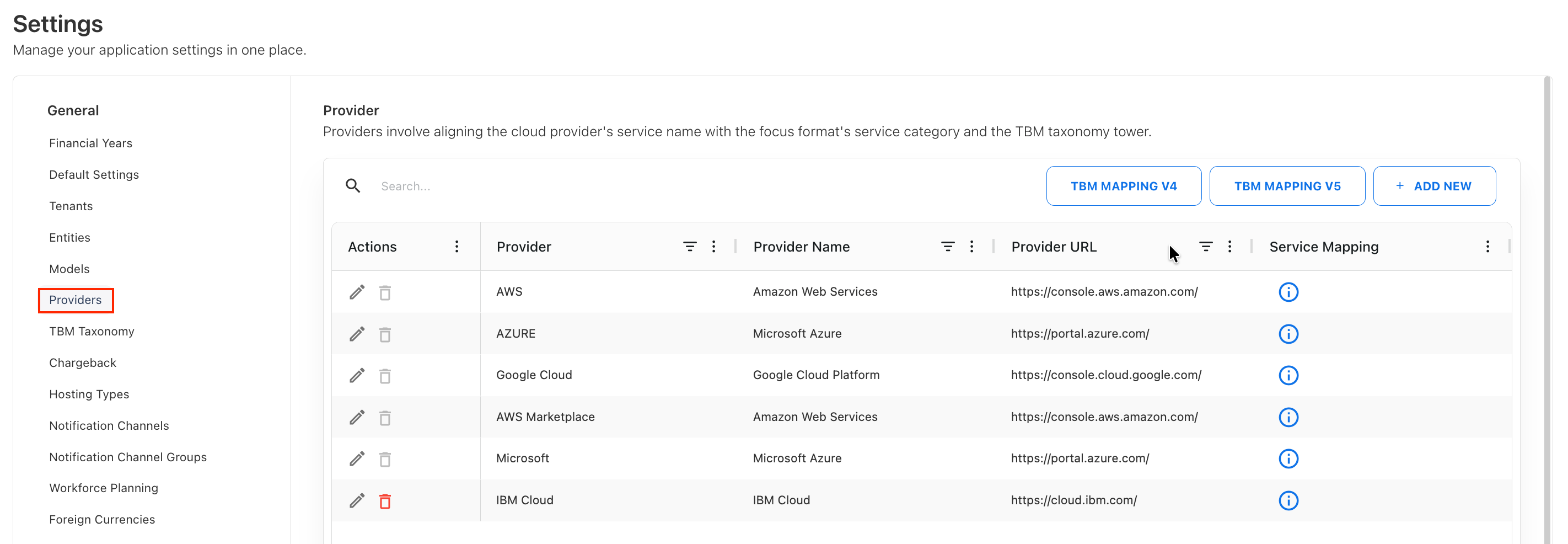
Cloud providers are now fully configurable through a new Provider settings interface available under Admin > Settings > Provider.
-
Add and manage cloud providers without relying on predefined values
-
Newly added providers automatically follow the FOCUS format and service category structure
-
Service categories for AWS, Azure, and GCP remain non-editable to preserve consistency
-
View service category to TBM mapping details, including sub-category mappings
-
Easily understand how service categories map to Sub Cost Pools, Cost Pools, Towers, and Sub Towers
This enhancement provides greater flexibility in managing cloud providers while improving visibility into service category mappings and TBM classifications.
Alerting and Insight Rules management improvements
We’ve added new capabilities to make Insight Rules and Alerting easier to manage, review, and migrate.
-
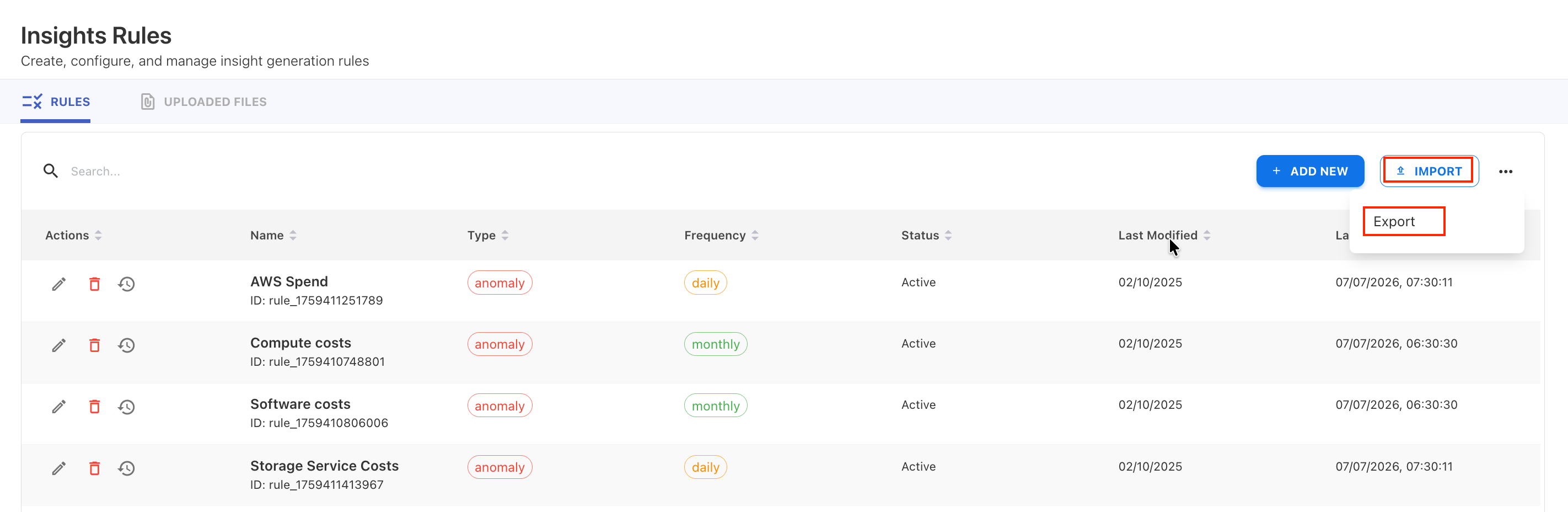
Insight Rules can now be exported and imported in JSON format for backup, sharing, and migration across environments.
-
Alerting now includes an Uploaded Files tab to browse and manage previously uploaded alert files.
-
Edited records that were originally loaded from a file are now automatically de-linked from the source file, ensuring modified records no longer remain tied to the original import.
Fixed an issue with multi-level spend allocation
Resolved an issue where multi-level cost allocations were not fully represented across Analytics and Cost Explorer. Allocation relationships are now correctly processed across multiple asset levels, ensuring accurate visibility into distributed spend. Cost Explorer displays direct allocation relationships, while Analytics provides end-to-end allocation traceability through derived relationships.
Enhncements
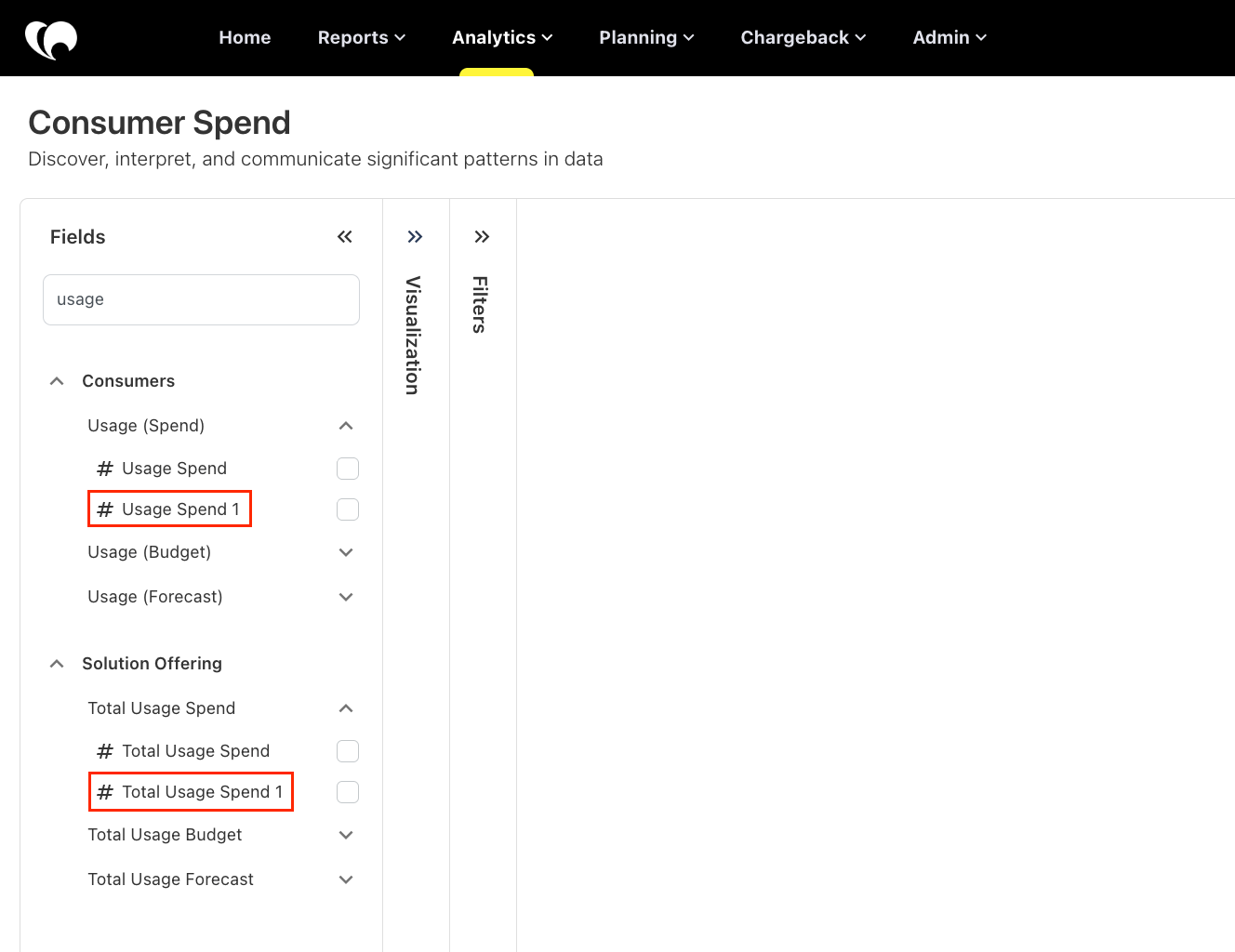
Consumer Spend cube now support model-aware reporting
The Consumer Spend cube is now model-aware, enabling more accurate reporting when working with multiple models.
The Usage, Total Usage, and Unit Spend metrics now reflect data for the selected model. Previously, these metrics displayed aggregated values across all models, making it difficult to analyze consumer usage and unit costs for a specific model.
Enhancements
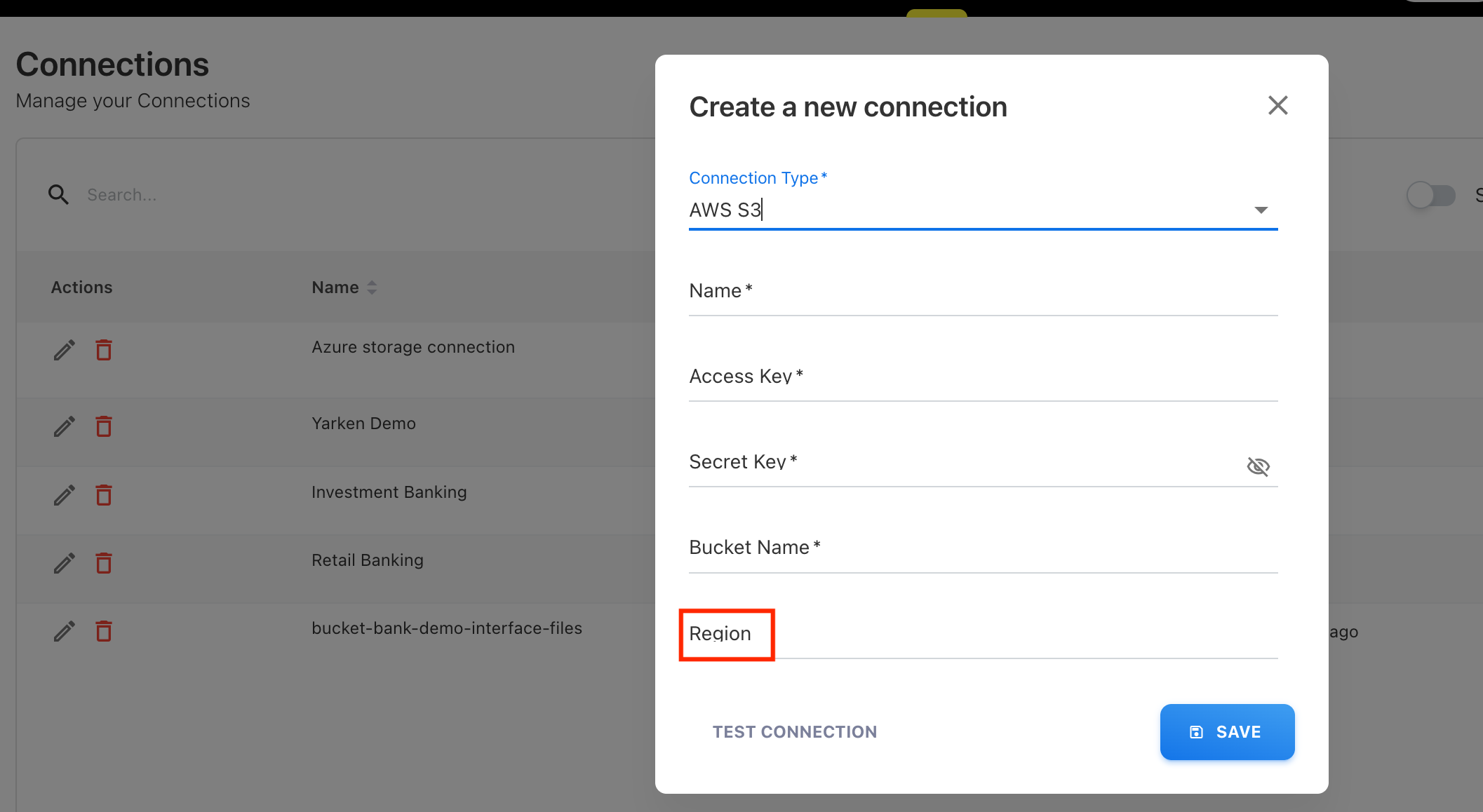
New Region field in AWS S3 connection
The connection for AWS S3 is now included a Region field to support region-specific configurations.
Daily charts in Insights
The Z-score anomaly detection now uses a four-day incremental analysis window prior to the execution date, reducing false positives in daily chart evaluations.
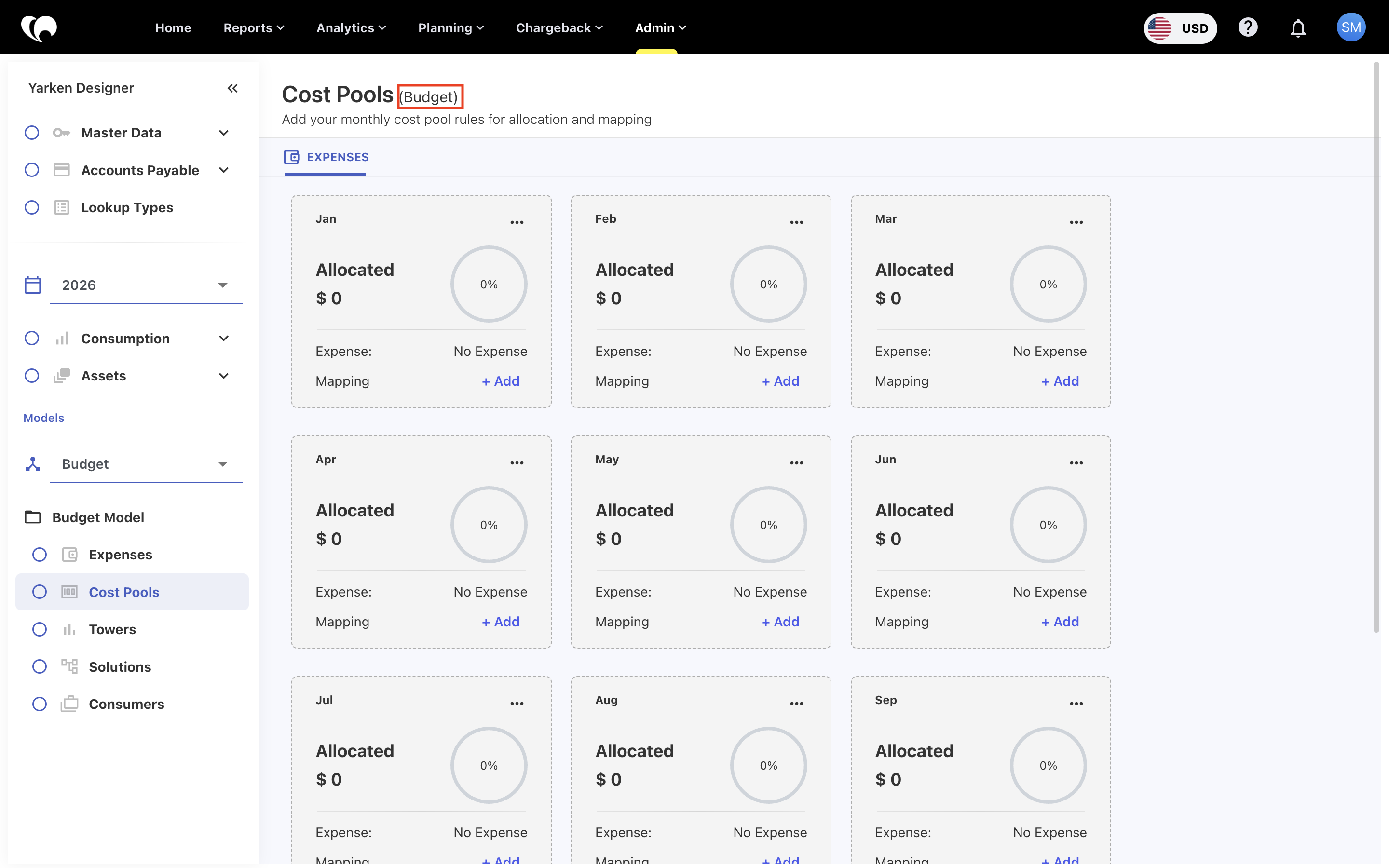
Model name added to navigation breadcrumbs
Navigation breadcrumbs for Cost Pools, Towers, Solutions, and Consumers now include the model name alongside the month.
For example: Towers > Jan > My Spend Model
This makes it easier to identify the model currently being viewed and reduces confusion when working across multiple models such as Spend, Budget, Forecast, and custom models.
Enhancements
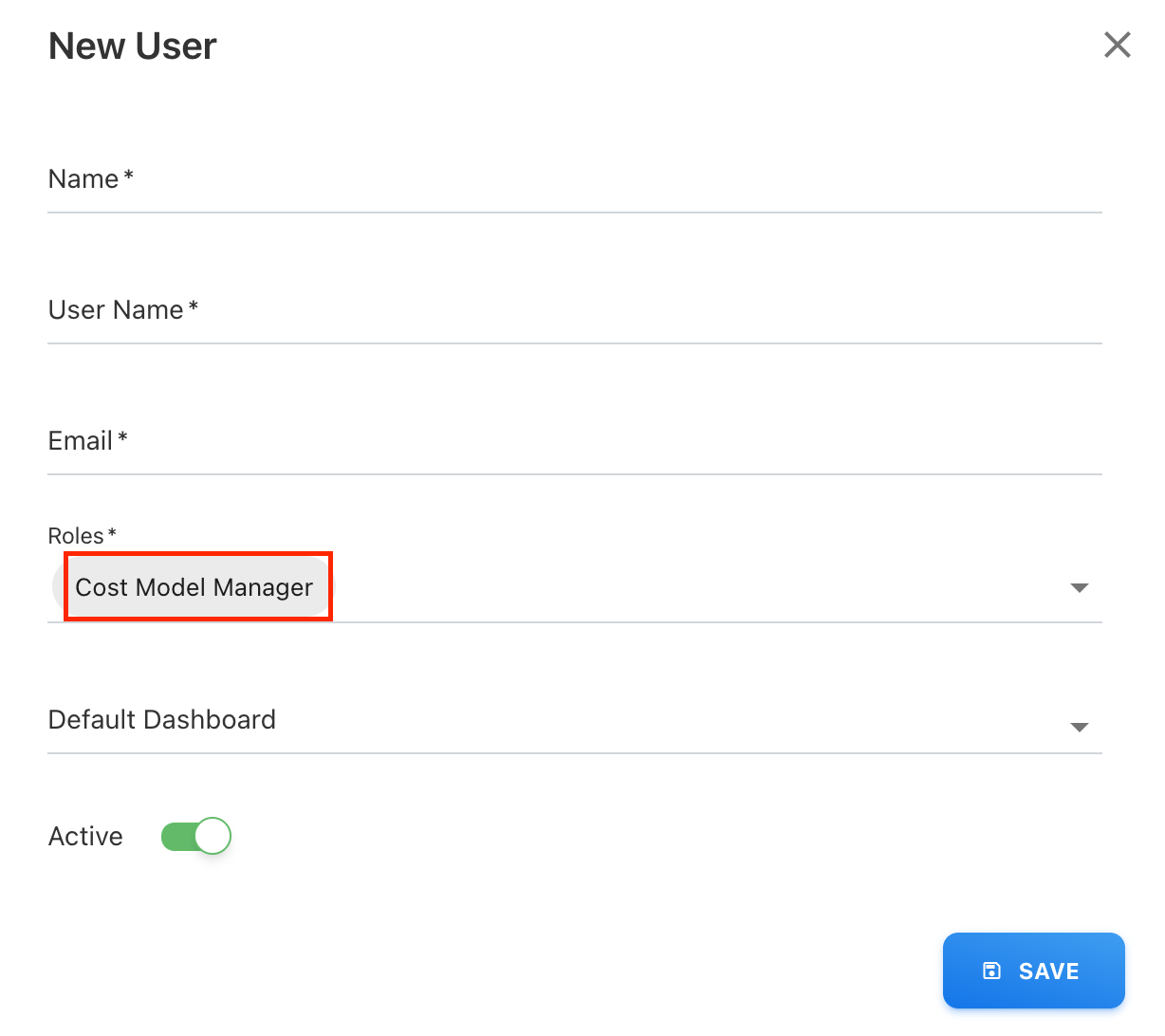
New role - Cost Model Manager
A new administrative role, Cost Model Manager, is now available in User Management.
This role offers wide admin access for cost model management but limits user provisioning to enhance security and compliance.
Users assigned this role can perform most administrative operations, except:
-
Adding new users
-
Managing users
-
Providing access permissions
This enhancement supports better delegation of administrative responsibilities while maintaining controlled access.
Enhancements and bug fixes
Import and export the Workforce Planning
You can now export and import Workforce Planning data sets.
-
Export includes all columns within Workforce Planning
-
Import supports optional fields and validates that no more than one plan value exists per person per name
-
Referential integrity checks verify all referenced data during import
-
Financial values are automatically recalculated after a successful import
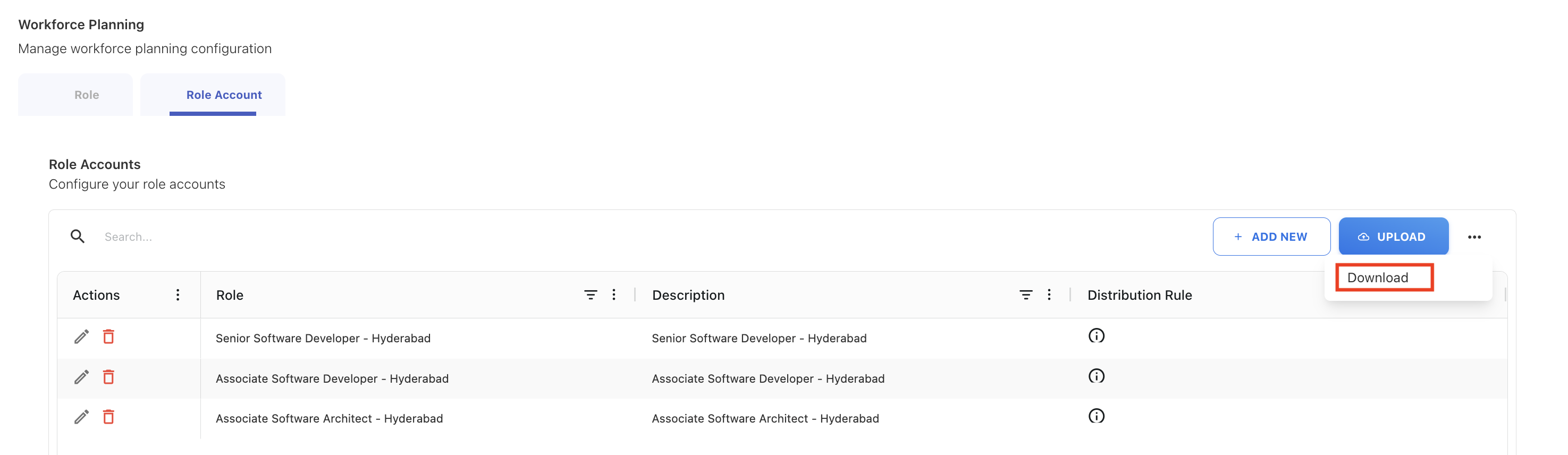
In addition, Workforce Planning configuration can now be exported and imported from Settings, including:
-
Roles
-
Rates
-
Accounts
This allows teams to back up configuration data, review it externally, make updates, and re-import changes efficiently.
Duplicate rules
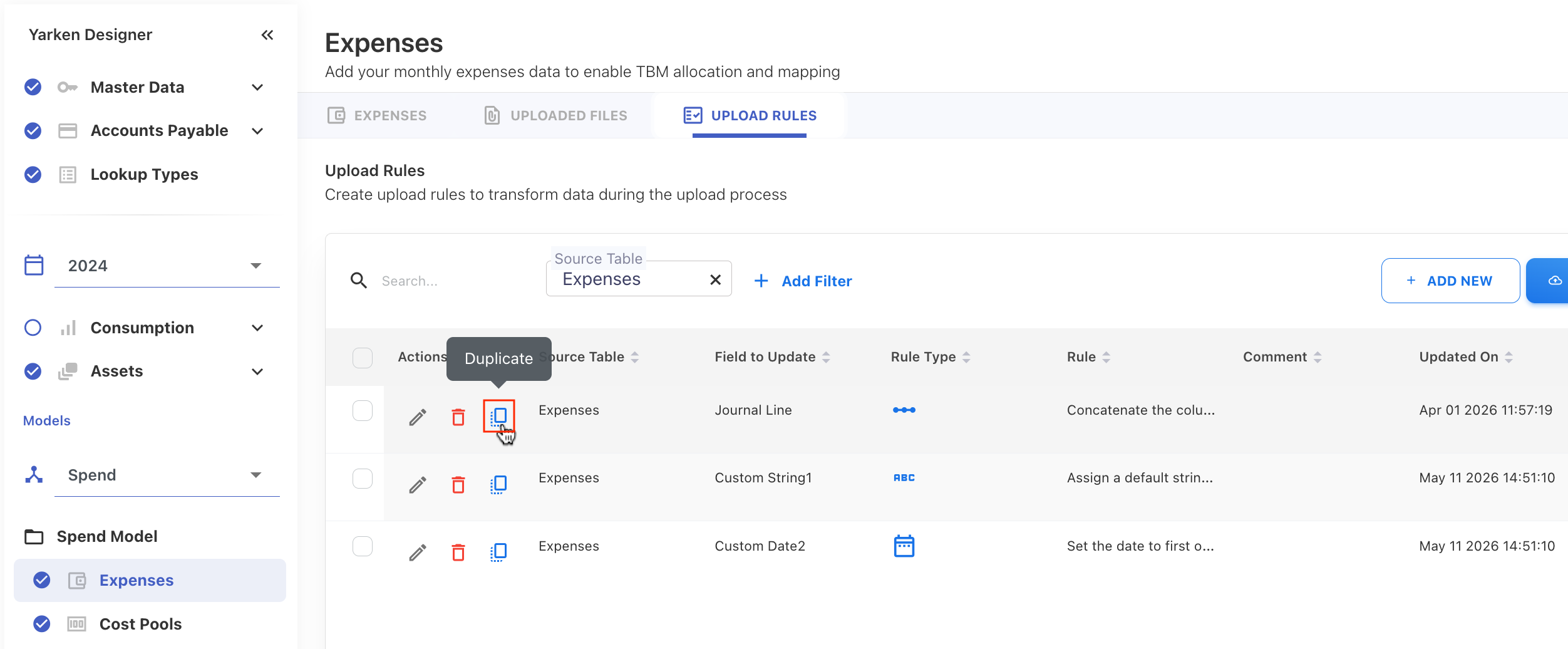
A new Duplicate action is now available across rule management screens, making it easier to reuse and modify existing rules.
-
Duplicating a rule creates a new rule directly below the original, with the subsequent priority
-
The duplicated rule retains the original configuration
This capability is available for:
-
Upload rules
-
Cost Pool rules
-
Tower rules
-
Asset-to-asset rules
-
Solution Offering rules
Automatic rule creation from Budget and Forecast uploads
When uploading Budget or Forecast files, Yarken now automatically creates rules based on mapped dimension columns.
-
Mapping Cost Pool + Sub Cost Pool or Tower + Sub Tower automatically generates corresponding rules
-
Entries with the same Cost Pool and Sub Cost Pool are aggregated during processing
-
Ensures rule creation remains aligned with uploaded planning data
Edit or delete behavior:
-
Uploaded Expenses data can be edited or deleted
-
Deleting entries also removes the related auto-created Cost Pool and Tower rules
-
Auto-created Cost Pool and Tower rules cannot be edited or deleted manually
Ask Yarken enhancements
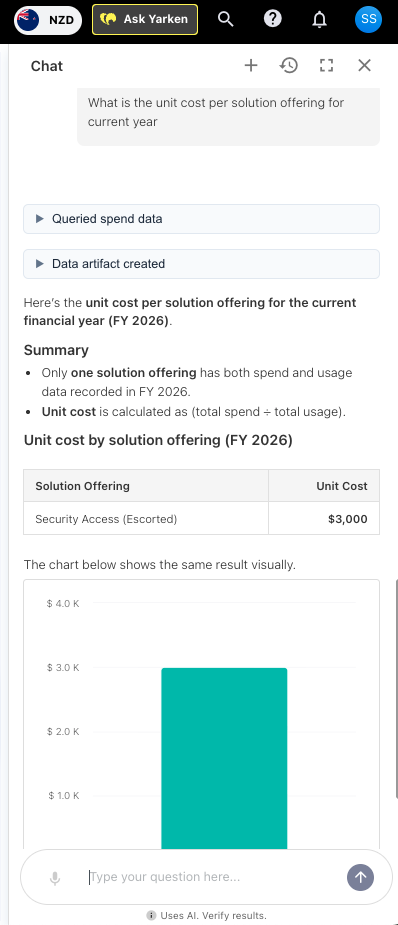
Ask Yarken now supports reporting and analysis of
-
Unit costs across Solution Offerings and Consumers
-
Services and products
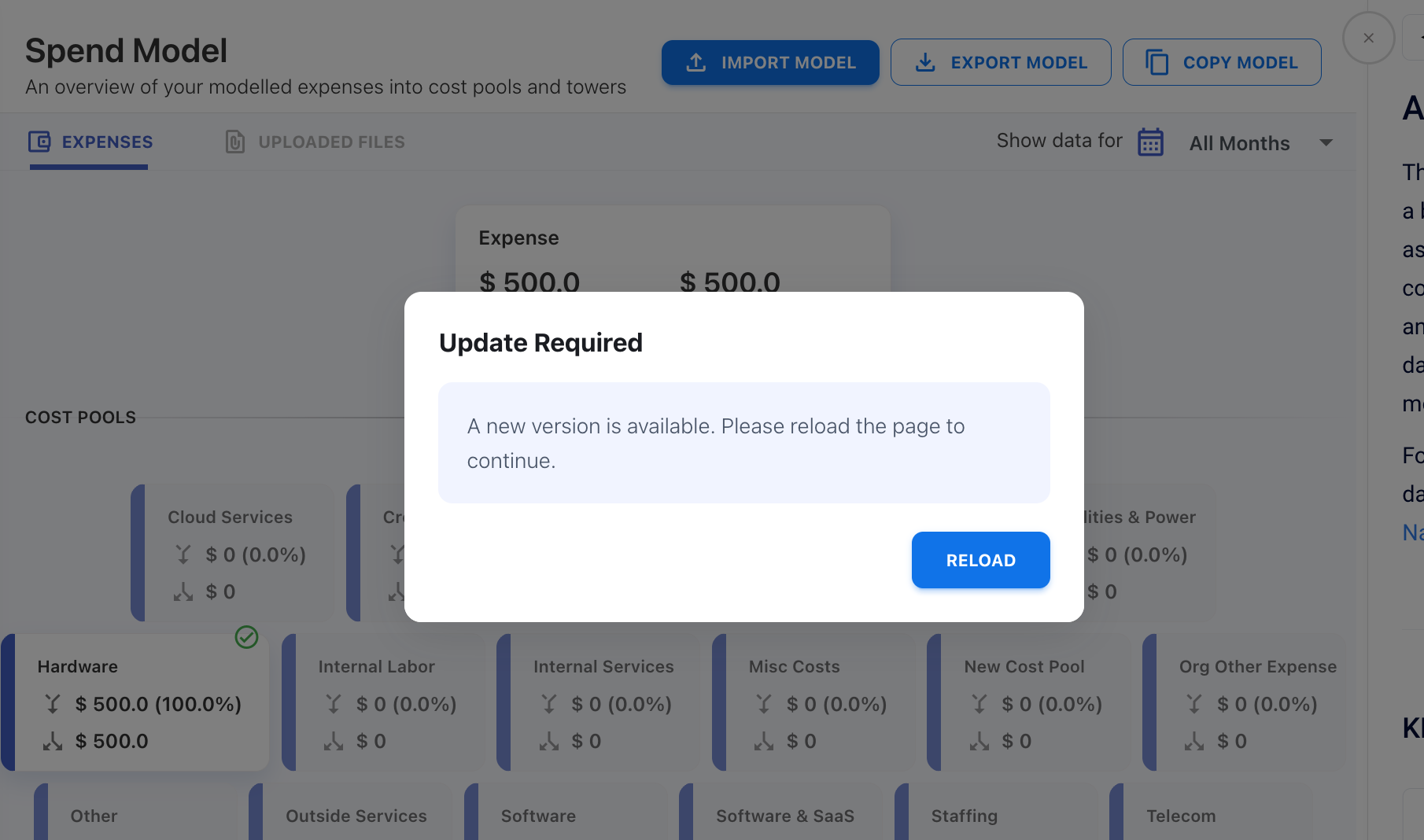
Reload prompt after new releases
To improve reliability after releases and prevent client-side caching issues, the application now displays a Reload prompt when a new version becomes available.
Users are prompted to refresh the application to load the latest version.
Entity assignment validation corrected during login
Resolved an issue where non-admin users could intermittently see a “No entities assigned to you” message during login, even when a valid or default entity had already been assigned. Entity validation during sign-in now correctly recognizes assigned entities and allows users to access the application as expected.

Enhancements
Workforce Planning
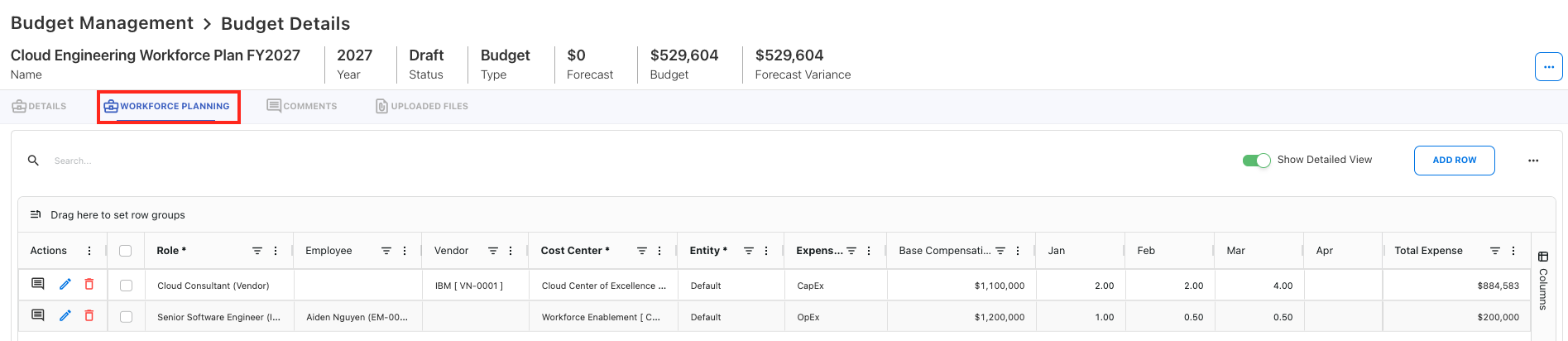
We’ve introduced Workforce Planning in Yarken — a powerful new capability that enables you to plan headcount and automatically translate those plans into fully aligned financial budgets and forecasts.
What’s new
Workforce Planning extends your existing Budget and Forecast process by providing a purpose-built experience for managing workforce costs—typically the largest component of IT spend.
With Workforce Planning, you can:
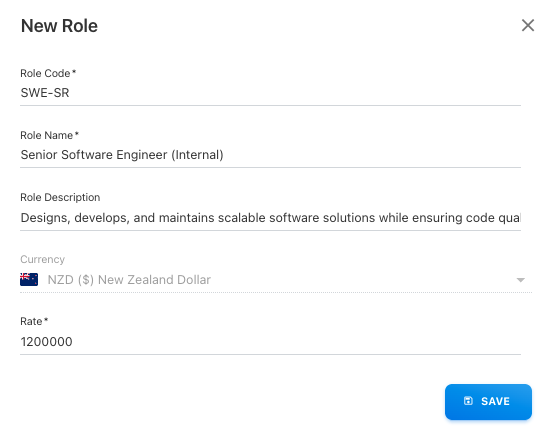
Plan headcount by role
-
Define roles with standardized compensation rates
-
Plan employee or vendor headcount across months
-
Map workforce plans to cost centers, entities, and accounts
-
Support both full-time and flexible allocations
Align workforce with your organization
-
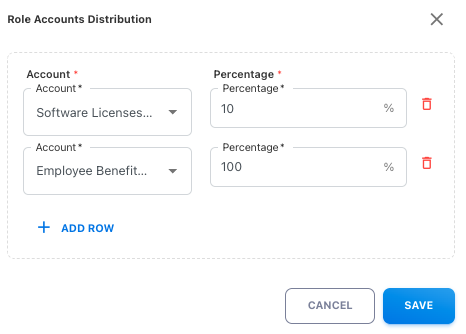
Distribute costs across multiple financial accounts using configurable rules
Automatically generate financial budgets
-
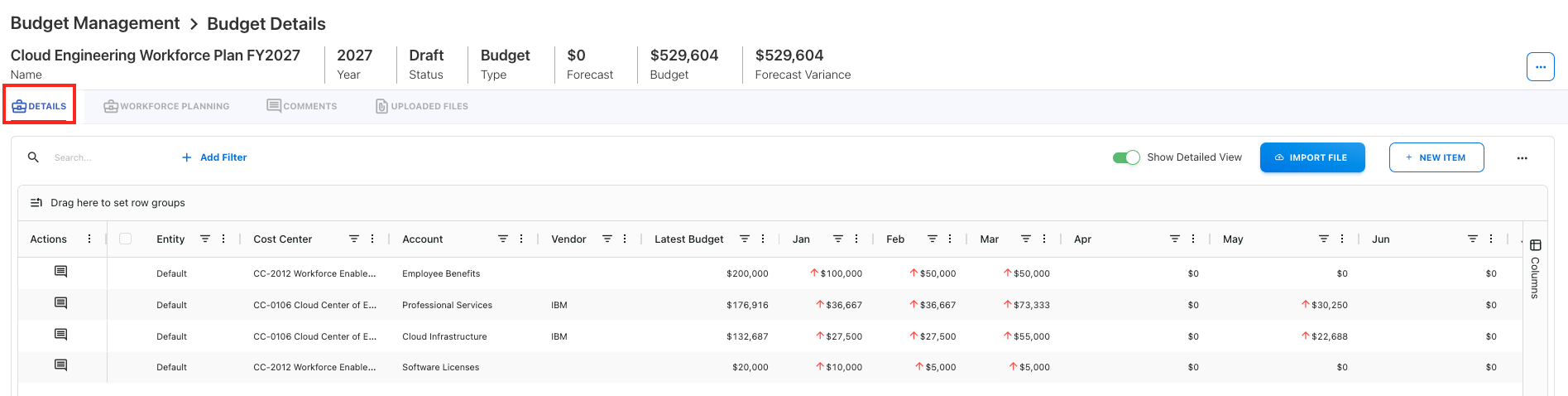
Convert headcount into account-level budget entries in real time
-
Eliminate manual calculations and spreadsheet-based tracking
-
Ensure financial accuracy and consistency across all plans
Integrated with Budget & Forecast workflows
-
Workforce Planning is fully embedded within your existing planning process
-
Submit, review, and approve workforce plans using the same workflow
-
Ensure headcount and financial impact are validated together
Copy a Model
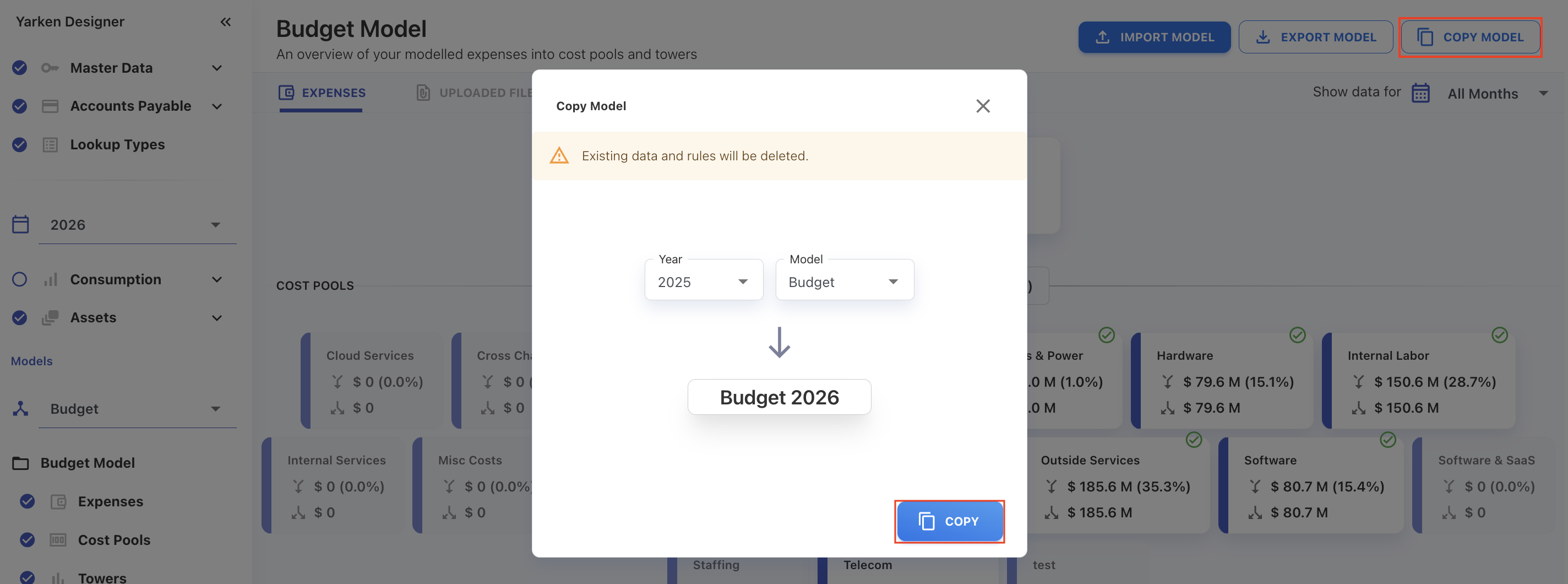
You can now copy model data directly within the Yarken Designer.
-
Copy data from another model and year into the currently selected model (same type)
-
If the target model already contains data, it will be overwritten during the copy process
Multi-model publishing for cloud spend and planning data
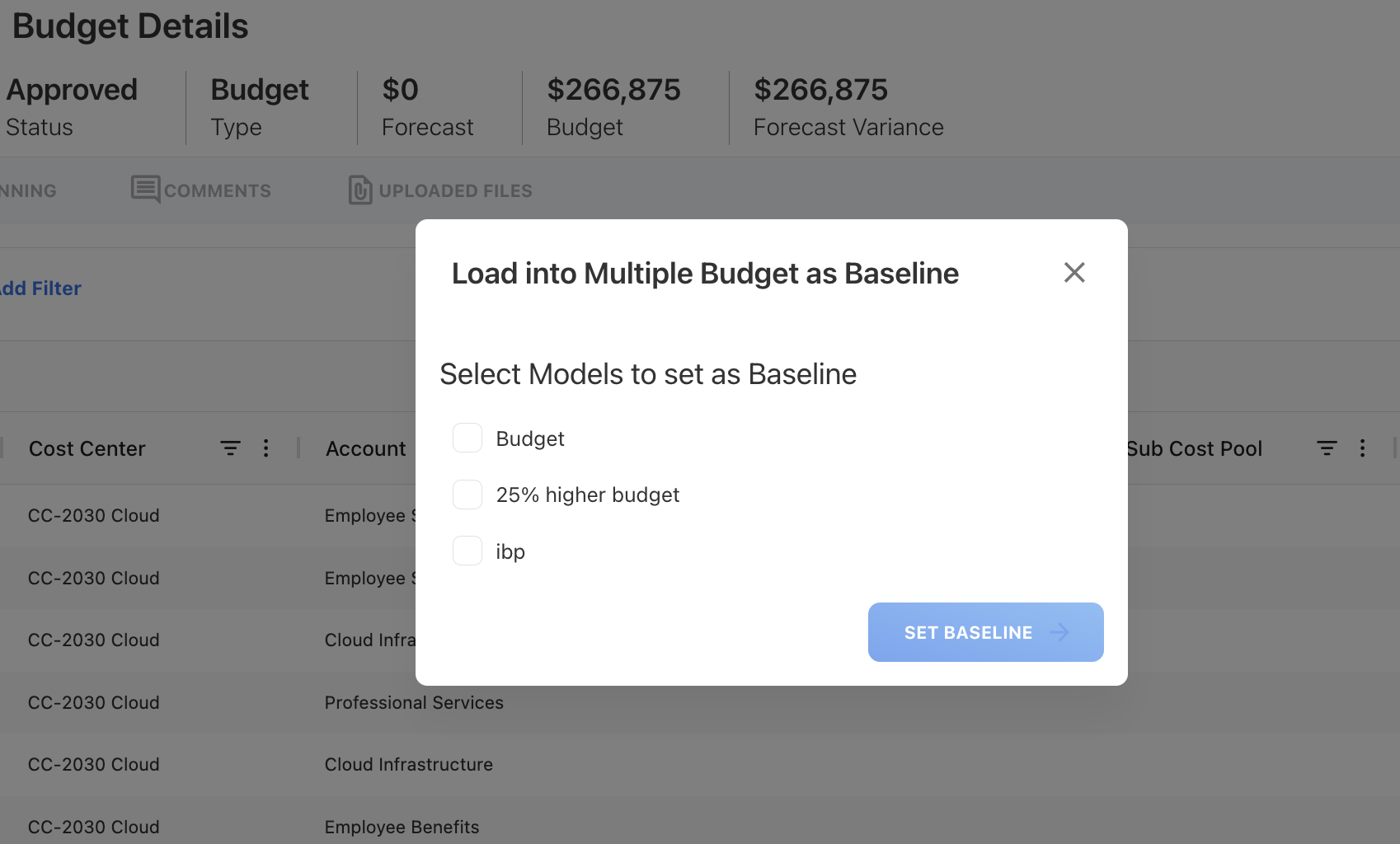
Cloud spend and Budget/Forecast publishing now support instead of a single destination.
-
You can select the model when publishing cloud spend or Budget/Forecast data
-
For cloud spend, a default Spend model is preselected for faster publishing. The model also supports unpublish behavior, allowing you to remove cloud spend data by unpublishing it from a specific model.
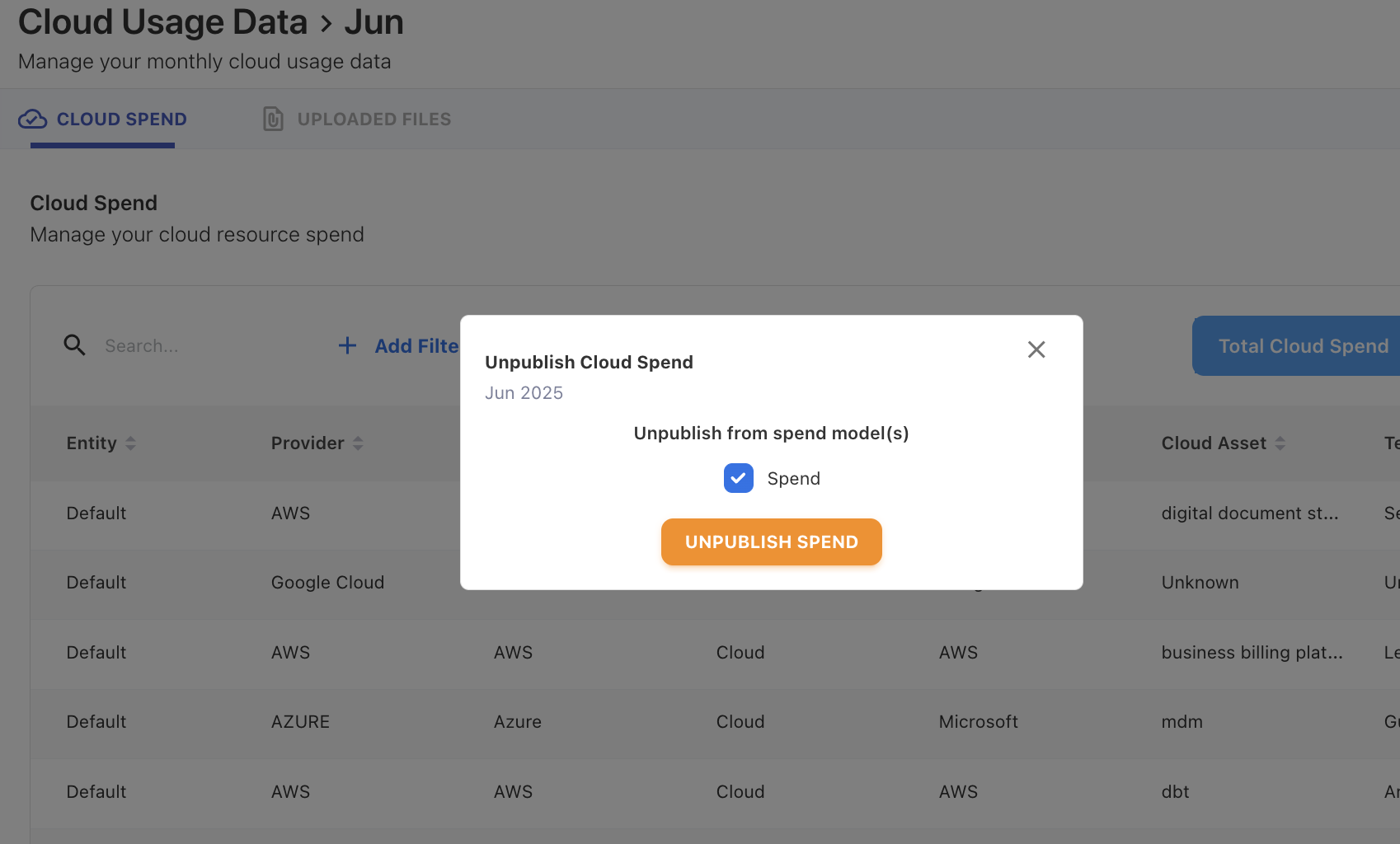
Ask Yarken enhancements
Stop response option added in Ask Yarken
Ask Yarken now supports stopping an active response while it is generating or querying data. You can cancel an in-progress response when needed, giving them more control during longer queries or analysis requests.
-20260428-123348.png?cb=5fa876f12bd7aff60d207f6a3f71fcee)
Organization context setting
Ask Yarken now supports an Organization context setting to provide additional business context for responses.
-
Define company-wide goals, processes, or policies (e.g., cost reduction targets)
-
Context is applied automatically to improve the relevance and accuracy of responses
-
Helps align AI outputs with organizational objectives
-
Supports up to 500 characters of contextual input
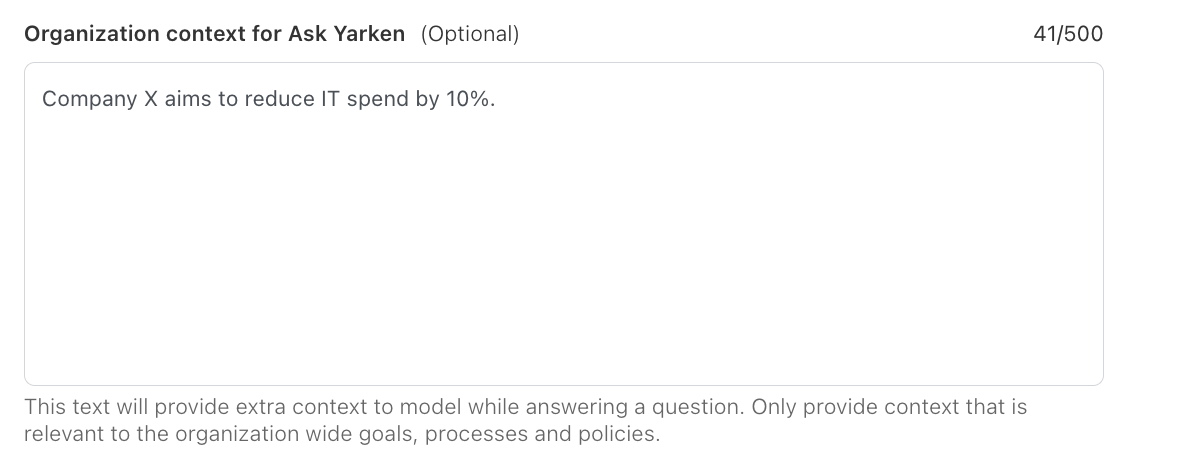
Search lookup
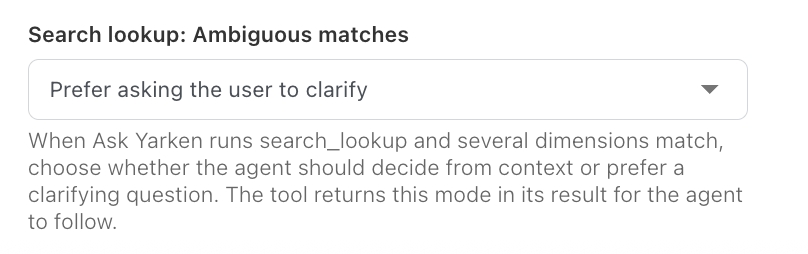
Ask Yarken now includes Search lookup, a tool that helps identify entities when a user’s question contains an unclear or ambiguous term.
Search lookup can search across dimensions such as vendors, applications, cost centers, accounts, and consumers to find relevant matches in the system.
When multiple matches are found, Ask Yarken can either:
-
Ask the user to clarify the intended result
-
Make a judgment call automatically
This behavior is configurable from the Search lookup: Ambiguous matches setting.
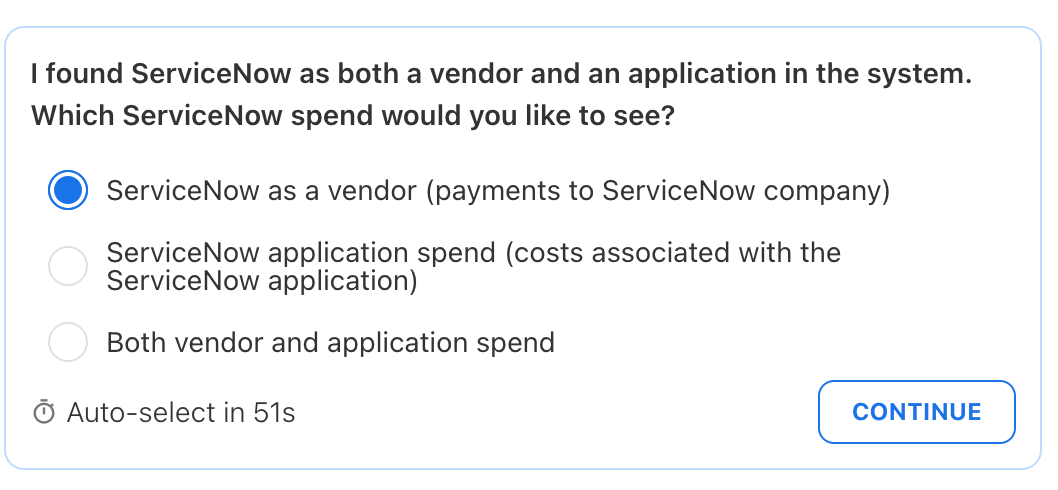
For example, if ServiceNow exists as both a vendor and an application, Ask Yarken can prompt the user to choose whether they want vendor spend, application spend, or both.
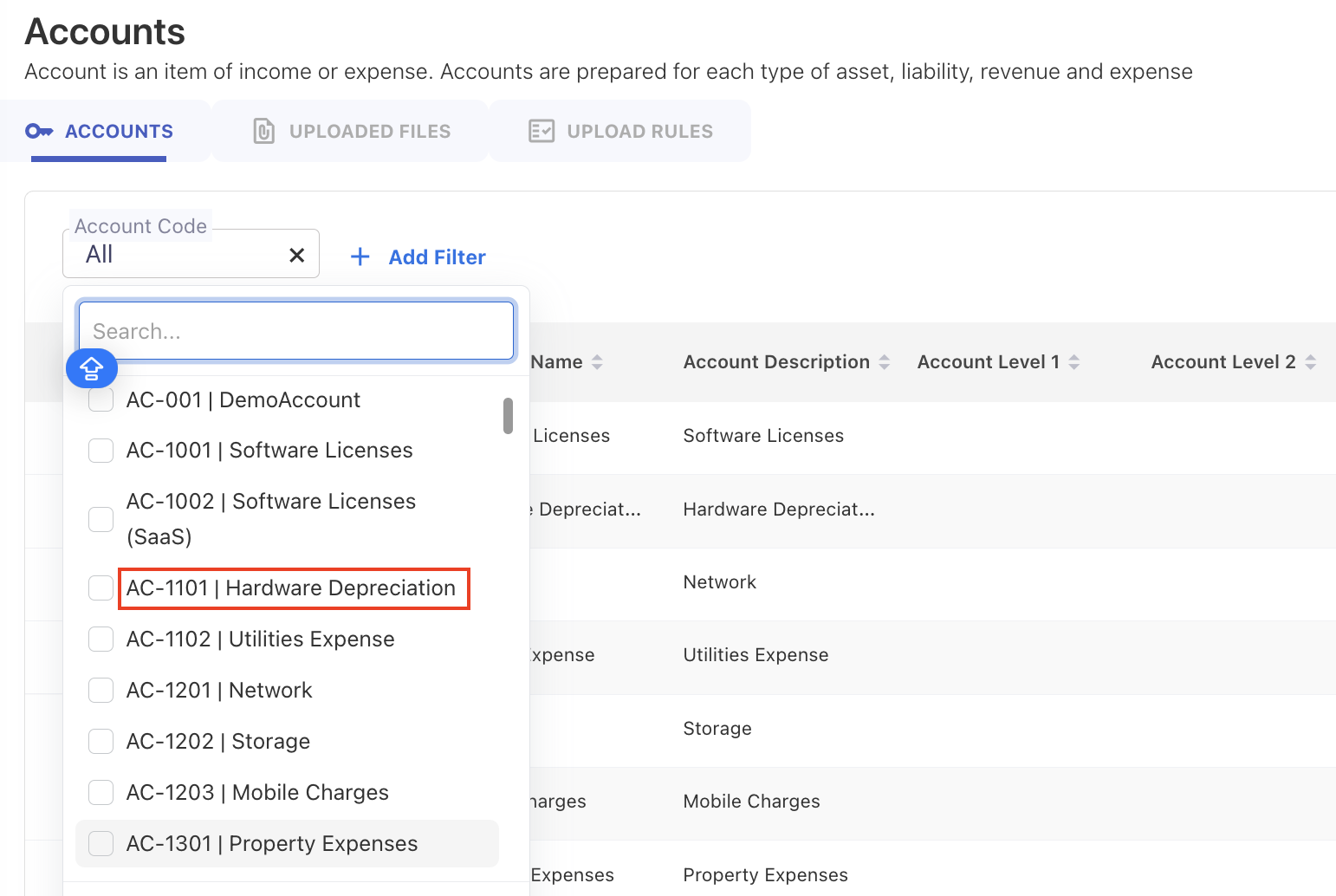
Standardized display format for code and ID
Updated the Designer UI to consistently show Code/ID and Name together as <code>|<name> across Master Data, Assets, Cost Pools, Towers, Solutions, and Consumers. This standardization applies throughout all screens/views, as well as filters (dropdowns/search) and rule creation/selection options.
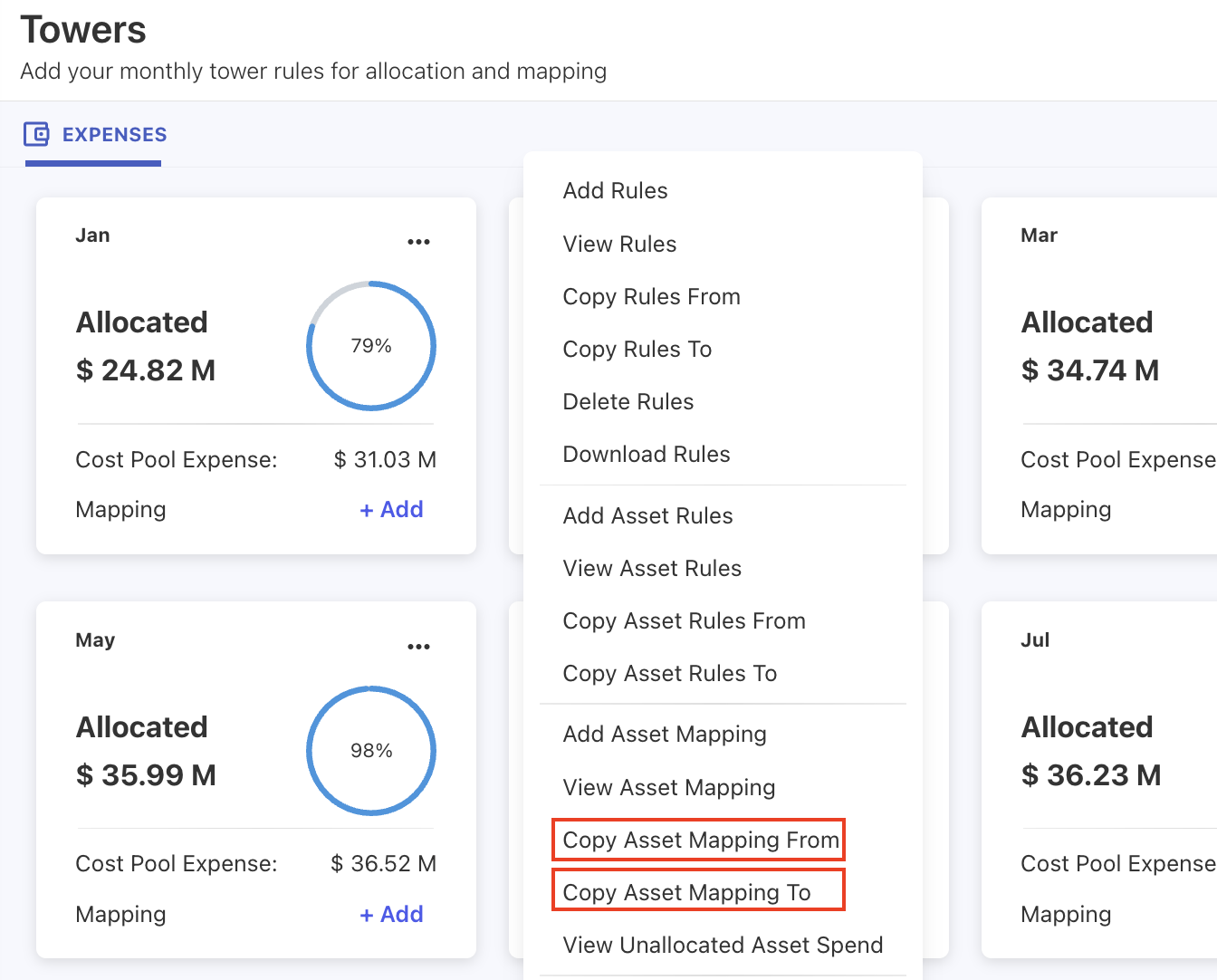
Asset Mapping – Copy From / Copy To
The Asset Mapping is included with new Copy Asset Mapping From and Copy Asset Mapping To options to reuse configurations across months instead of manually recreating them.
Solution Offering portion validation
Validation has been added for Solution Offering portion values during upload. For each Asset Type + Asset ID, the total portion across solution offerings must equal 1. If the total is below 100%, affected rows are flagged with a row-level error so users can correct the allocation before proceeding.
Asset mapping warnings scoped to current upload
Asset mapping warnings were incorrectly carried over from previous uploads, causing users to see warnings even when uploading valid files.
Validation logic has been updated so asset code checks are performed only against the current upload. Warnings and errors are now correctly scoped, ensuring users see messages only for issues relevant to the file being processed.
Enhancements
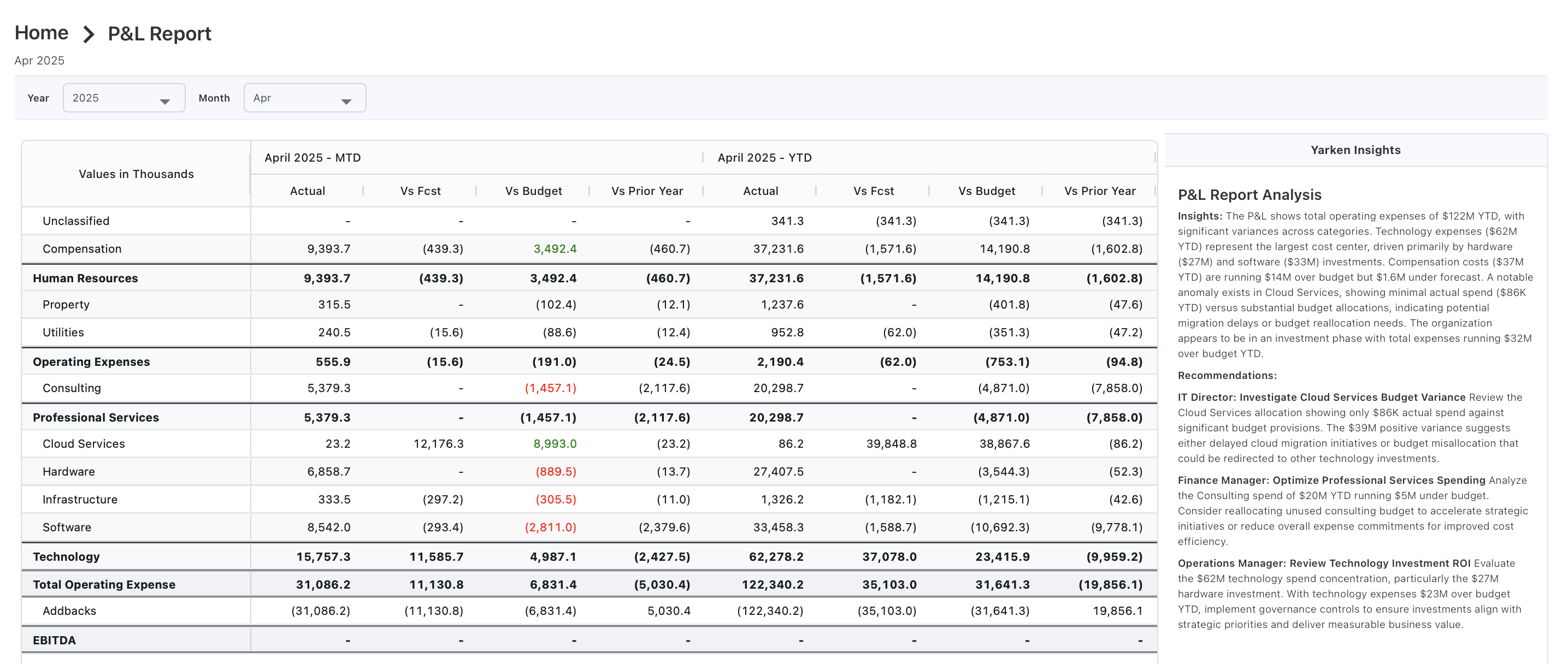
New P&L Report (Account-based)
We have introduced a new P&L Report (Account-based) to enhance visibility into account-level financial performance across Actuals, Budget, Forecast, MTD, and YTD.
The report leverages the account hierarchy (Level 1 and Level 2) to present both detailed and aggregated views, and includes key metrics such as Total Operating Expense, Addbacks, and EBITDA, with EBITDA driven by Companion Metrics configuration.
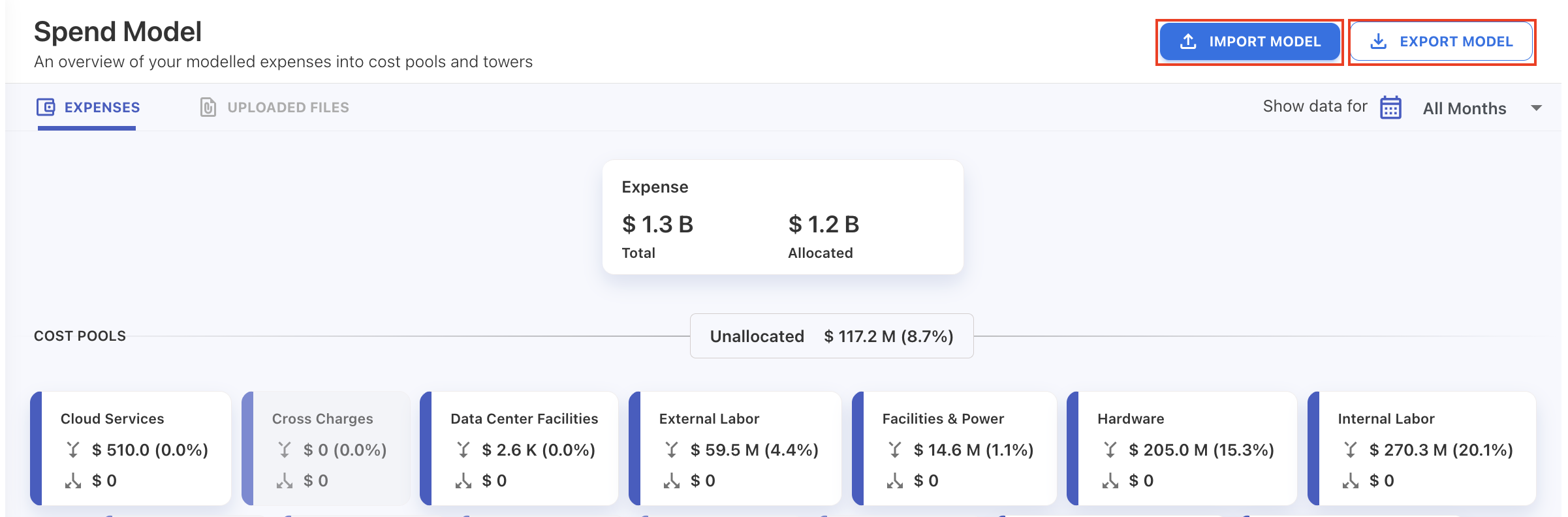
Model export and import
You can now export and import model data to support backup, migration, and replication across environments.
-
Export model data for a selected year as a ZIP file containing CSVs for Cost Pools, Towers, Solutions, and Consumers
-
Export includes model data, rules, and mappings (upload rules are not included)
-
Import ZIP files to create or replicate model data for a selected model and year
-
For successful replication, ensure master data and asset data match the source model
-
Importing data overwrites existing data for the selected model and year
Journal ID constraint updated
We have removed the unique database constraint on Journal ID to provide more flexibility in handling journal data.
-
Multiple records can now reference the same Journal ID, supporting scenarios where a single journal entry spans multiple line items or allocations
-
Ensures smoother data ingestion without validation failures due to duplicate journal references
Enhancements and bug fixes
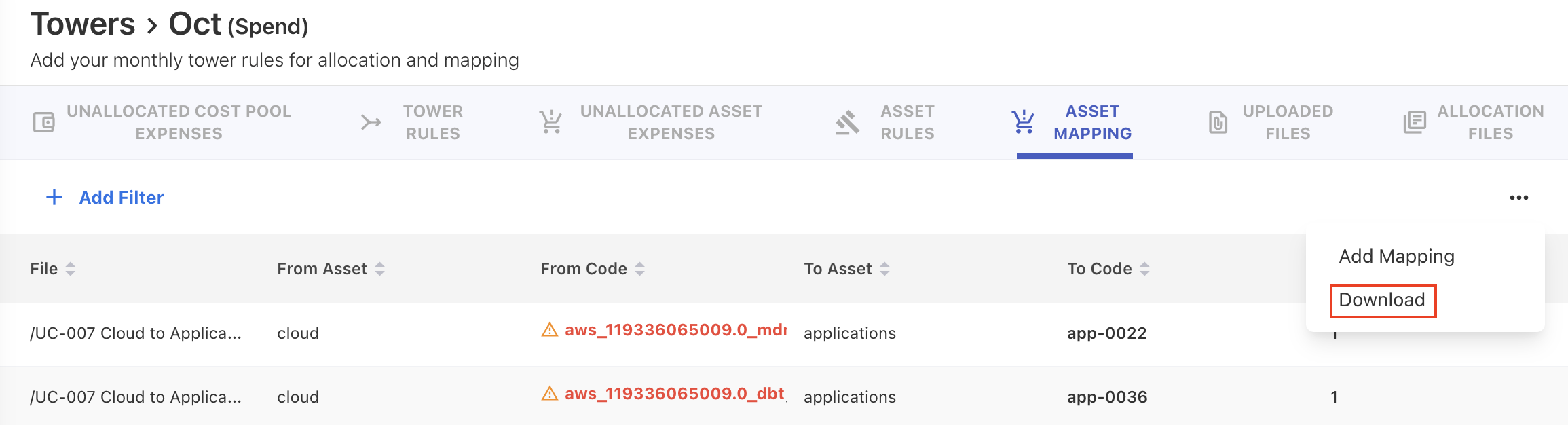
Download asset mappings
You can now download all asset mappings—including both file-uploaded and manually created mappings—from the ellipsis menu.
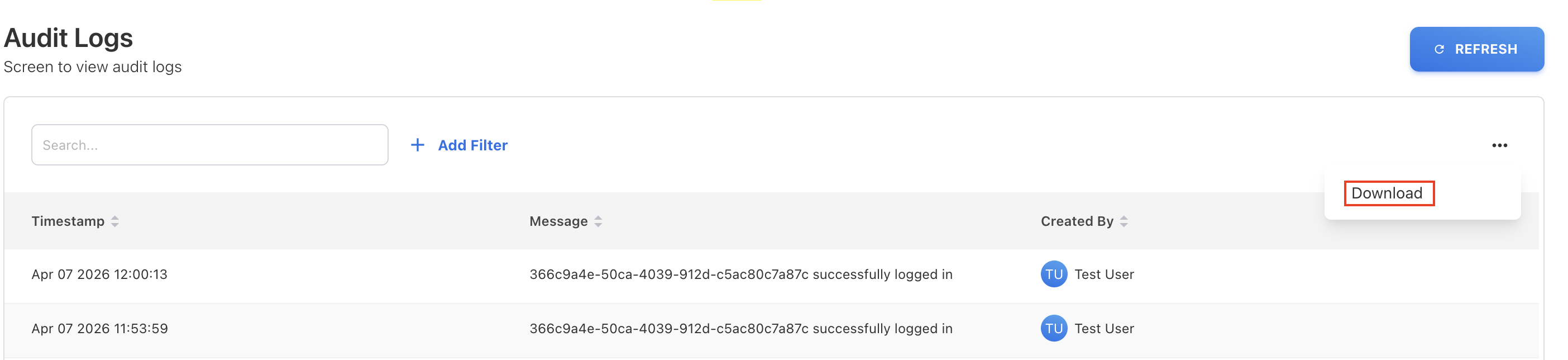
Export Audit Logs
We have enabled export of the Audit Logs with support for exporting up to 1000 records per file, allowing you to retrieve and analyze larger activity histories.
Background processes corrected
Background process tracking has been corrected to accurately reflect running and completed statuses across operations such as Tower Rules copying and other related processes.
Processes now remain in a running state until fully completed, and the process list displays the correct status and timing, improving visibility and reliability of long-running operations.
Asset rule copy and upload performance improved
We optimized asset rule copying and asset uploading to reduce processing time during bulk uploads.
Enhancements and bug fixes
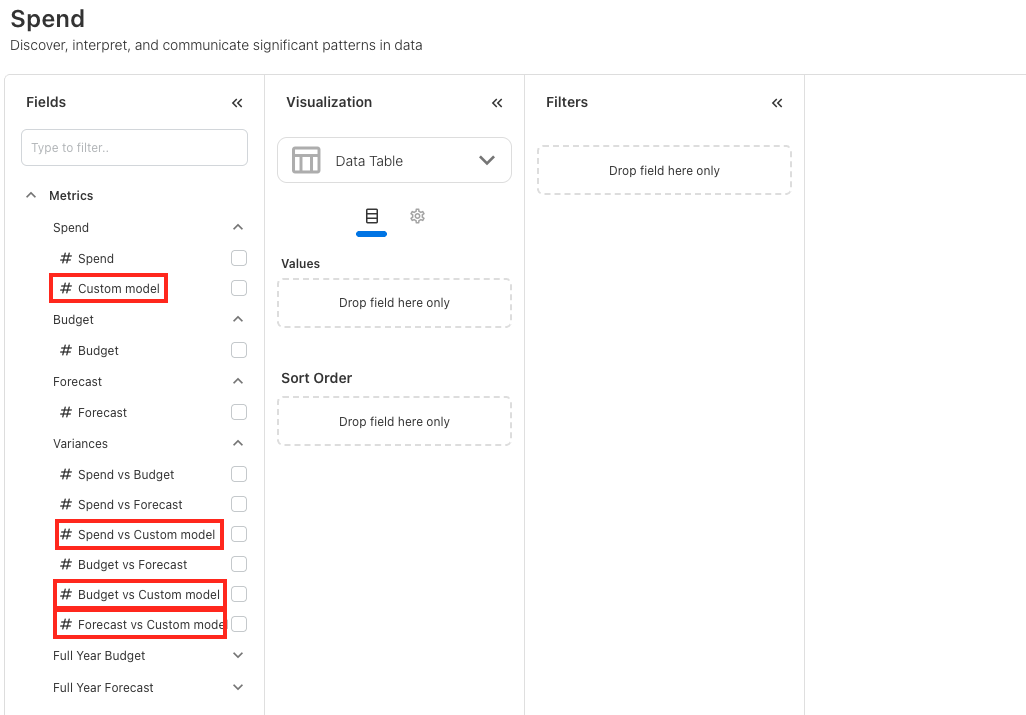
Model comparison in Analytics
We have included the ability to compare multiple models in Analytics and Custom Dashboards.
-
You can now compare the default model with additional custom models within Spend cube.
-
When custom models are defined, dynamic measures are automatically created in Analytics, enabling seamless comparison alongside existing default model metrics.
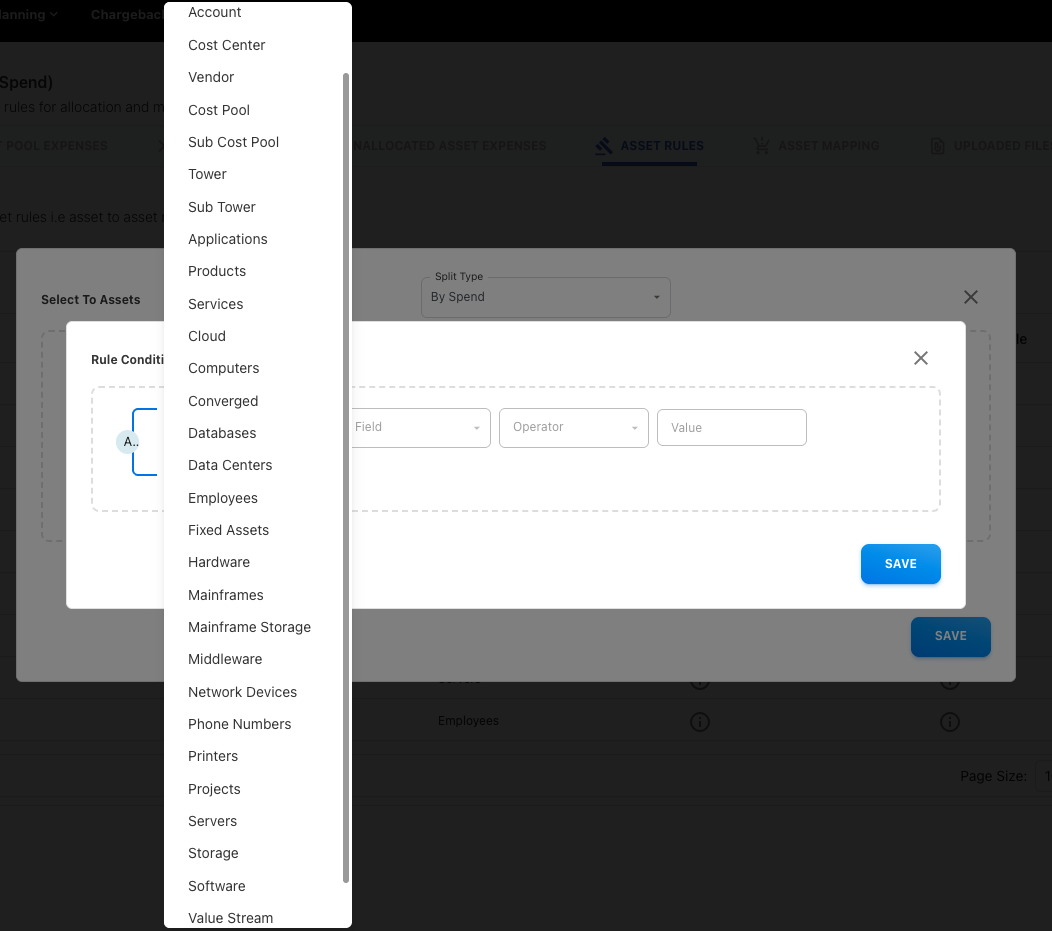
Asset rule - extended filter conditions in “By Spend” split type
When creating asset rules manually, the “By Spend” split type now supports extended filter conditions across all asset types. Previously, filter conditions could only be applied to the selected target asset. This update enables more flexible allocation by allowing additional conditions across all relevant asset types.
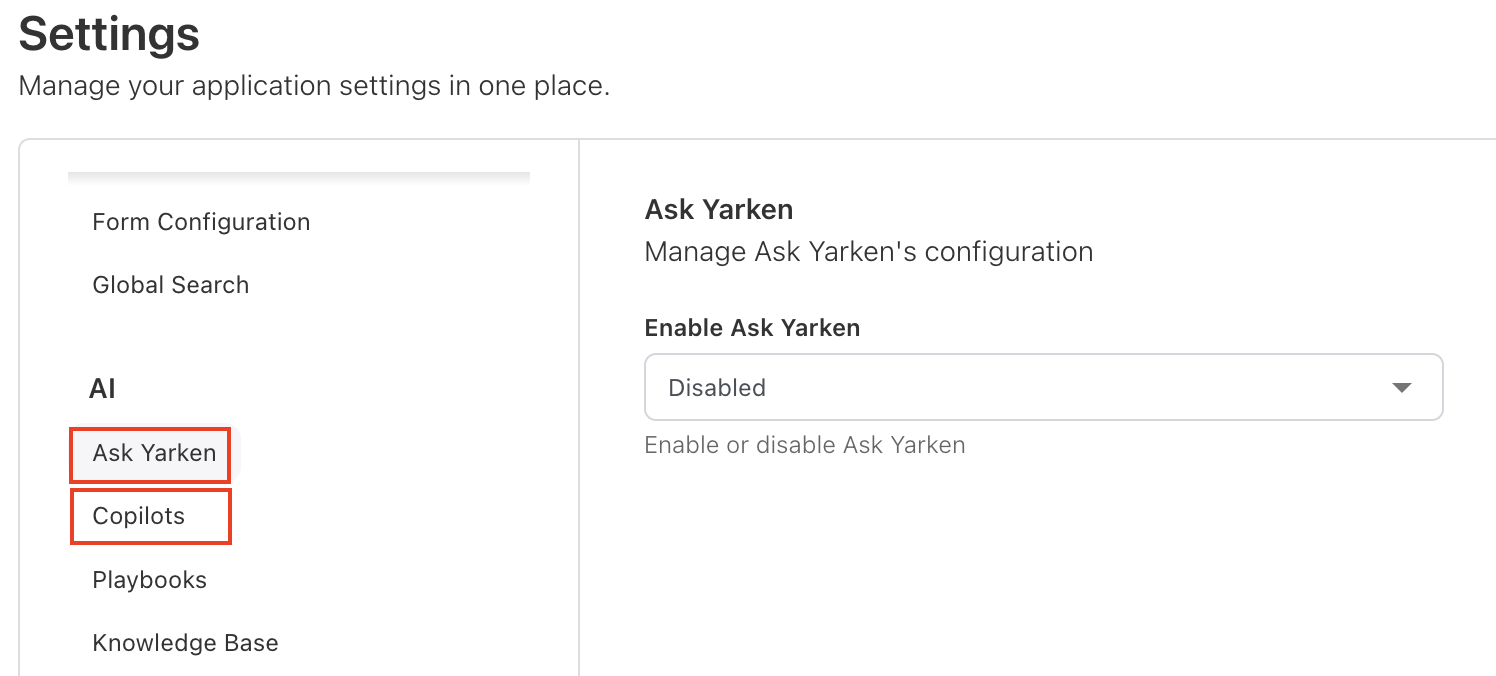
Enable or disable AI features globally
Admin users can now enable or disable Ask Yarken and Copilot across the application from AI Settings, providing centralized control over AI functionality when needed.
Custom dashboard - widget and dashboard filter issue
Resolved an issue where combining widget-level filters with dashboard-level filters could cause charts to load inconsistent results in custom dashboards. Filters are now applied correctly across both widget and dashboard levels.
Enhancements and bug fixes
Model management
We’ve introduced model management capabilities that allows you to better organize and configure new models
-
Create additional custom models of type Spend, Budget, and Forecast as needed.
-
Delete user-created models when no longer required.
-
The three default system models—Spend, Budget, and Forecast—are always available and cannot be modified or deleted.
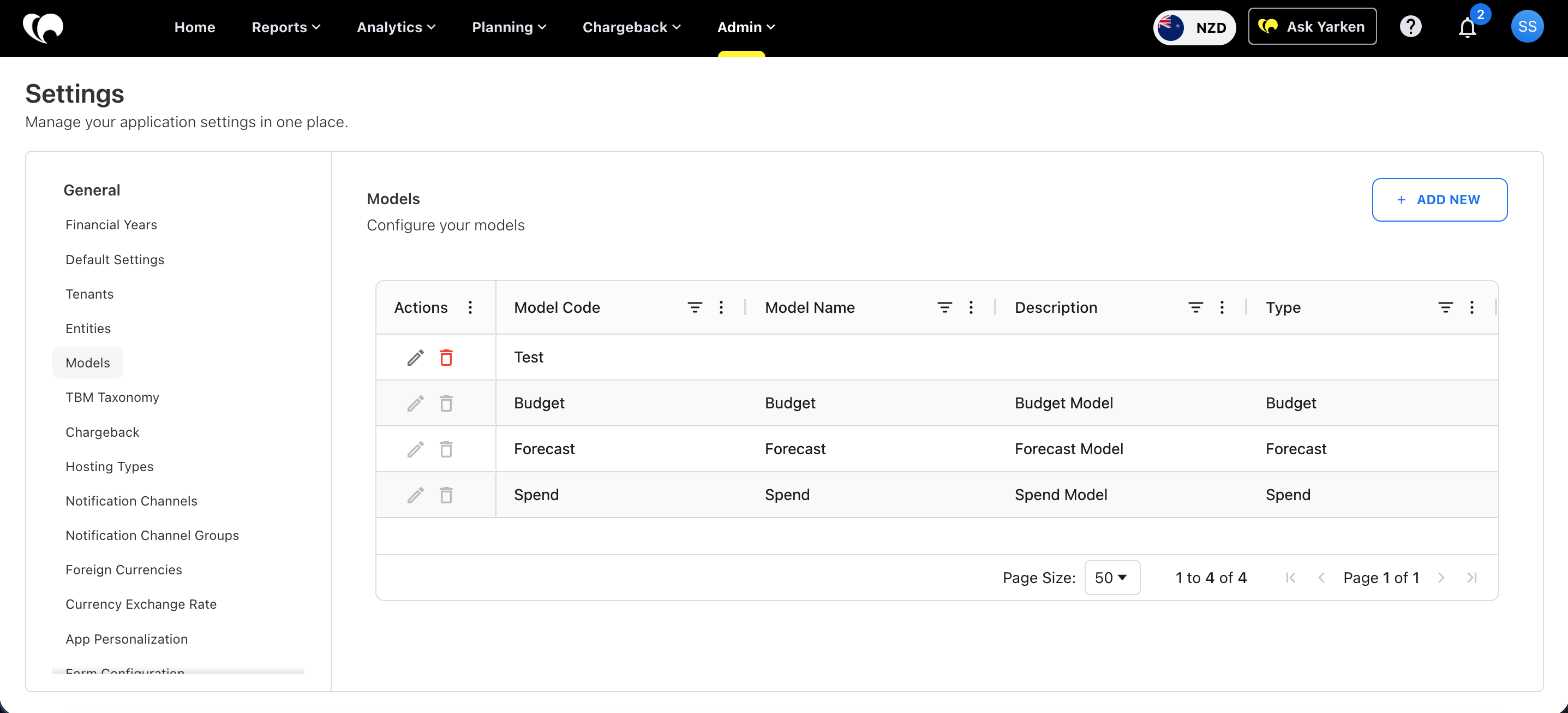
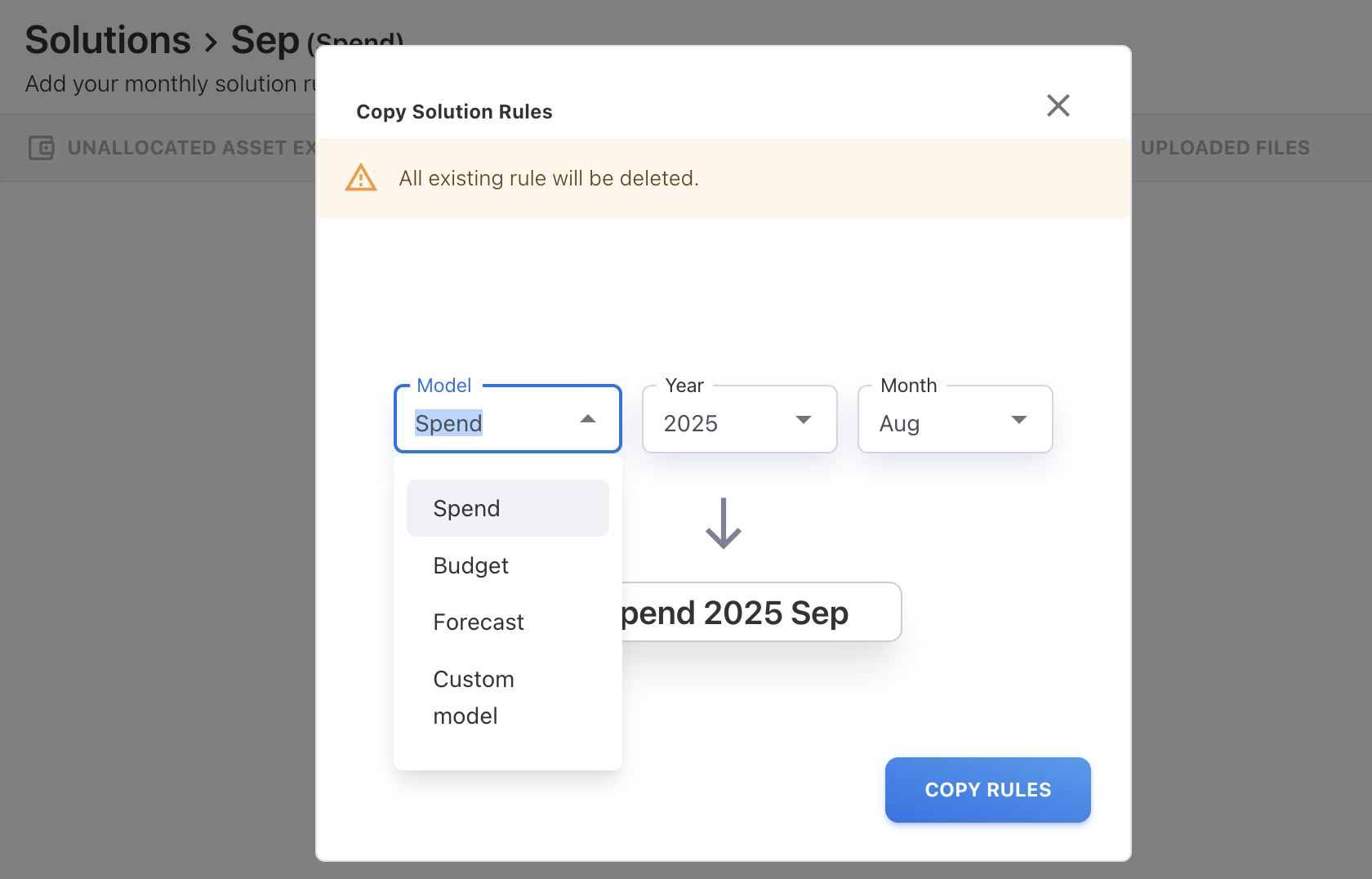
Copy rules and mapping across the models
You can now copy mappings and rules—including Cost Pool, Tower, Asset, Solution Offering, and Consumer rules—between models. This capability is also supported through the Copy To functionality, enabling easier reuse of configurations across models.
Model filter in Cost Explorer
Cost Explorer now includes a Model filter, allowing you to view data by selected model. The filter defaults to the Spend model.
Enhancements and bug fixes
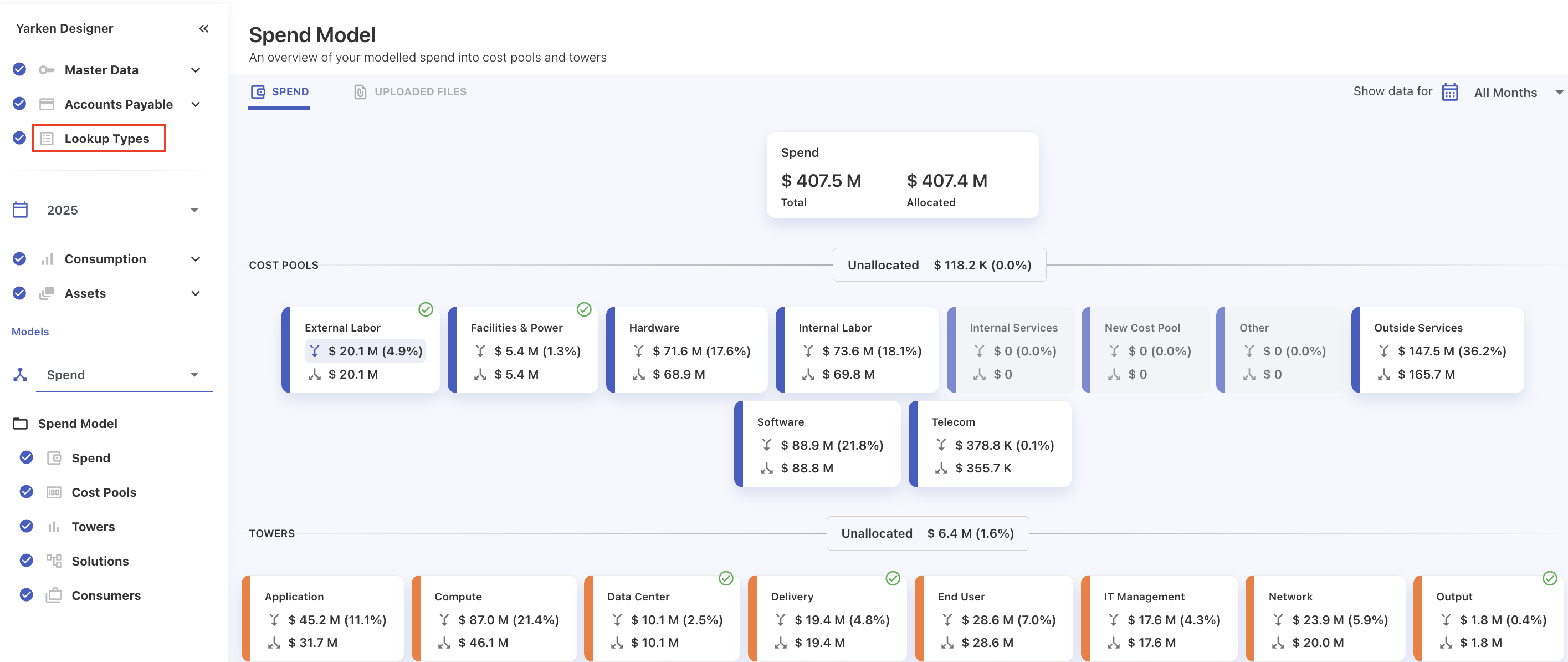
Model configuration and navigation improvements
-
Lookup Types moved outside model and year. They are now managed independently of model and year, simplifying configuration and ensuring consistent usage across all models and time periods.
-
Upload rules are now independent of models; however, you can optionally specify a Model in the filters for more precise rule application.
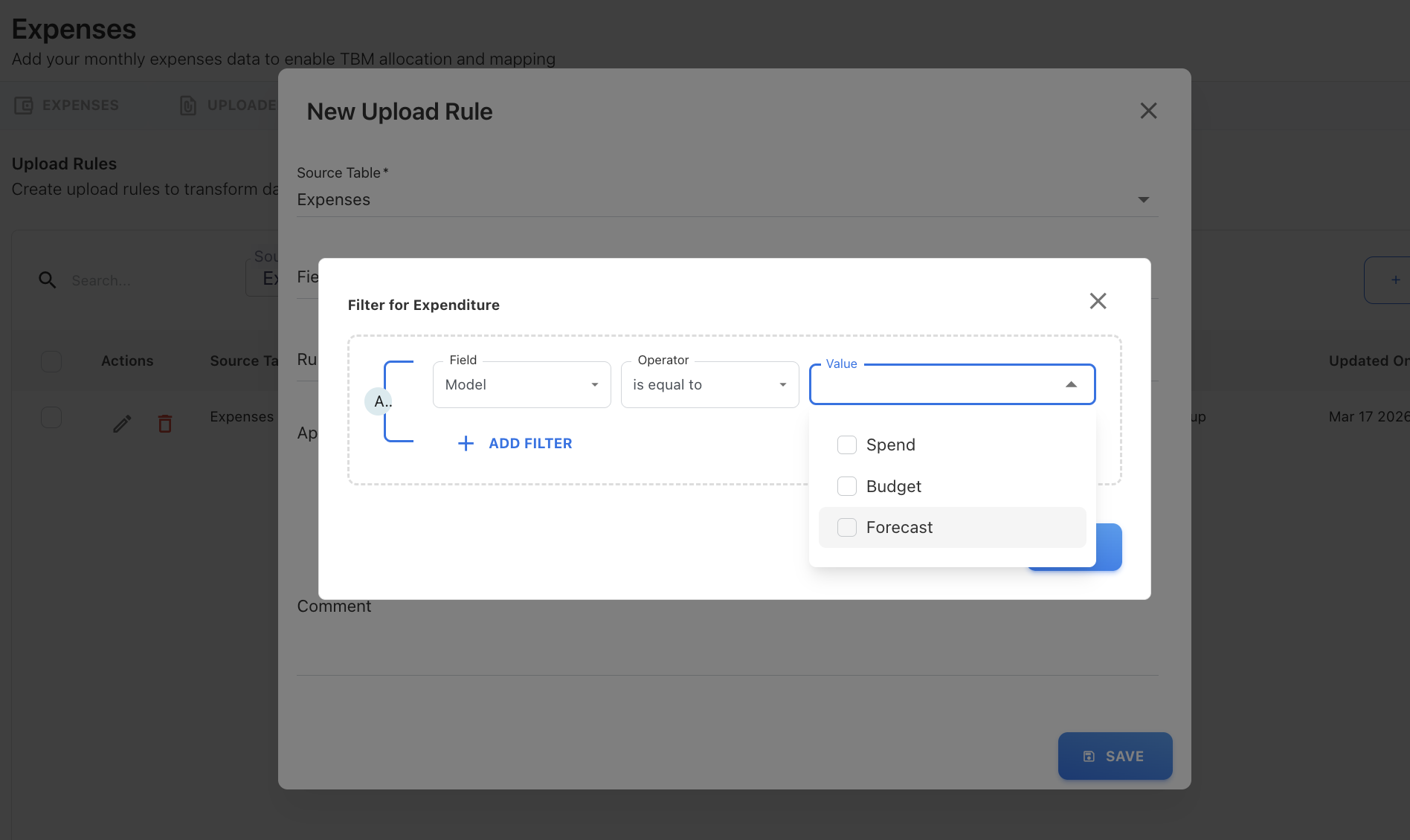
-
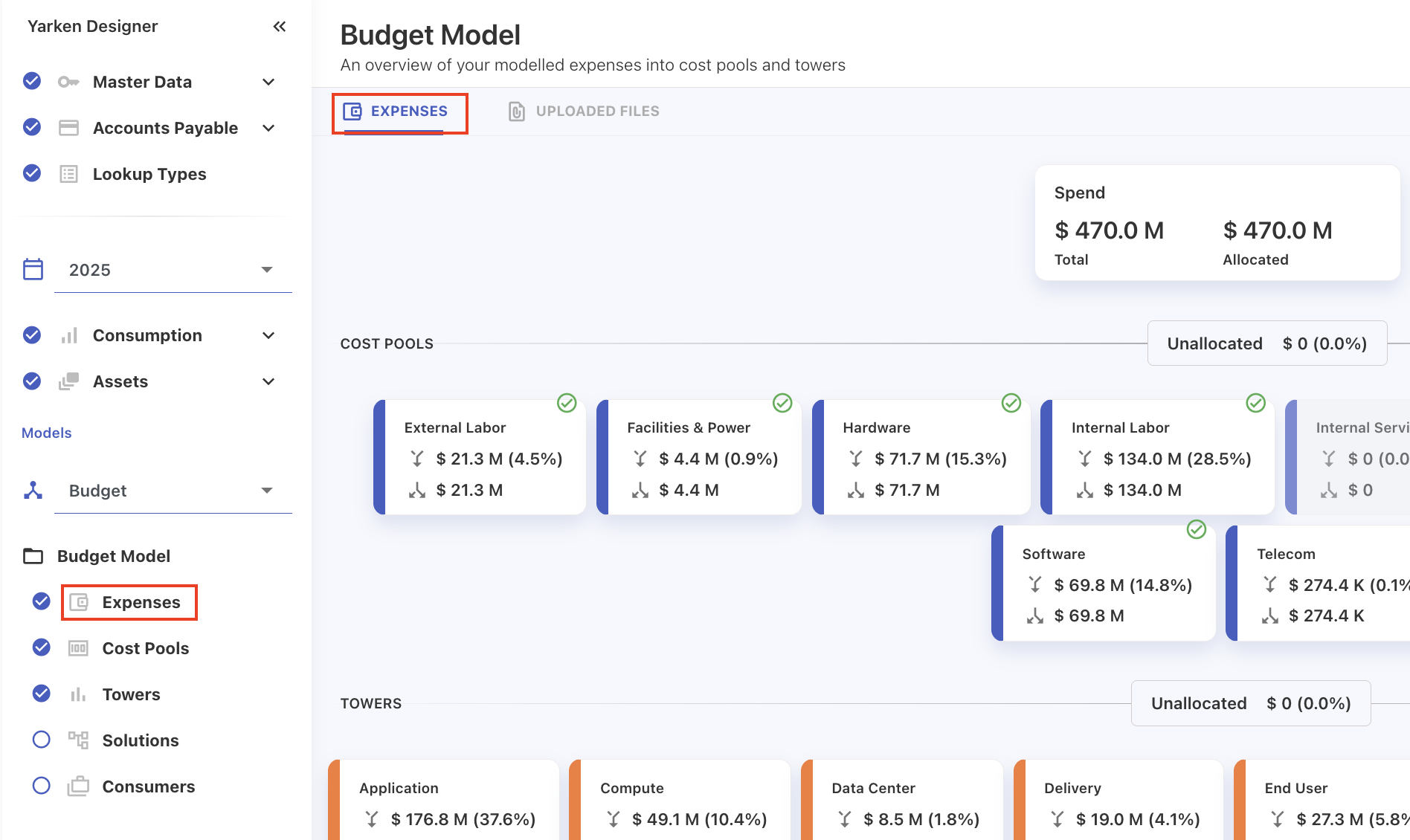
Naming for Spend has been standardized across Designer, with “Expenses” now used as the common term for model elements, while metrics in Analytics continue to be labeled as Spend, Budget, and Forecast.
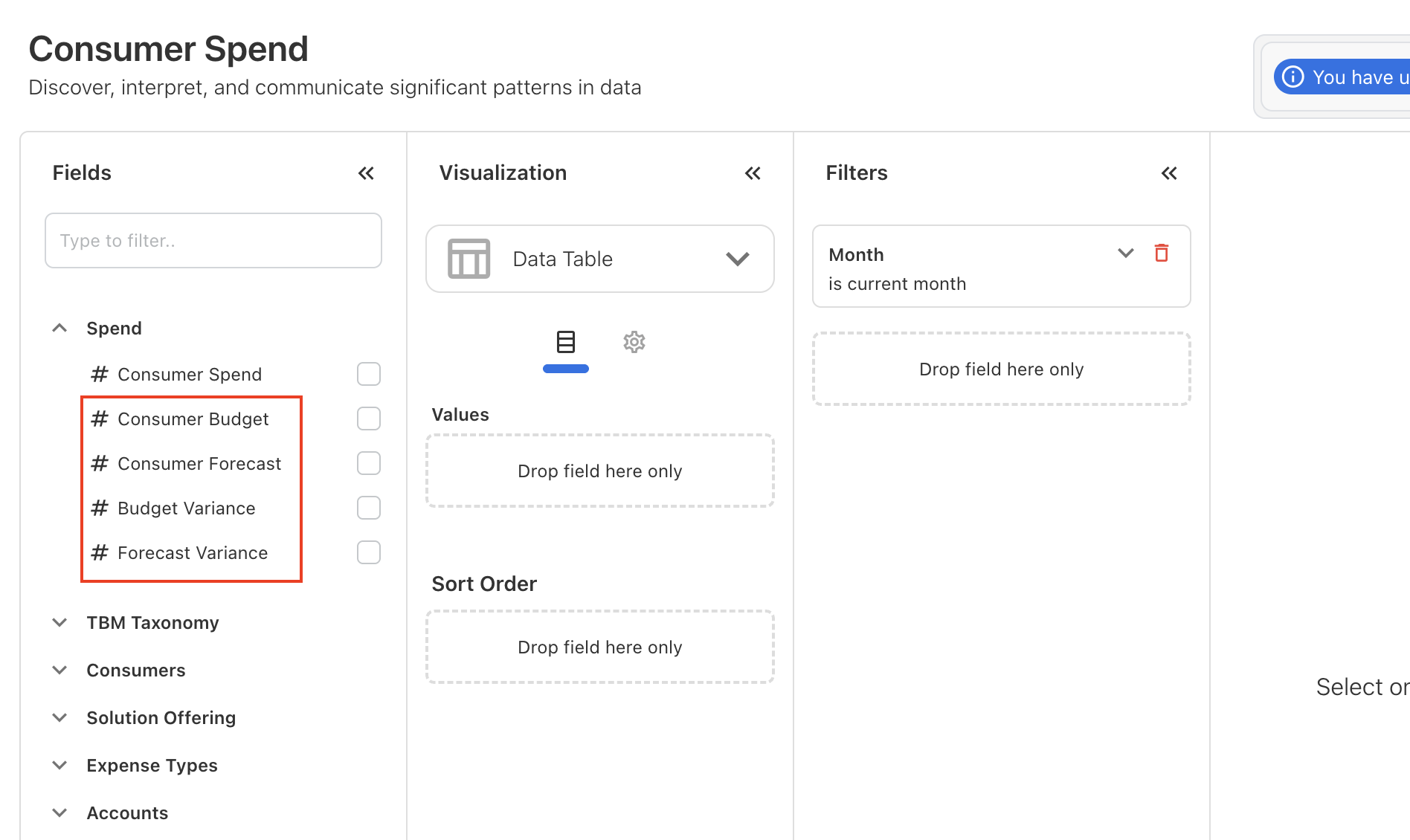
Consumer Spend cube
The Consumer Spend cube now includes additional fields to support budget and forecast analysis:
-
Consumer Budget
-
Consumer Forecast
-
Budget Variance
-
Forecast Variance
Chargeback report visibility and improvement
Resolved issues affecting Chargeback report visibility and added safeguards to protect the chargeback definition.
-
The default Chargeback report now appears in Settings → Chargeback even when no custom reports are configured, ensuring the chargeback view is always available.
-
Newly created Chargeback reports from Analytics are now visible immediately in Settings → Chargeback after creation.
Additional safeguards:
-
The default chargeback definition report cannot be deleted from Saved Reports in Analytics.
-
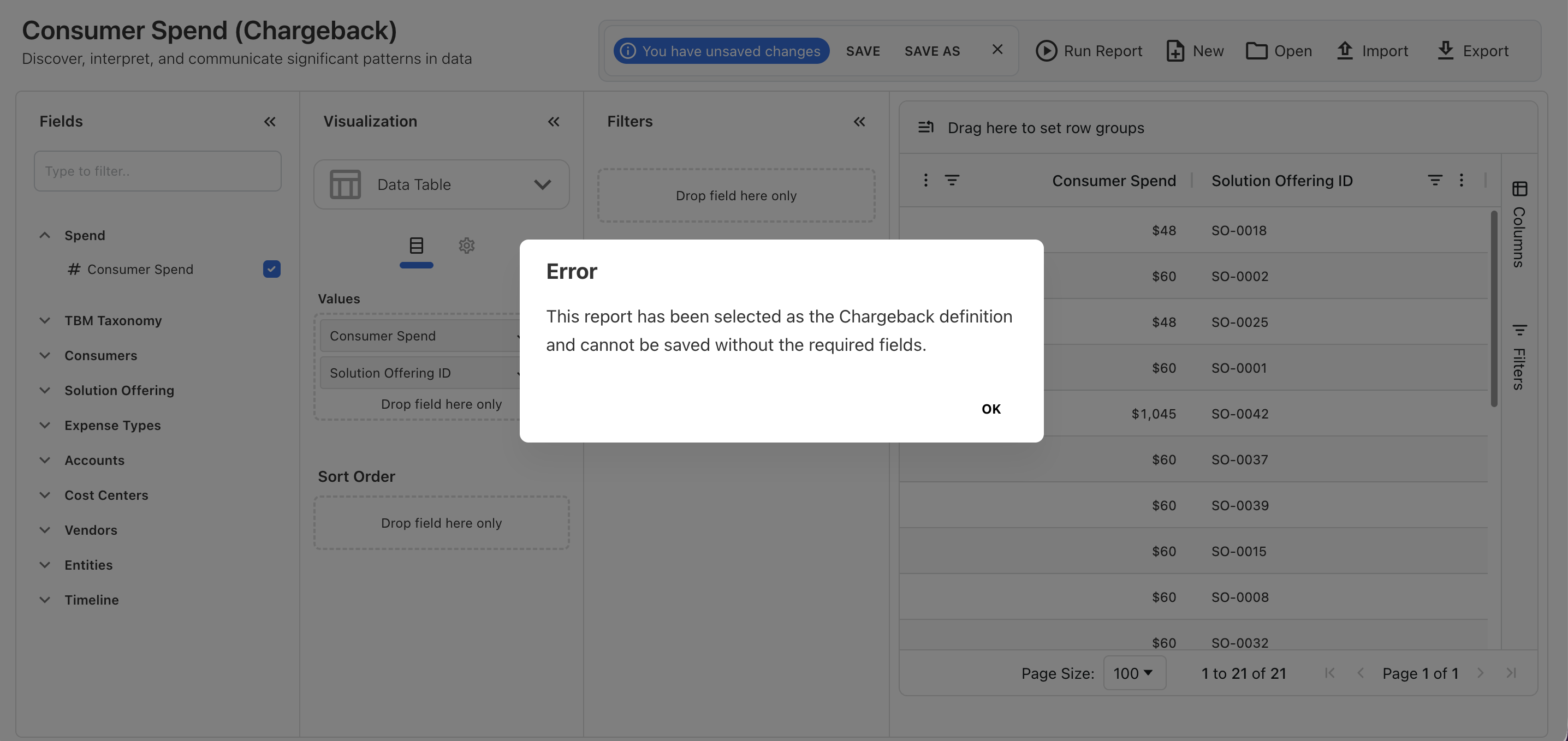
If a user attempts to delete the report configured as the chargeback definition, a popup message prevents the action.
-
Mandatory columns (Consumer ID, Solution Offering ID, and Consumer Spend) in the chargeback definition report cannot be removed.
Relative date filters corrected in custom dashboards
Relative date and month filters (such as current month and current year) in custom dashboards now recalculate based on the current system date.
This ensures dashboards always display the most recent and accurate data, instead of relying on the date when the dashboard was created or last saved.
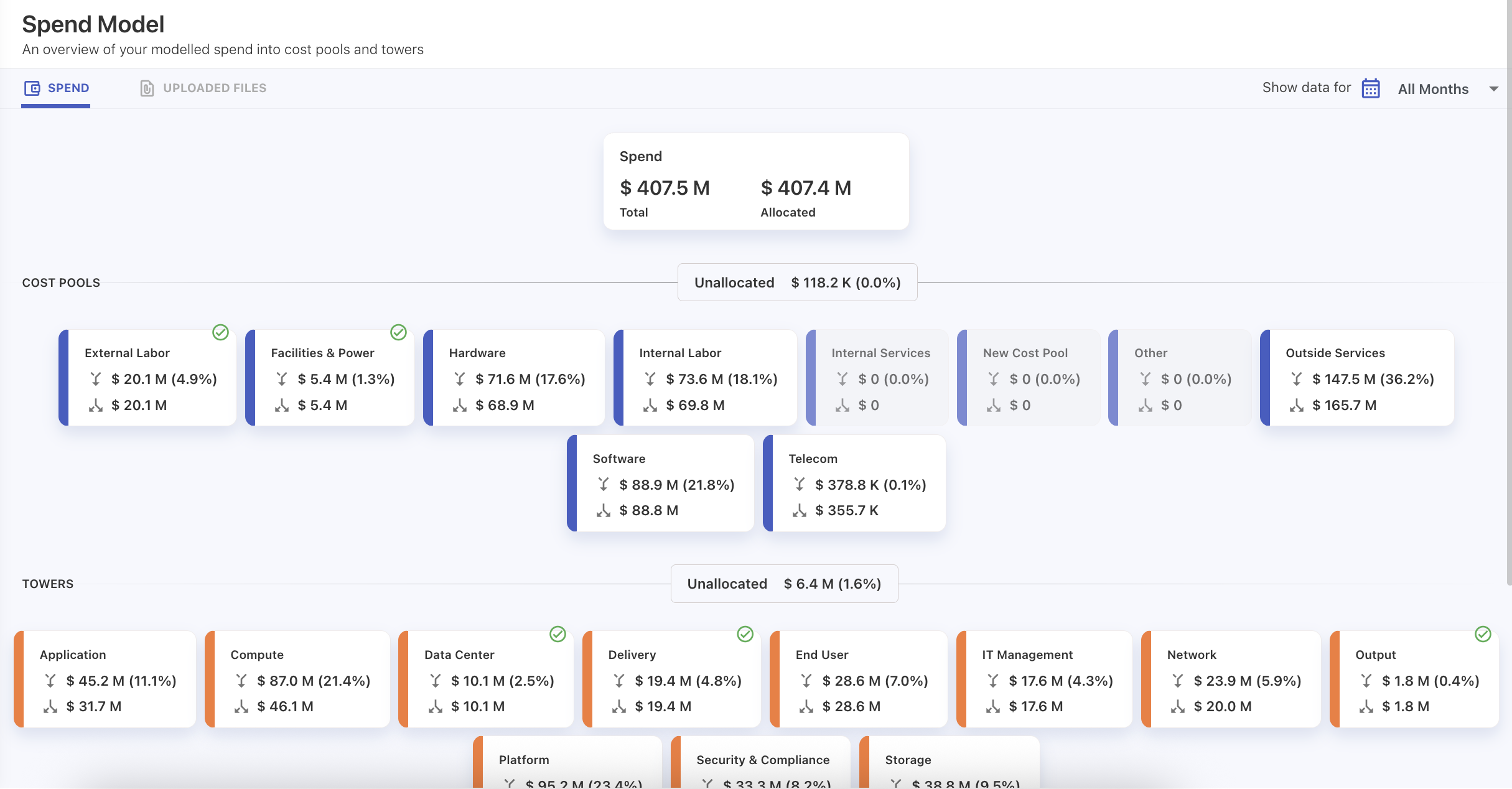
Spend flow display corrected in Designer model chart
Fixed an issue in the Yarken Designer Spend Model view where the spend flow from Cost Pools to Towers displayed $0 values in the cost pool flow indicators, even when the downstream spend was correctly allocated to towers.
The visualization has been corrected so that the spend between cost pools and towers now accurately reflects the allocated amounts.
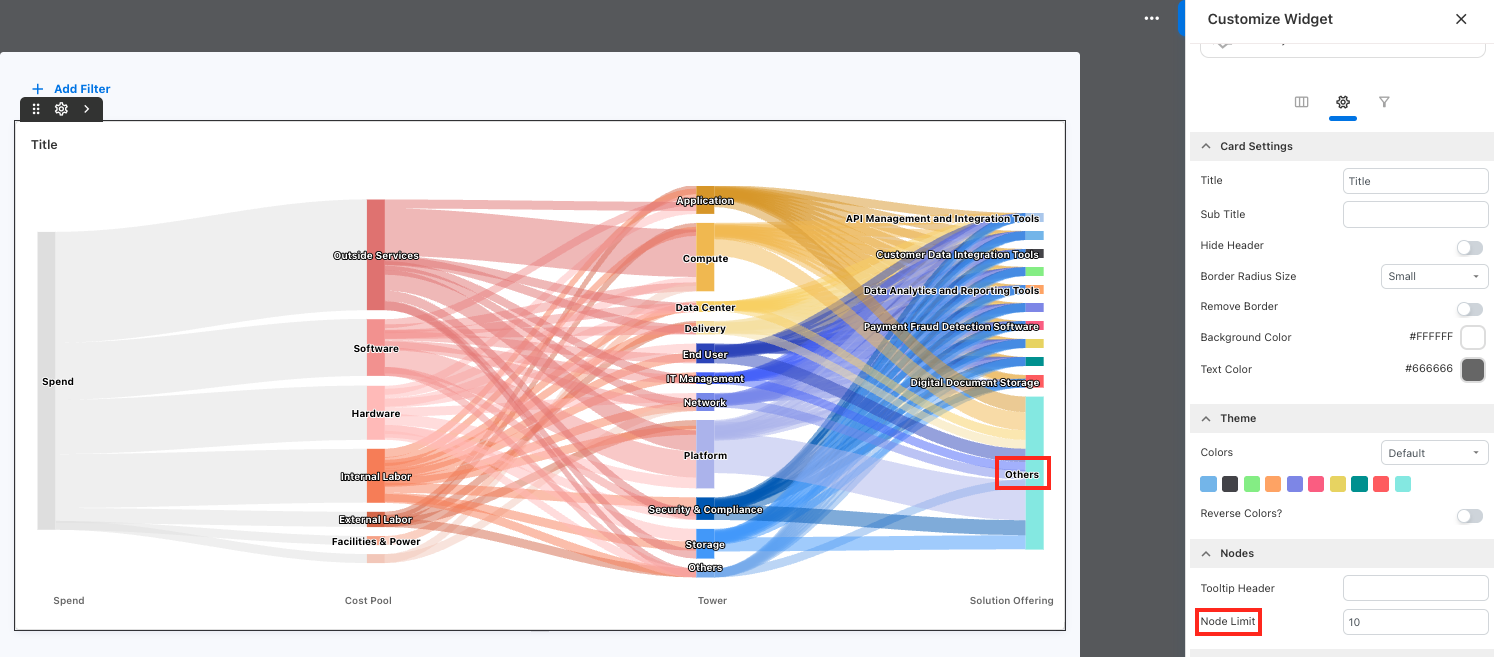
Node limit for Sankey charts in custom dashboards
Resolved an issue where Sankey charts in custom dashboards were truncated when too many nodes were present.
A new Node Limit option has been added to control the number of nodes displayed. Nodes exceeding the configured limit are now grouped under Others, ensuring the chart remains readable and fully rendered.
Enhancements
Financial models in Yarken
Yarken now supports a new Models concept to structure financial planning and analysis data.
Models act as reusable structures that organize Spend, Budget, and Forecast data. Default models are available out of the box, allowing teams to begin working immediately.
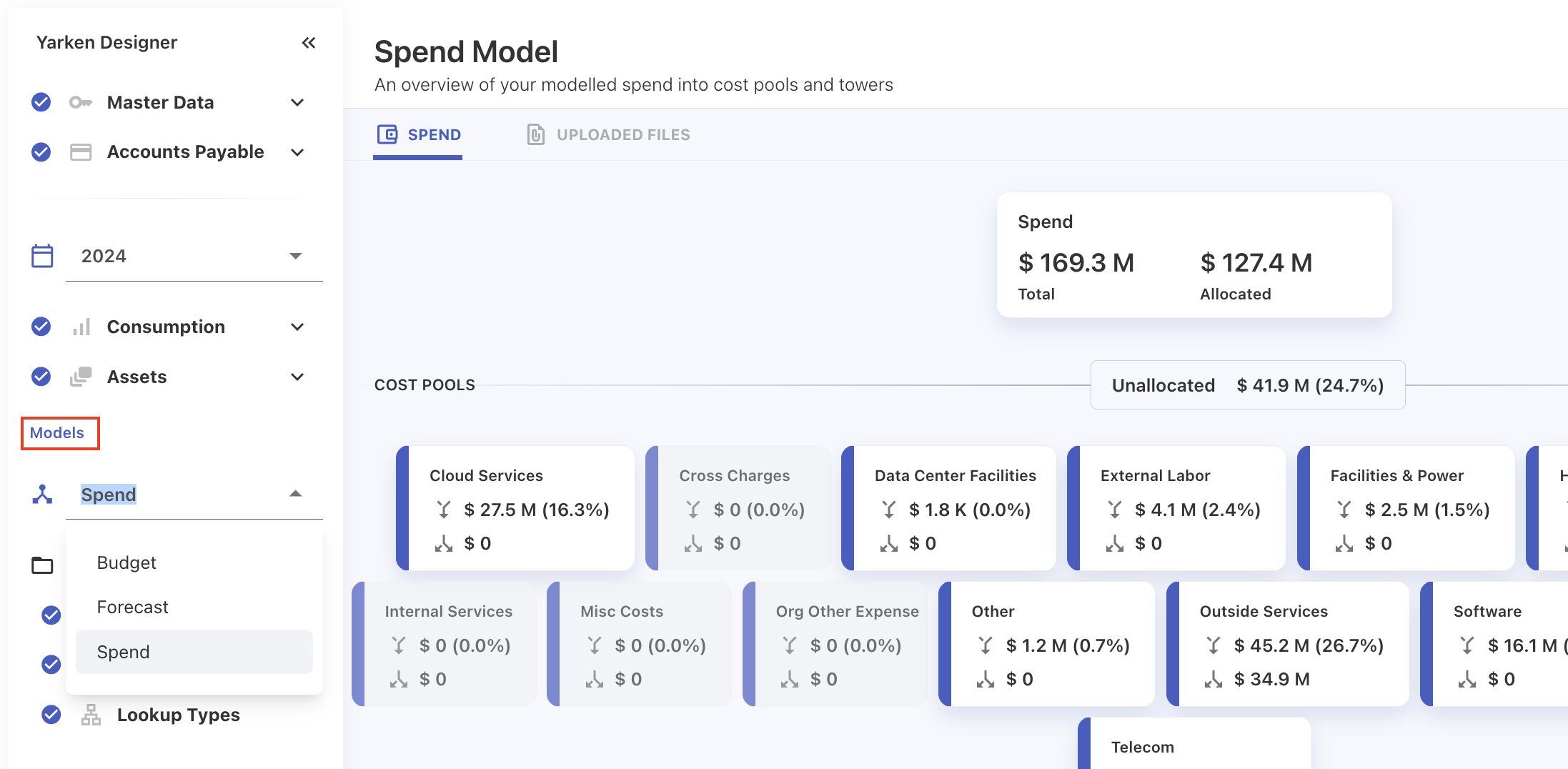
What’s included
-
Default models: Spend, Budget, and Forecast.
-
Models can be applied across:
-
Spend, budget, and forecast
-
Rules and mappings (including Upload Rules and Lookups)
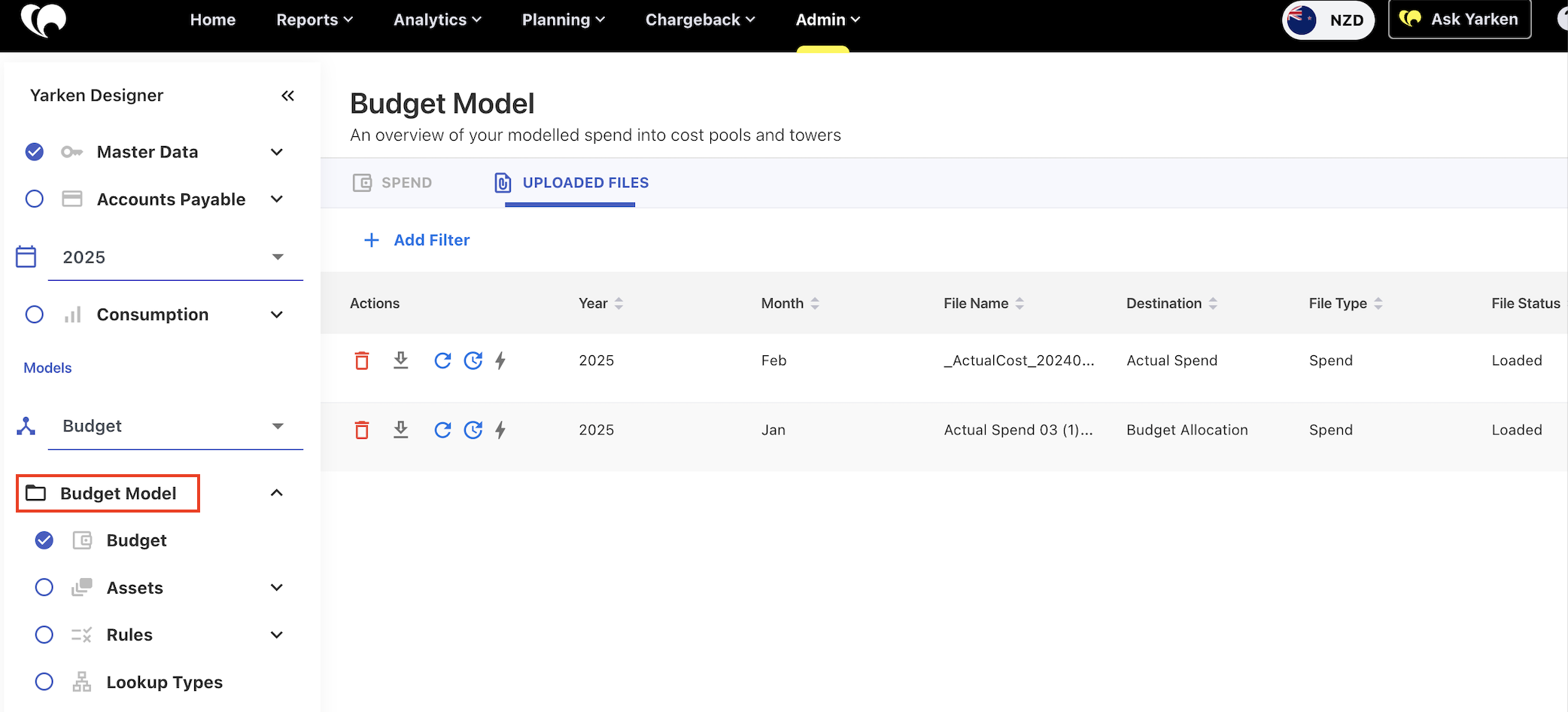
-
-
In Pipelines, data mapping templates are now based on the model linked to the template.
-
Years are independent of models. Users select a model, and all years remain available within it.
Publishing behavior
-
Cloud Spend can be published only into the Spend model.
-
Budget and Forecast data are published directly to their respective models, ensuring clear separation between planning and actuals.
Important scope note
Models do not apply to:
-
Master data
-
Consumption data (cloud and mobile)
-
Assets
-
License usage (tenant, individual, product)
-
Accounts payable
-
Companion metrics
Data in these areas remains shared.
Why this matters
The new model structure enables:
-
Loading actuals and budgets into defined planning models
-
Comparing multiple forecasts, budgets, and actuals
-
Supporting different allocation strategies between budgets and actuals
This provides clearer separation of planning scenarios while keeping reporting flexible and consistent.
Entity support in Planning, Business Case and Ask Yarken
Entity-level support in budgets and forecast
Budgets and forecasts now support entity-level management, allowing different planning cadences per entity.
Budget updates
-
Entity is stored on each budget line item.
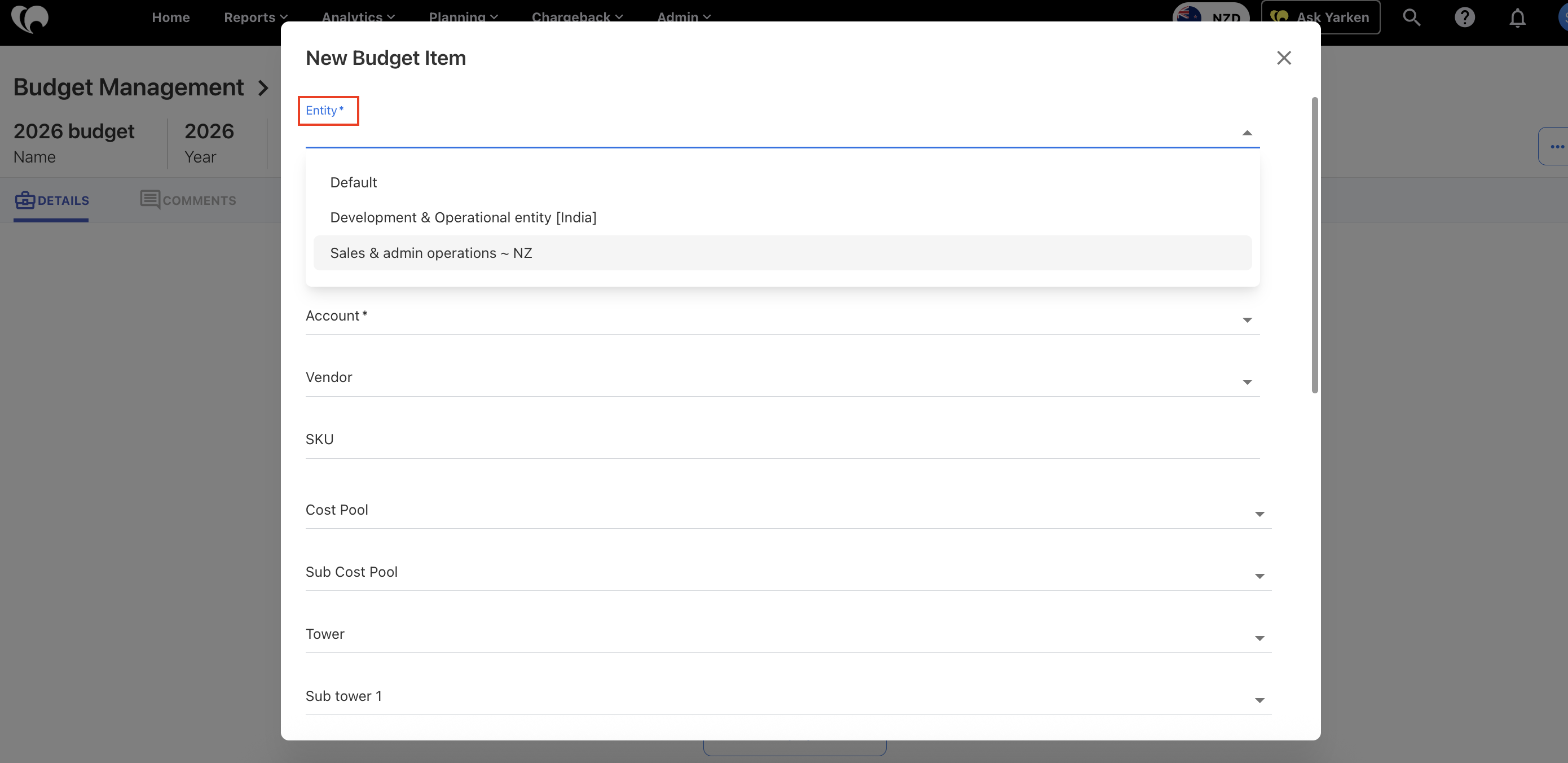
-
Budget access respects entity-level permissions.
-
The Budget overview page includes a global Entity filter.
-
CT loads and file uploads respect the user’s entity access.
-
When a budget is pushed as Baseline, it replaces the existing budget for that entity.
Forecast updates
-
Forecasts follow the same per-entity model as budgets.
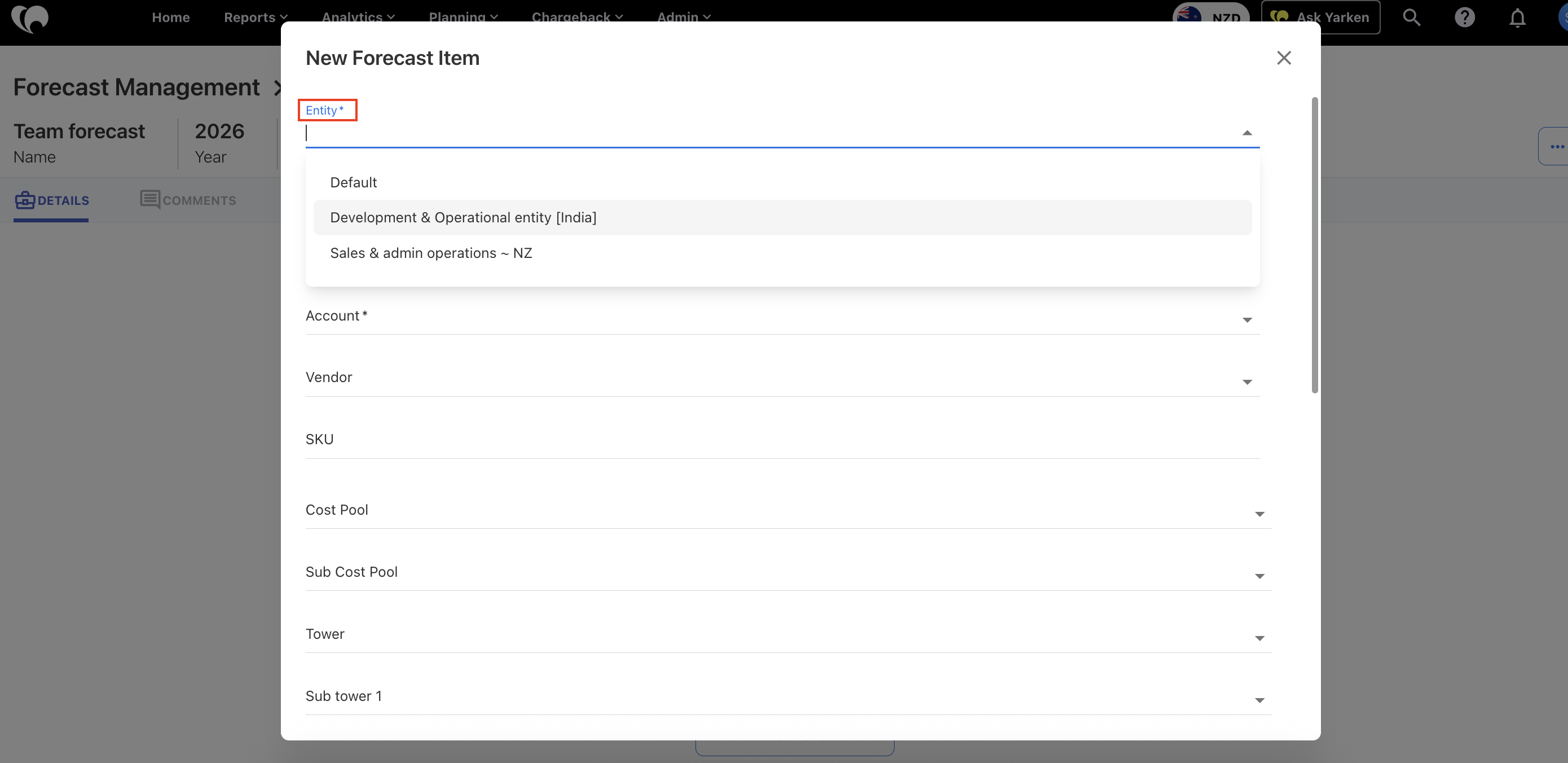
-
When a forecast is pushed for an entity, it replaces the existing forecast for that entity.
This update improves visibility, control, and alignment between planning and entity-based reporting.
Business Cases now support entity at the line level
Business Cases are now entity-aware at the line level, improving alignment with multi-entity reporting.
-
You can assign an Entity to each Business Case line item (cloud and non-cloud), for both manual entry and file-uploaded line estimates.
-
The global Entity filter is respected in Business Case views.
-
Actuals and estimates are now matched by Entity, ensuring more accurate comparisons between Business Cases and actual spend.
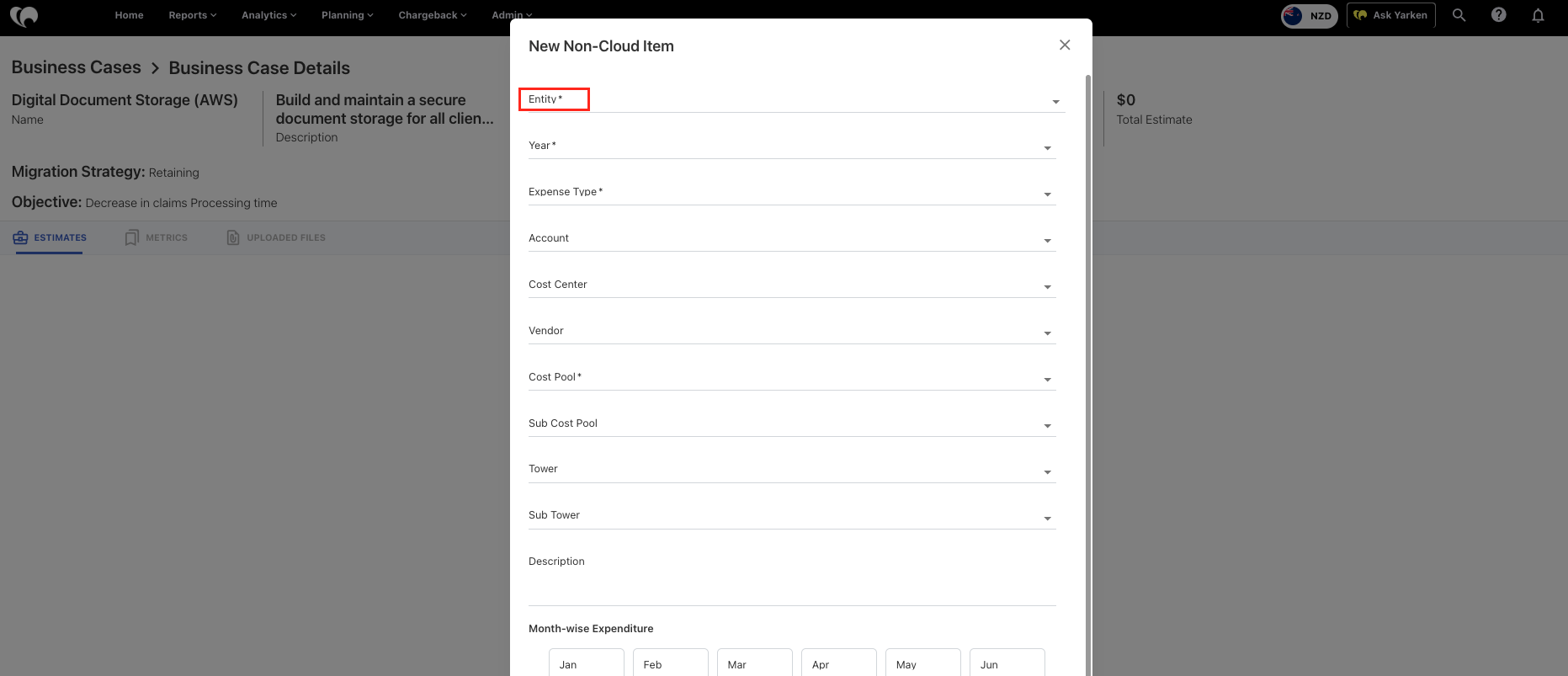
Ask Yarken - Entity-level responses
Ask Yarken now fully respects entity-level access controls. When users have permissions across multiple entities, responses and data visibility are constrained to only the entities they are authorized to access, ensuring consistent permissions and accurate reporting behavior.
Modify uploaded spend records
You can now update uploaded spend line items (GL entries only) directly within the application.
-
Edit key fields such as spend, SKU, Towers, and other supported attributes.
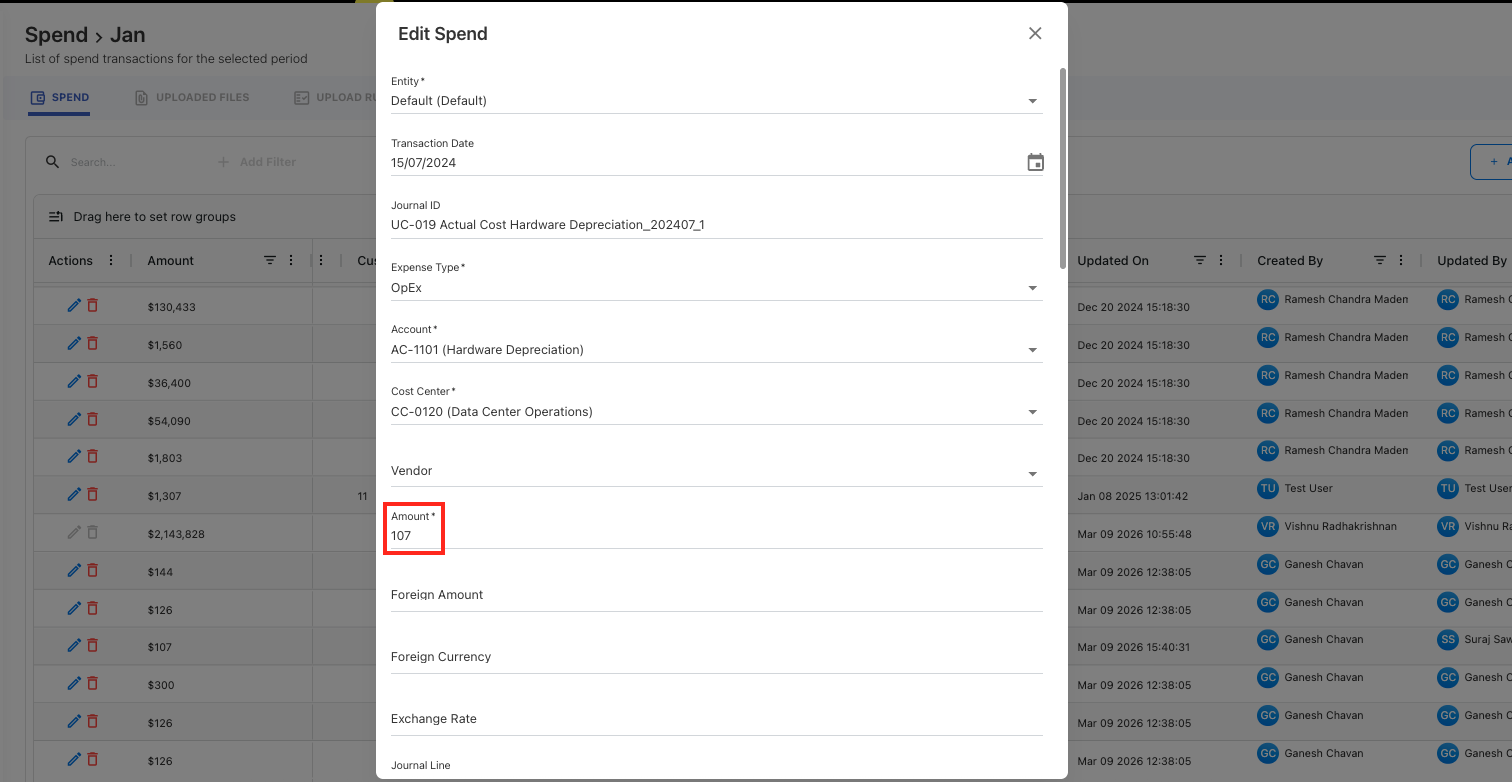
-
Changes are applied on top of data processed through upload rules.
-
Once a line item is edited, it is de-linked from the original uploaded file. If the original file is later reloaded or deleted, the modified spend records remain unaffected.
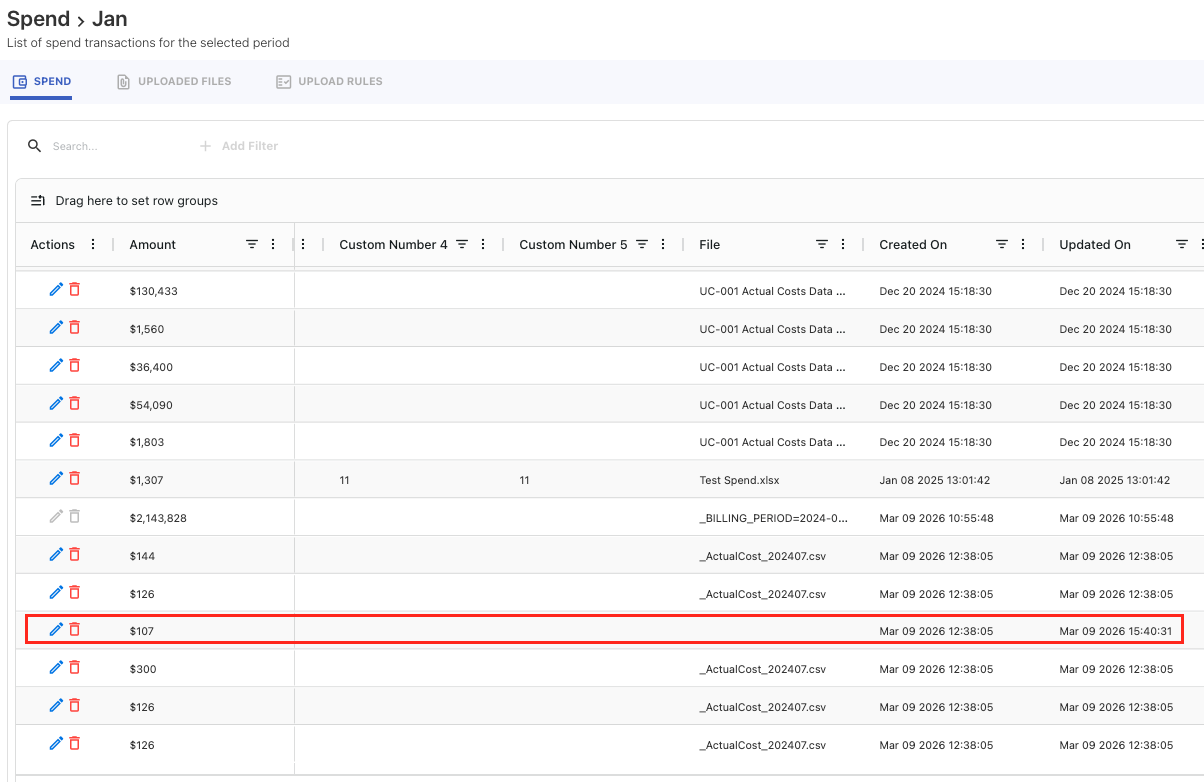
-
Edits respect locked months (including post-chargeback periods).
-
Updates trigger downstream rules for the affected spend records.
-
Budget/forecast or cloud spend published to CT cannot be edited or deleted.
This enhancement provides greater flexibility to correct or refine spend data without requiring file re-uploads.
Improved cube refresh experience
The cube refresh experience has been enhanced to provide greater visibility and control over partition-level processing.
-
Cubes that contain partitions are now clickable, allowing users to drill down and view detailed information for each partition.
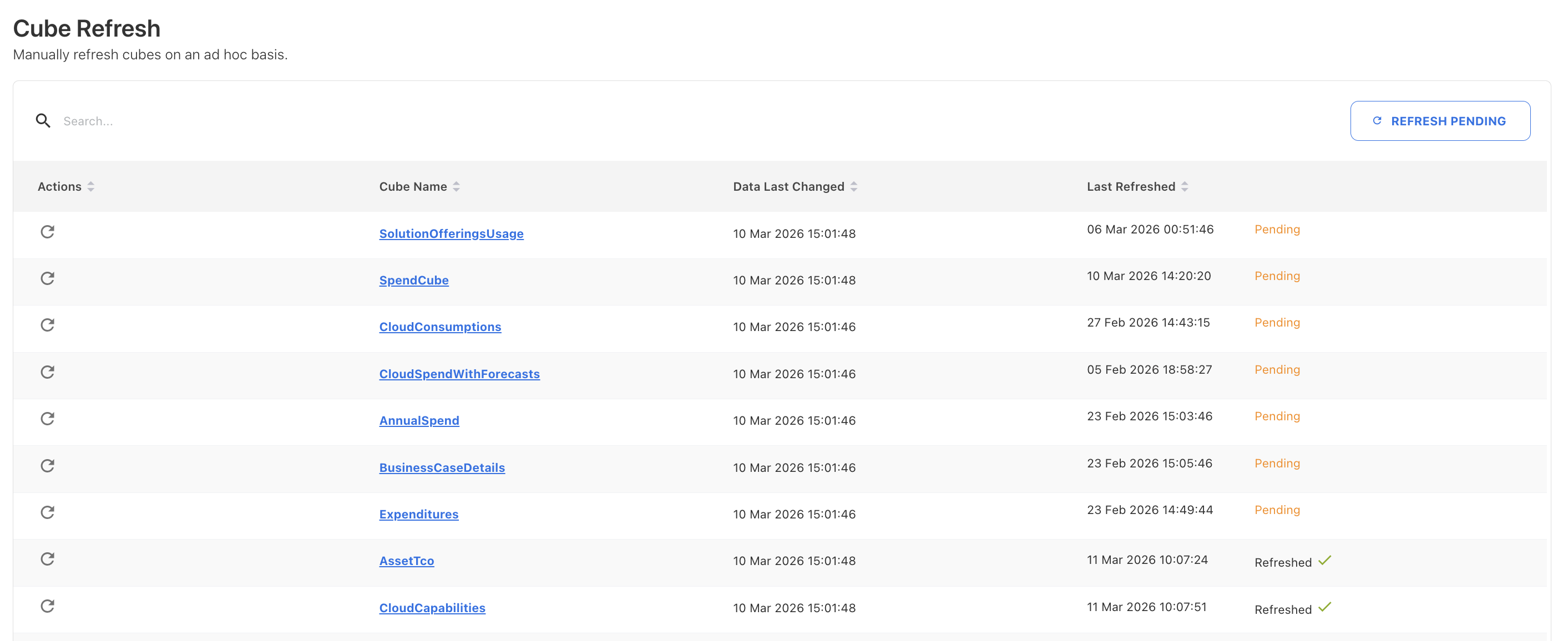
-
Partition-level pending status is now visible. When data changes occur, affected partitions move into a Pending state.
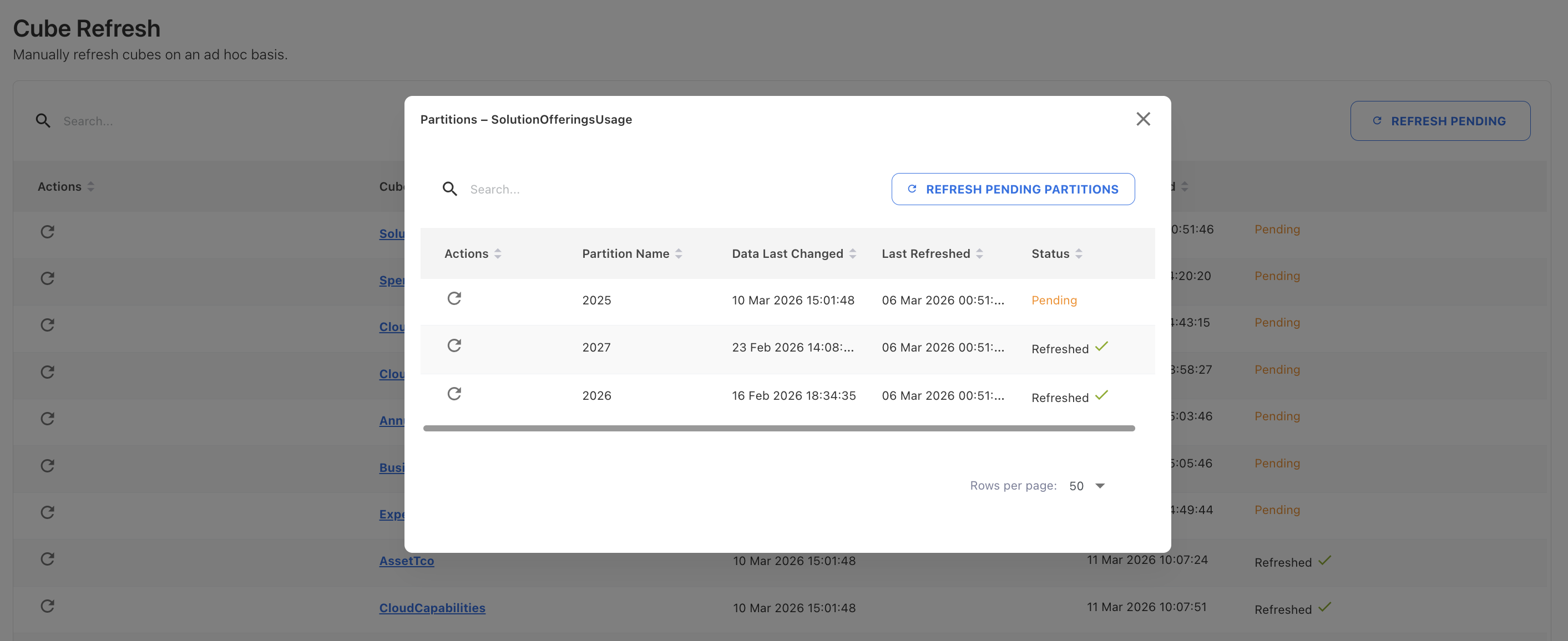
-
From the partition view, users can refresh individual partitions or refresh all partitions within the cube.
-
The Refresh action in the cube view refreshes all partitions (both pending and previously refreshed) to ensure the cube is fully up to date.
-
A new Refresh Pending Partitions button allows users to refresh all cubes and their pending partitions in one action, streamlining bulk updates across the application.
Rule Summary column added to rule exports
When exporting Cost Pool, Tower, Asset, and Solution Offering rules to CSV, a new Rule Summary column is now included. This column provides a human-readable representation of the rule JSON for easier review and validation.
-20260227-122428.png?cb=d566e1fa20b6d4a853b16597766fe577)
Validation added for missing master data in mappings
We’ve introduced validation when loading consumer, solution, or asset mappings to prevent missing master data from being silently ignored.
-
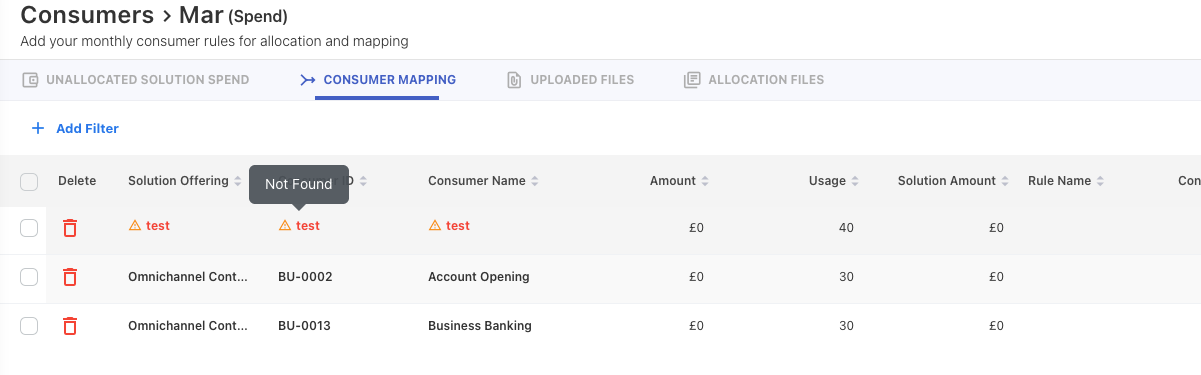
If a mapping references a consumer, solution, or asset that does not exist in master data:
-
An warning message is shown in notification.
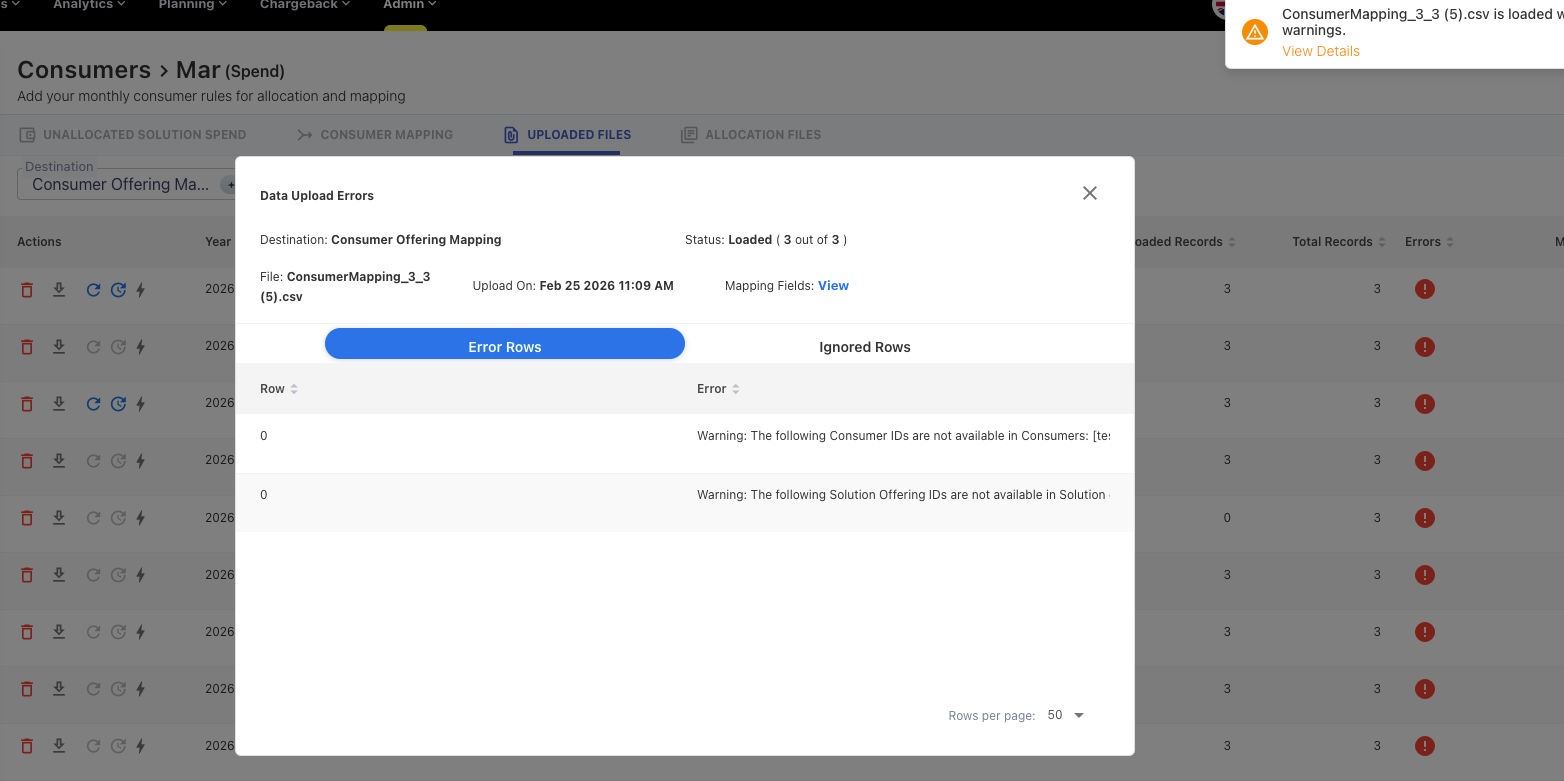
-
The entry is marked as “Not found”, with a hover message indicating the ID is not available in master data.
-
Rows with missing identifiers are automatically sorted to the top for easier review.
Once the missing identifier is added to master data and the mapping is refreshed, the “Not found” indicator is removed automatically.
Updates to Towers, Solutions, and Consumers rule views
We’ve updated the rule configuration experience across Towers, Solutions, and Consumers for better clarity and consistency.
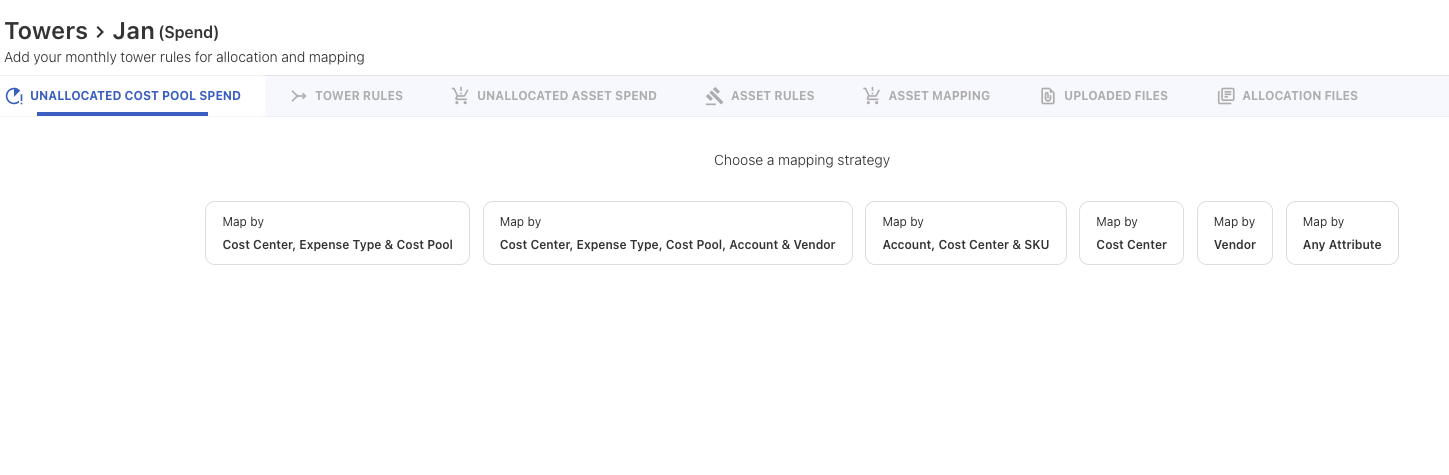
Towers
-
Unassigned spend is now clearly labeled as Unallocated Cost Pool Spend.
-
Tabs have been rearranged for a more consistent experience.
Solutions
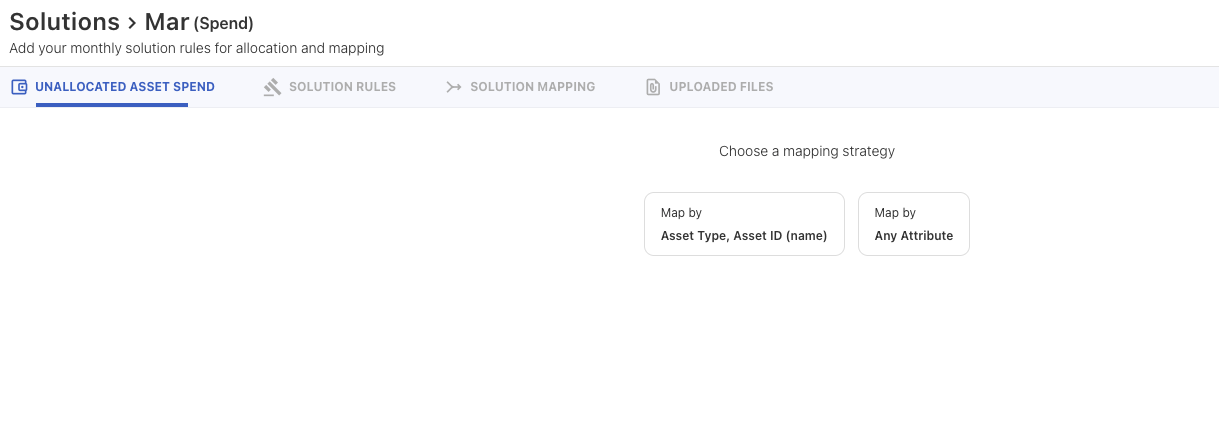
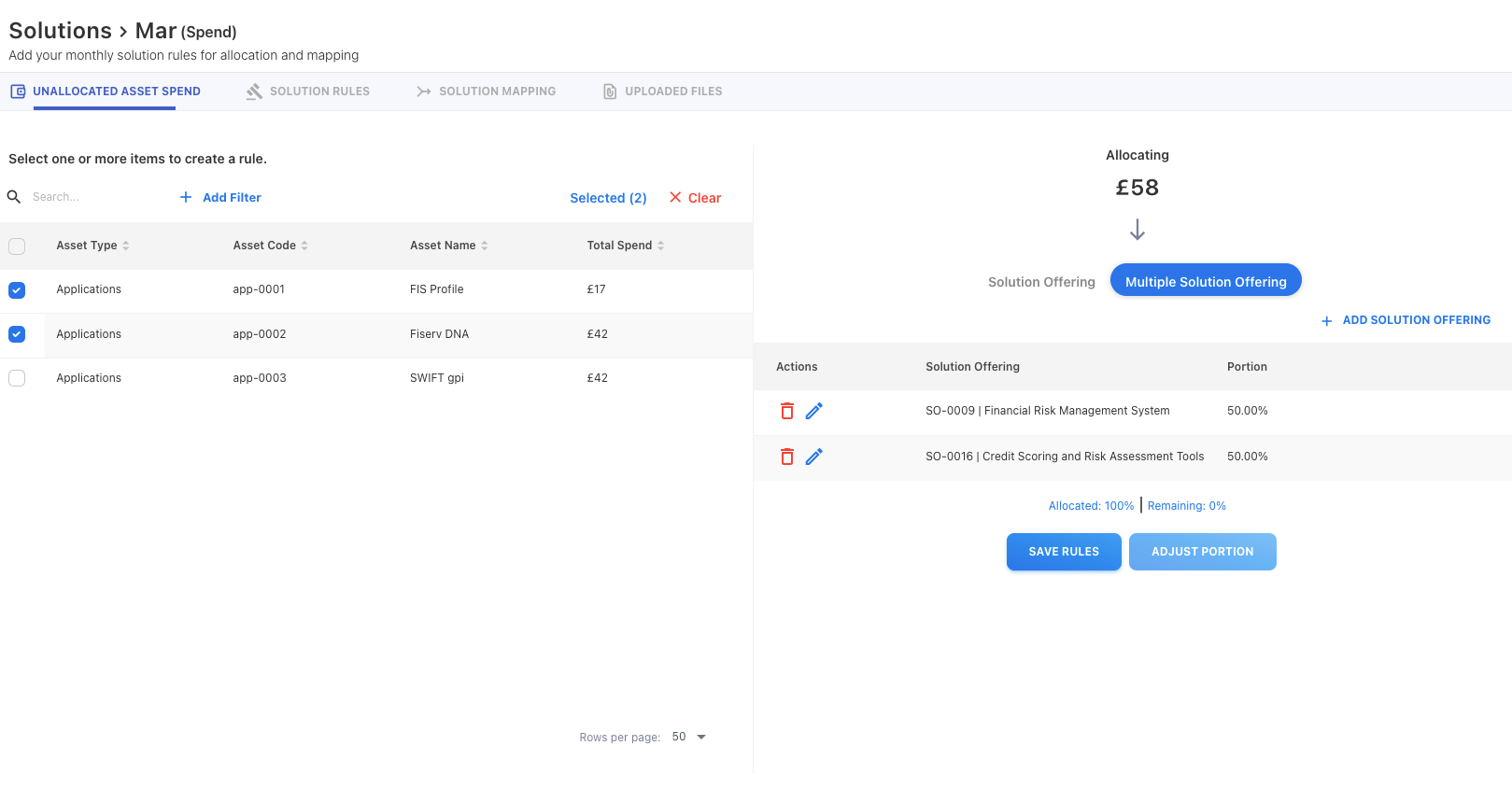
-
The rule creation experience has been refined with two default manual strategies:
-
Mapping strategy 1: Asset Type, Asset ID (name)
-
Mapping strategy 2: Any Attribute (from asset to solution offering)
-
-
A new Unallocated Asset Spend tab has been added.
-
The Rules tab has been renamed to Solution Rules.
Consumers
-
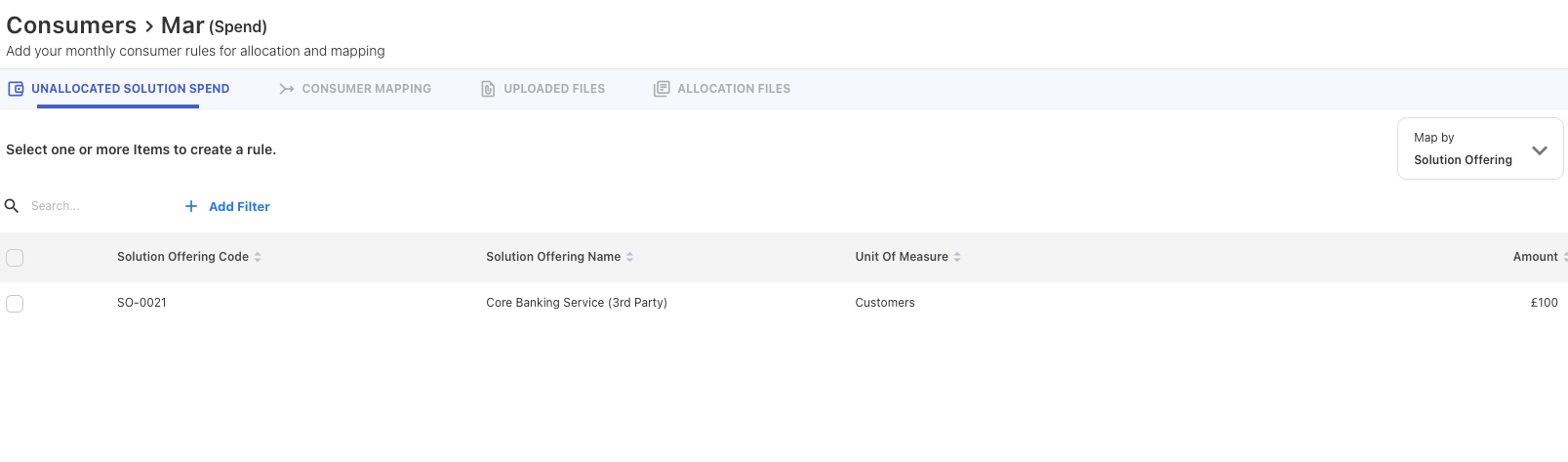
A new Unallocated Solution Spend tab has been added for improved visibility into unmapped spend.
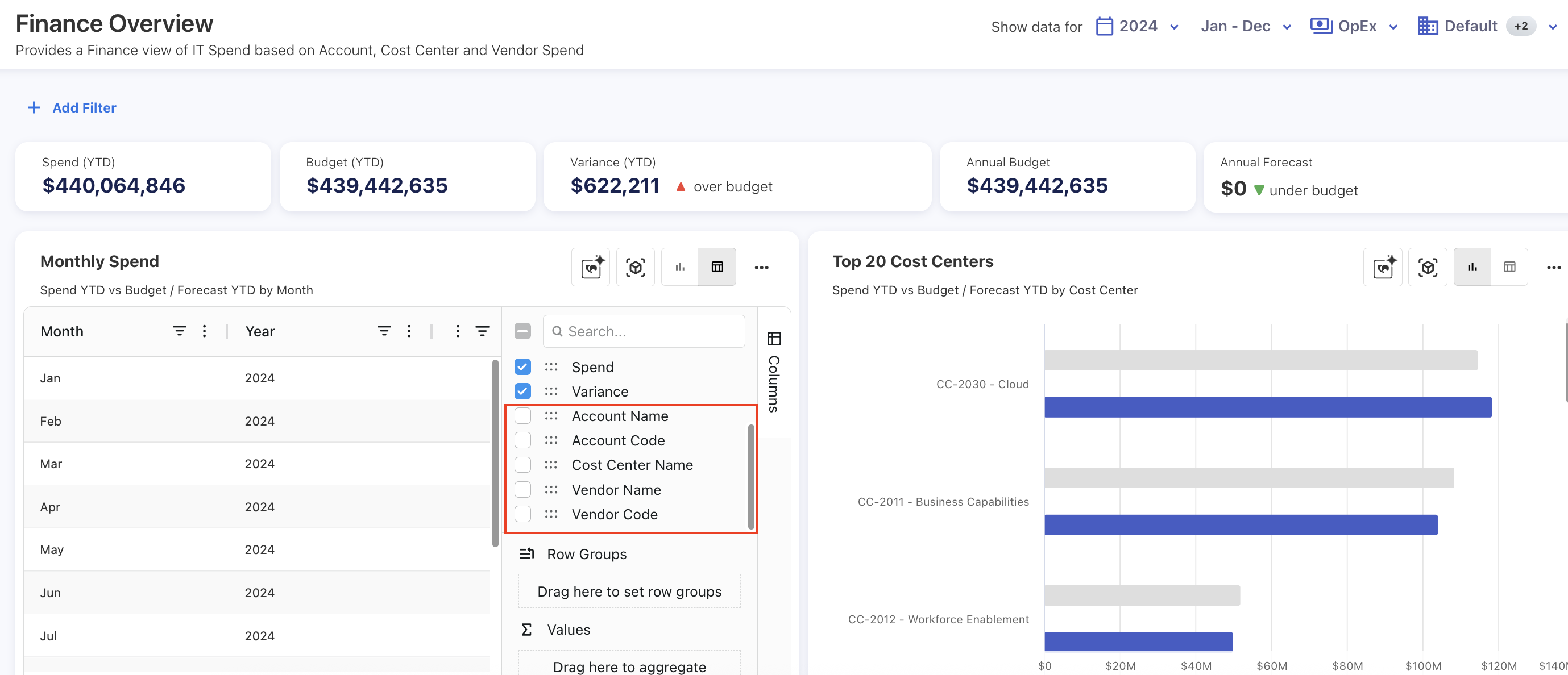
Additional columns in Finance Overview tabular view
The Finance Overview tabular view now includes four additional columns: Month, Cost Center, Account, and Vendor. These fields are now queried to display granular data in the table. The same columns are also available in drill-down reports and GL popups.
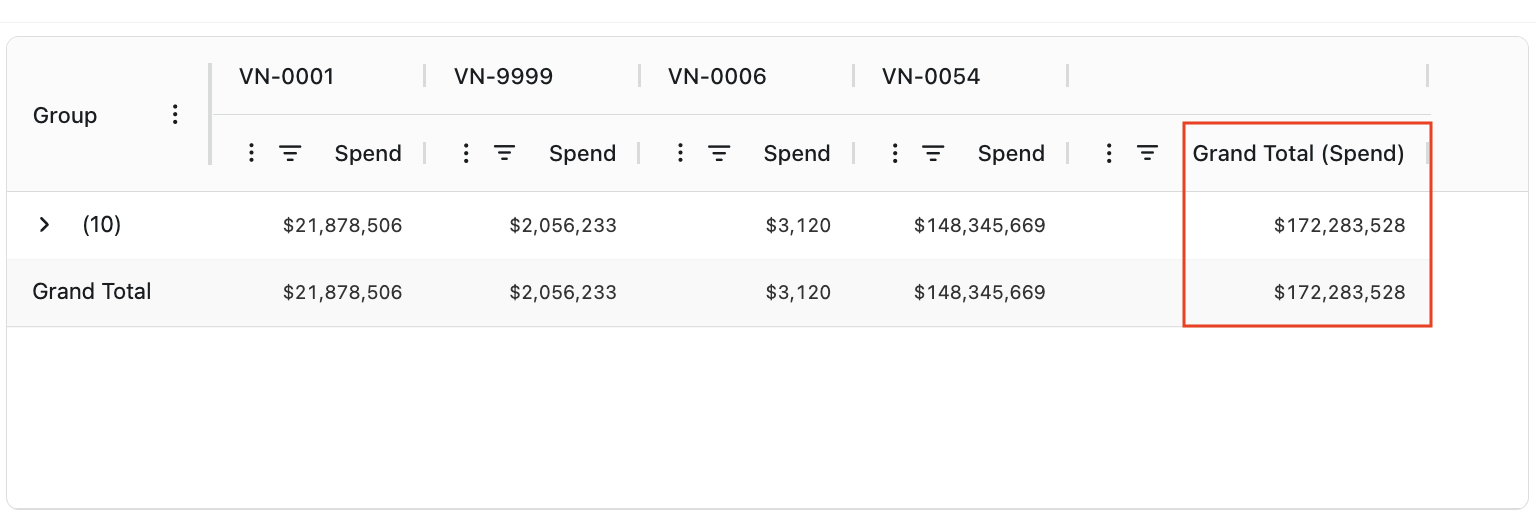
Fix for grand total for pivot table rows
The row grand total is now enabled for pivot tables in both custom dashboards and analytics.
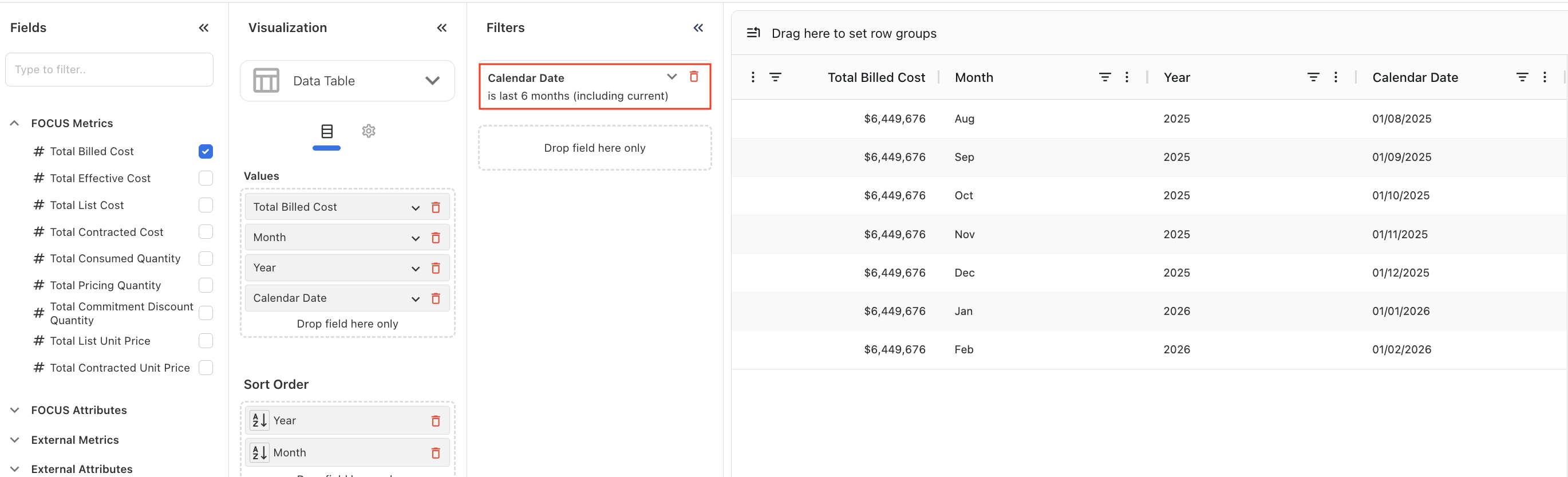
Calendar date range fixed in Cloud Consumption cube
Fixed an issue in the Cloud Consumption cube where calendar date ranges returned data only for the start date. The underlying function has been updated to include both the start and end date year and month IDs, ensuring data is fetched correctly for the full selected date range.
Enhancements
Multi-Entity support now available in Yarken
Yarken now supports multi-entity structures across the platform, allowing organizations to manage and report spend by region, business unit, or legal entity—all within a single Yarken instance.
This enables clearer ownership, cleaner reporting, and more precise access control across financial and cloud spend.
What’s included
Default entity (automatic)
-
Every environment now includes a built-in Default entity.
-
All existing data, including users, maps automatically to the Default entity, ensuring uninterrupted reporting.
Entity setup in Settings
-
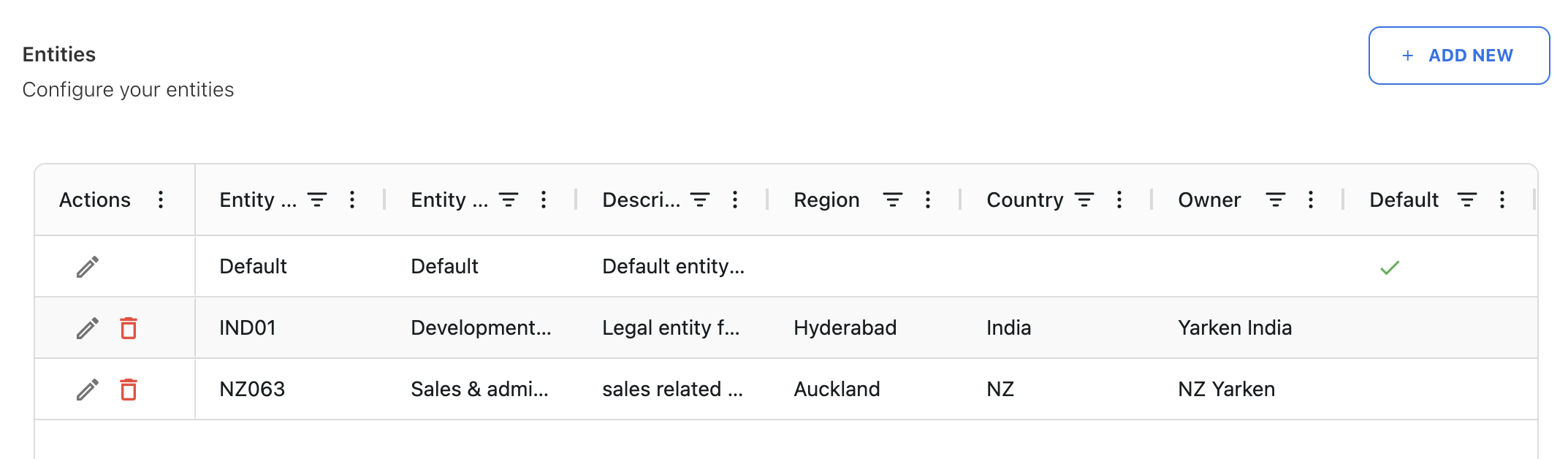
Entities can now be configured in Settings.
-
Each entity supports:
-
Entity Code and Entity Name (required)
-
Region, country, owner, and description (optional)
-
-
The Default entity cannot be removed, but it can be renamed and updated.
Entity-based access control
-
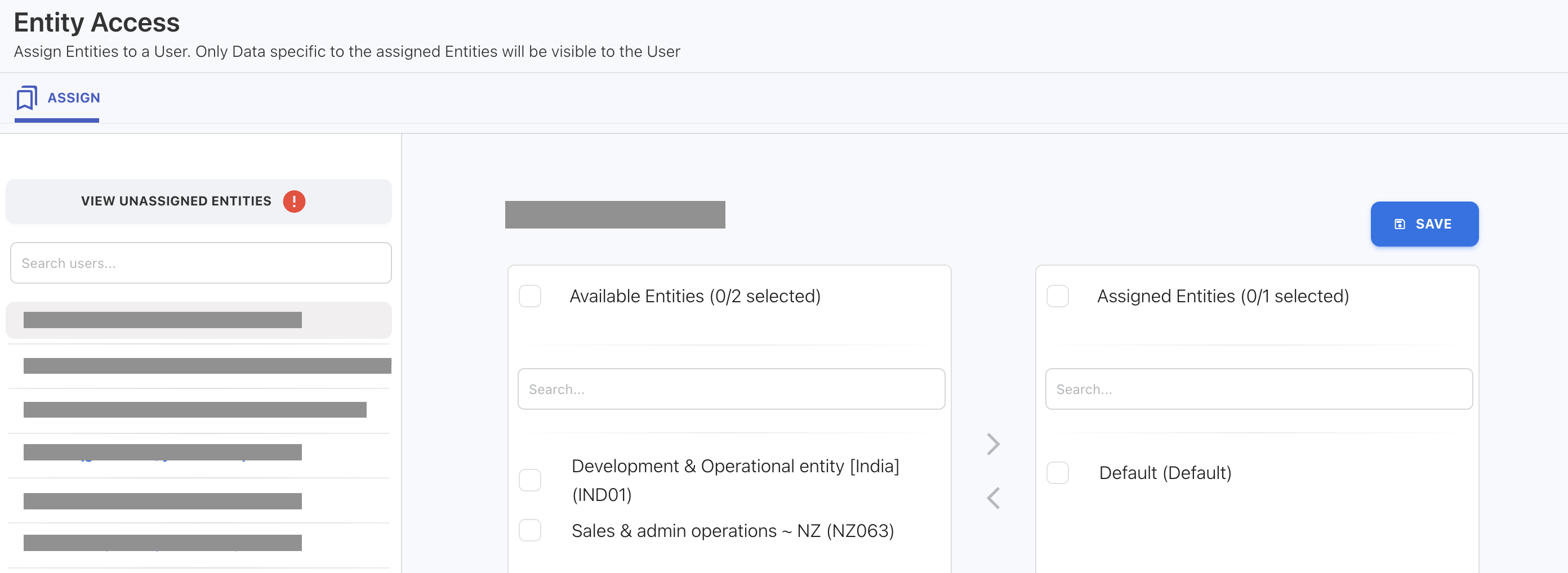
Entity visibility is now permission-aware:
-
Admins automatically have access to all entities.
-
Non-admin users must be assigned access to one or more entities through Admin → User Management → Entity Access.
-
-
If a user is not assigned access to any entity, they will see an error at login until access is granted.
Entity attribution across spend and cloud
-
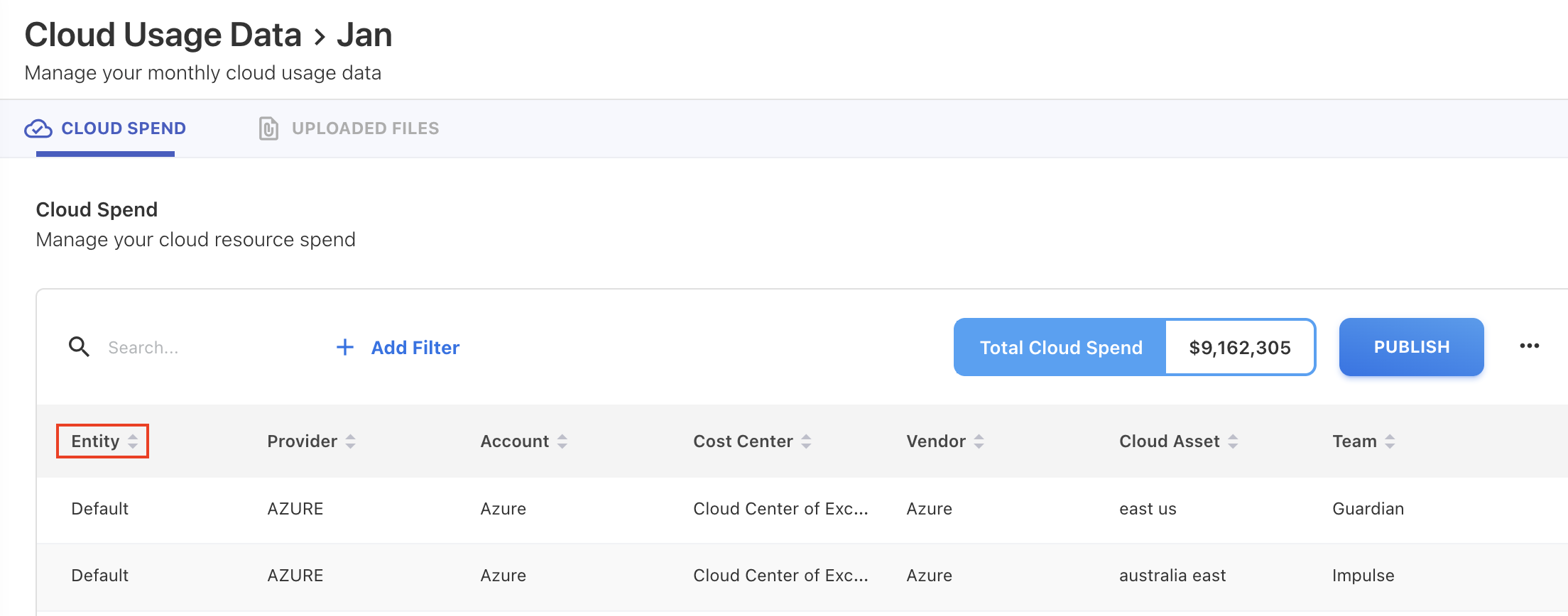
Spend and cloud data now support an Entity field.
-
If no entity is provided, records default to the Default entity.
-
For cloud consumption uploads:
-
Each upload can carry its own entity.
-
Entity can also be set or overridden using upload rules.
-
The cloud spend summary view now shows the entity.
-
Published cloud spend data include entity attribution for consistent downstream reporting.
-
Reporting and analytics filters
-
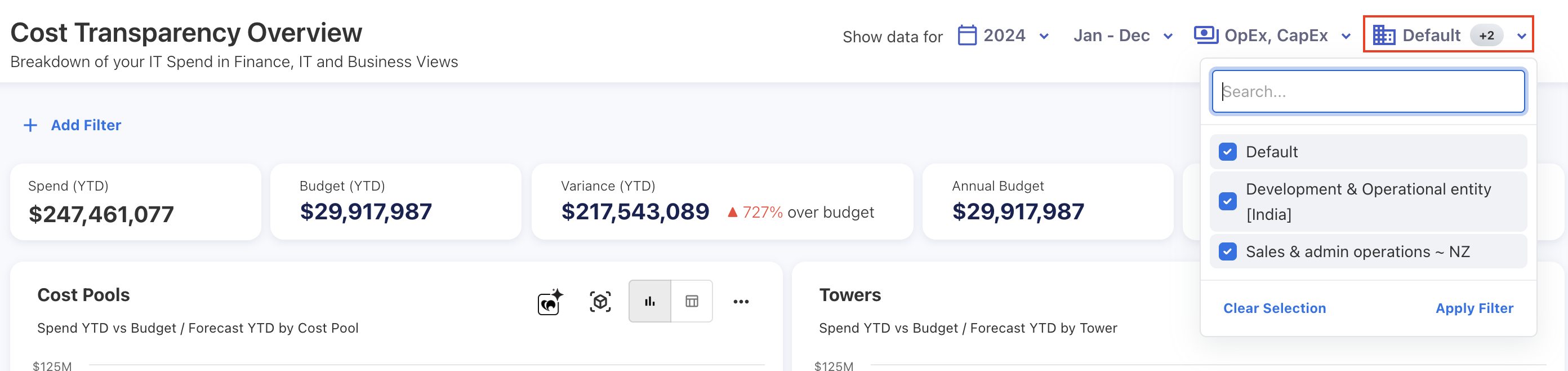
A new Entity global filter is now available across the application.
-
The filter supports multi-select, with:
-
All entities selected by default (preserving existing report behavior)
-
Consistent sorting across dropdowns and filters
-
Clear display when multiple entities are selected
-
-
Cost Explorer now includes an Entity filter next to the month filter.
Updated branding and UI
We’ve refreshed the Yarken product experience to align with our new brand identity. This includes an updated logo across the application (including Ask Yarken), refreshed brand colors, updated loading screen visuals, and a new favicon.
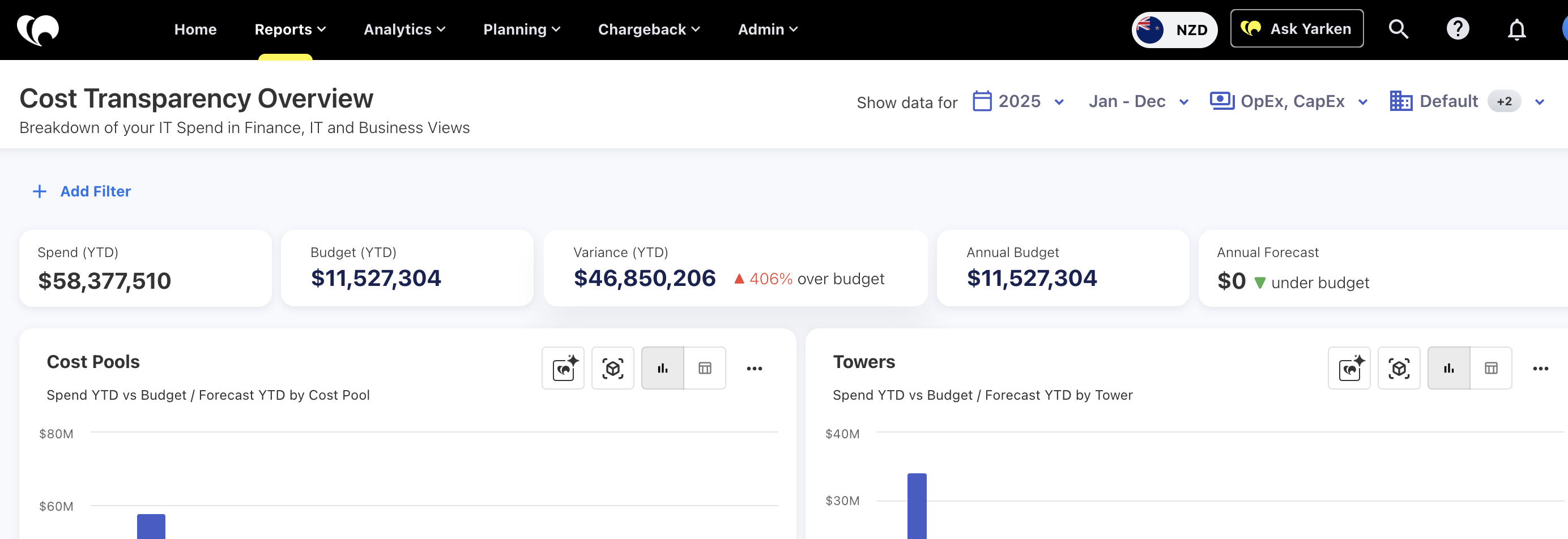
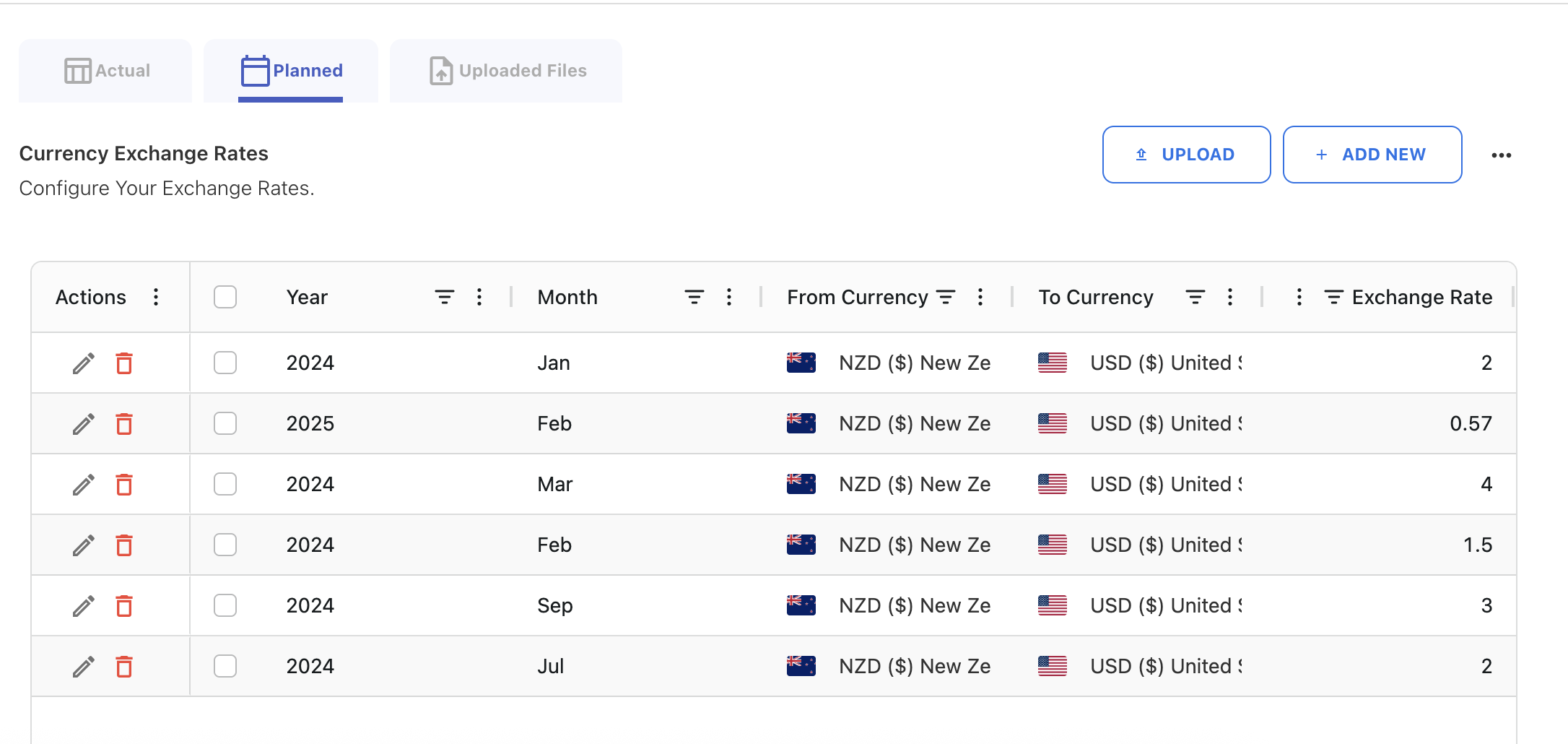
Planning exchange rates added for budgets
Yarken now supports separate planning exchange rates for budgets and forecast.
This includes:
-
A dedicated planning (budget) exchange rate table, separate from actual exchange rates
-
Monthly exchange rates for all selected foreign currencies
-
CSV import for planning exchange rates
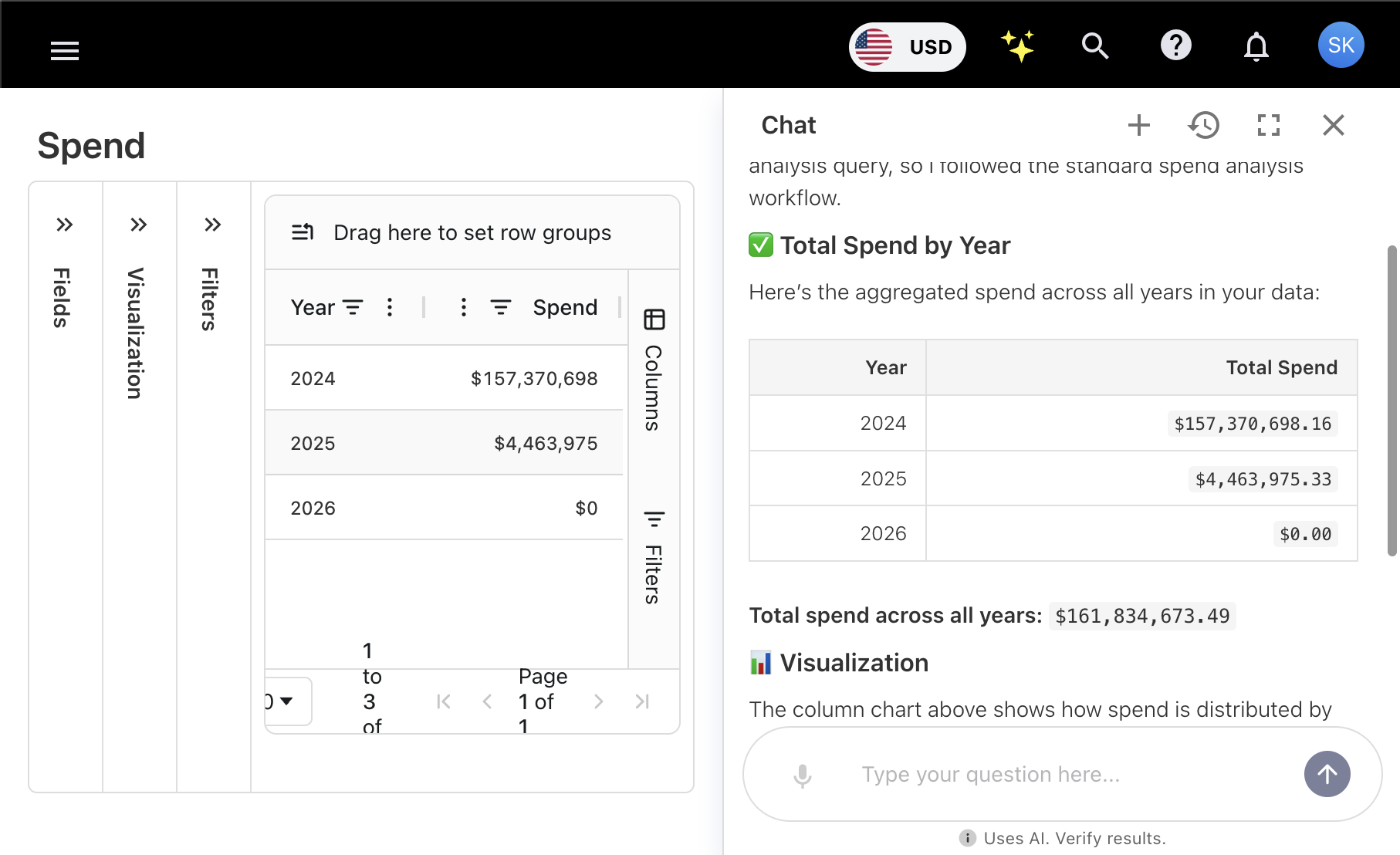
Ask Yarken enhancements for currency and spend detail
Preferred currency support
-
Ask Yarken now displays spend in the user’s preferred reporting currency, converting values from the base currency when needed.
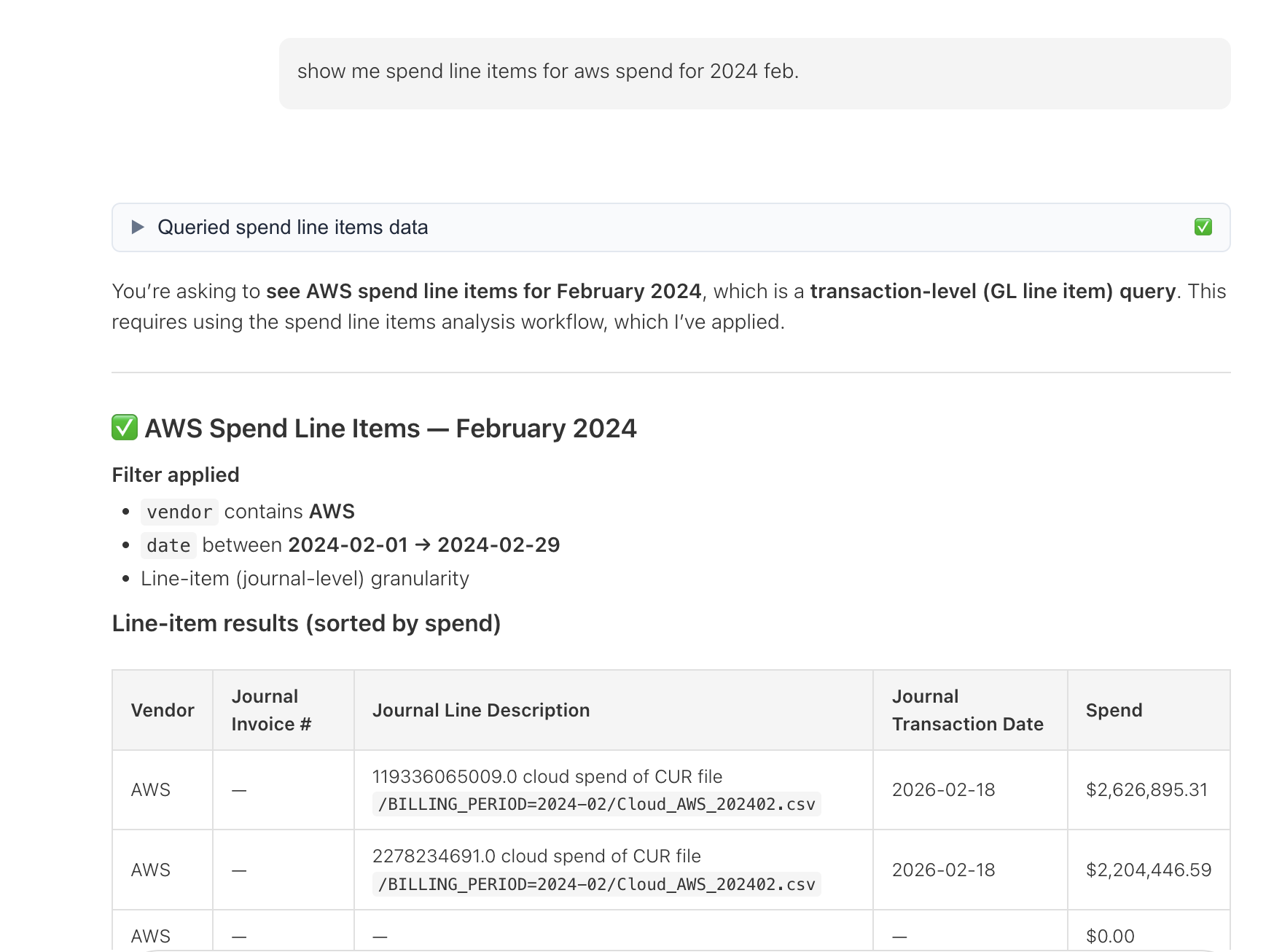
Journal-level spend line item access
-
Ask Yarken now supports deeper spend drilldowns using newly exposed journal-level dimensions, including:
-
Journal ID
-
Journal Date
-
Journal Transaction Date
-
Journal Line Description
-
Journal Project ID
-
Journal Invoice Number
-
This enables more granular visibility into journal-based spend data.
GPT-5.2 support and improved AI model switching
Yarken now supports GPT-5.2 as a globally selectable LLM. When the global model is set to GPT-5.2 or Claude, AI features continue to work consistently across the product, maintaining feature parity and quality regardless of which model is enabled.
Budget and forecast line items now support any currency
You can enter budget and forecast line items in any supported currency. Each budget or forecast has its own planned exchange rates.
-
Budget planning rates are copied from the planned exchange rates.
-
A currency selector is now available in the budget/forecast line item editor.
-
Line items are stored in their original currency, and automatically converted to base currency using the configured budget planning exchange rate.
-
Both values are visible:
-
Original currency + amount
-
Converted base currency amount
-
Note: Planning exchange rates must be configured for the required months before creating a new budget or forecast.
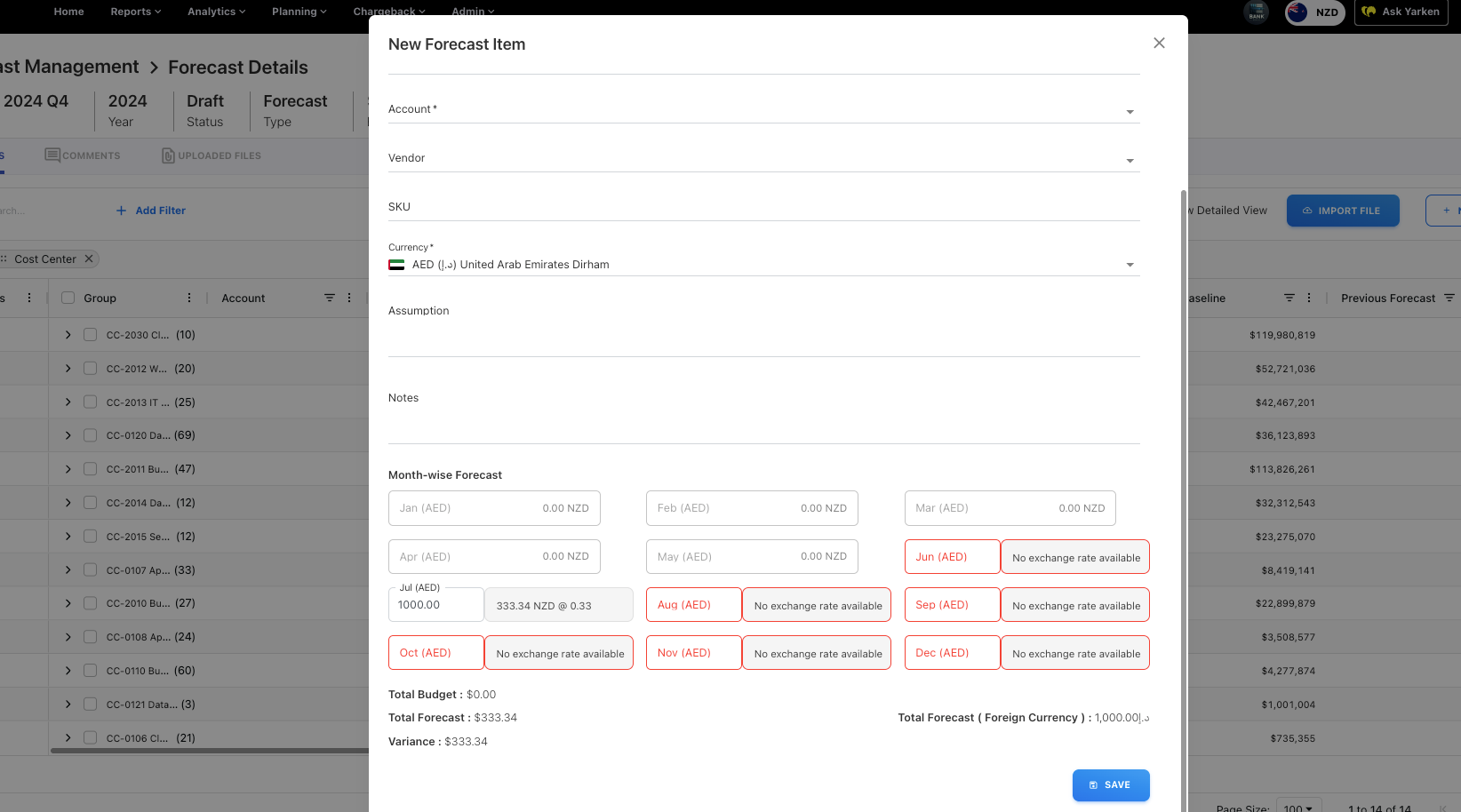
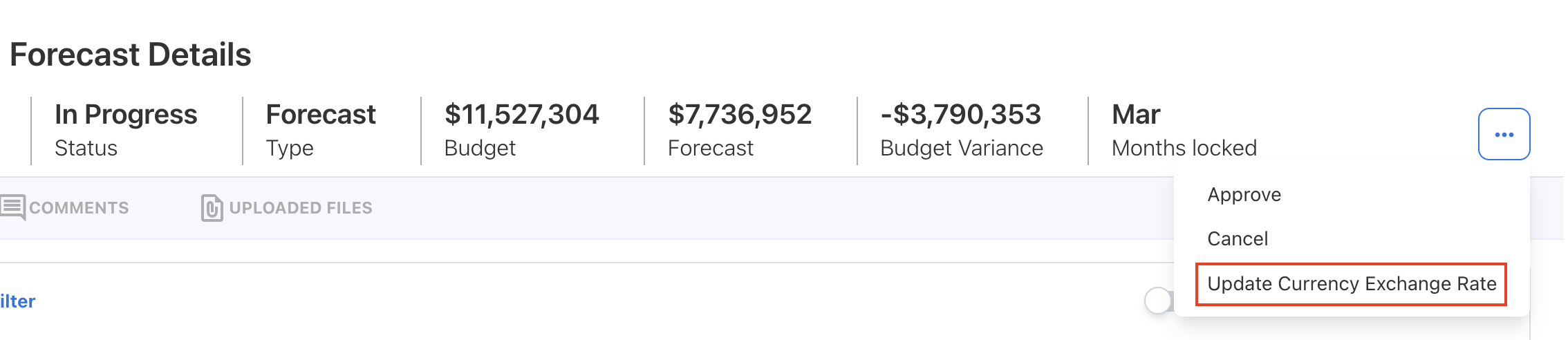
Refresh budget/forecast exchange rates
You can now update future planning exchange rates to support more accurate multi-year budgeting.
-
Budget owners can update exchange rates for unreleased budgets and forecasts.
-
In active forecasts, updated rates can be applied by selecting Update Currency Exchange Rate, which recalculates affected amounts.
-
Once a budget is submitted, its planning exchange rates are locked to preserve approved figures.
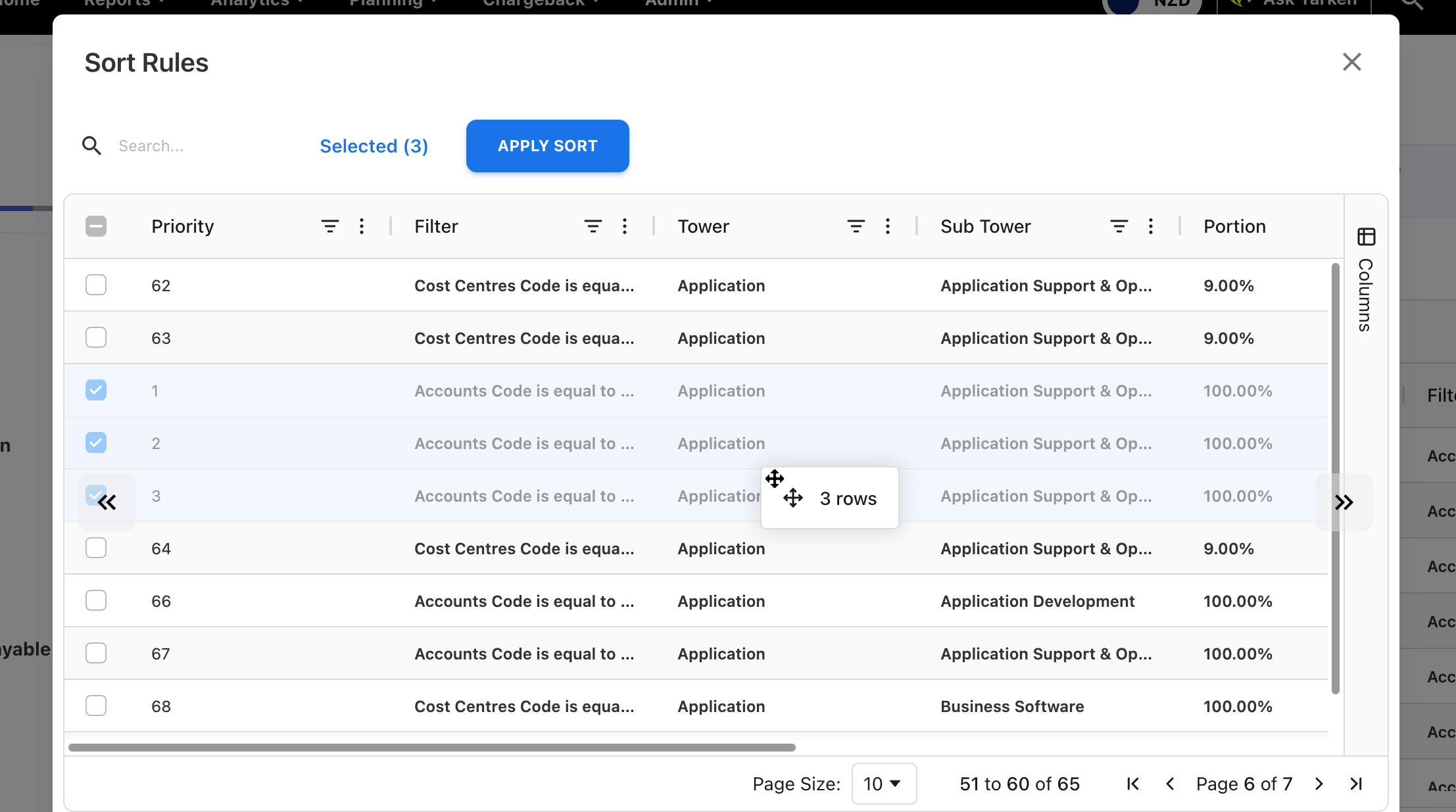
Improved Tower rules sorting across pages
Tower rules sorting has been improved so selected rules can now be moved correctly between pages. Navigation arrows are enabled when needed, allowing rules to be repositioned across pages during sorting.
Unallocated consumer spend visible in Sankey charts
Fixed an issue where unallocated consumer spend was not displayed in Sankey charts across environments. Related bar charts continue to show this spend under Unknown.
Enhancement
Improved login matching and observability for Entra ID / OpenID
Login for customers using Entra ID or OpenID is now more resilient when identity providers return either a username or an email. During sign-in, Yarken now matches users by username first, then falls back to email, and automatically updates stored user details when they differ from the identity provider.
Failed login attempts are now captured with improved visibility:
-
Logged in Yarken Audit Logs with full email details for administrators
-
Logged in New Relic using obfuscated identifiers for privacy, including timestamps and clear failure reasons


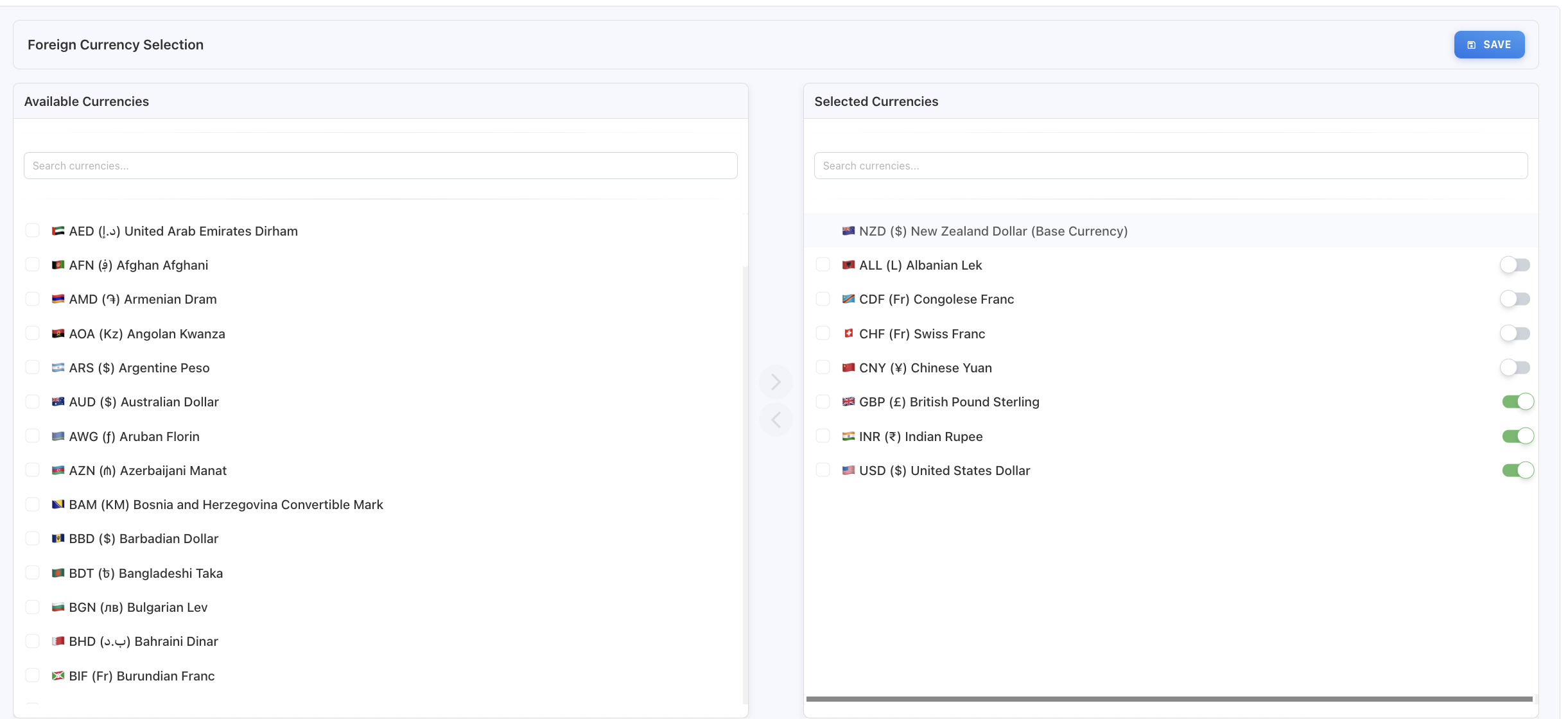
Conversion-only currency option added
Foreign currencies can now be configured as conversion-only. On the Foreign Currency Selection screen, a toggle controls whether a currency is available for reporting or used only for conversion (for cloud data, budgets, and forecasts).
The toggle is enabled by default, making the currency available for reporting. Turning it off restricts the currency to conversion-only use.
Relative month filters corrected in Analytics
Fixed the behavior of timeline relative month filters to prevent incorrect results across year boundaries.
-
Is current month/quarter now applies only the current period and ignores any year filter.
-
Is last month/quarter now correctly reflects the previous calendar month/quarter (year is not considered).
-
Is current year is no longer applied by default. Instead, only the current month is applied by default across all Analytics cubes.
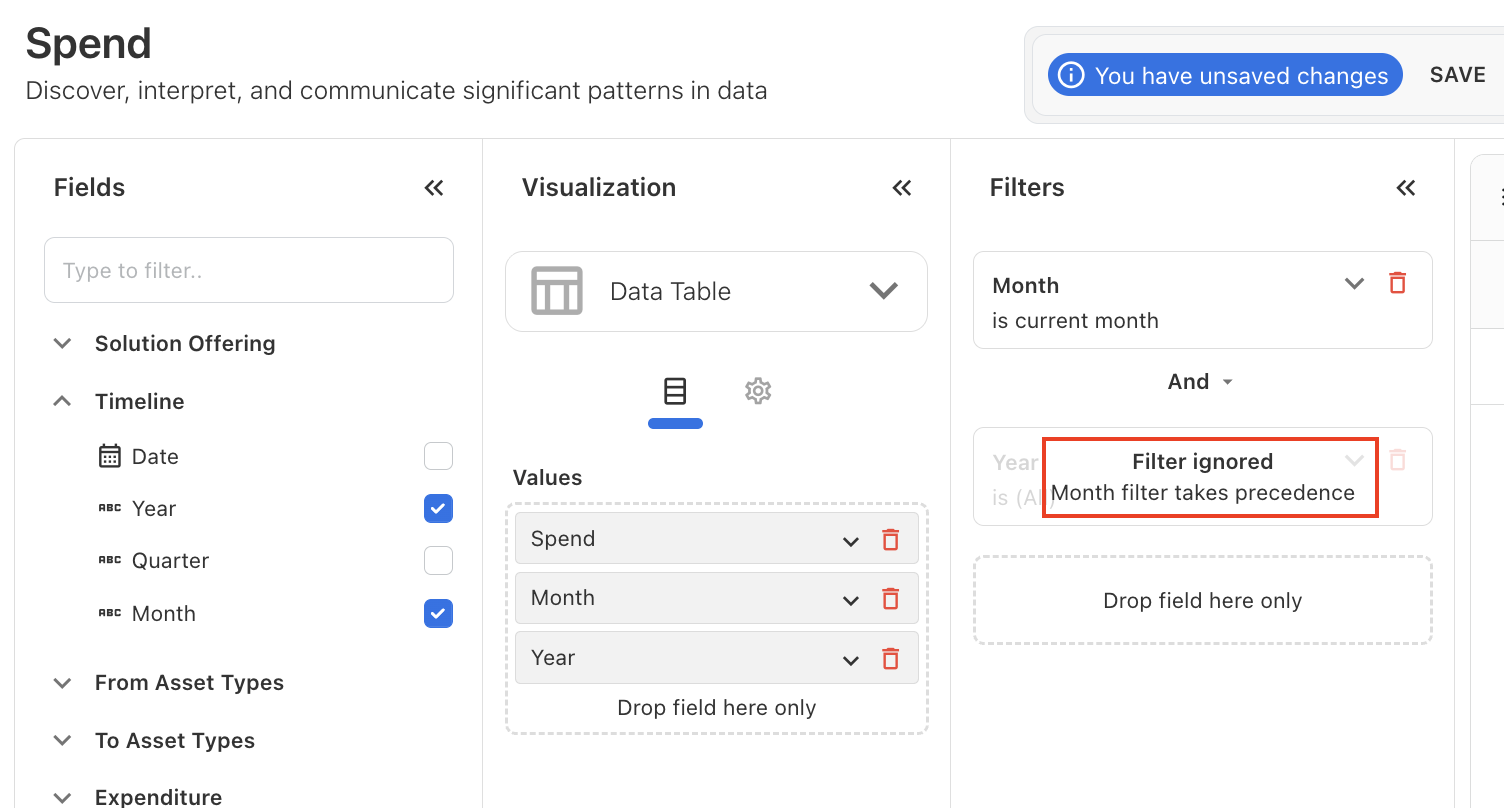
Fix for budget values in Finance Overview
Fixed an issue where budget values appeared as zero in the Finance Overview transaction details view, even when budget columns were enabled.
The issue was caused by an journal ID filter in the GL popup, which was only applied to spend and not for budget, prevented valid budget data from displaying. The filter has been corrected, and budget values now appear as expected.
Enhancement
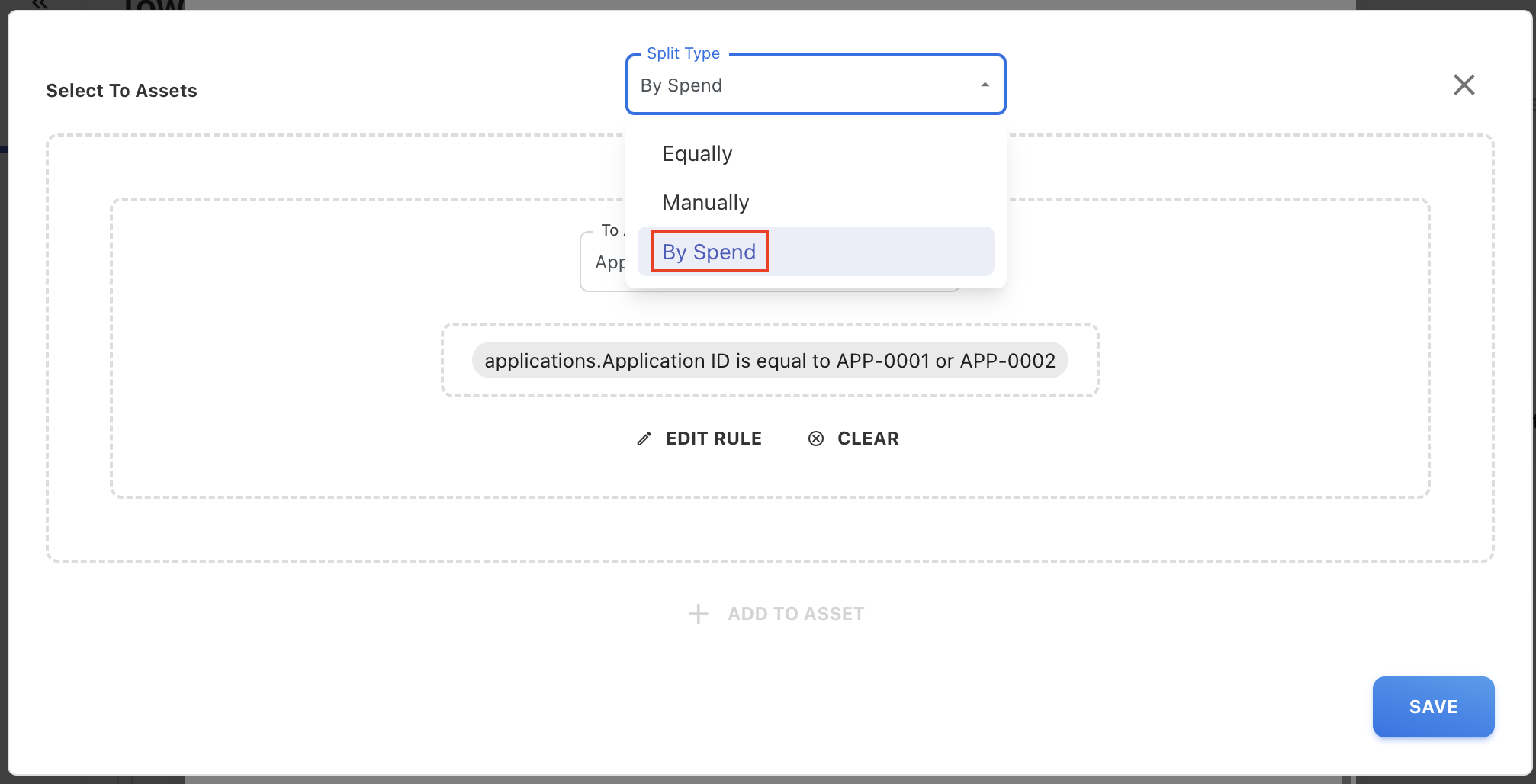
New asset allocation method: Split by Spend
A new By Spend split type is now available when creating manual asset rules. This option allocates asset spend proportionally based on existing allocated spend across target assets. Additional filters such as Cost Pool, Sub Cost Pool, Tower, and Sub Tower can be applied to control which spend contributes to the allocation. Changes take effect immediately.
Enhancements
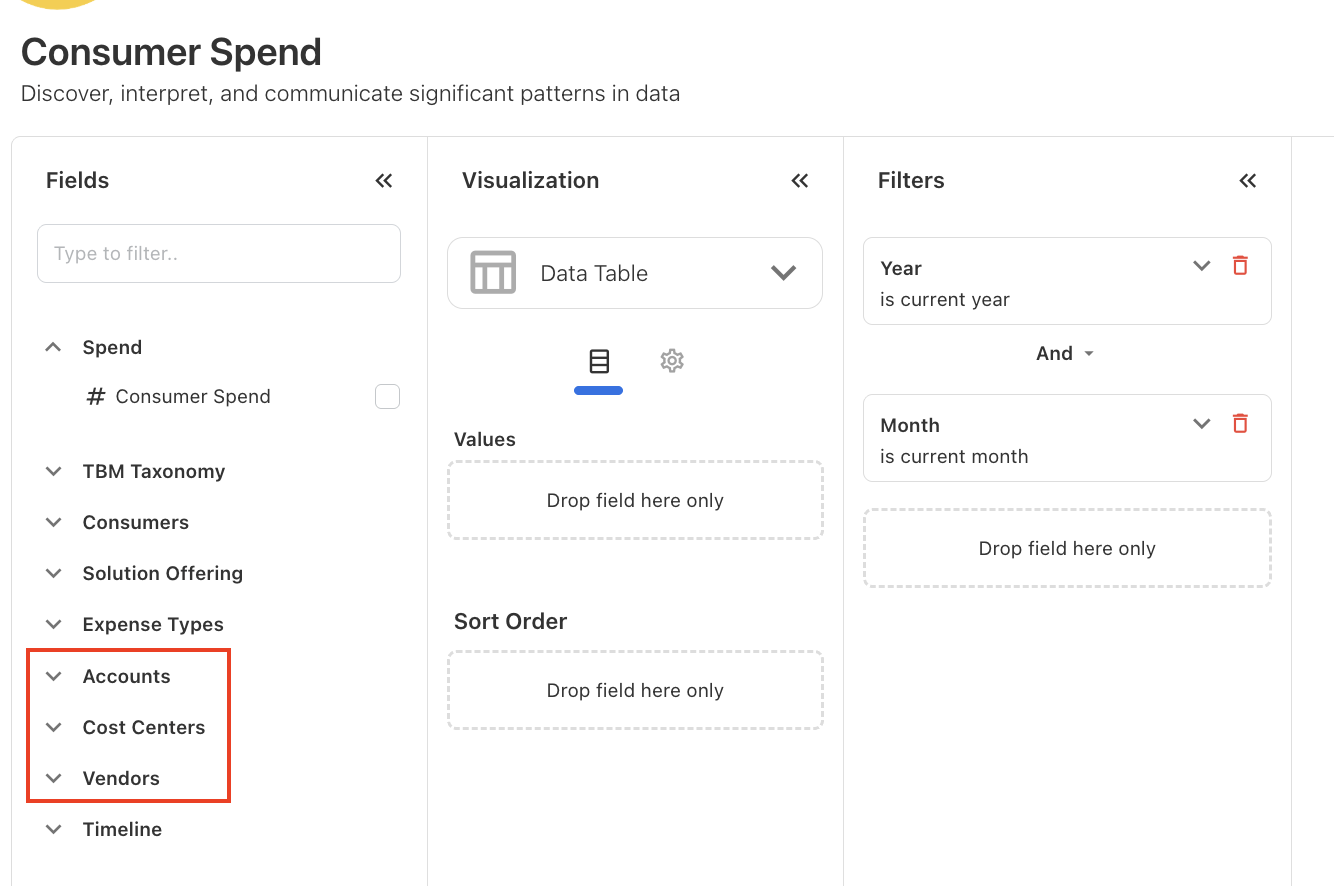
Additional dimensions in Consumer cube
The Accounts, Cost Centers, and Vendors dimensions are now available in the Consumer cube in Analytics, enabling more detailed consumer spend analysis.
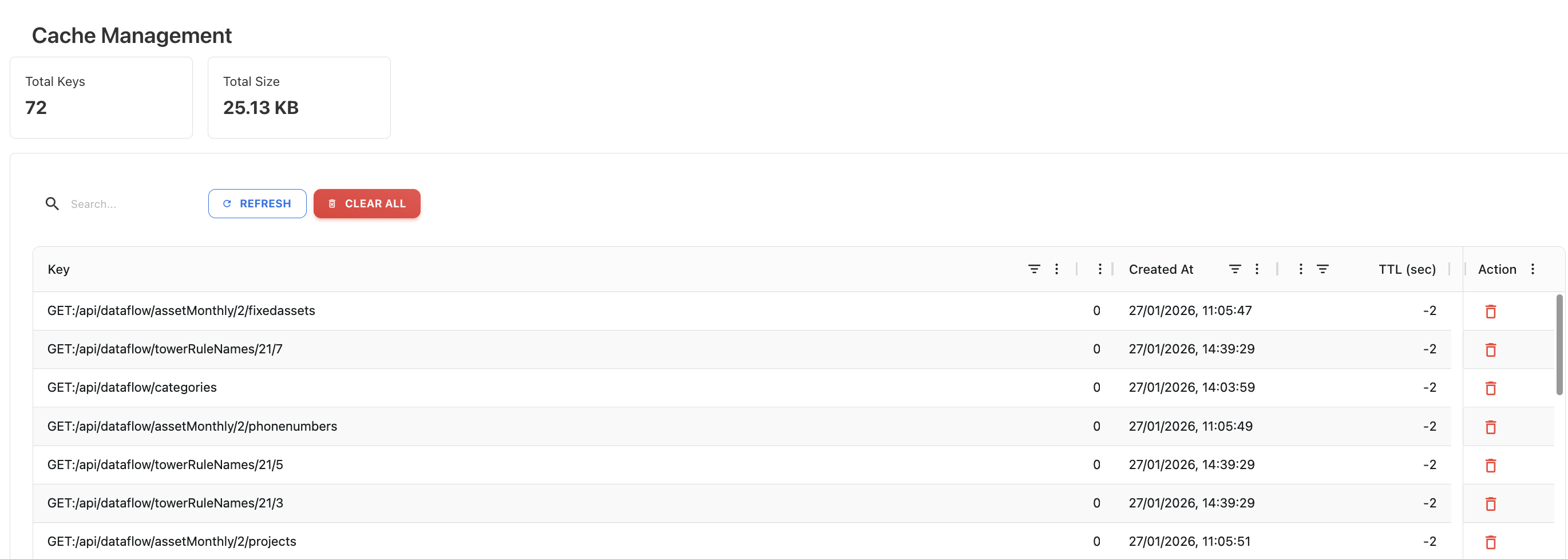
Cache Management for Yarken Designer
A new Cache Management capability has been introduced specifically for the Yarken Designer page to improve performance and responsiveness. The cache is managed internally by admin via /admin/cache. Once the cache is built, the Designer page loads quickly on subsequent access. Any data modification automatically invalidates and refreshes the cache to ensure the latest data is reflected.
Enhancements
Multi-currency support across Yarken
Yarken now supports end-to-end multi-currency handling, allowing teams to upload, store, analyze, and report spend in both base currency and foreign currencies with full traceability.
What’s new
User-level reporting currency
-
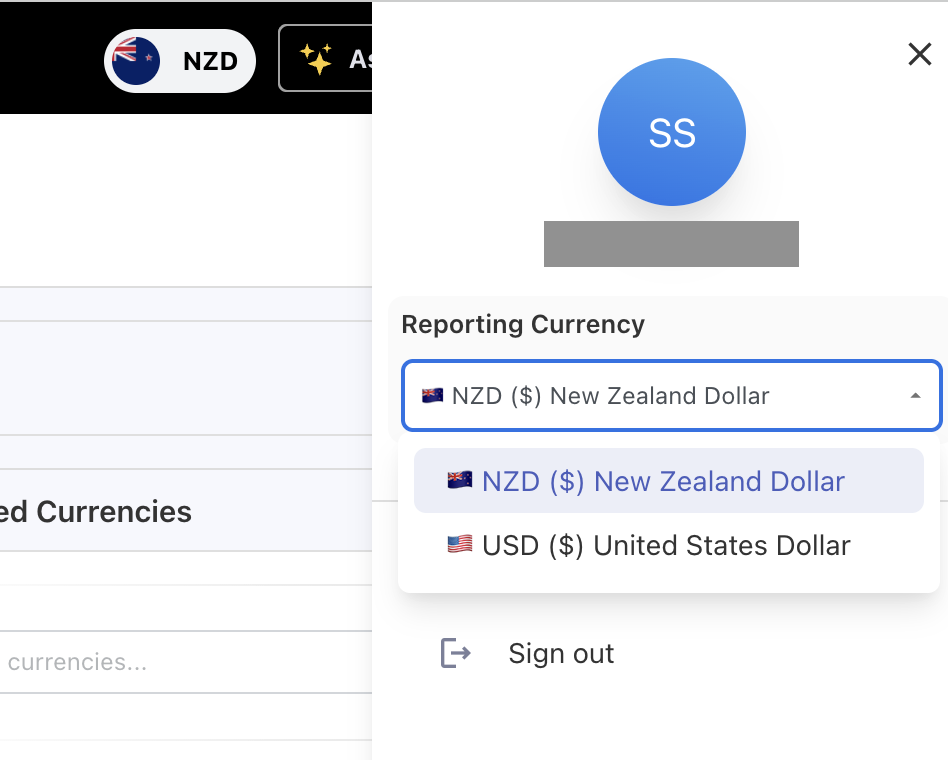
Users can select their Reporting Currency directly from their profile.
-
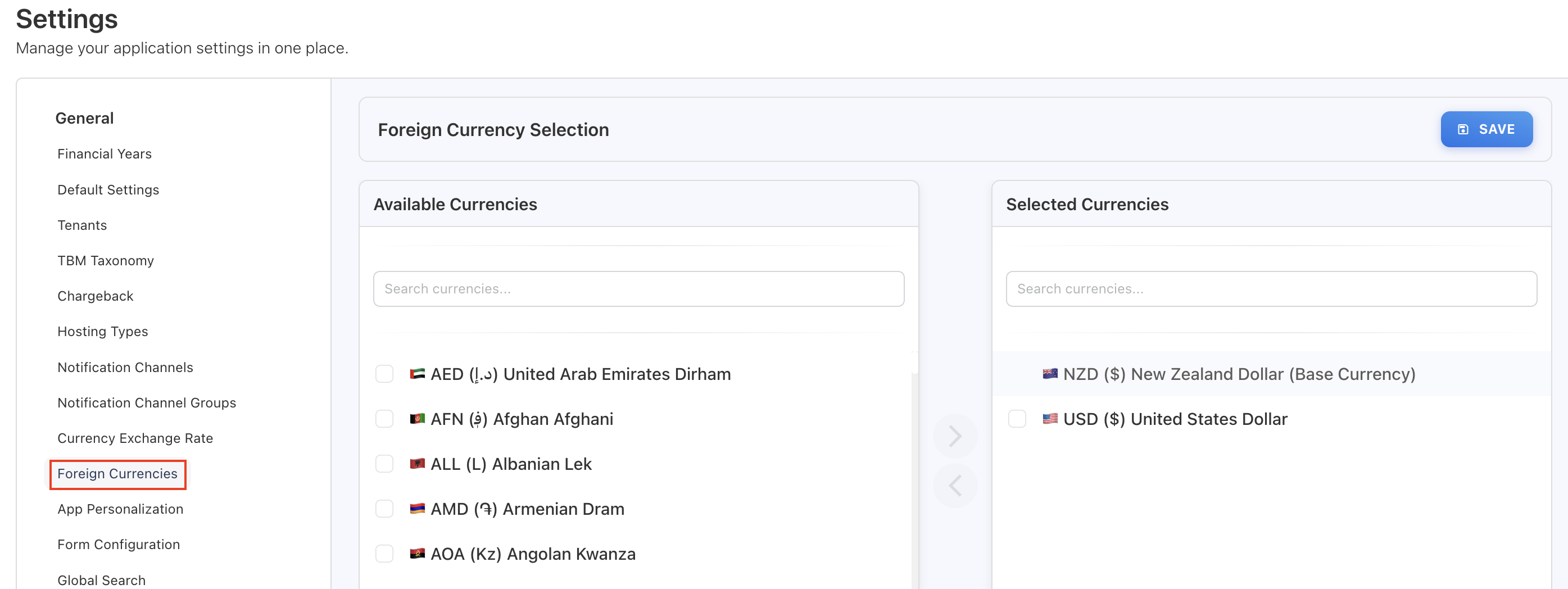
The list includes the environment base currency and currencies configured under Settings → Foreign Currency.
-
Changing the currency re-renders all on-screen data instantly.
Exchange rate management
-
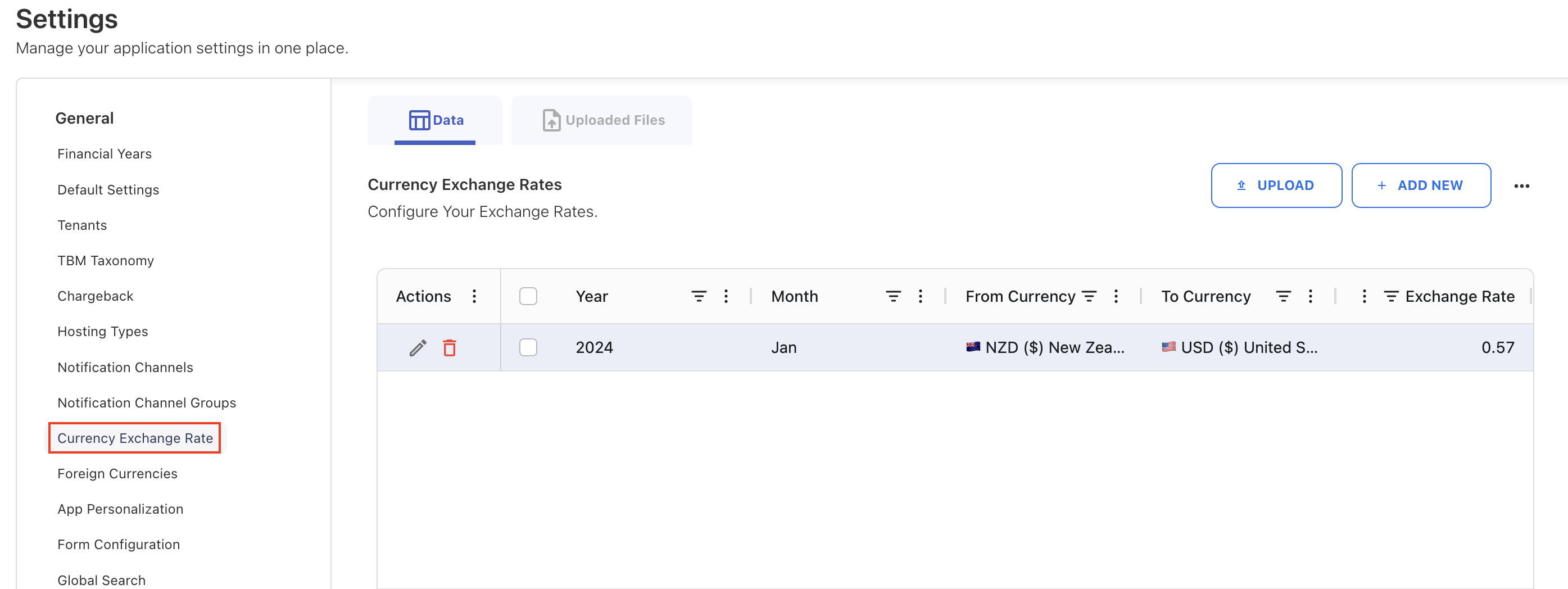
Exchange rates can be configured from Admin → Settings → Currency Exchange Rate.
-
Rates are maintained monthly by year, enabling accurate historical conversions.
-
Bulk upload is supported to load multiple currency rates at once.
Spend uploads with foreign currency tracking
-
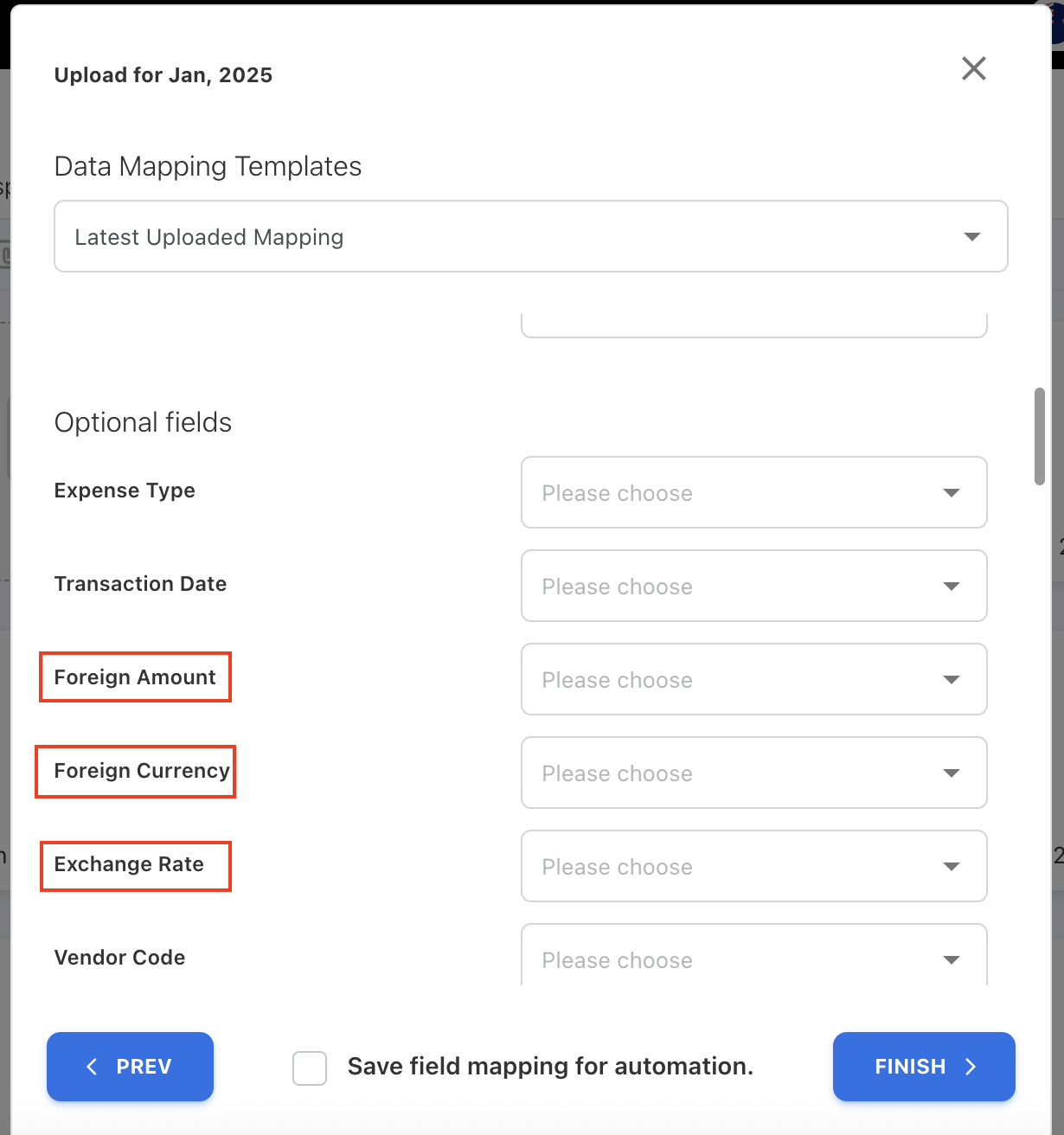
Additional columns—Foreign Amount, Exchange Rate, and Foreign Currency—are added to actual spend uploads to track the original source values for spend that has already been converted using an exchange rate.
-
The system stores both the original source currency and the converted base currency per transaction.
-
Multiple currencies are supported within a single file.
-
These fields are available in Analytics and as hidden-by-default columns in GL popups.
Cloud spend currency handling
-
During cloud file uploads, costs are converted to base currency using the month- and year-specific exchange rate, based on the cloud charge period start date and billing currency.
-
If no exchange rate is found during upload, a default rate of 1 is applied.
Analytics and dashboards
-
Spend can now be analyzed using base currency or the original foreign currency, along with the applied exchange rate.
-
Multi-currency values are supported across Analytics and Custom Dashboards.
If no exchange rate is defined for a given month, spend for that month appears as zero in the dashboards and reports.
Ask Yarken is now agentic and reasoning-driven
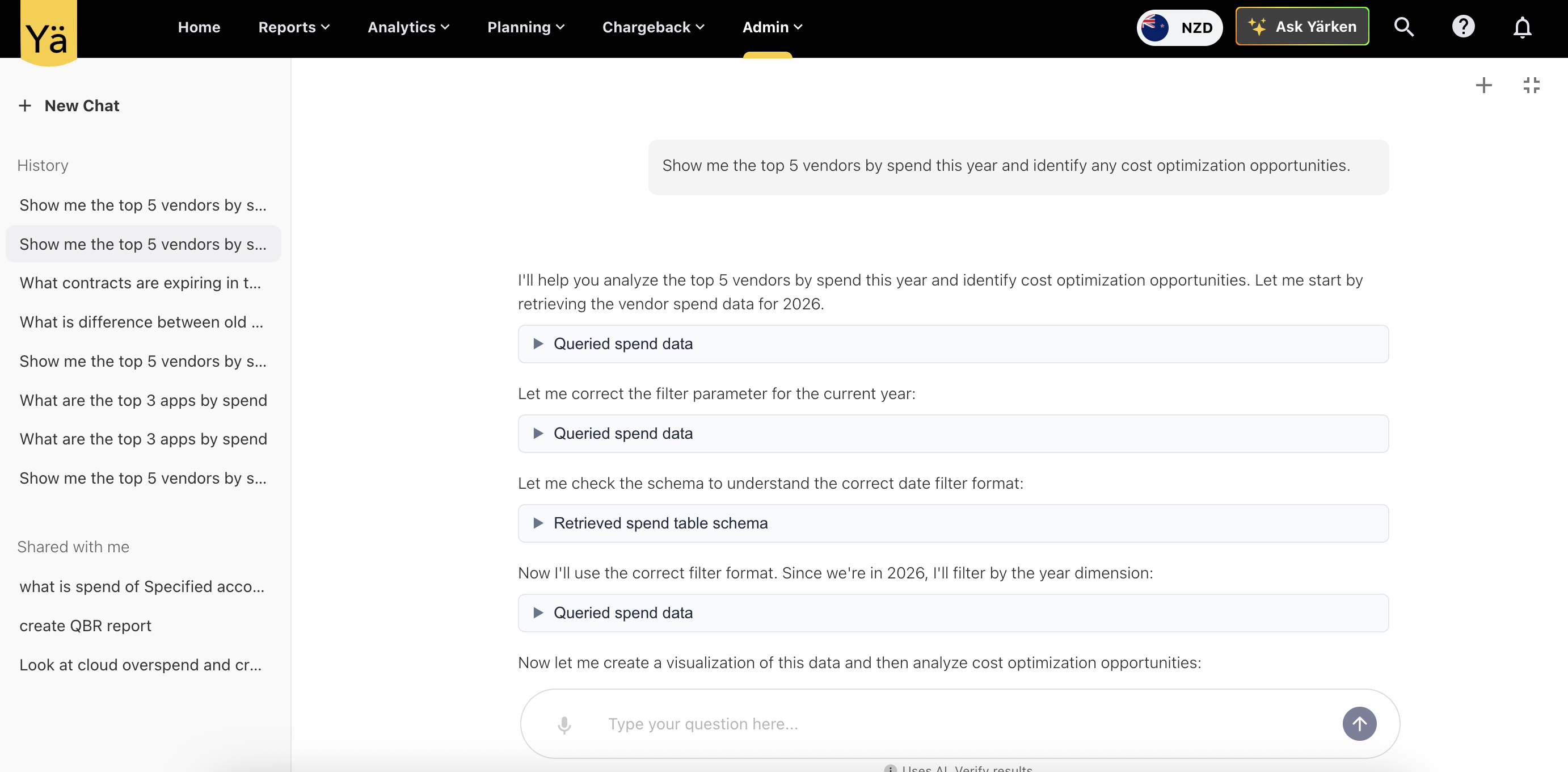
Ask Yarken has been upgraded from a workflow-based assistant to an agentic, reasoning-driven AI built for financial and IT spend analysis.
Instead of relying on fixed workflows and predefined SQL generation, Ask Yarken now interprets intent, evaluates context, and determines the best way to answer each question. This delivers more accurate explanations, deeper insights, and greater flexibility when working with complex financial data.
What’s new
Agentic reasoning
-
Applies logical reasoning to understand intent and context before responding.
-
Adapts its approach based on the question, data relationships, and prior interactions.
Deeper spend and variance analysis
-
Explains why spend changes occur, not just what changed.
-
Breaks down variances across cost pools, towers, vendors, and time.
-
Supports cross-dimensional analysis for more complete financial insight.
Stronger domain expertise
-
Improved understanding of FinOps, TBM, and IT financial management concepts.
-
More accurate responses to procedural, instructional, and analytical questions.
Data visualization
-
Generate column charts, line charts, pie charts, and stacked visualizations
Access-level permissions
-
Respects Account- and Cost Center–level permissions. Responses generated by the agent are limited to only the data the user is authorized to access.
Improved workspace
-
A new full-screen experience supports longer queries, deeper analysis, and clearer results.
SOP (Playbooks) support for Ask Yarken (Beta)
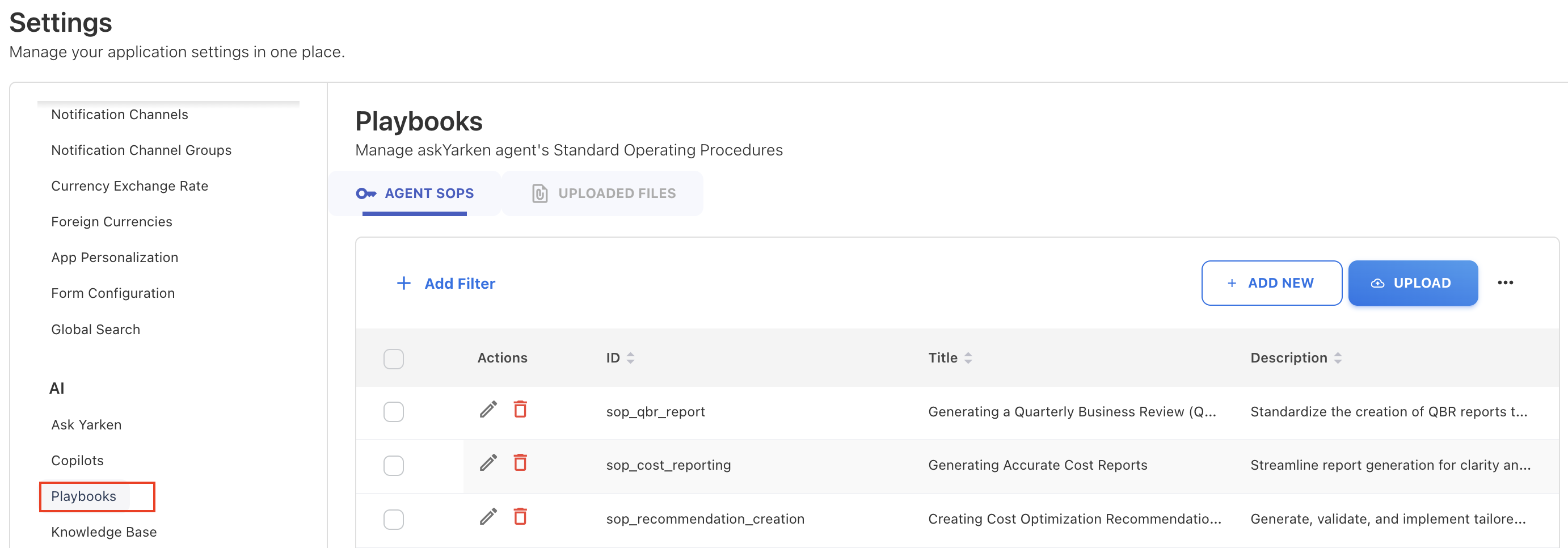
Standard Operating Procedures (SOPs) are now supported for Ask Yarken (Beta) to ensure guided and consistent AI responses. Administrators can manage SOPs from Settings > Playbooks, including instructing the model, downloading existing SOPs, and importing updates.
Enhancements
Charts and mapping aligned with TBM v5.0.1
As part of the TBM v5.0.1 implementation, we updated terminology and mappings to reflect the latest TBM standards.
-
Labor charts
-
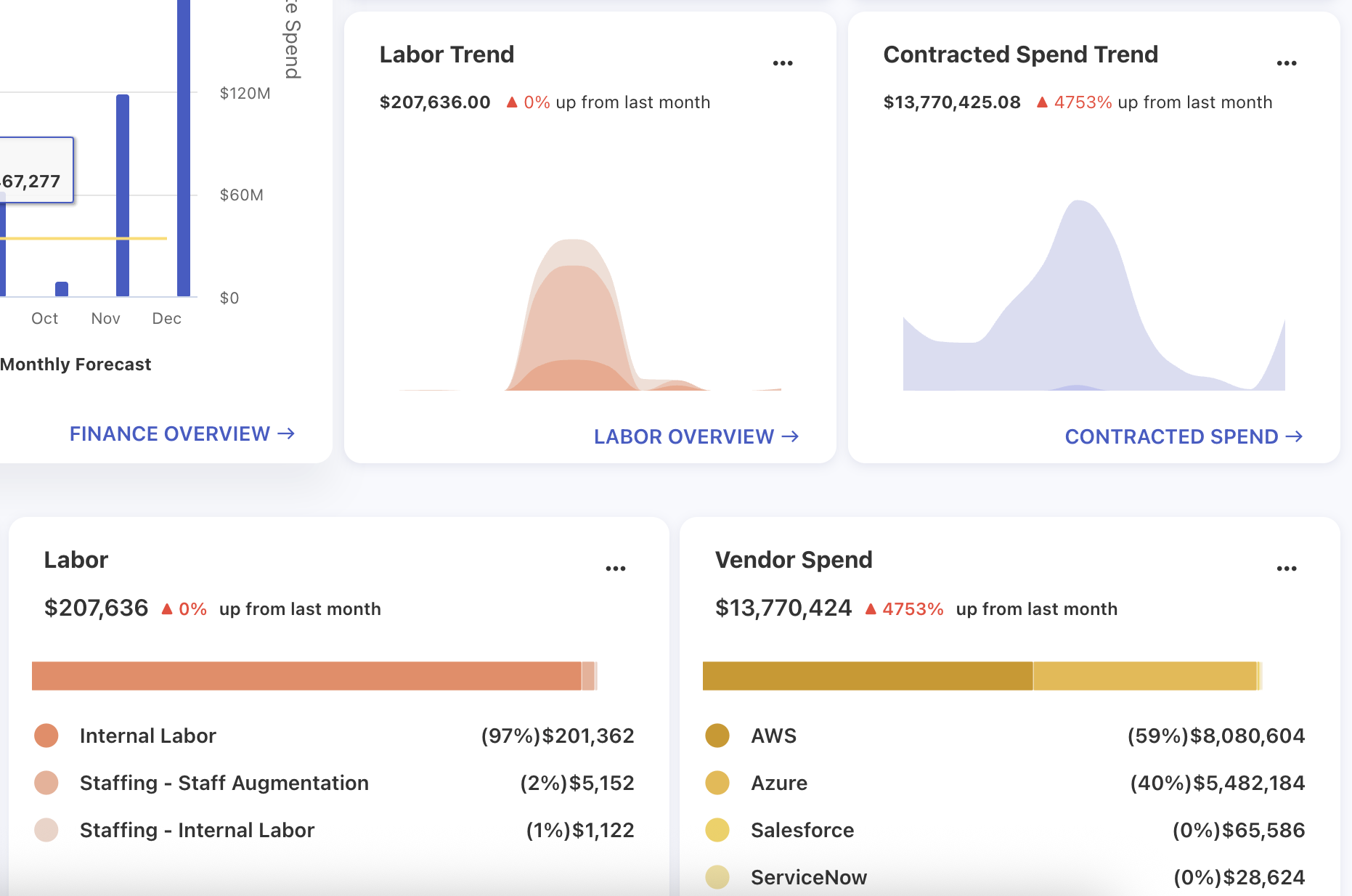
Labor charts now follow TBM v5.0.1 terminology.
-
Internal Labor and External Labor are replaced with:
-
Staffing – Internal Labor
-
Staffing – Staff Augmentation
-
-
The Labor and Labor Trend charts on the home page reflect these updates.
-
-
Cloud consumption mapping
-
Cloud consumption now uses the following structure:
-
Cost Pool: Cloud Services
-
Sub Cost Pool: Cloud Service Provider
-
-
-
Sub tower mapping
-
Instead of allocating tower consumption to a generic Cloud sub-tower, the Tower and Sub-Tower assignments will now be determined based on FinOps (version 1.3) Service Category & Sub-Category.
-
Dashboards and charts filter
-
All charts affected by the Cloud Sub Tower and Outside Services – Cloud Service Provider filters have been updated to reflect the TBMv5.0.1 changes.
-
Outside Services – Cloud Service Provider (v4.0) → Cloud Services - Cloud Service Provider
-
-
TBM 4.0 behaviour
-
Existing TBM 4.0 implementations continue to use the Cloud sub-tower with no changes.
-
Cloud spend publishing aligned with TBM v5.0.1
With the TBM v5.0.1 implementation, cloud spend publishing now aligns with the updated TBM taxonomy, including new Cost Pools, Sub Cost Pools, Towers, and Sub Towers.
Cloud spend publishing is driven by the TBM taxonomy version configured in the application’s default settings.
Publishing behavior by TBM version
-
When the taxonomy is set to TBM v5.0.1, cloud spend is published using the v5.0.1 taxonomy structure.
-
When the taxonomy is set to both TBM v4.0 and v5.0.1, cloud spend is still published using the v5.0.1 structure, including updated cost pools and towers.
-
When the taxonomy is set to TBM v4.0 only, cloud spend continues to publish using the legacy TBM v4.0 taxonomy and allocation logic.
Service category derivation
The logic used to derive Cost Pool and Tower from Service Category can now also be configured using Upload Rules and Lookup files.