
Use this page to understand how Guardrails are applied and configured in AI Studio.
Overview
Guardrails are safety and control settings for AI behavior.
Use Guardrails to configure content filters, denied topics, and data privacy rules for AI interactions.
This is feature is currently being tested and will be available on bank.demo soon.
Guardrails help administrators define what AI workflows should avoid, how they should handle restricted requests, and how they should behave in governed enterprise use cases.
User flow
Users do not normally invoke Guardrails directly.
Guardrails apply in the background when a user interacts with Ask Yarken, a Copilot, a Specialist, a Playbook, or an Automation.
|
User action |
What happens |
|---|---|
|
User asks a question or triggers an AI workflow |
Guardrails evaluate the request and context. |
|
Request is allowed |
The workflow continues within configured boundaries. |
|
Request conflicts with a boundary |
The response may be constrained, redirected, or blocked. |
|
Request includes sensitive or restricted content |
Data privacy and content rules apply before the response is returned. |
How Guardrails work
Where to find Guardrails
To open Guardrails:
-
Go to Admin.
-
Select AI Studio.
-
Under Safety, select Guardrails.
Current screen state
The current Guardrails screen shows an empty-state message:
Configure content filters, denied topics, and data privacy rules.
This indicates Guardrails are intended to control content, topic, and privacy behavior across AI interactions.
What Guardrails may support
Guardrails may support controls such as:
-
Content filters.
-
Denied topics.
-
Data privacy rules.
-
Response boundaries.
-
Safety rules.
-
Escalation rules.
-
Restricted action handling.
-
Governance requirements.
Admin configuration flow
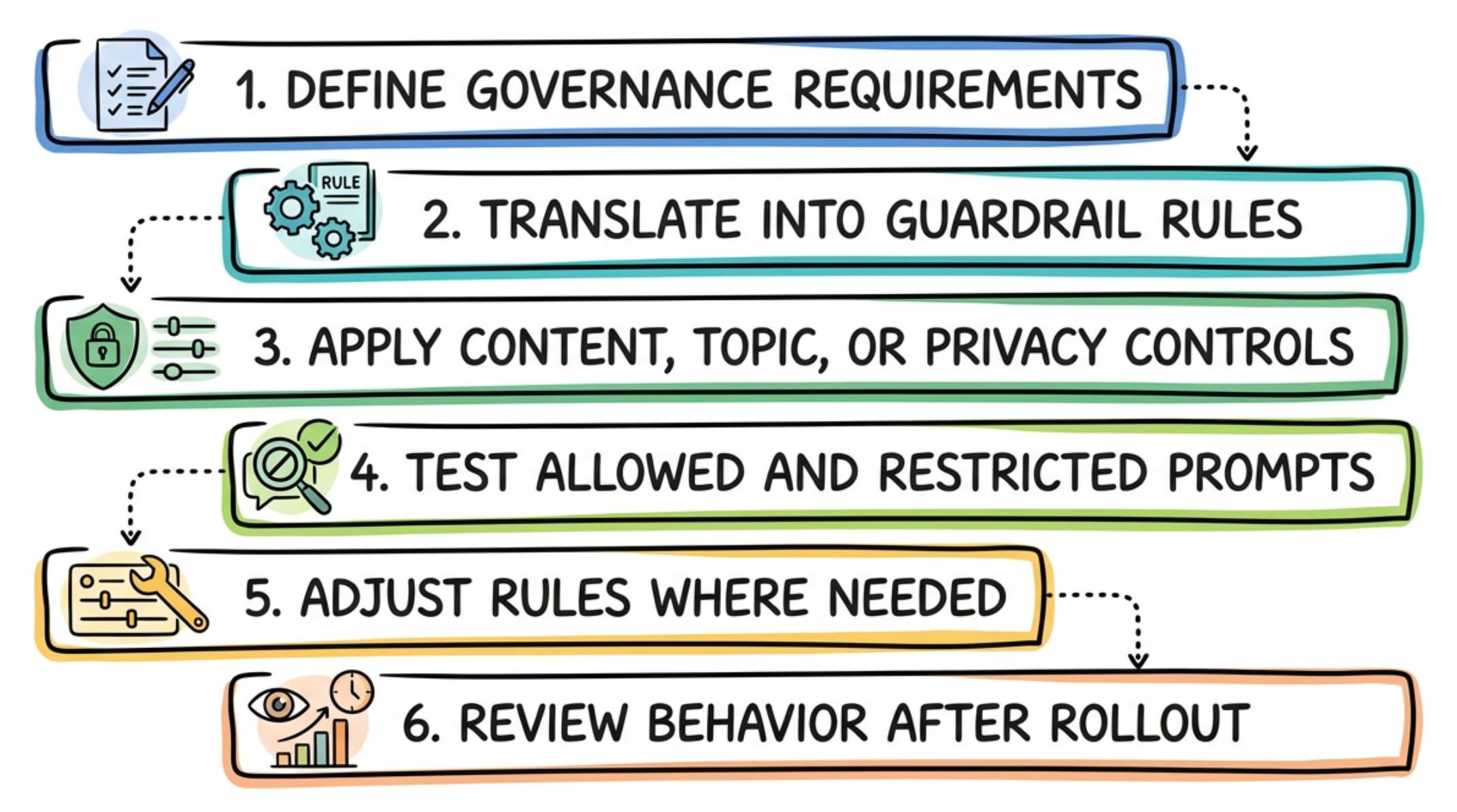
Configuration guidance
Before enabling Guardrails, confirm that:
-
The boundary is specific and testable.
-
The rule does not block valid business questions.
-
Restricted behavior is handled clearly.
-
Data privacy rules align with organization policy.
-
Escalation guidance is defined where needed.
-
The rule has been tested with representative prompts.
Governance notes
Guardrails apply across AI behavior, but they do not replace Yarken access controls.
Use Guardrails to define behavioral boundaries. Use Data Sources and authorization settings to control what data the agent can access.
Next step
Related articles