
Use this article to create, manage, and improve Playbooks and SOPs that guide Ask Yarken toward more consistent analysis.
What Playbooks and SOPs do
Playbooks and SOPs guide how Ask Yarken approaches recurring questions and analysis workflows.
They help teams:
-
Standardize analysis across teams.
-
Enforce approved calculation logic.
-
Align responses to Finance, TBM, or FinOps methodology.
-
Set preferred output formats.
-
Improve consistency for recurring workflows.
-
Reduce interpretation risk in executive reporting.
Playbooks do not override permissions, create missing data, or change source records. They guide analysis within Yarken's governed data environment.
Where to configure Playbooks
To manage Playbooks and SOPs:
-
Go to Admin.
-
Select Settings.
-
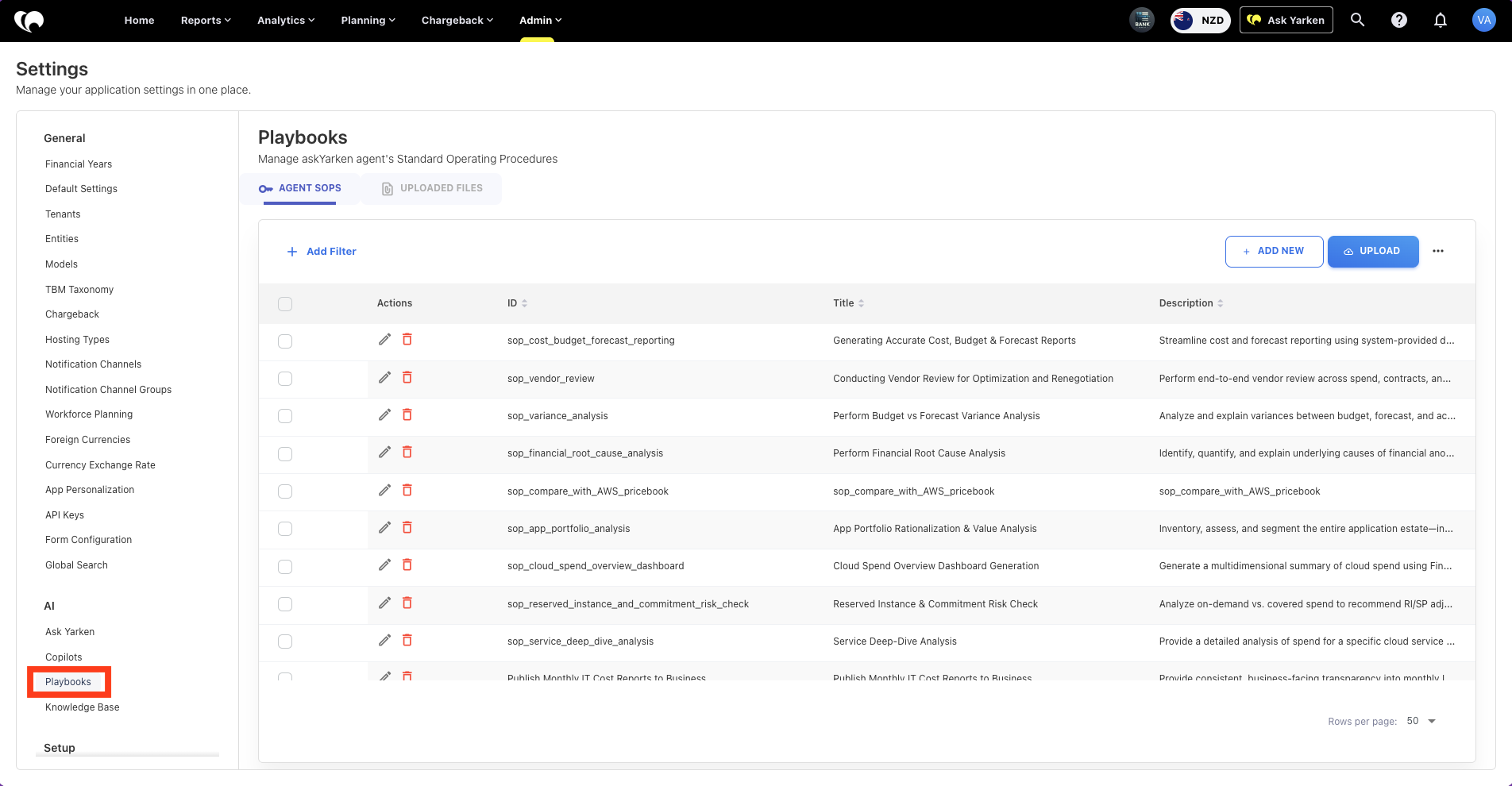
Under AI, select Playbooks.
-
The AGENT SOPS tab opens by default.
Create a new SOP
To create a new SOP:
-
Go to Admin > Settings > Playbooks.
-
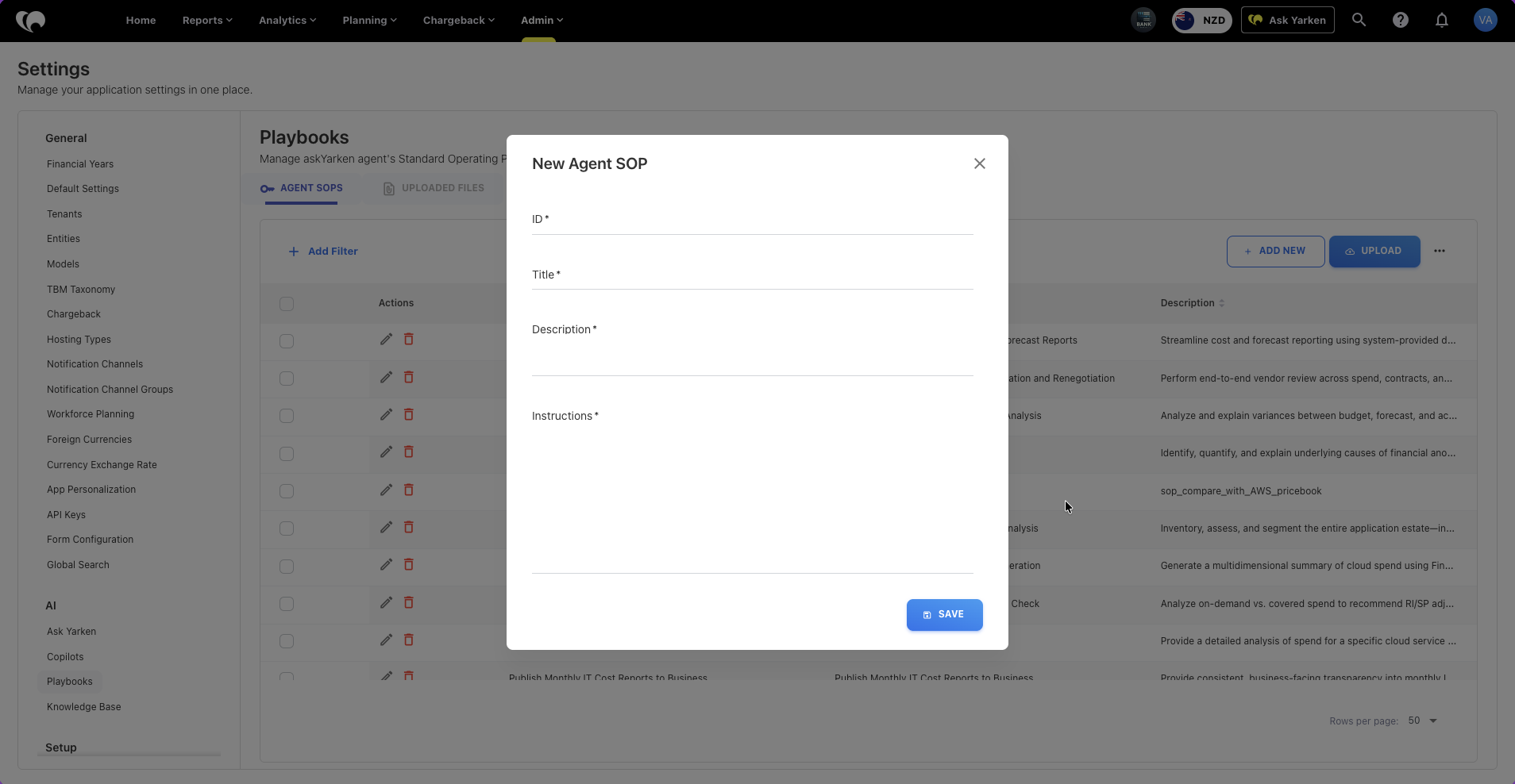
In AGENT SOPS tab, select + ADD NEW.
-
Enter an ID.
-
Enter a title.
-
Enter a description.
-
Add the instructions.
-
Select SAVE.
Use a clear ID that describes the workflow.
Example:
sop_variance_analysis
Edit an SOP, download SOPs, upload SOPs
To edit an existing SOP:
-
Go to Admin > Settings > Playbooks.
-
In AGENT SOPS tab, select the edit icon in the actions column.
-
Update the metadata or instructions.
-
Select SAVE.
To download existing Agent SOPs:
-
Go to Admin > Settings > Playbooks.
-
In AGENT SOPS tab, select the ellipsis button.
-
Select Download.
To upload SOPs file:
-
Go to Admin > Settings > Playbooks.
-
In AGENT SOPS tab, select the UPLOAD button.
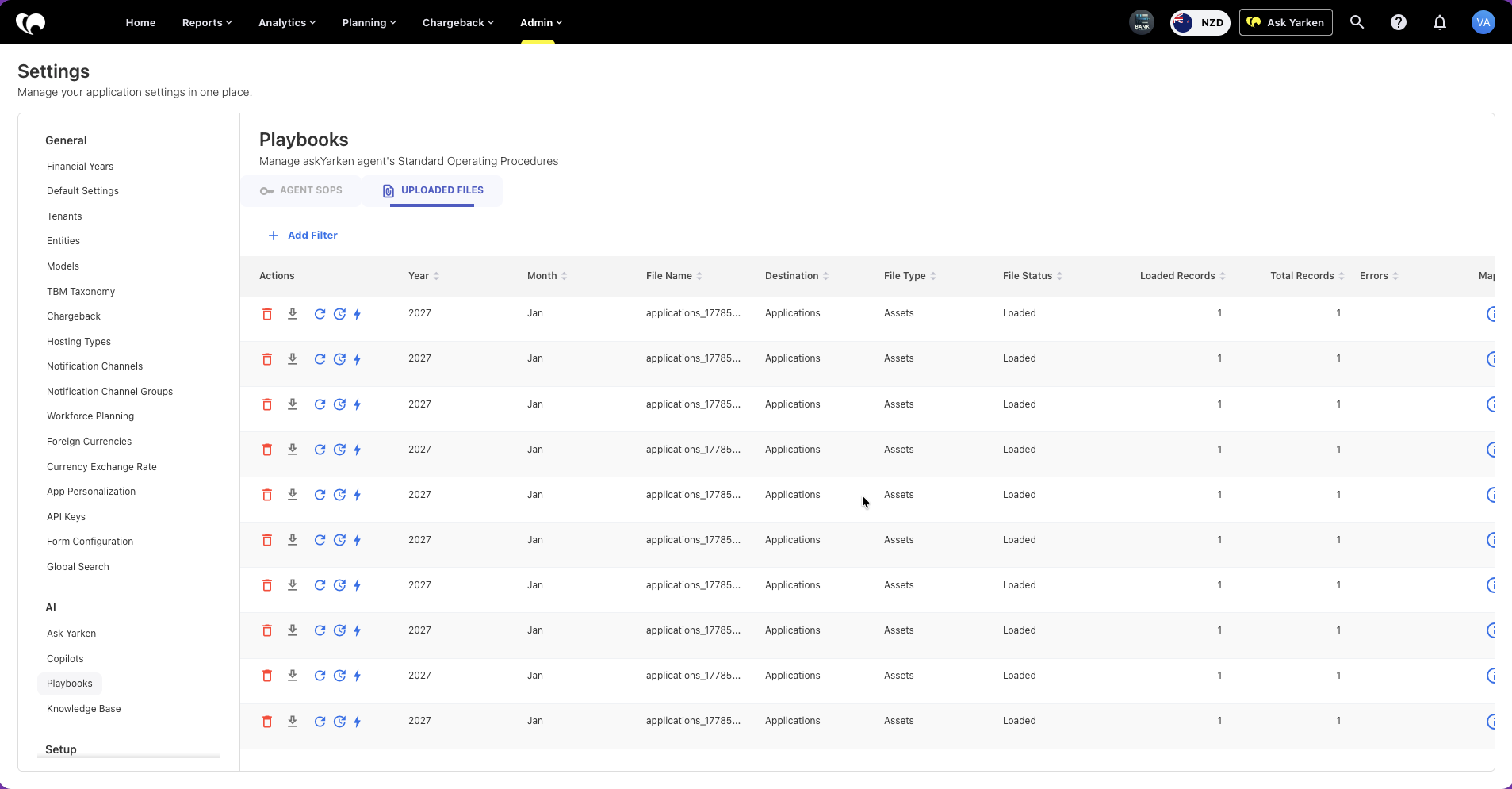
The Playbooks area also includes an UPLOADED FILES tab for SOP-related files and supporting uploads.
Use that view to confirm whether uploaded files have loaded successfully.
Write effective SOP instructions
Strong SOP instructions should be explicit.
A useful SOP should state:
-
The exact data area to analyze.
-
The fields or dimensions to use.
-
The filters to apply.
-
The measures to return.
-
Any calculated columns to create.
-
How calculations should be performed.
-
The response structure expected.
-
Any caveats or exclusions.
Weak instruction:
Retrieve monthly spend for Azure.
Stronger instruction:
Filter cloud spend where Provider Name is Azure. Return monthly Billed Cost for the selected financial year. Include month-over-month change and identify the top service category contributing to any increase above 10%.
Define calculations and available fields carefully
If an SOP expects a derived column, define each one explicitly.
Example:
For monthly cloud spend:
-
Return Usage Spend (as the Billed Cost where the Provider is AWS and the Charge Description does not contain “AWS Marketplace”)
-
Return Marketplace Spend as marketplace charges only.
-
Create PPA Discount row as Usage Spend * 0.13.
-
Create Support Fee row as Usage Spend * 0.1092.
-
Create Total Invoice Amount as Usage Spend + Marketplace Spend - PPA Discount + Support Fee.
Also specify:
-
which source fields to use
-
how charge types are identified
-
which currency columns to return
-
whether calculated values are source data or SOP-added values
Avoid referencing fields that are not present in the source dataset or analysis context.
Recommended SOP structure
Use this structure for most SOPs:
-
Objective.
-
Trigger questions or use cases.
-
Data source or analysis area.
-
Required dimensions and measures.
-
Required filters.
-
Ordered analysis steps.
-
Calculation rules.
-
Output format.
-
Recommendation rules.
-
Caveats and limits.
Governance recommendations
-
Assign SOP ownership to Finance, ITFM, TBM, or FinOps leads.
-
Review SOPs after major data model or policy changes.
-
Test SOPs with real examples before broad release.
-
Use consistent naming conventions.
-
Keep descriptions clear and specific.
-
Remove SOPs that are no longer used.
-
Avoid overlapping SOPs that answer the same question in different ways.
Next step
Manage Ask Yarken settings, Copilots, and Knowledge Base
Related articles
Use Ask Yarken for spend, variance, cloud, contracts, and planning analysis
Manage Ask Yarken settings, Copilots, and Knowledge Base