
Metrics in Business Cases help organizations measure the expected business outcomes and operational impact of technology investments.
Metrics allow teams to define measurable targets and track whether the Business Case is delivering the expected results over time.
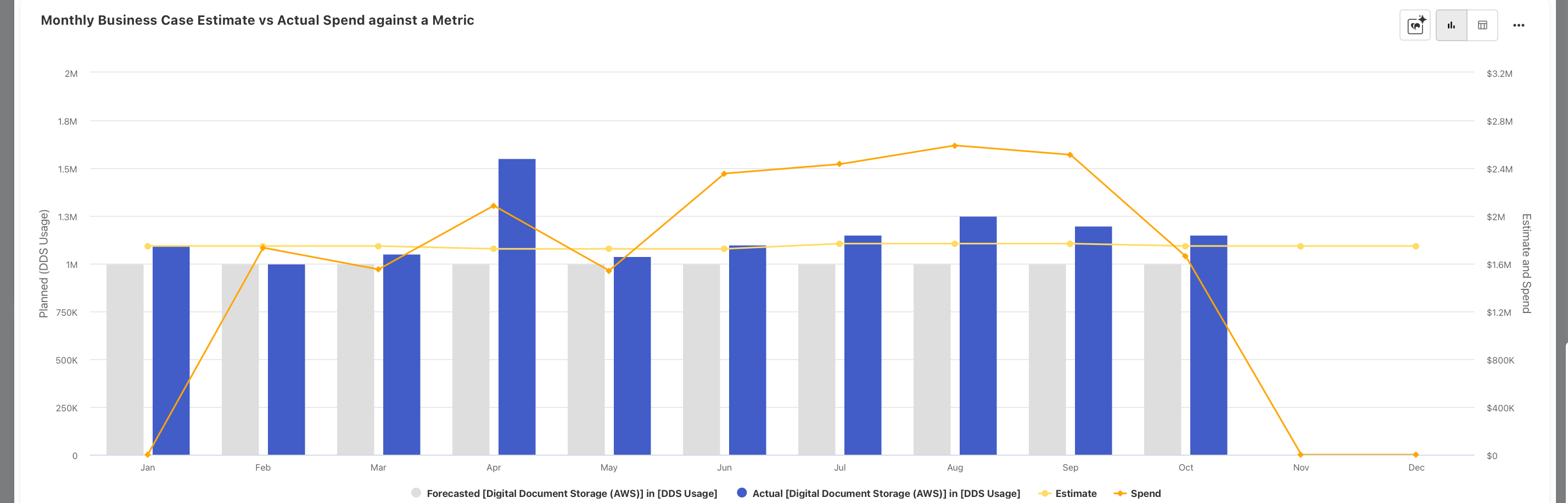
Metrics are associated directly with a Business Case and can be tracked alongside estimated and actual spending. You can track monthly business case estimate vs actual spend against a Metric
Metrics configuration prerequisite
Before metrics can be added to a Business Case, they must first be configured in the Companion Metrics.
Only metrics configured in Companion Metrics are available for selection within the Business Case Metrics section.
Understanding the Metrics section
The Metrics tab allows users to:
-
Select preconfigured metrics
-
Add metrics to the Business Case
-
Track target and units of measurement
-
Manage multiple metrics for a single Business Case
The Metrics section is available within the Business Case Details page.
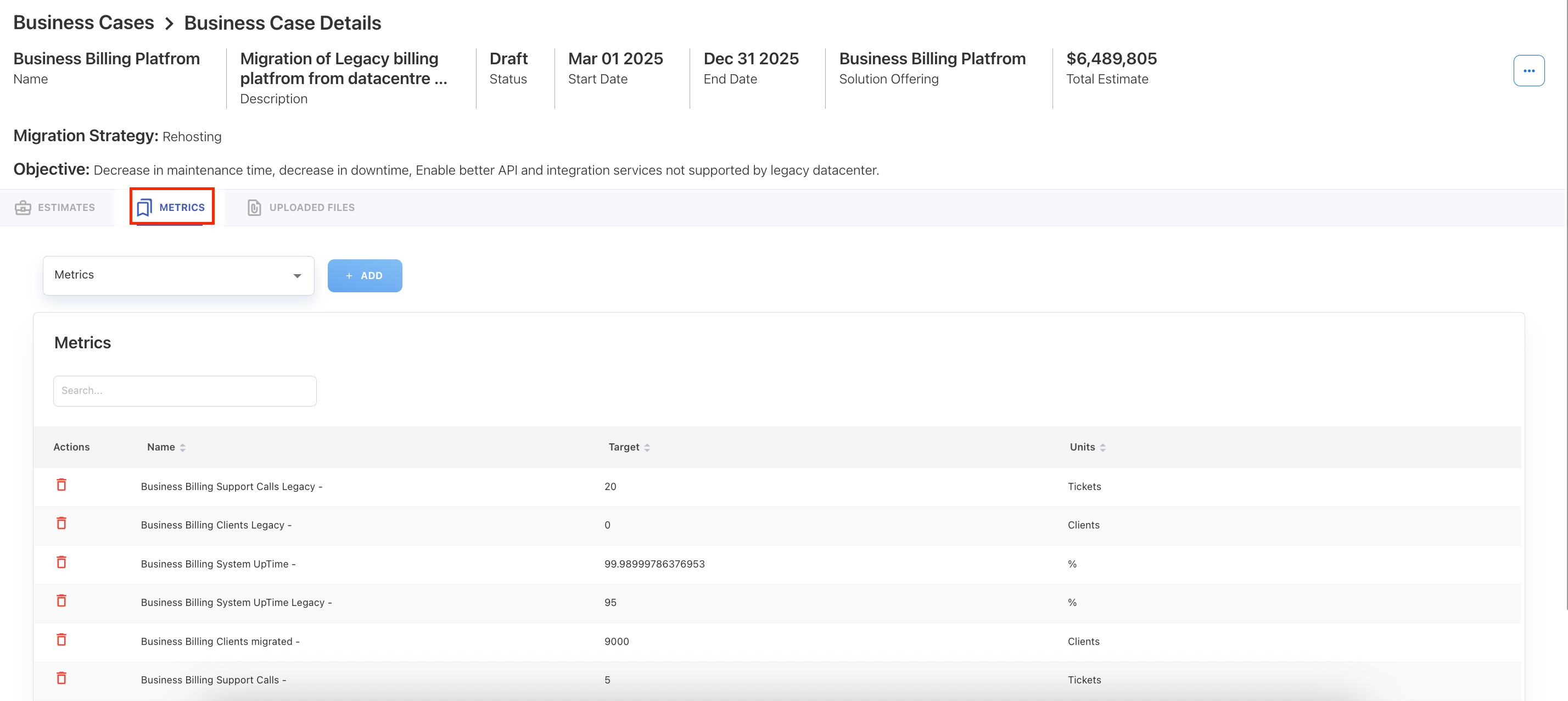
Add Metrics to a Business Case
To add metrics,
-
Navigate to Planning → Business Cases
-
Click the the required Business Case.
-
Within the Business Case Details page, select the Metrics tab.
-
On the Metrics dropdown field, select a required metric.
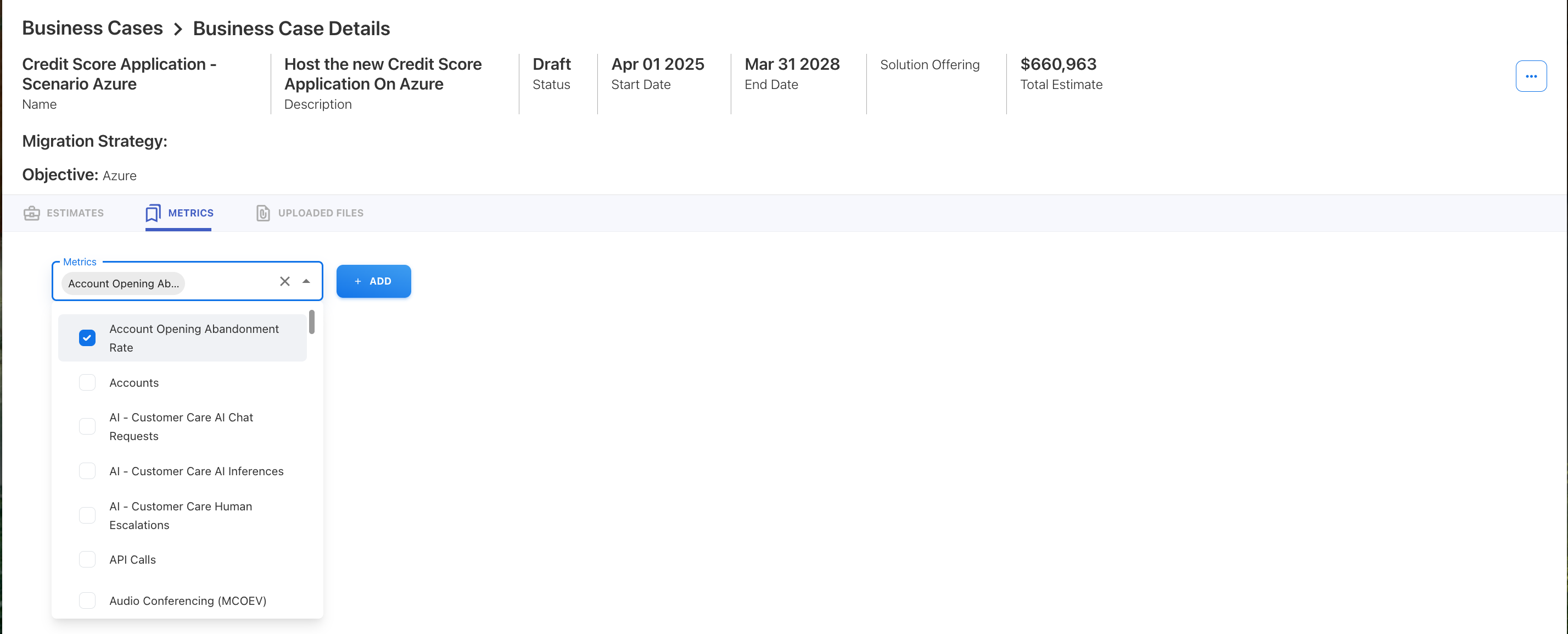
-
Click + ADD
The selected metric is added to the Metrics table.
After adding the metric, review:
-
Metric Name
-
Target Value
-
Units of Measurement
Managing Metrics
Search metrics
Use the search field to quickly locate metrics within the table.
This is useful when:
-
A Business Case contains multiple metrics
-
You need to review specific performance indicators
Remove a metric
To remove a metric:
-
Locate the metric in the table
-
Click the delete icon under the Actions column
The metric will be removed from the Business Case.
Metrics and dashboard reporting
Metrics added to the Business Case are used within the Business Case Overview Dashboard to compare:
-
Monthly Business Case Estimate vs Actual Spend against a Metric
Related content