
Budget Process Owner can review the submitted budgets from the Cost Center Owners and approve the overall budget.
After Budget Contributors submit their updates, the Budget Process Owner reviews the budget or forecast and decides whether to approve or reject it.
Review submitted values
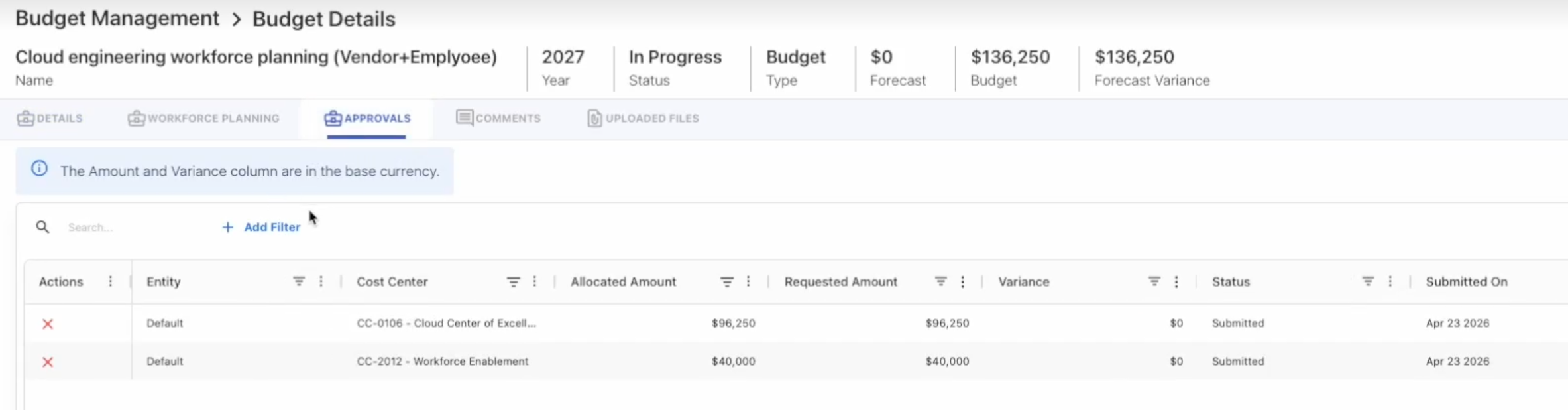
Open the Budget Details or Forecast Details page to review the submitted values.
The requested amount is highlighted under the Requested Amount column.
Approve a budget or forecast
Approve the budget or forecast when all contributor submissions are complete and the values are acceptable.
-
Open the Budget Details or Forecast Details page.
-
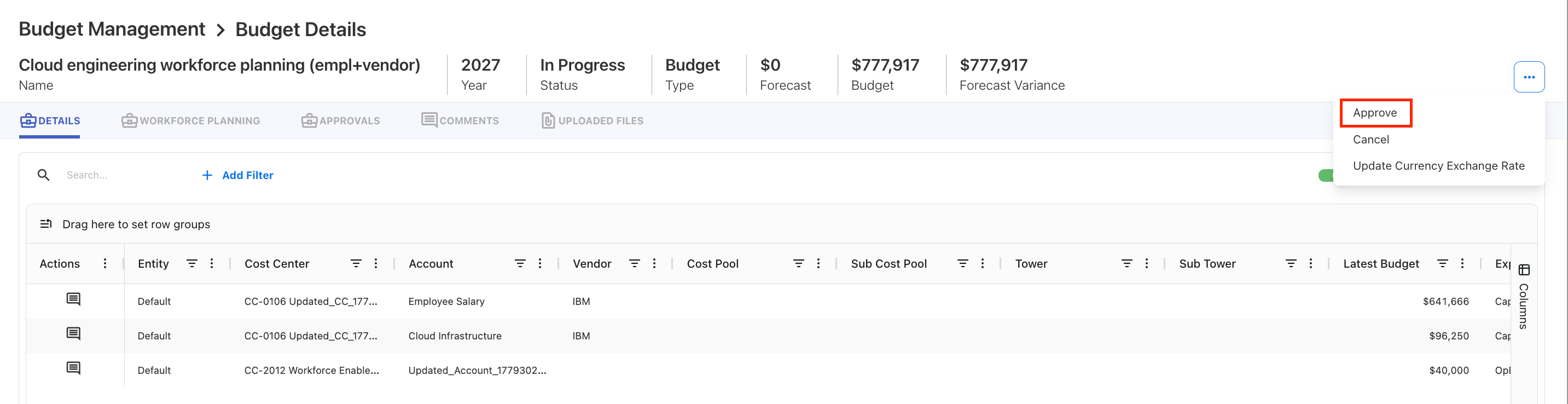
Open the three-dot menu.
-
Select Approve.
-
Confirm the approval.
Note: The Budget Process Owner can only approve the budget or forecast after all cost centers have submitted their updates.
Reject a budget or forecast
Reject the budget or forecast when changes are required.
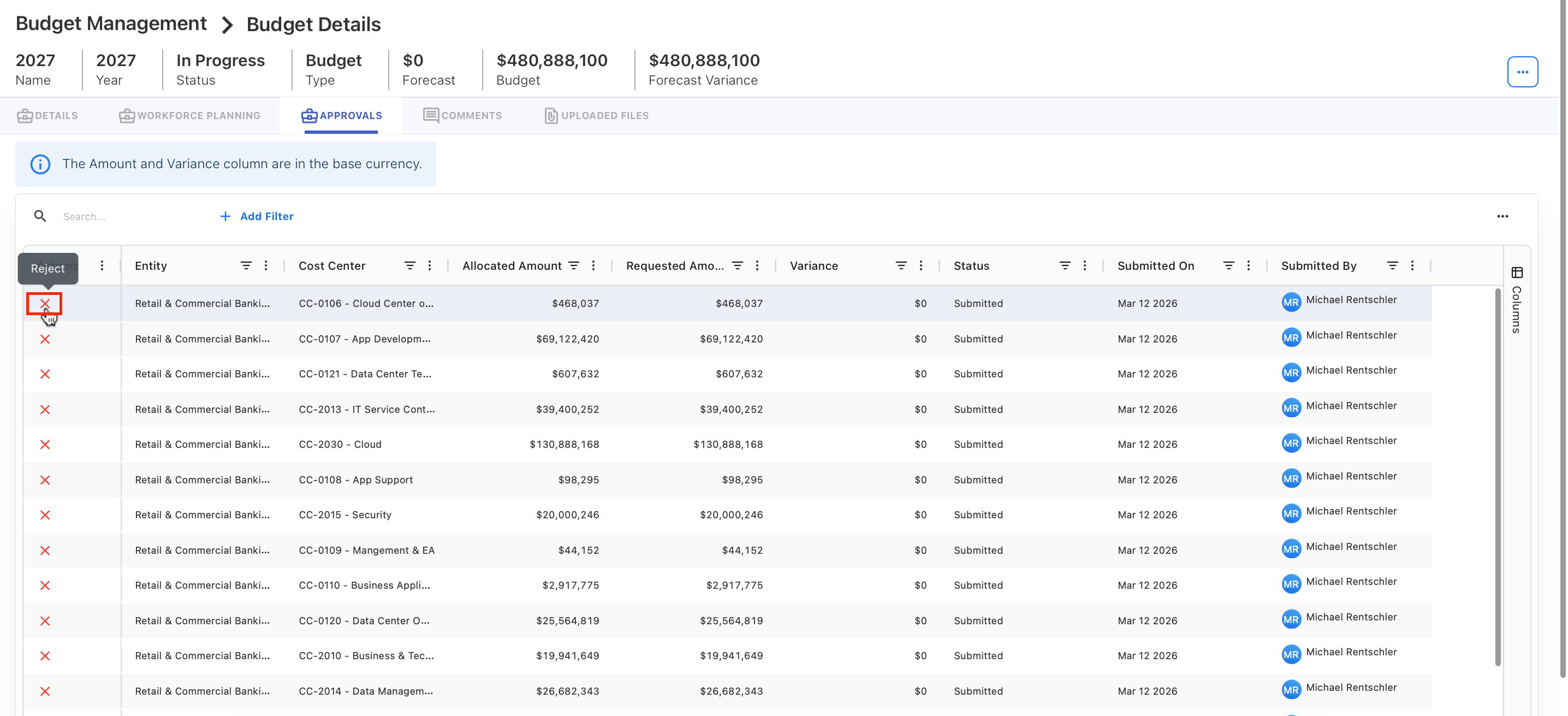
After rejection, contributors or owners should update the plan and resubmit it based on the workflow.
Next step
Related content