
Budget Process Owners can manage budget and forecast items from the Budget Details or Forecast Details page.
The available actions depend on the plan status and whether the plan has already been submitted to Budget Contributors.
Available actions
|
Action |
Description |
|---|---|
|
Add item |
Add a new budget or forecast item manually. |
|
Import file |
Upload a CSV file to add multiple items. |
|
Edit item |
Update details for an existing item. |
|
Delete item |
Remove an item from the plan. |
|
Comment |
Add a comment to an item for collaboration. |
|
Show Detailed View |
View the monthly breakdown of each item. |
|
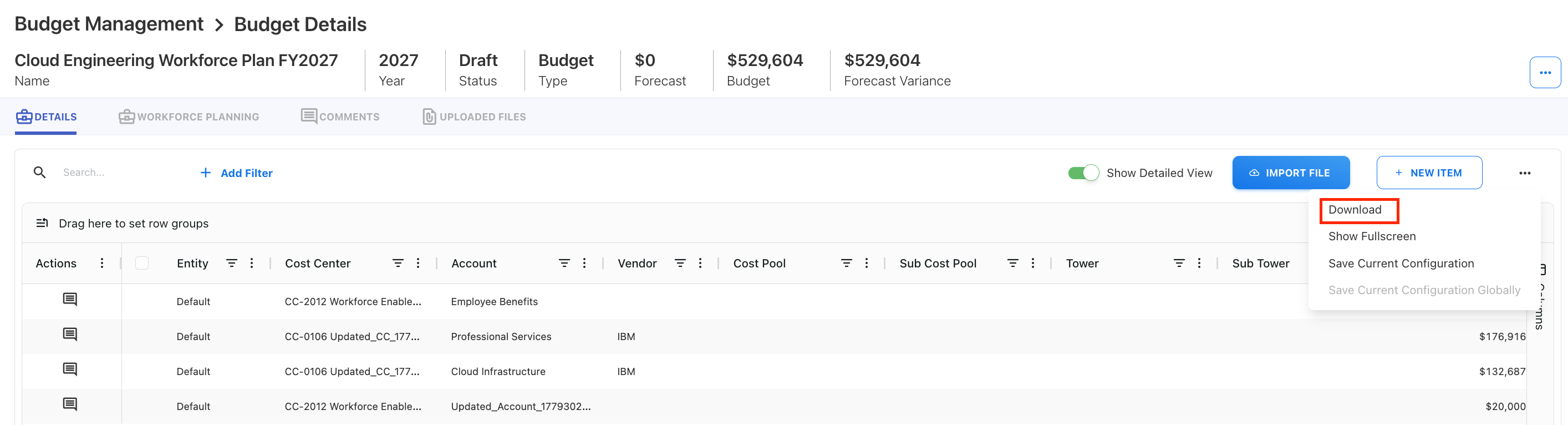
Download |
Download budget or forecast details as a CSV file. |
|
Submit |
Send the plan to Budget Contributors for review. |
|
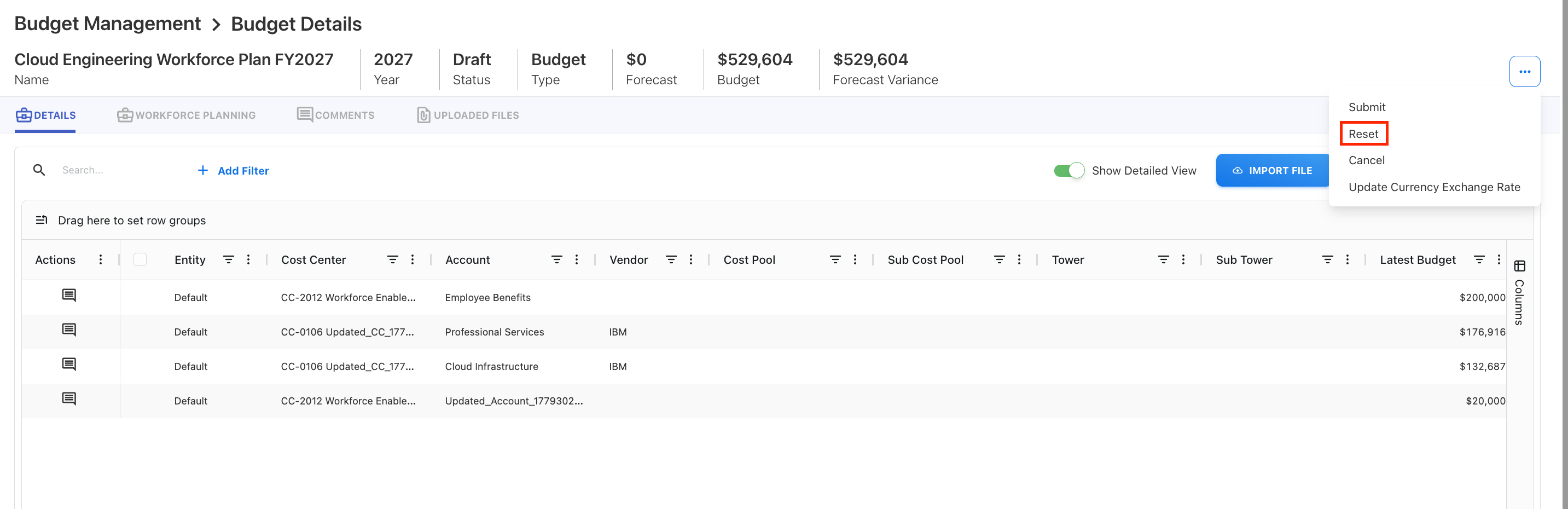
Reset |
Remove all budget or forecast items. |
|
Cancel |
Cancel the budget or forecast before it is approved. |
Edit an item
To edit a budget or forecast item:
-
Open the Budget Details or Forecast Details page.
-
Locate the item.
-
Select the Edit icon in the Actions column.
-
Update the details.
-
Select Save.
Note: Edit may be disabled after the Budget Process Owner submits the budget or forecast to Budget Contributors.
Comment on an item
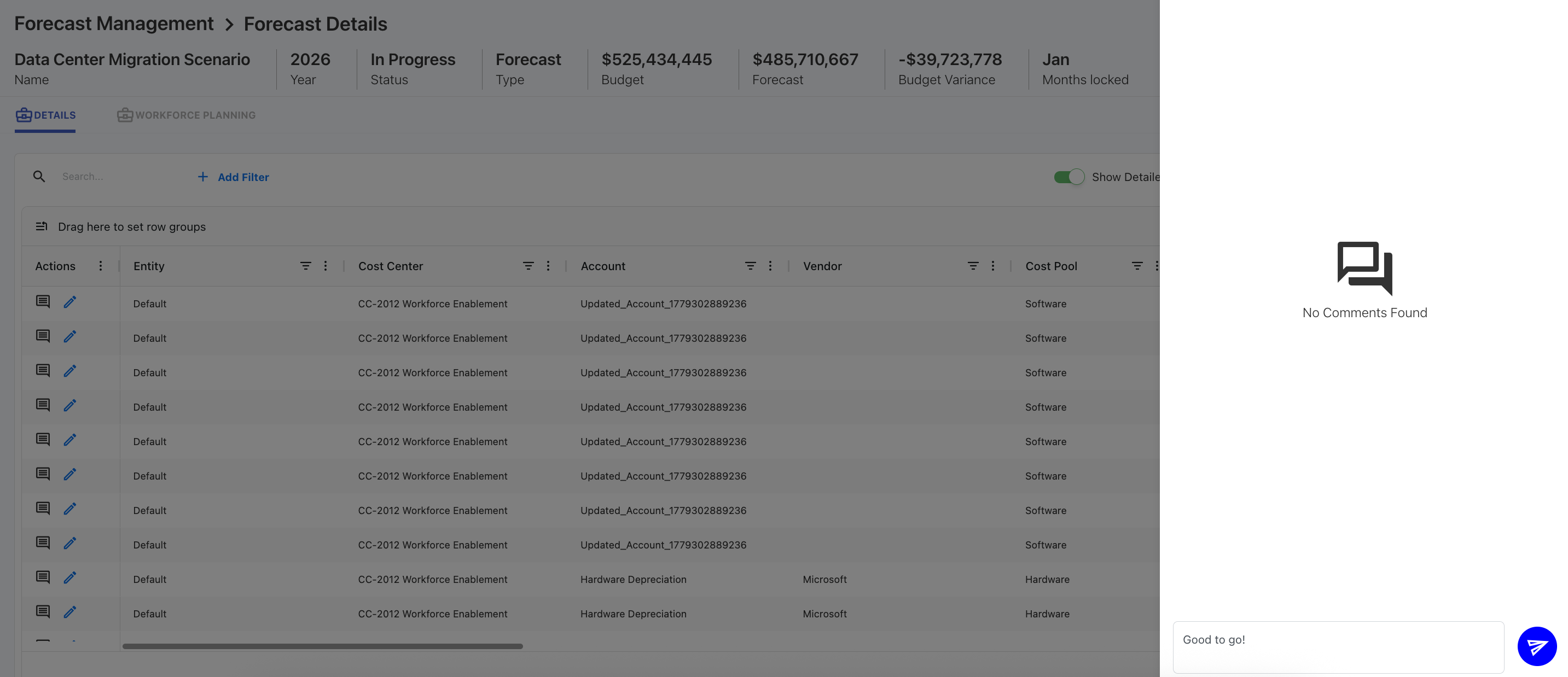
Budget Process Owners and Budget Contributors can comment on budget or forecast items.
Use comments to:
-
Ask questions about an item.
-
Explain assumptions.
-
Request changes.
-
Track collaboration between process owners and contributors.
Delete an item
To delete an item:
-
Open the Budget Details or Forecast Details page.
-
Locate the item.
-
Select the Delete icon in the Actions column.
-
Confirm the deletion.
Note: Delete may be disabled after the plan is submitted to Budget Contributors.
Download a budget or forecast
Use the download option to export budget or forecast details in CSV format.
Reset a budget or forecast
Use Reset to remove all budget or forecast items from the plan.
Note: Reset is only available before the budget or forecast is submitted to the next workflow participant.
Cancel a budget or forecast
Use Cancel when a budget or forecast should no longer continue through the workflow.
Note: Cancel is only available before the budget or forecast is approved and before it is submitted to Budget Contributors.
Related content