
Yarken applies currency conversion across spend, cloud, budgets, and forecasts using exchange rates configured by month and year. The system preserves both original currency values and converted base currency values to support accurate reporting and planning.
Spend uploads
Spend file includes below fields:
-
Foreign Amount
-
Exchange Rate
-
Foreign Currency
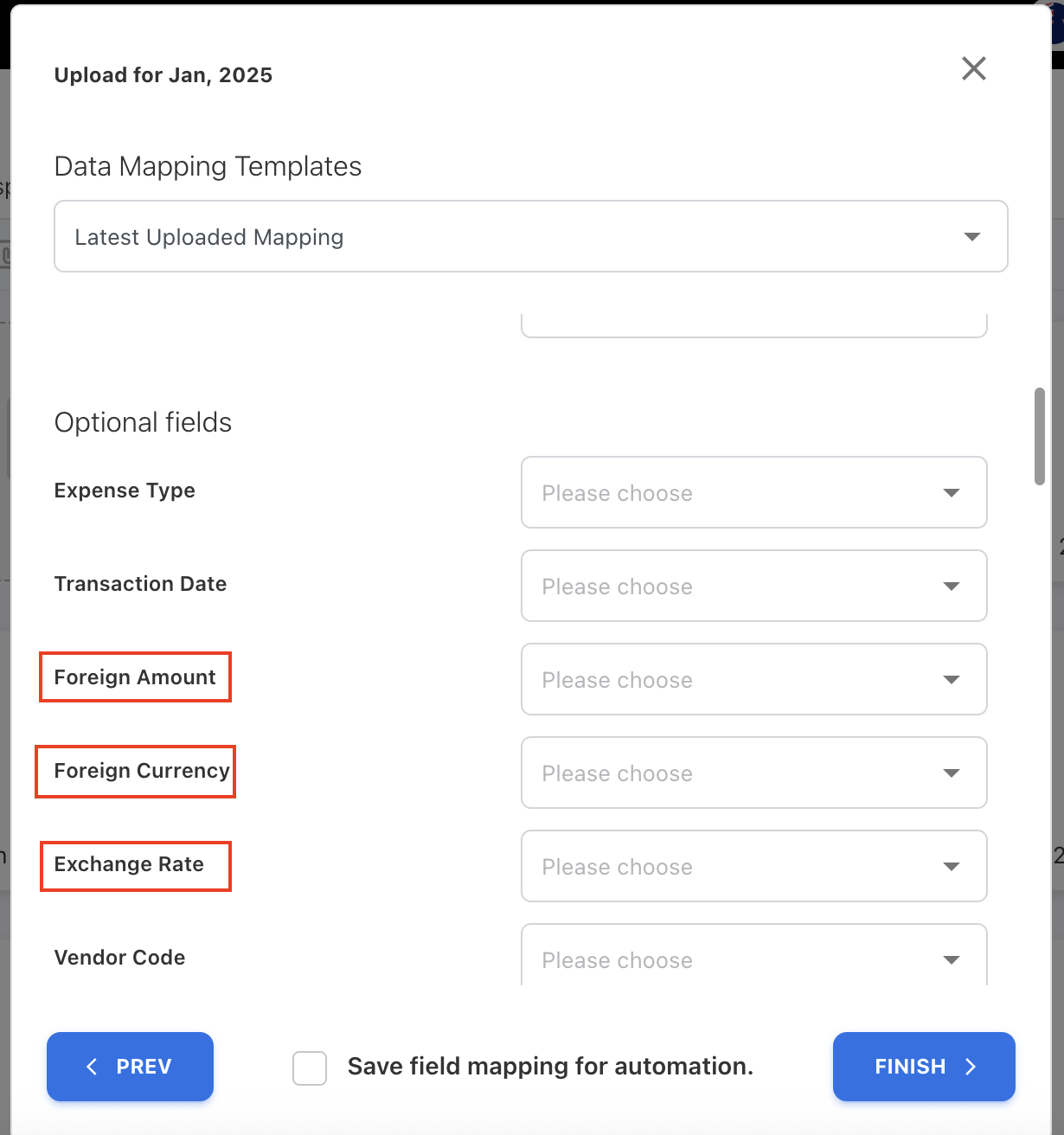
These fields are independent of the exchange rates configured under Currency Exchange Rates.
The exchange rate provided in the spend file:
-
Is used only to convert the uploaded amount to base currency at the time of upload
-
Does not override or update the configured monthly exchange rates
-
Is not used for reporting conversions
The system stores:
-
The original foreign amount
-
The converted base currency amount
Multiple currencies are supported within a single file.
The exchange rate included in a spend file is used only when the uploaded amount is not in base currency. Reporting and dashboards rely on the configured monthly exchange rates, not the rate provided in the file.
Cloud uploads
During cloud consumption upload:
-
Costs are converted using the exchange rate configured for the relevant month and year.
-
The conversion month and year is derived from:
-
Charge Period Start Date
-
-
The conversion currency is derived from:
-
Billing Currency
-
Note: The column names for charge period start date and billing currency may differ across AWS, Azure, and GCP file formats. Yarken uses the provider-specific equivalents when applying exchange rates.
If no exchange rate exists during upload
-
A default exchange rate of 1 is applied.
After cloud publish
Once cloud spend is published:
-
Dashboards and reports use the configured exchange rate for that month and year.
Budget and forecast conversion
Before you begin
Make sure the planning exchange rate is configured for the relevant month and year before creating a budget or forecast.
Before using foreign currencies in budgets or forecasts, an administrator must enable the Currency field in Form Configuration.
Required one-time setup
The Currency field must be enabled in Settings → Form Configuration before foreign currencies can be used in budget or forecast line items.
Enable the Currency field
-
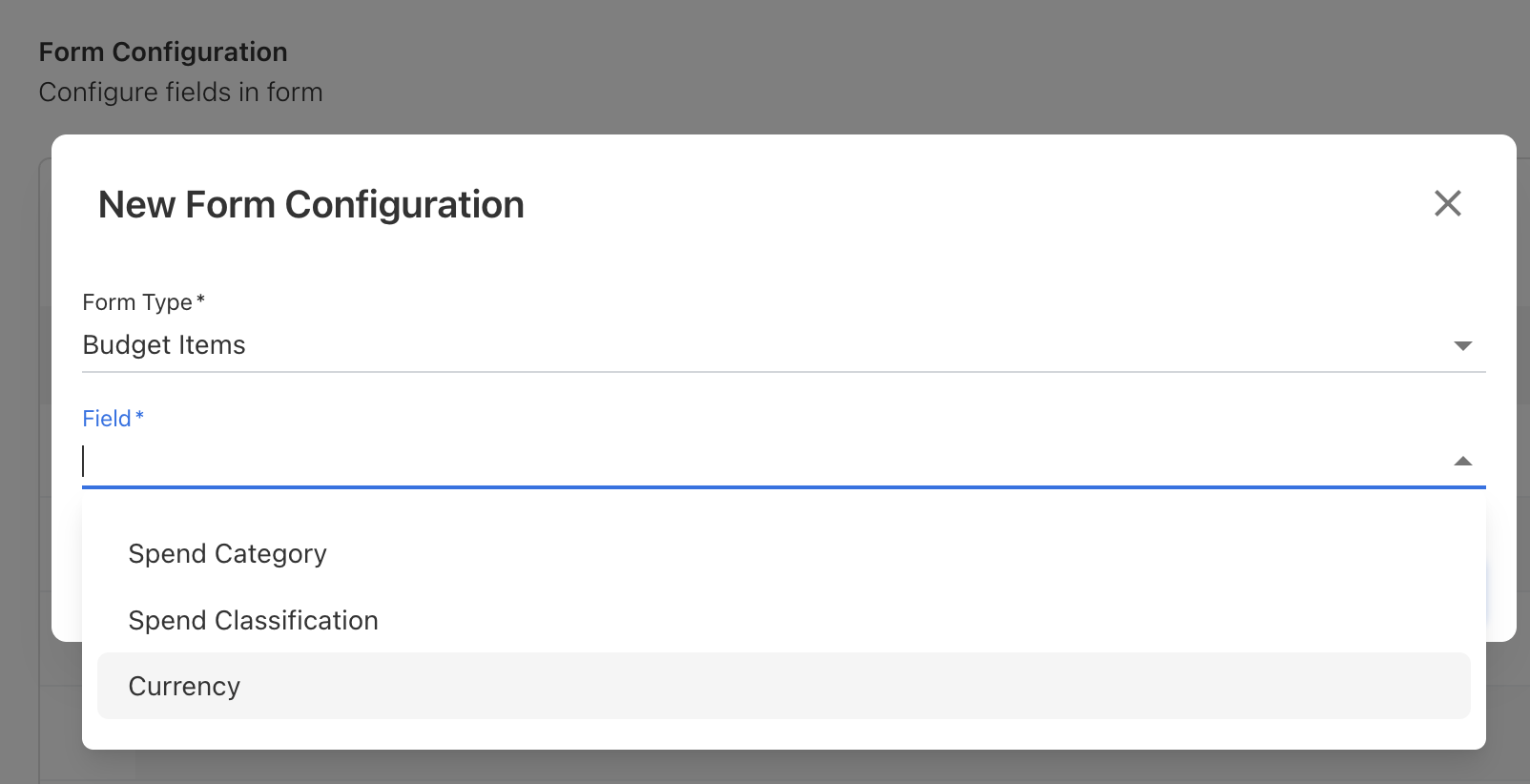
Navigate to Settings → Form Configuration.
-
Select Form Type: Budget Items.
-
Locate and select the Currency field.
-
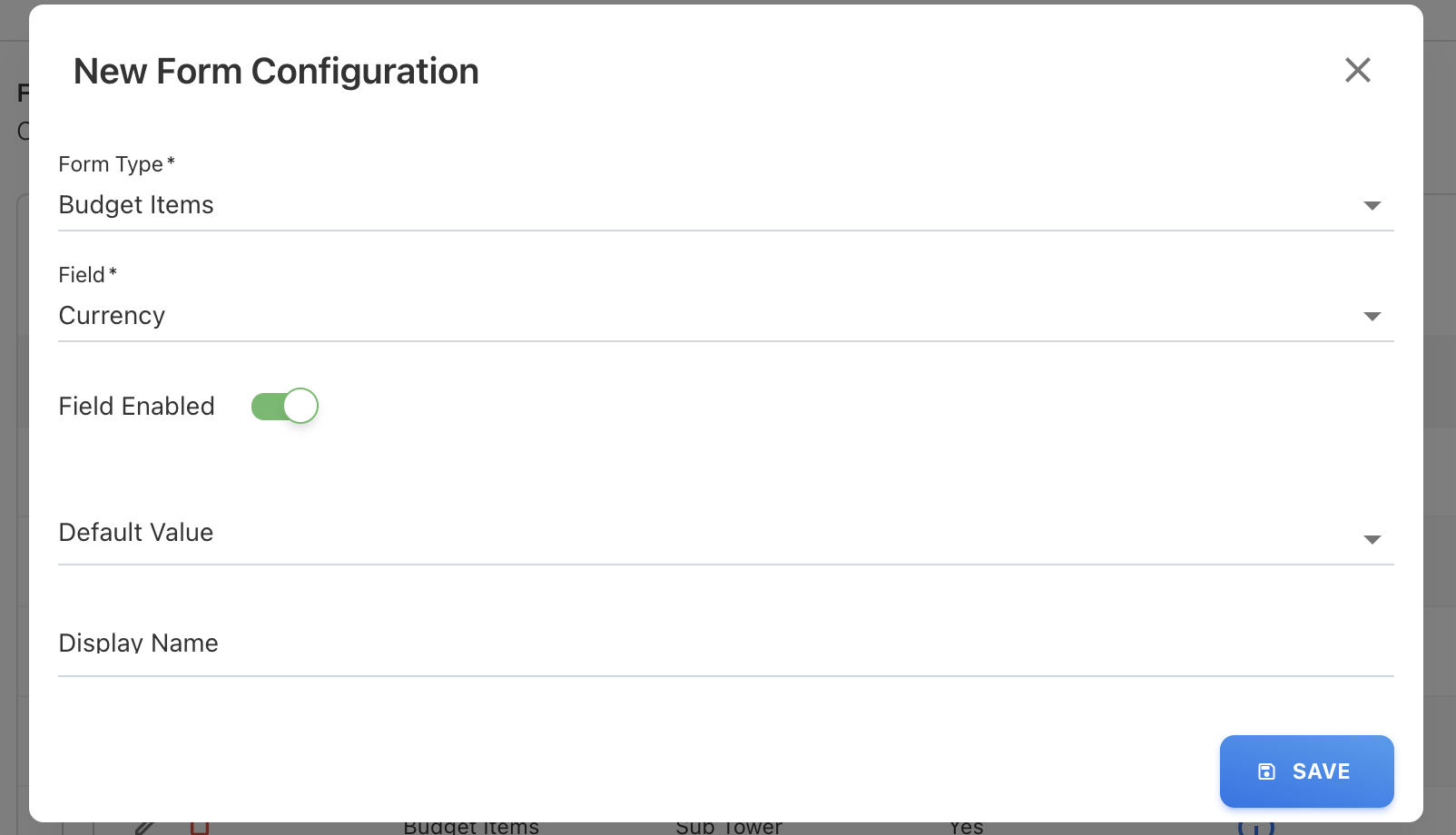
Turn on Field Enabled.
-
Click SAVE.
This is a one-time configuration.
Once enabled:
-
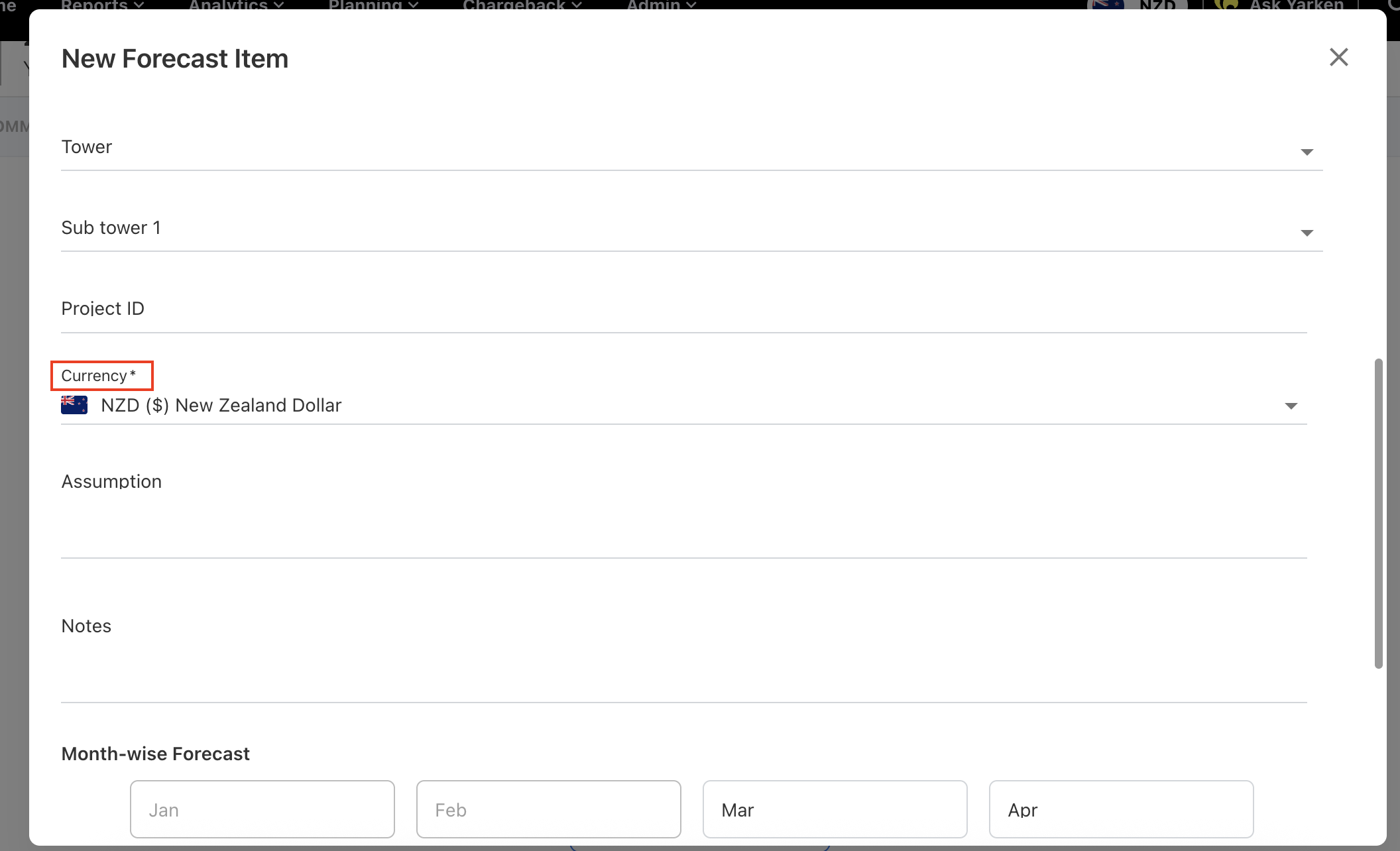
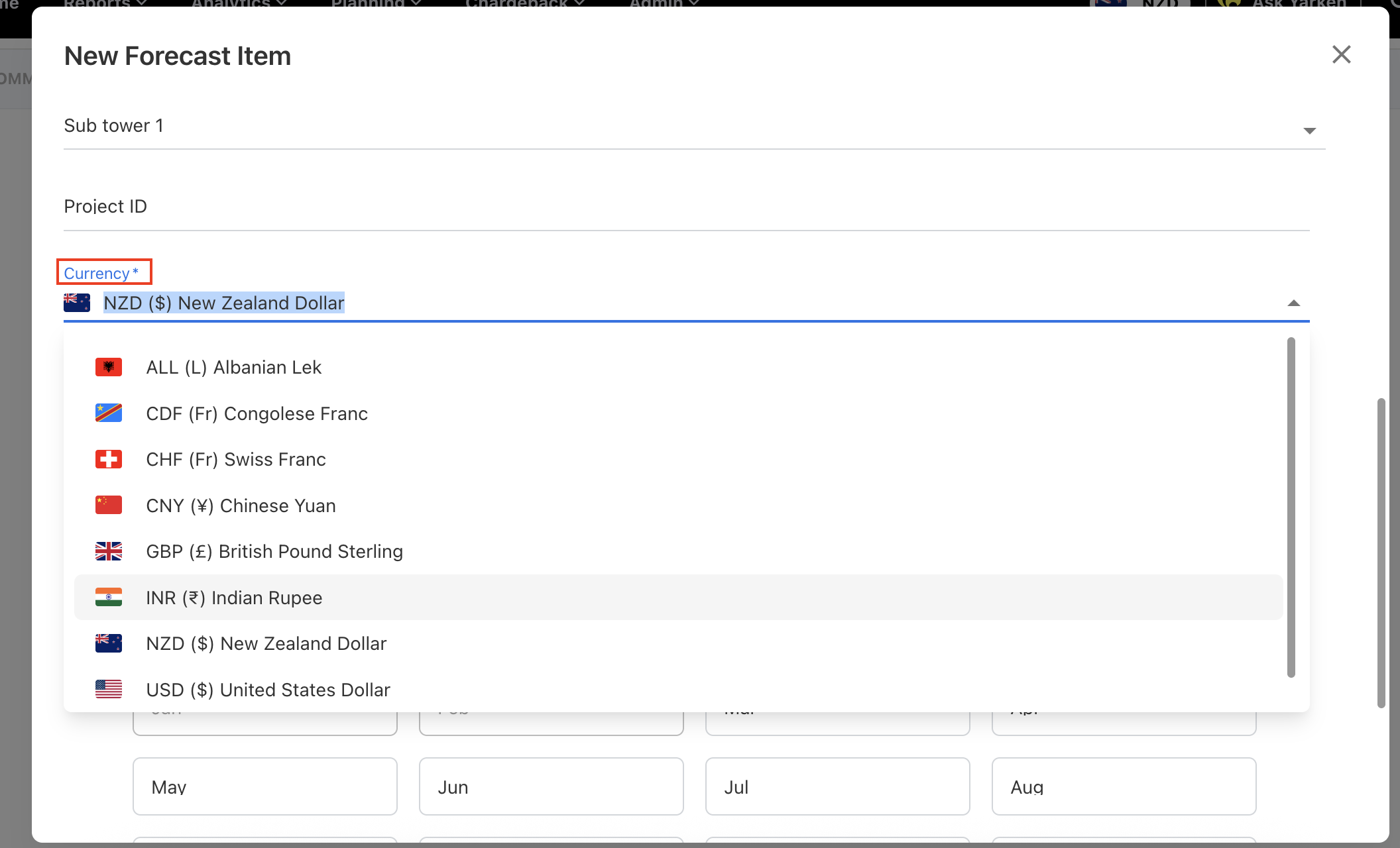
A Currency selector appears in the budget/forecast line item editor.
-
You can select any enabled foreign currency.
-
The system stores the original currency amount.
-
The system converts the amount using the configured Planning exchange rate.
-
Both original and converted base currency values are visible.
-
The amount is stored in the original currency.
-
Yarken converts the amount using the configured planning exchange rate.
-
Both original and converted values remain visible.
Updating exchange rates in forecasts
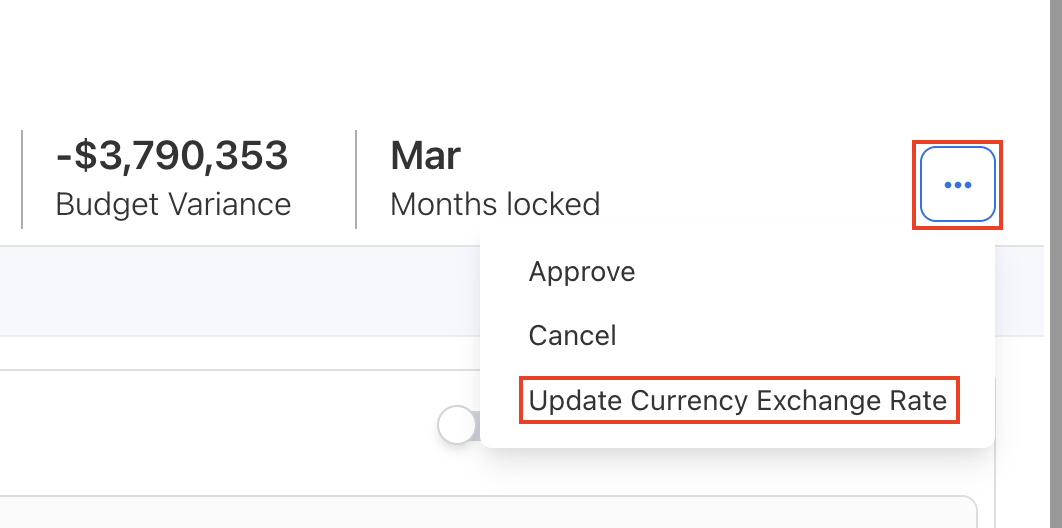
If planning exchange rates are updated while a forecast is still active:
-
Users can select Update Currency Exchange Rate under ellipsis menu to recalculate converted values.
After submission
-
Planning exchange rates are locked once a budget is submitted.
-
This preserves historical budget integrity even if exchange rates change later.
Related content