
Yarken allows you to view dashboards, analytics, budgets, and forecasts in your preferred reporting currency. Reporting currency selection is controlled through the user profile and applies consistently across the platform.
Select your reporting currency
You can choose a reporting currency from profile icon.
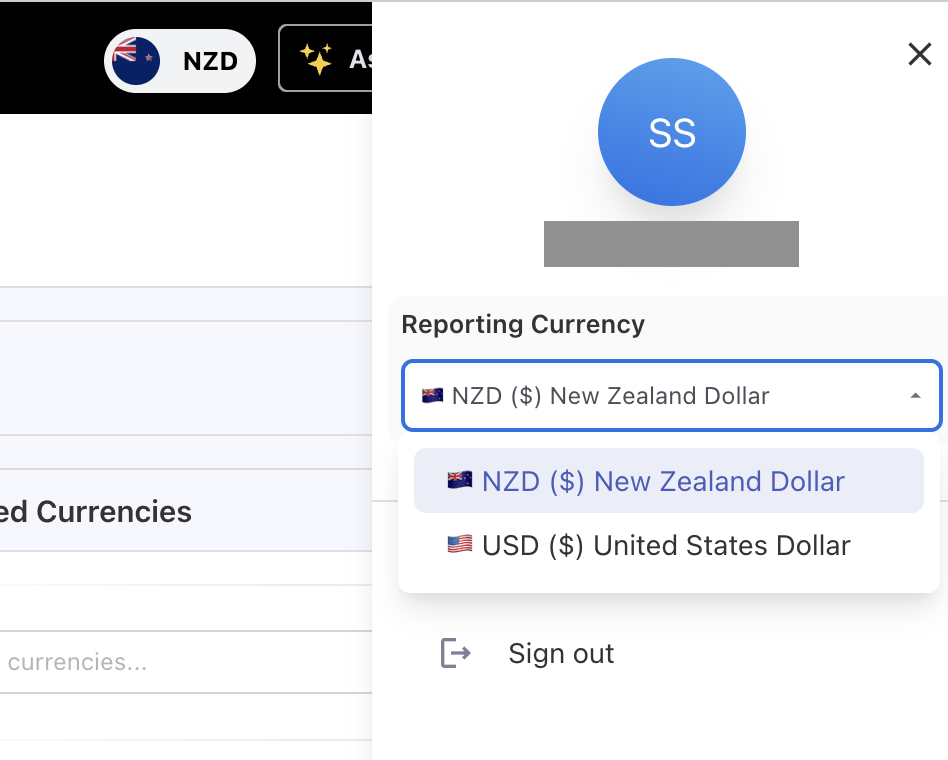
The currency selection list:
-
Displays the base currency first
-
Lists other currencies in alphabetical order
-
Includes only currencies that are enabled for reporting by an administrator
When you change your reporting currency
-
All pages refresh and display values in the selected currency
-
Dashboards and Analytics reflect the updated currency immediately
-
Original and base currency values remain available where applicable for traceability
Where foreign currency values appear
Foreign currency values and fields are available in:
-
Analytics
-
Custom dashboards
-
GL popups (foreign currency columns may be hidden by default)
-
Budget and forecast line items
-
Ask Yarken responses
Troubleshooting
Spend appears as zero
If values appear as zero in dashboards or reports:
-
Confirm exchange rates are configured for the relevant year and month
-
Ensure the currency is enabled for reporting in Foreign Currency Selection
Related content
Configure exchange rates and currencies