
Yarken supports multi-currency reporting by allowing administrators to configure:
-
Actual exchange rates (used for spend and cloud)
-
Planning exchange rates (used for budgets and forecasts)
-
Foreign currency availability (reporting vs. conversion-only)
Configure actual exchange rates
Actual exchange rates are used for:
-
Spend uploads
-
Cloud uploads
-
Dashboards, reports, and analytics
Add actual exchange rates manually
-
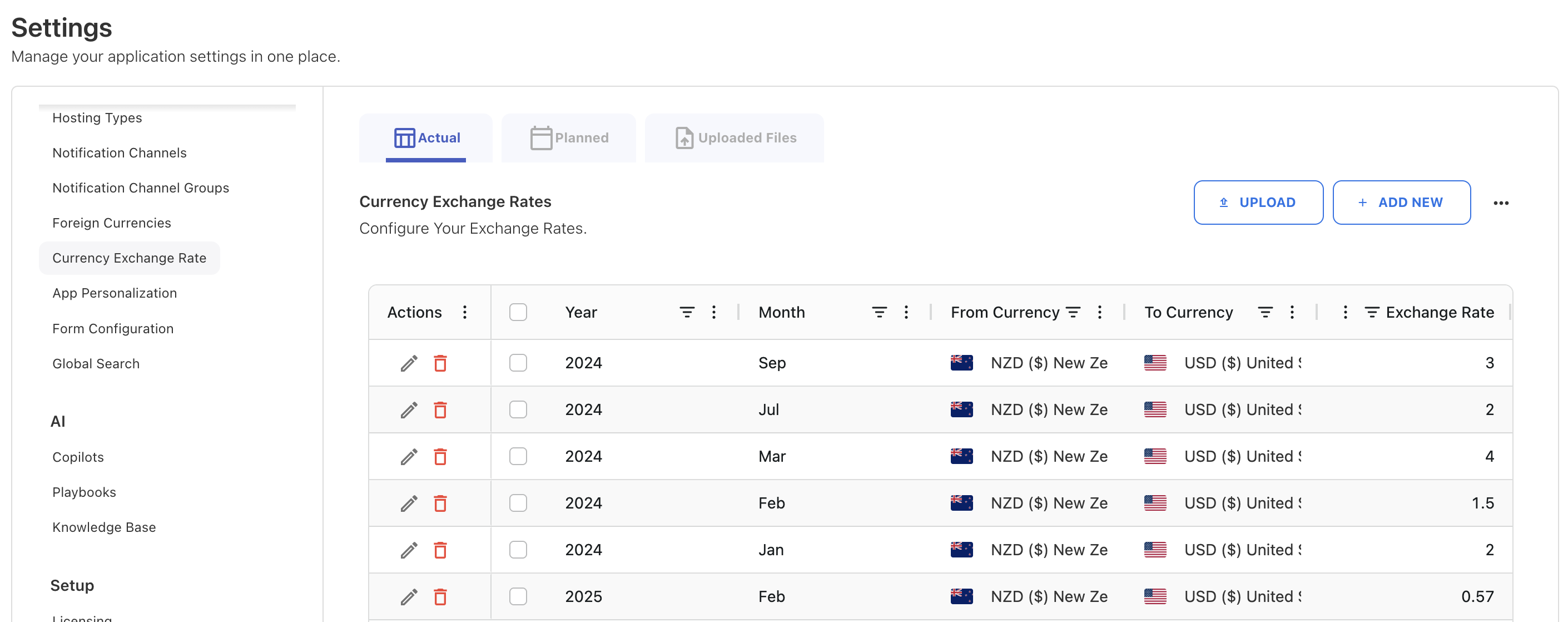
Go to Admin → Settings → Currency Exchange Rates.
-
Ensure the Actual tab is selected.
-
Click + ADD NEW.
-
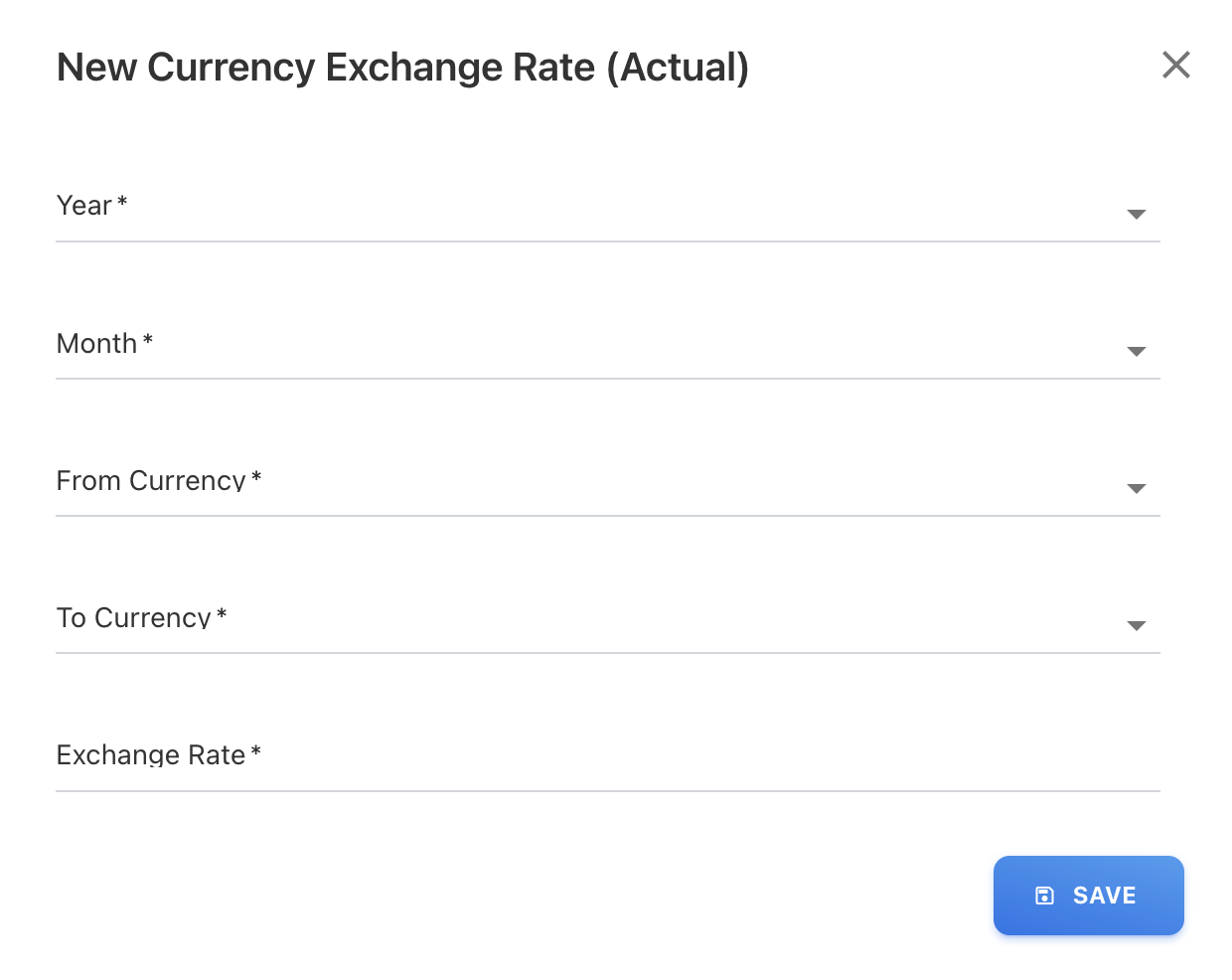
In the New Currency Exchange Rate (Actual) popup, add the required fields:
-
Year
-
Month
-
From Currency
-
To Currency
-
Exchange Rate
-
-
Click SAVE.
The exchange rate will now appear in the list view.
You can edit or delete existing records using the action icons in the table.
Upload actual exchange rates in bulk
Bulk upload allows you to add multiple months and currencies in a single action. You can use the template file named Currency Exchange Rate from the Data Dictionary to format your upload correctly.
-
Go to Admin → Settings → Currency Exchange Rates.
-
Ensure the Actual tab is selected.
-
Click UPLOAD.
-
Upload the CSV file containing:
-
Year
-
Month
-
From Currency
-
To Currency
-
Exchange Rate
-
-
After upload, review entries in the grid.
Use the Uploaded Files tab to review imported files.
Configure planning exchange rates (budgets and forecasts)
Planning exchange rates are separate from actual rates. They apply only to:
-
Budgets
-
Forecasts
-
Planning scenarios
This separation ensures approved budgets do not change when actual rates fluctuate.
Planning exchange rates must be configured for all required months before creating a new budget or forecast.
Add planning exchange rates manually
-
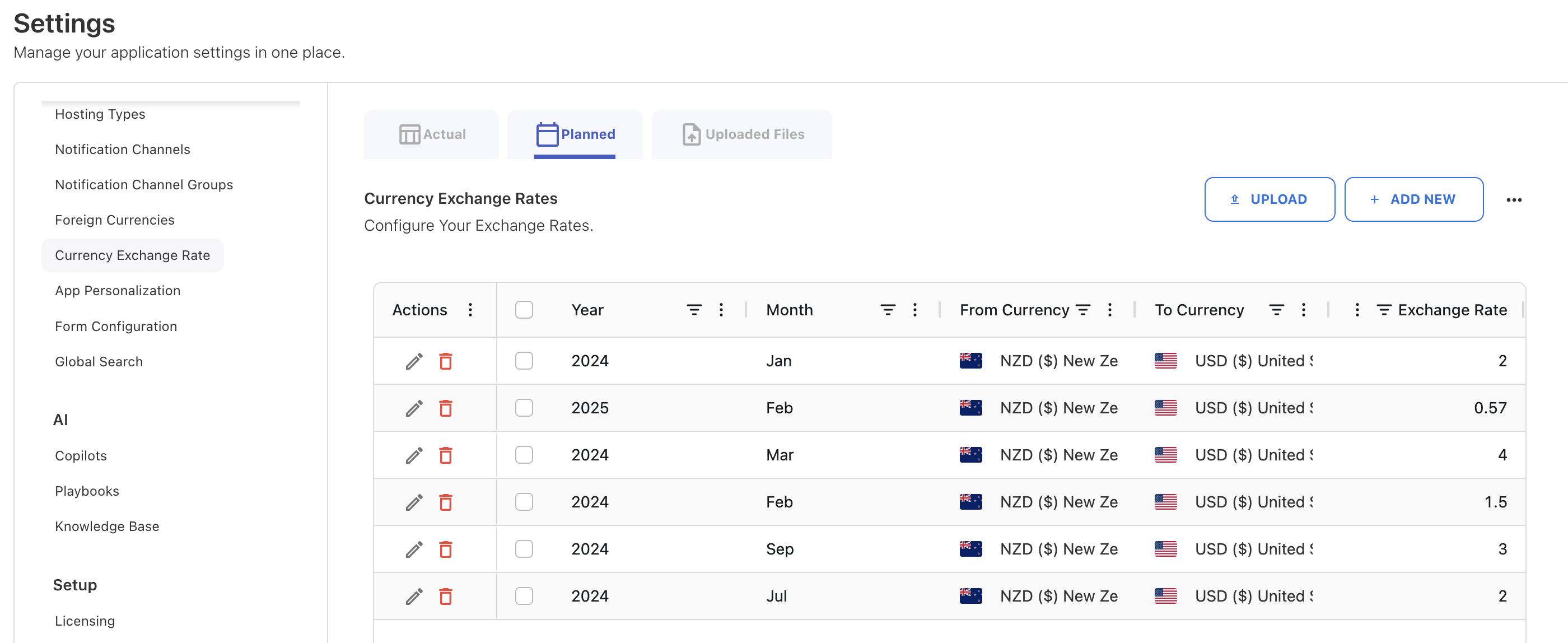
Go to Admin → Settings → Currency Exchange Rates.
-
Select the Planned tab.
-
Click + ADD NEW.
-
Complete the required fields:
-
Year
-
Month
-
From Currency
-
To Currency
-
Exchange Rate
-
-
Click SAVE.
Upload planning exchange rates in bulk
-
Select the Planned tab.
-
Click UPLOAD.
-
Upload the planning exchange rate CSV file.
-
Review entries in the grid.
Configure foreign & conversion-only currencies
Foreign currency selection controls which currencies are available in reporting and which are used for conversion only. Conversion-only currencies allow you to use a currency for conversion without enabling it for reporting.
Note: Conversion-only currencies are used for cloud data, budgets, and forecasts but are not selectable as reporting currencies.
Procedure
-
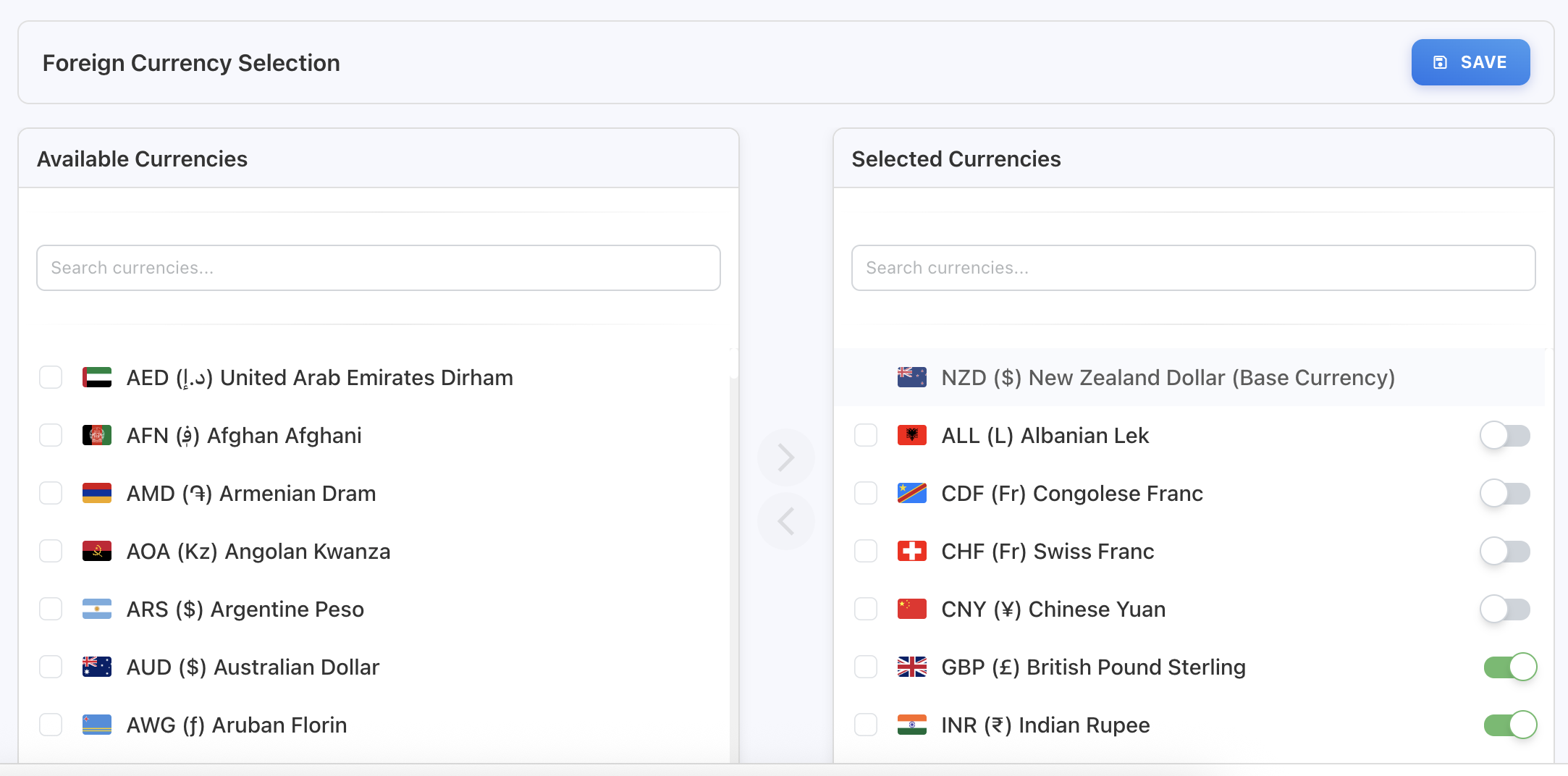
Go to Settings → Foreign Currency Selection.
-
In Available Currencies, select the currencies you want to enable.
-
Move them to Selected Currencies.
-
In the Selected Currencies list:
-
Use the toggle for each selected currency:
-
On → Available for reporting
-
Off → Conversion-only
-
-
-
Click SAVE.
Base currency behavior
-
The base currency is clearly marked in the currency list.
-
It is always available for reporting.
-
It cannot be disabled.
Related content