
API keys provide secure programmatic access to supported Yarken APIs. Use them when an integration, automation, script, or external system needs to call a supported Yarken API without using an individual user's credentials.
For example, you can use an API key with the Yarken User API to retrieve users, update supported user attributes, disable users, and re-enable users.
Important: Treat API keys as sensitive credentials. Anyone with a valid key may be able to access supported Yarken APIs available to that key.
Before you begin
Before generating a key, identify the integration or system that will use it and ensure that you have a secure location to store the complete key.
Generate an API key
-
In Yarken, navigate to Admin > Settings.
-
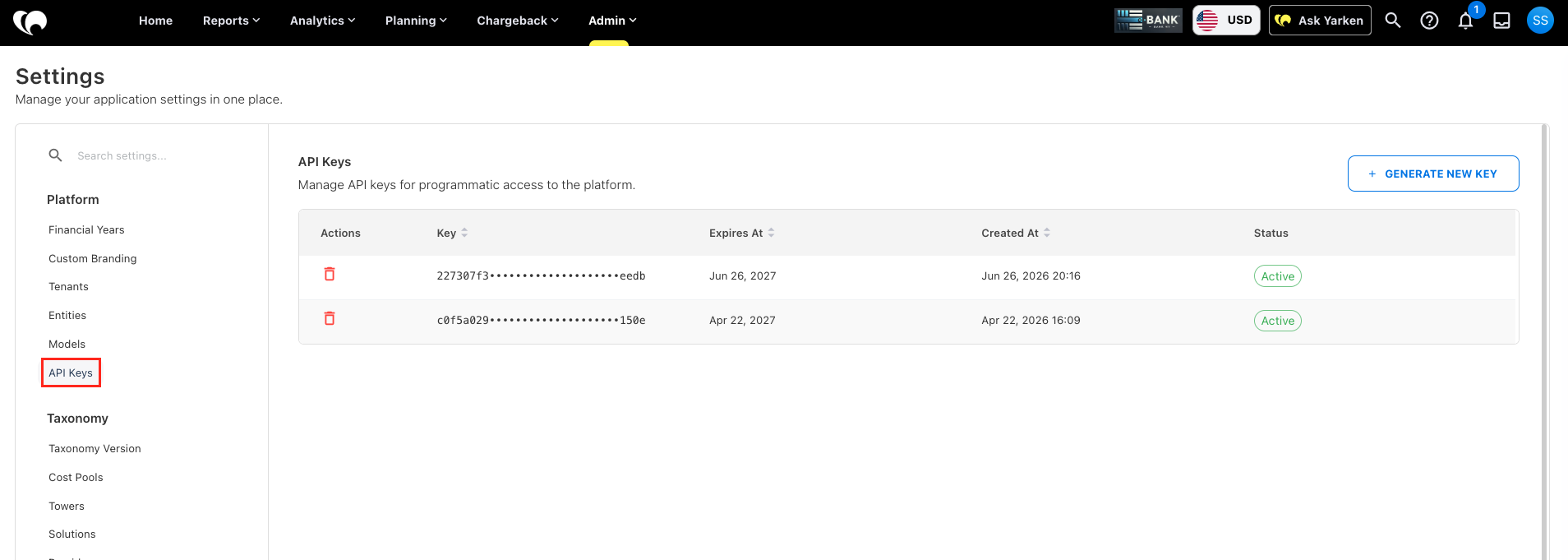
Under Platform, select API Keys.
-
Click Generate New Key.
-
Copy the complete API key shown on the screen.
-
Store the key securely for use by your integration.
Important: Copy the API key immediately after you generate it. Yarken displays the complete key only when it is created. If you navigate away from the screen, you cannot view the complete key again.
After you generate a key, the API Keys table displays the following information:
|
Column |
Description |
|---|---|
|
Actions |
Provides the option to delete the API key. |
|
Key |
Displays a masked version of the API key. |
|
Expires At |
Shows when the API key expires. |
|
Created At |
Shows when the API key was generated. |
|
Status |
Shows the current status of the API key. |
Use an API key
Include the API key when calling a supported Yarken API. The API or integration documentation identifies the required endpoint and request format.
For the Yarken User API, you can provide the key using the x-token header:
x-token: <YOUR_API_KEY>
Alternatively, use the Authorization header:
Authorization: Bearer <YOUR_API_KEY>
Replace <YOUR_API_KEY> with the complete key that you copied when it was generated.
Note: API keys are tenant credentials and are not associated with an individual Yarken user. Disabling a user does not revoke an API key used by an integration.
For User API endpoints and examples, see Manage users through the User API.
Where to use API keys
Use API keys only with Yarken APIs and integrations that support API key authentication. Common use cases include:
-
Connecting an external system or integration to a supported Yarken API.
-
Automating supported administrative workflows.
-
Running scripts or other machine-to-machine processes that call supported Yarken APIs.
-
Managing users programmatically through the Yarken User API.
Refer to the documentation for the API you are using to confirm the supported endpoints, request headers, and payloads.
Delete an API key
Delete an API key when the integration no longer requires access or when you need to replace a key.
-
In Yarken, navigate to Admin > Settings > API Keys.
-
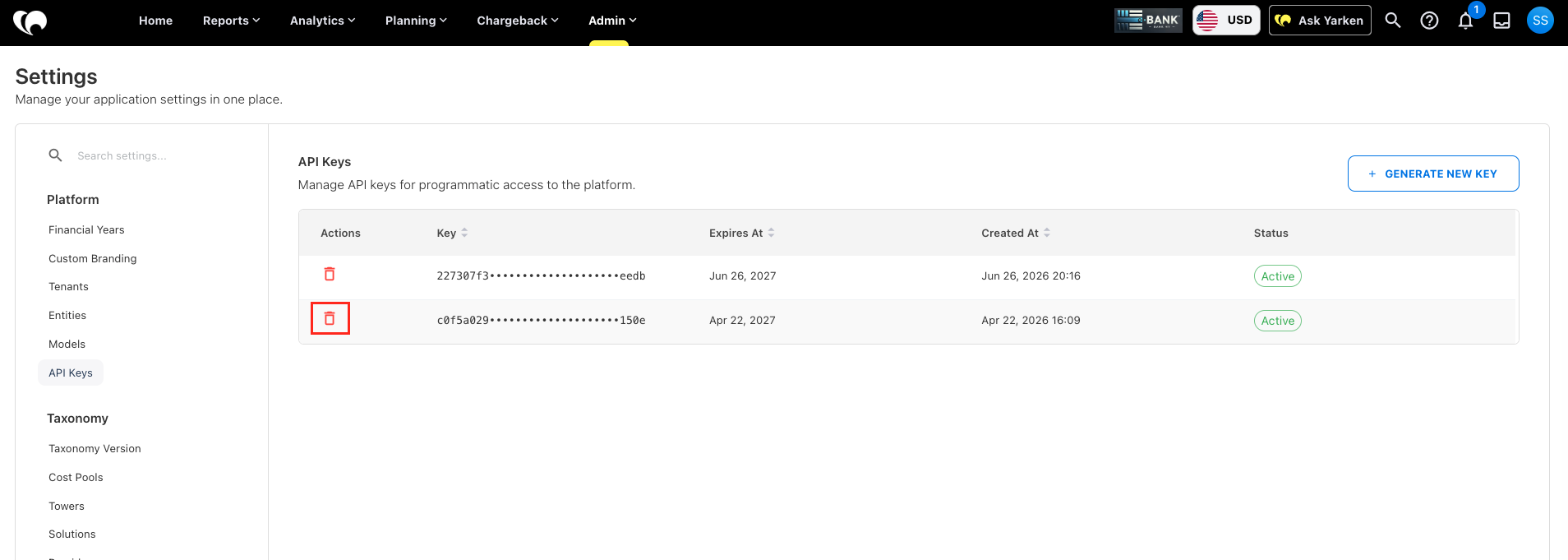
Locate the API key that you want to remove.
-
In Actions, click the delete icon.
-
Complete the deletion as prompted.
After you delete a key, integrations using that key can no longer authenticate with it. Update the affected integration with a valid API key if access is still required.
Security best practices
To protect programmatic access to Yarken:
-
Store API keys in an approved secrets or credential-management system.
-
Do not include API keys in source code, documentation, tickets, emails, or other unsecured locations.
-
Share API keys only with approved integration owners.
-
Use separate keys for different integrations where appropriate. This makes it easier to replace or remove a key without affecting unrelated integrations.
-
Delete and replace a key if you suspect that it has been exposed.
-
Review the Expires At and Status values to identify keys that may require attention.
Important: Deleting or replacing an API key can interrupt integrations that use it. Update the affected integration with the new key before retiring the previous key when continuity is required.
Related content