
Use Custom Branding to customize the title displayed on the Yarken Home page and upload a custom logo for the menu bar.
What Custom Branding does
Custom Branding lets you customize the Home page title and upload a logo so the environment better reflects your organization's identity.
Customize the Home page title
You can customize the title displayed on the Home page to reflect your organization's name or preferred title.
To configure the Home page title:
-
Go to Admin > Settings > Custom Branding.
-
Under Home Page Title, enter the title you want to display on the Home page.
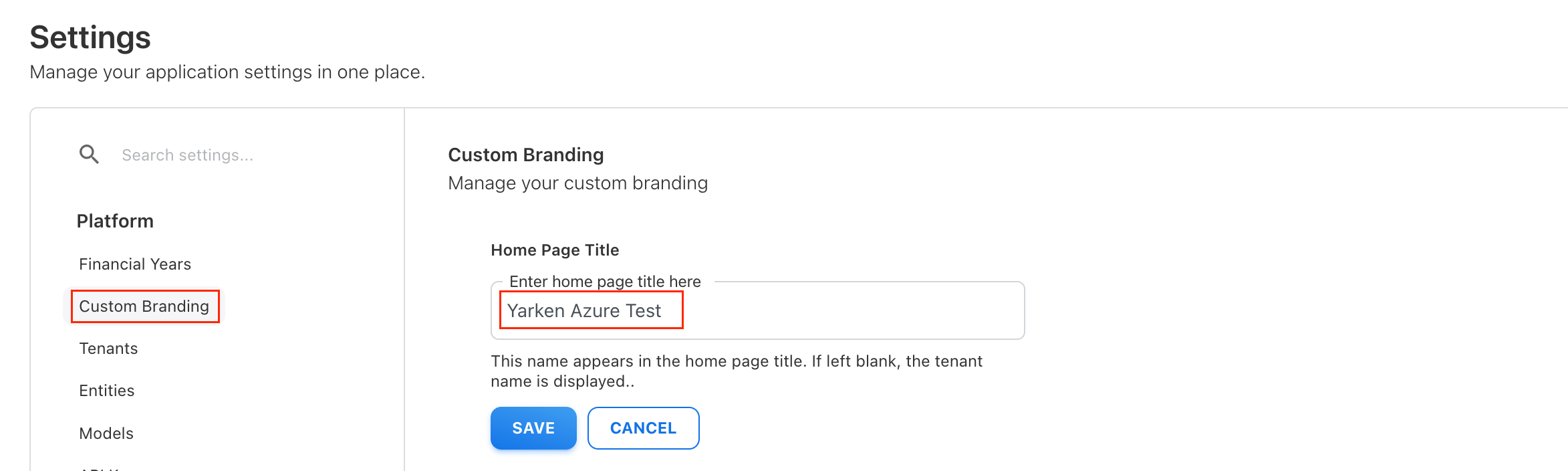
Configure the Home page title in Custom Branding. -
Select SAVE.
Yarken displays the configured title on the Home page.
Default title behavior
If Home Page Title is left blank, Yarken automatically displays the tenant name on the Home page.
You can leave this field blank when you want to use the existing tenant name instead of a custom title.
Note: The Home Page Title setting controls the title displayed on the Home page. It does not change the tenant name configured in Yarken.
Supported image formats
The logo uploads support common image formats such as JPG, JPEG, PNG, GIF, and SVG.
The uploaded logo replaces the default icon shown on the menu bar.
Related content