
Yarken supports multi-currency handling across spend, cloud, budgets, and forecasts. The framework is designed to maintain financial accuracy while enabling consistent global reporting.
With multi-currency enabled, you can:
-
Configure exchange rates by month and year
-
Maintain separate rates for actuals and planning
-
Store original foreign currency values
-
Report in a preferred currency
-
Control which currencies are available for reporting
Key concepts
Base currency
Each environment has one Base Currency.
-
All converted values are stored in the base currency.
-
The base currency is always available for reporting.
-
It cannot be disabled.
-
It appears at the top of currency selection lists.
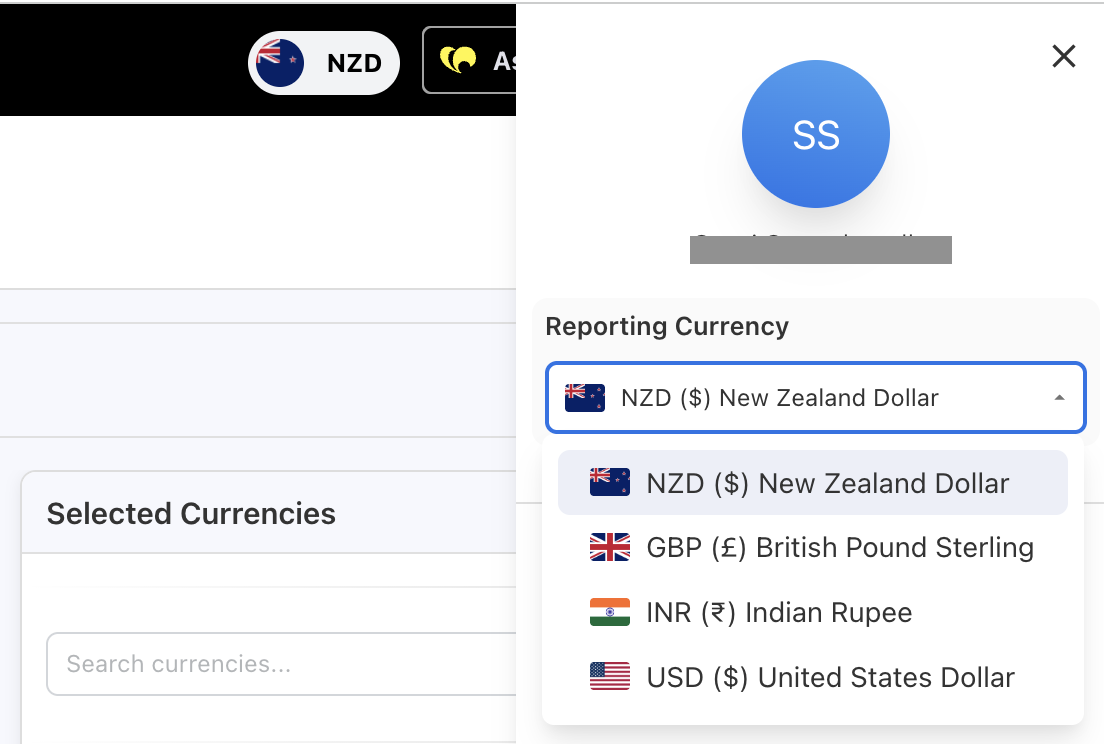
The base currency serves as the financial reference point across the platform.
Actual vs. planning exchange rates
Yarken separates exchange rates into two categories to preserve financial integrity.
Actual exchange rates
Used for:
-
Spend uploads
-
Cloud uploads
-
Reporting and dashboards
Actual rates reflect real transactional currency conversions.
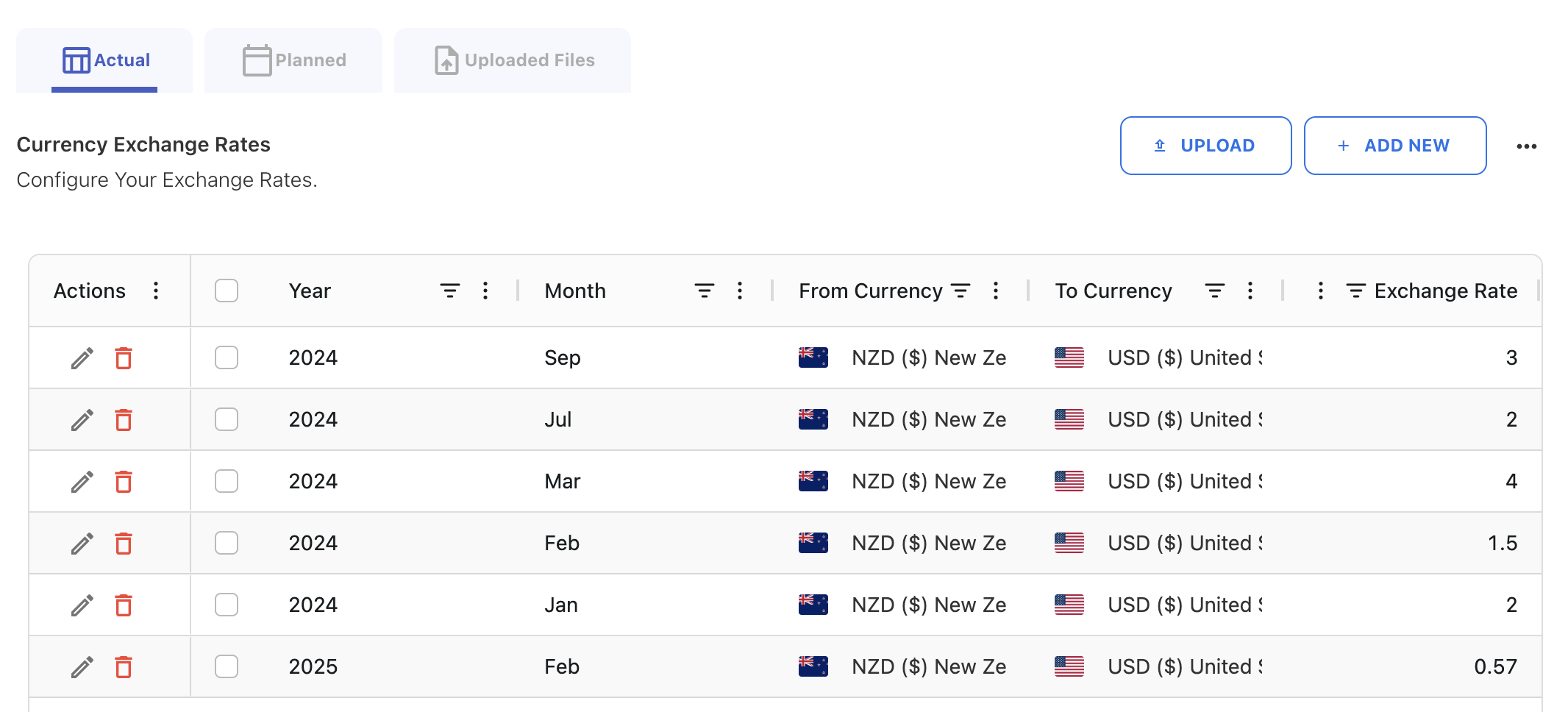
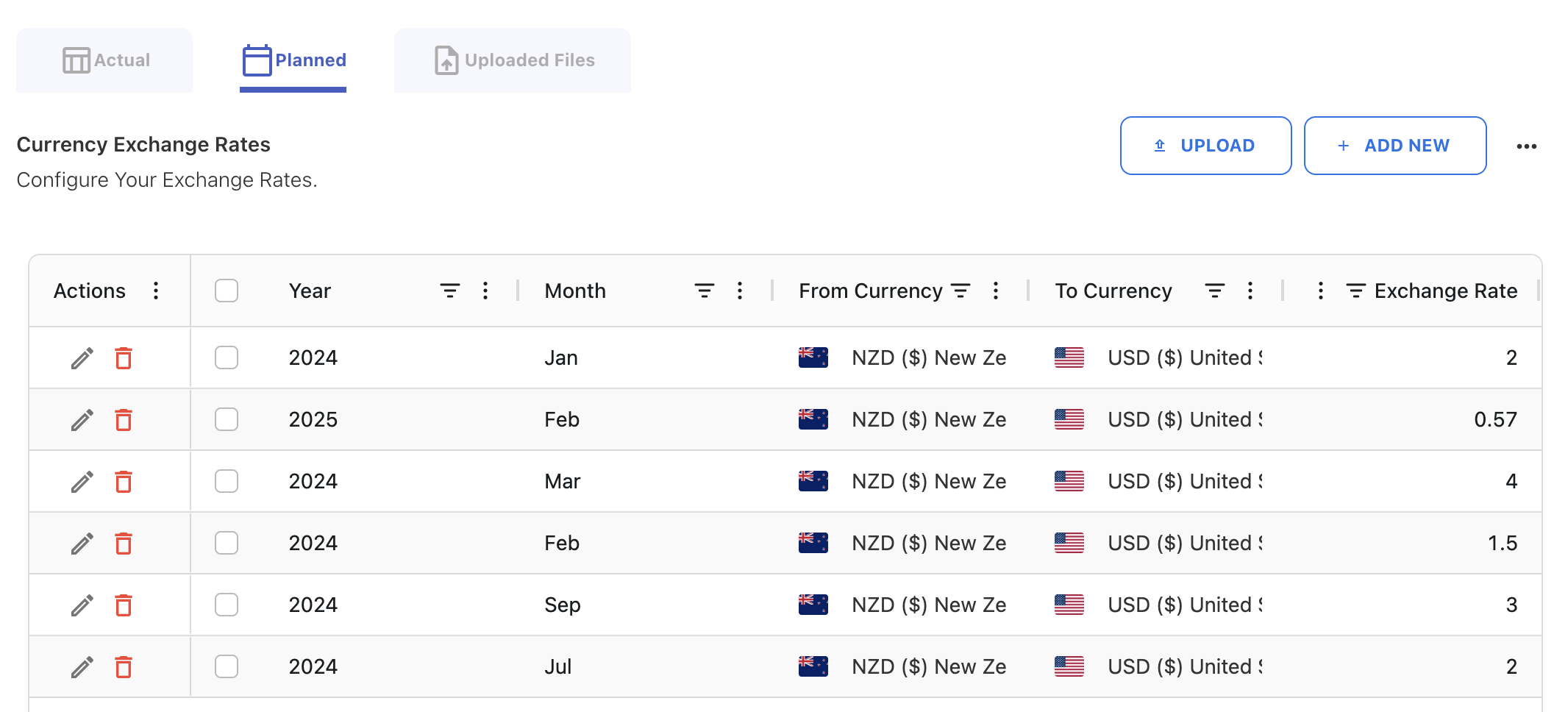
Planning exchange rates
Used for:
-
Budgets
-
Forecasts
Planning rates:
-
Can be refreshed prior to submission
-
Are locked once a budget is submitted
Conversion-only currencies
You can enable a currency for conversion purposes only, without enabling it for reporting.
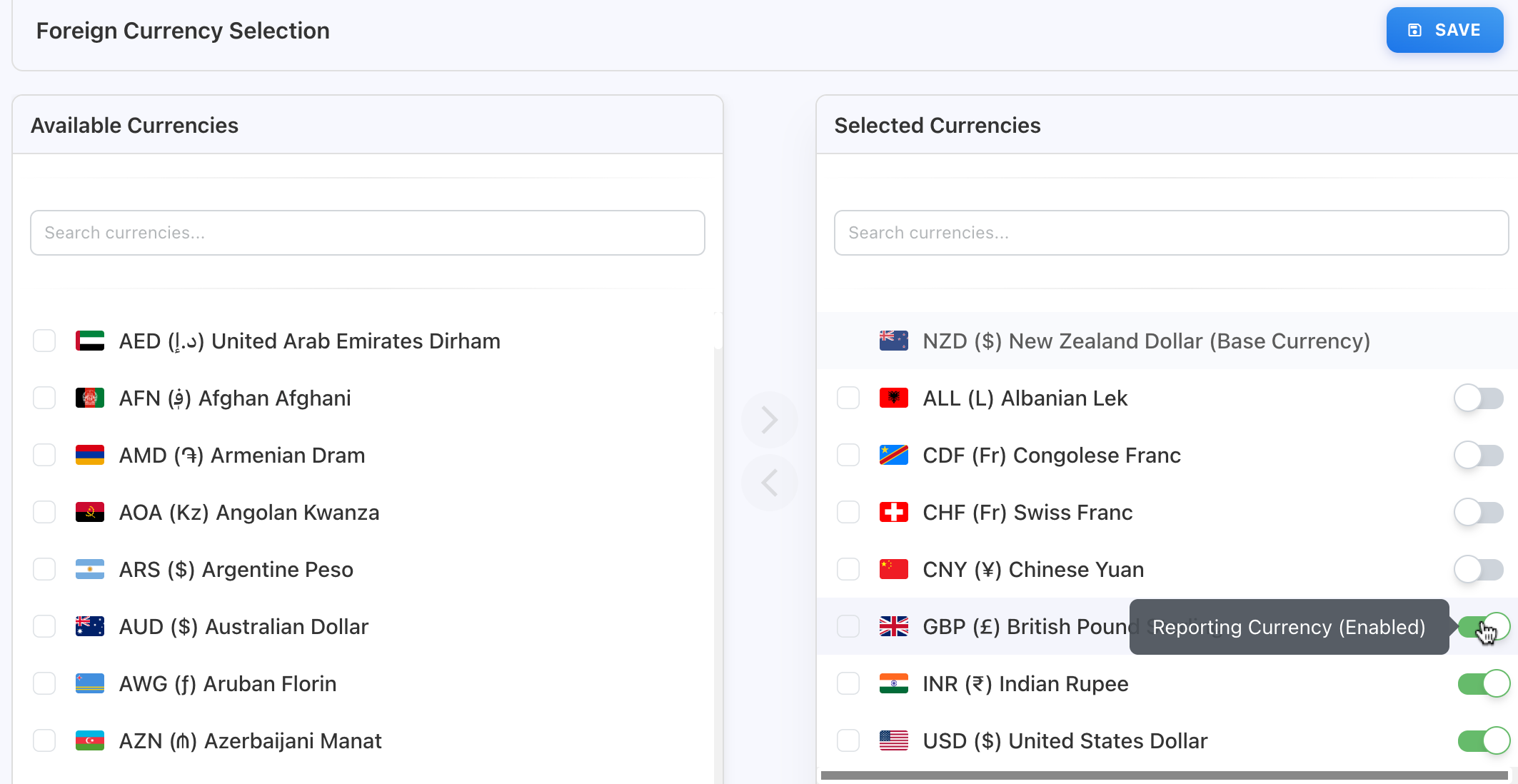
Use this option when:
-
You need to convert cloud or budget data into a specific currency
-
You do not want users selecting that currency in dashboards or reports
This provides flexibility without increasing reporting complexity.
Where multi-currency applies
Multi-currency functionality impacts:
-
Spend uploads
-
Cloud uploads
-
Budgets and forecasts
-
Analytics
-
Dashboards and reports
-
GL reporting
-
Ask Yarken spend responses
Currency selection and exchange rate configuration influence all related calculations and views.
Important behavior
If an exchange rate is not defined for a specific month:
-
Spend and cloud values for that month will appear as zero in reports.
Best practice: Always configure exchange rates before uploading, publishing, or reporting on data to avoid reporting gaps.
Next step
Configure exchange rates and currencies
Related content