
What are models
Models are reusable structures that organize your financial data across Spend, Budget, and Forecast scenarios.
Model allows you to:
-
Separate actuals from planning data
-
Run multiple planning scenarios in parallel
-
Create and manage allocation strategies specific to each model
-
Compare financial outcomes across different strategies
Why models matter
Models give you control over how data is structured and analyzed.
Instead of mixing all data into one view, you can:
-
Keep actual spend separate from budgets and forecasts
-
Compare multiple financial plans side by side
Default vs custom models
Yarken includes three default system models:
-
Spend
-
Budget
-
Forecast
The default models cannot be edited or deleted.
You can also create custom models of the same types for additional planning scenarios.
Key concepts
-
A model defines how data is grouped and analyzed
-
Models apply to:
-
Spend, budget, and forecast
-
Rules and mappings across assets, cost pools, towers, solutions, and consumers
-
Models do not apply to:
-
Master data
-
Assets
-
Cloud consumption and mobile usage
-
License usage (tenant, individual, and product)
-
Accounts payable
-
Companion metrics
How models work
Data separation by model
Each model maintains its own:
-
Data
-
Rules
-
Mappings
This ensures:
-
No unintended overlap
-
Clean separation between scenarios
Publishing behavior
-
Cloud spend → published only to the Spend model
-
Budget data → published to the Budget model
-
Forecast data → published to the Forecast model
Interaction with rules and mappings
-
Rules and mappings (Cost Pools, Towers, Solutions, Consumers) are:
-
Managed independently
-
Usable across models
-
-
You can:
-
Copy rules and mapping between models
-
Reuse allocation rules
-
Upload rules behavior
Upload rules are:
-
Independent of models
However, while loading spend, budget, or forecast data using upload rules:
-
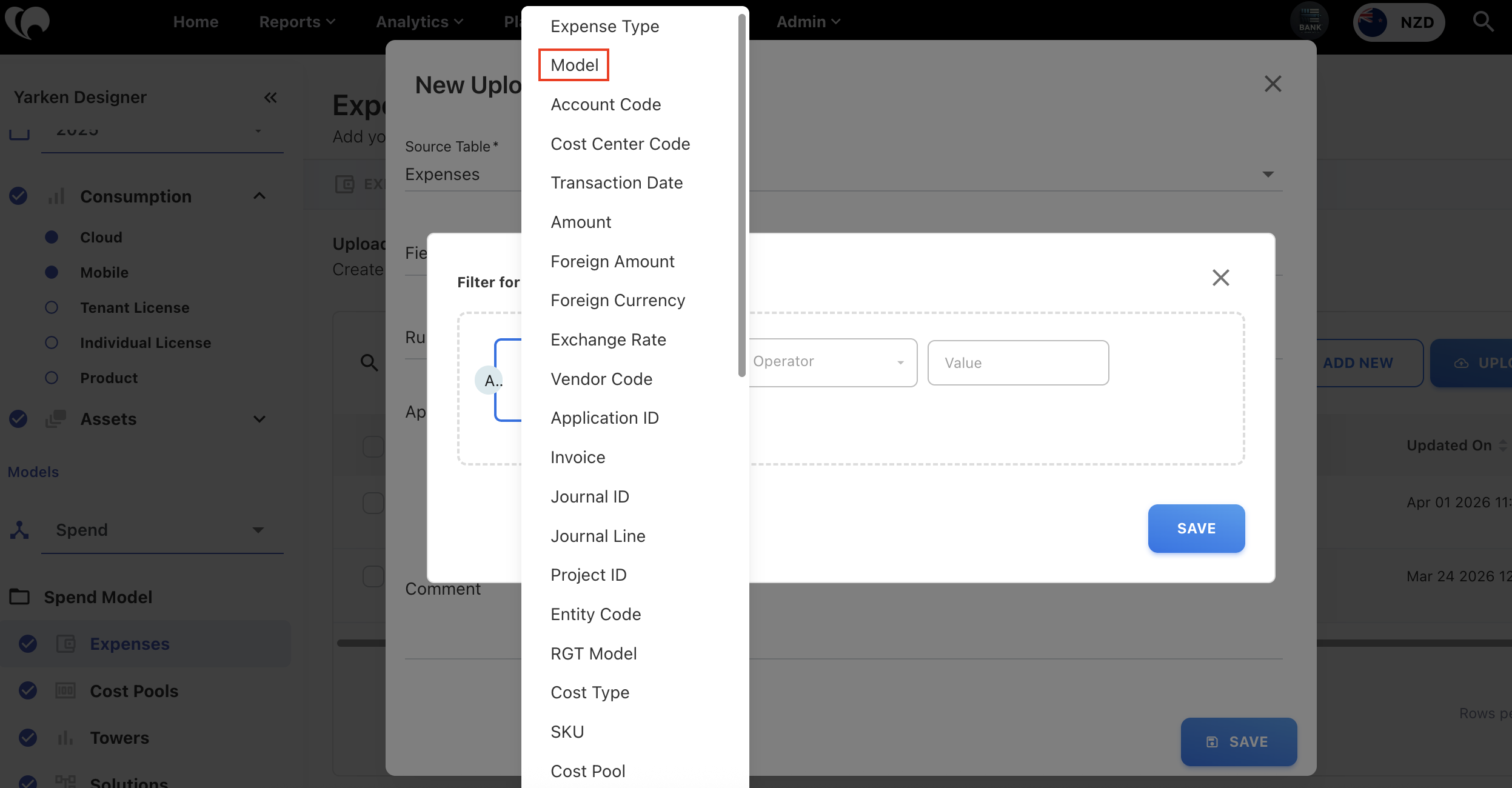
You can specify a Model filter
-
If no model is selected → rules apply to all models
Next step
Create and manage custom models
Related content