
After the Yarken implementation team confirms that the server-side configuration is complete, test the integration before making SSO available to all users.
Before you test
Confirm that:
-
Yarken has confirmed that the Okta tenant configuration is complete.
-
The test user is assigned to the Yarken OIDC application in Okta and must be configured in the Yarken application.
-
The test user belongs to at least one Yarken role-based group.
-
The user's Okta group name matches the naming convention configured for the Groups claim.
-
The required Yarken role-specific configuration is available. For example, a user with the Dashboard Only role must have a dashboard assigned.
Test Single Sign-On
-
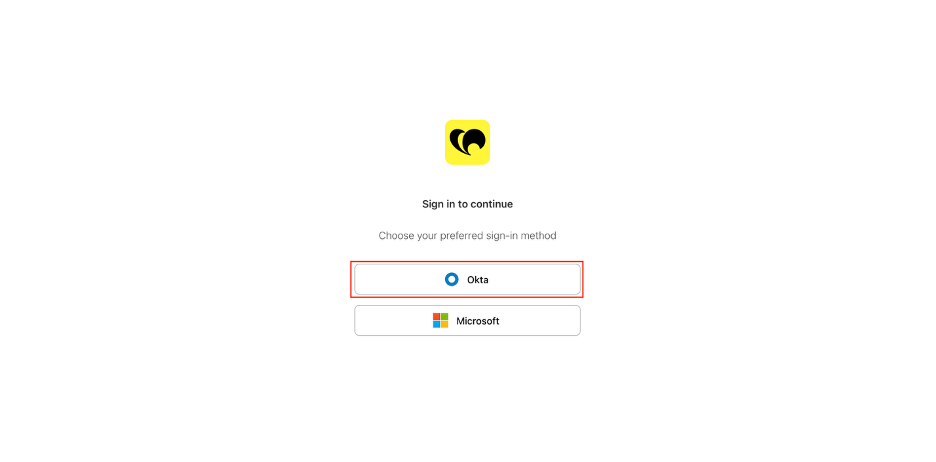
Open the Yarken login page.
-
Select Okta.
-
Authenticate using a user account assigned to the Okta application.
-
Complete any required multi-factor authentication (MFA) steps.
-
Verify that Okta redirects you back to Yarken.
-
Confirm that the user can access Yarken successfully.
Verify role-based access
After signing in, verify that the user receives the expected access based on their assigned Okta groups.
For users assigned to multiple role groups, confirm that their combined Yarken permissions match the expected access.
Important: Successful authentication confirms that SSO is working, but you should also verify role-based access before rolling out the integration. Okta group membership is included in the authentication token and Yarken uses that information to determine the user's roles and permissions.
Recommended validation
Test representative users for each role or role combination your organization plans to use.
Verify that:
-
The user can authenticate with Okta.
-
MFA works as expected when required by your organization.
-
The user is redirected to Yarken after authentication.
-
The user can access the expected Yarken functionality.
-
The user doesn't receive access beyond their assigned roles.
Best practices
For a reliable SSO implementation:
-
Use a dedicated Okta application for Yarken.
-
Manage access through Okta groups rather than assigning users directly to the application.
-
Use a consistent naming convention for Yarken groups.
-
Test with a small user group before organization-wide rollout.
-
Store the Client Secret securely.
Need help?
If you encounter an issue during onboarding, contact support@yarken.com.
Related content