
You can load master data either by manually adding records or by uploading files using predefined templates.
Before you load master data using file upload
To simplify file uploads and ensure correct field mapping, Yarken provides predefined templates in the Data Dictionary.
To Access templates
-
Navigate to Admin → Data Dictionary
Search for the required dataset (for example, Accounts, Cost Centers, or Vendors).
Each template:
-
includes predefined columns aligned with application fields
-
ensures correct structure and data consistency
-
reduces manual mapping effort during upload
Download the template, populate it with your data, and upload it directly into the application.
Supported file formats
Yarken supports the following file formats for master data upload:
-
.xlsx -
.csv
Access master data
-
Go to Admin → Yarken Designer
-
Navigate to Master Data
-
Select the dataset (e.g., Accounts, Cost Centers)
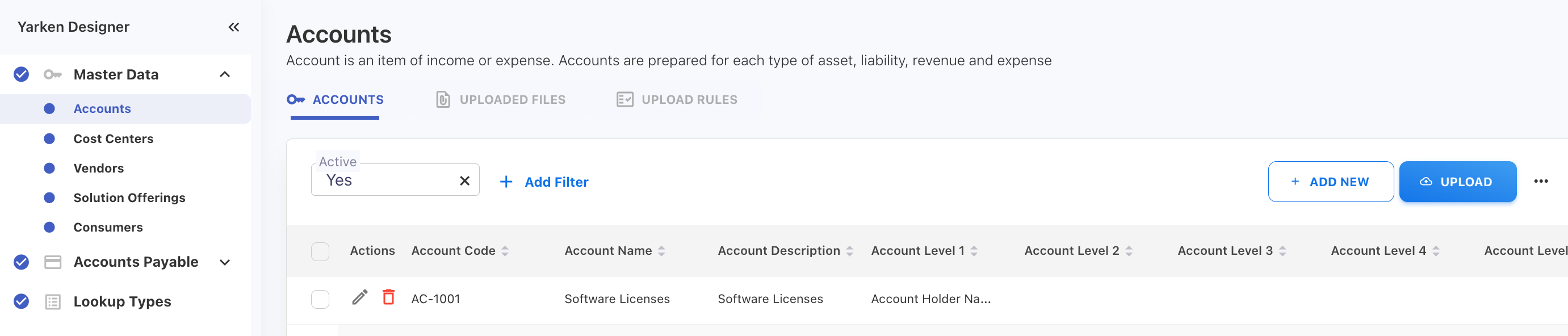
Ensure all mandatory fields are populated during manual entry or file upload. Missing values will prevent records from being created or uploaded successfully.
Option 1: Add master data manually
Use this option when you need to create or update a small number of records.
Procedure
-
Select the dataset.
-
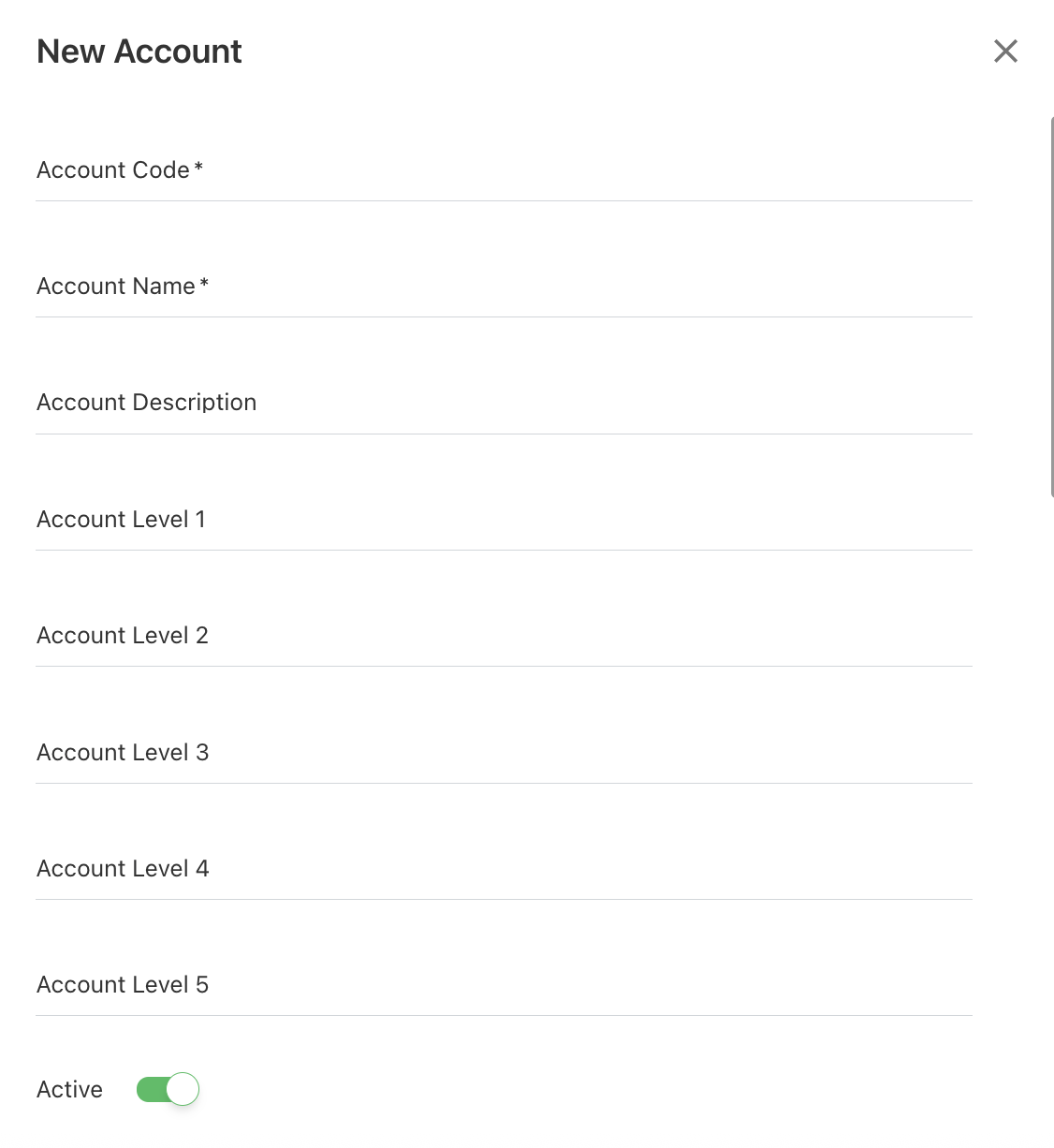
Click + ADD NEW.
-
Enter mandatory field values.
-
(Optional) Set Active status
-
Enabled → record is usable
-
Disabled → record is inactive
-
-
Click SAVE.
Option 2: Upload master data using file
Use this option when loading or updating a large volume of records.
Procedure
-
Select the dataset.
-
Click UPLOAD.
-
Upload or drag the file.
-
Review data and click NEXT.
-
Validate field mapping:
-
Auto-mapped if headers match template
-
Adjust if needed
-
-
Click FINISH.
After upload
You can:
-
review uploaded files
-
check status and mapping
-
validate loaded records
Related content