
Entity Access lets administrators control which entities a user can view and work with in Yarken. This ensures users only see the spend, cloud, planning, and reporting data that belongs to the entities they are responsible for.
How entity access works
Admin users
Admins have full visibility across all entities by default. Entity assignment is not required for admins.
Non-admin users
Non-admin users must be explicitly assigned one or more entities.
If an entity is not assigned, the user cannot see any data from that entity anywhere in the platform.
Assign entity access to a user
-
Navigate to Admin → User Management → Entity Access.
-
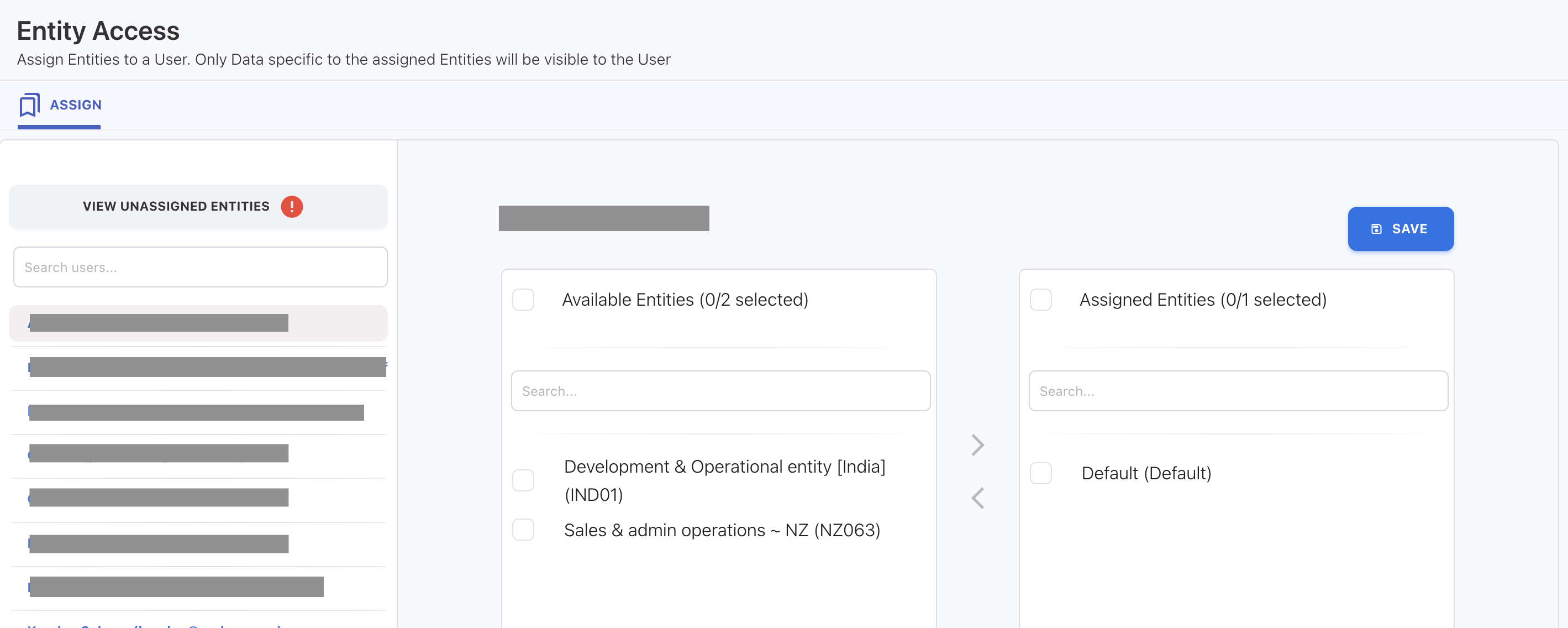
From the Users list on the left, select the user you want to manage.
-
Review the two panels:
-
Available Entities – entities the user does not currently have access to
-
Assigned Entities – entities the user can access
-
-
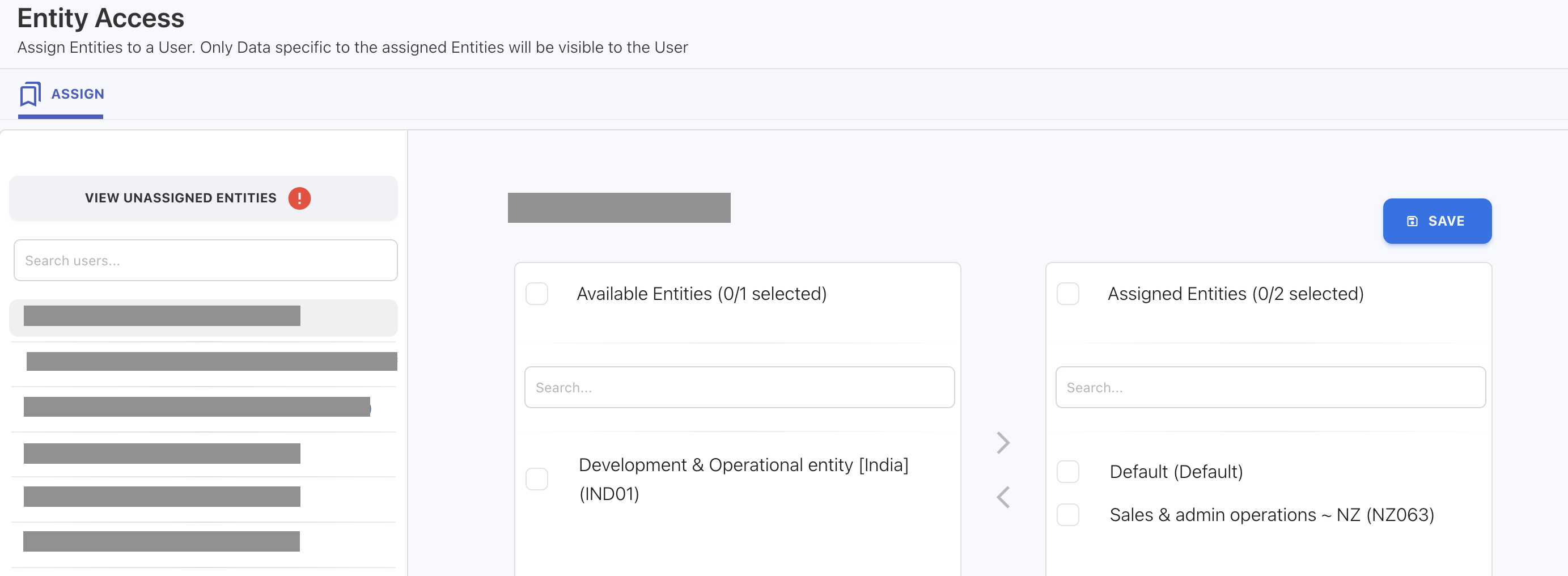
In Available Entities, select one or more entities using the checkbox.
-
Use the arrow controls (→) to move them into Assigned Entities.
-
Click SAVE.
Once saved, access takes effect immediately.
Login restriction behavior
Entity access is required for non-admin users.
If a user has no assigned entities:
-
Yarken displays an entity access error
-
An admin must assign at least one entity before the user can sign in
Visibility rules
Users can only access data for the entities assigned to them, including:
-
Spend data
-
Cloud consumption and published cloud spend
-
Budgets and forecasts
-
Dashboards, reports, and Analytics views
-
Entity filters (only assigned entities appear)
Users cannot view or filter by any unassigned entity.
When to use entity access
Use Entity Access when you want to:
-
Restrict reporting visibility across legal entities or regions
-
Assign ownership and responsibility by entity
-
Support multi-entity planning and forecasting in a single Yarken instance
-
Maintain clean governance and secure financial separation
Related content