
Use Admin > Settings > AI > Agent Sandbox to control whether supported agents can use the configured sandbox for code execution and document generation.
Before you begin
You need Admin access to change AI settings.
A sandbox provider must be configured for the deployment. If no provider is configured, enabling Agent Sandbox has no effect.
Open Agent Sandbox settings
-
Go to Admin > Settings.
-
Under AI, select Agent Sandbox.
Enable or disable Agent Sandbox
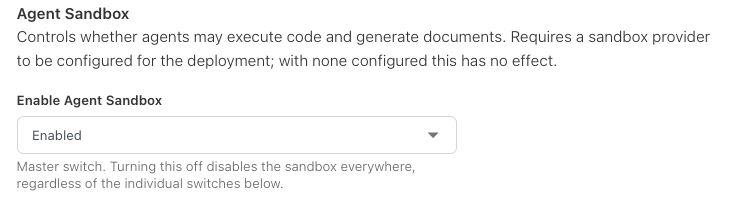
Use Enable Agent Sandbox as the environment-wide master switch.
-
Enabled allows supported agent features to use the configured sandbox.
-
Disabled turns sandbox access off across the environment, regardless of any individual sandbox-related switches elsewhere.
Enabling Agent Sandbox does not by itself create an Automation, Specialist, or other AI Studio configuration.
What the sandbox supports
The current setting controls access to sandbox capabilities used by supported agents for:
-
executing code, and
-
generating documents.
The exact behavior depends on the sandbox provider configured for the deployment and the AI feature invoking it.
Check the result
-
Save the setting.
-
Use a supported AI workflow that requires sandbox capability.
-
Confirm the workflow can use the sandbox when enabled.
-
If the setting is enabled but the capability does not work, confirm that a sandbox provider is configured for the deployment.
Related content