
Overview
The Azure AI Foundry metrics integration enables Yarken to automatically collect AI usage metrics from Azure AI Foundry, Azure OpenAI, and Azure Cognitive Services.
Using Advanced Integration, Yarken retrieves usage metrics on a weekly schedule and ingests the data directly into the Companion Metrics table. The collected data can then be used for reporting, dashboards, and FinOps analysis.
Benefits
The integration helps you:
-
Eliminate manual collection of Azure AI usage metrics.
-
Monitor Azure OpenAI activity across one or more Azure resources.
-
Analyze token consumption and request volumes.
-
Track response performance and cache efficiency.
-
Use AI usage metrics in custom reports and dashboards.
-
Compare usage across multiple Azure environments.
Supported metrics
The current release collects the following Azure Monitor metrics:
|
Metric |
Aggregation |
|---|---|
|
Azure OpenAI Requests |
Total |
|
Processed Prompt Tokens |
Total |
|
Generated Completion Tokens |
Total |
|
Total Tokens |
Total |
|
Azure OpenAI Time to Response |
Average |
|
Prompt Token Cache Match Rate |
Average |
The integration organizes metrics by Azure account, making it easier to distinguish production and non-production environments.
Prerequisites
Before the integration can be configured, provide the following information to Yarken:
-
Microsoft Entra ID Tenant ID
-
Client ID
-
Client Secret
-
Azure region
-
Azure AI Foundry or Cognitive Services resource IDs
-
Monitoring Reader (or equivalent) permissions for the service principal
How the integration works
The integration follows this workflow:
-
Yarken configures the Azure AI Foundry Advanced Integration.
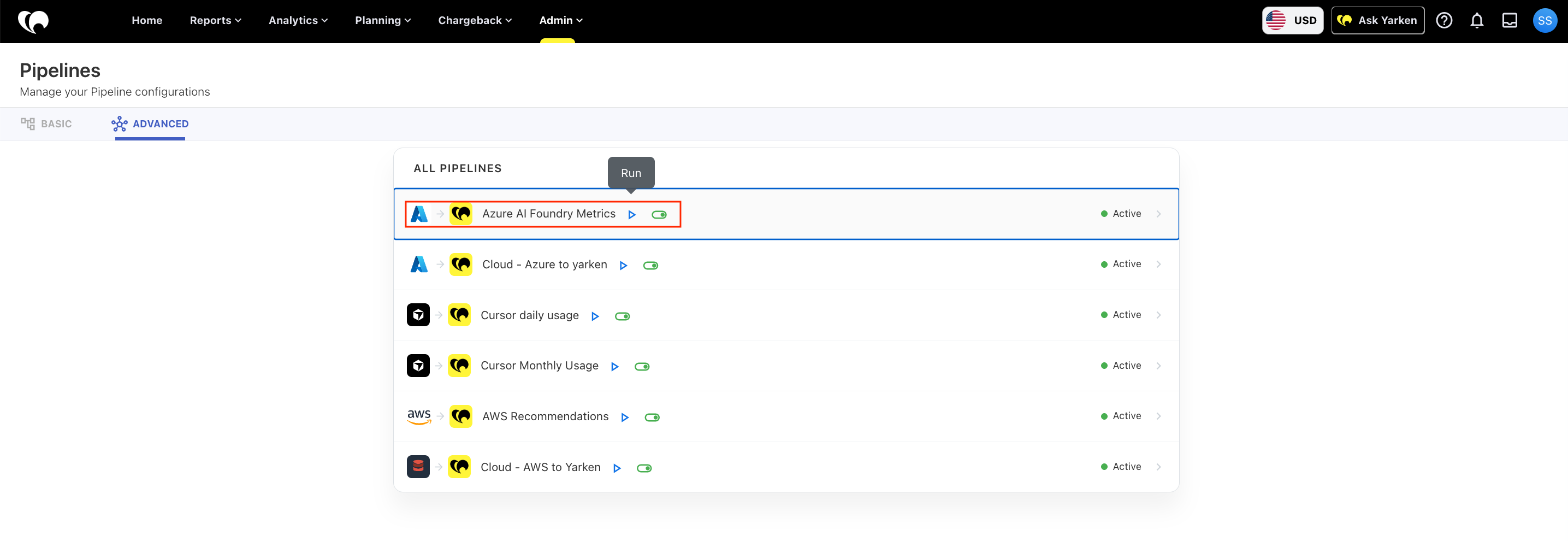
Azure AI Foundry Advanced Integration Pipeline -
The integration authenticates using a Microsoft Entra ID service principal.
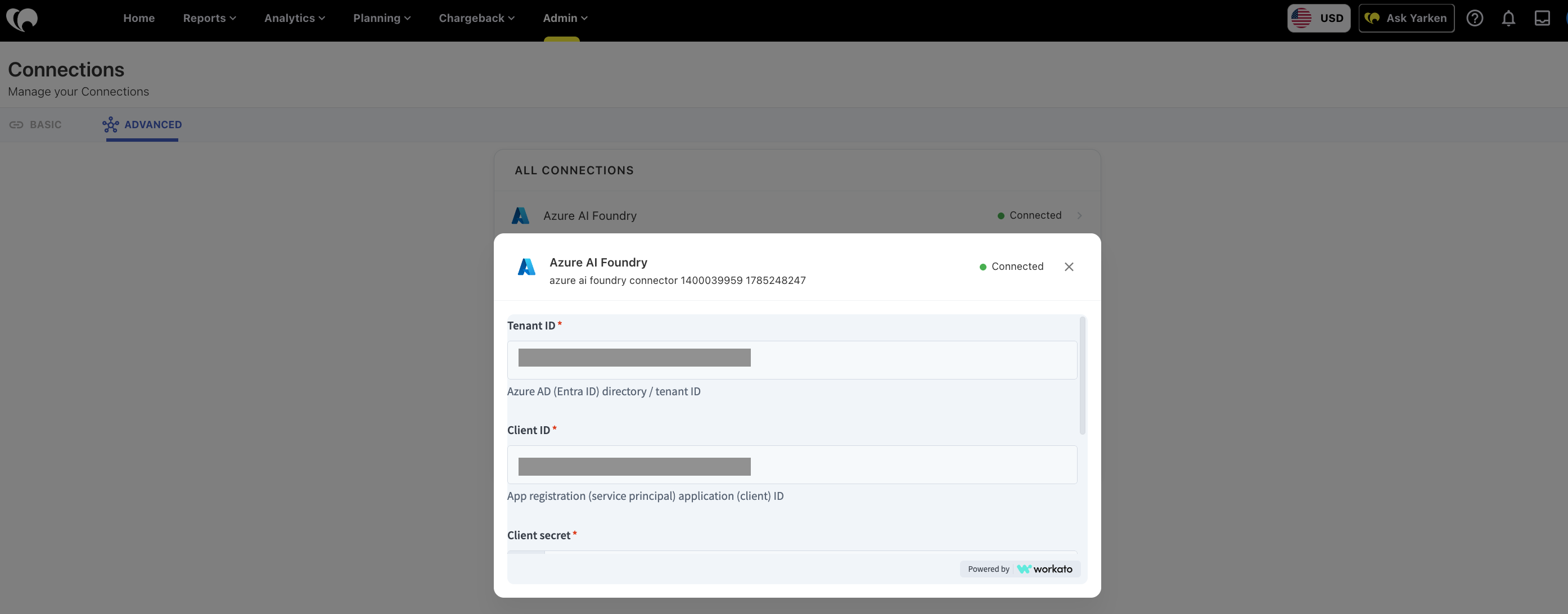
Azure AI Foundry Advanced Integration Connection Authentication -
A scheduled job runs once every week.
-
During each execution, Yarken retrieves Azure Monitor metrics for the configured resources.
-
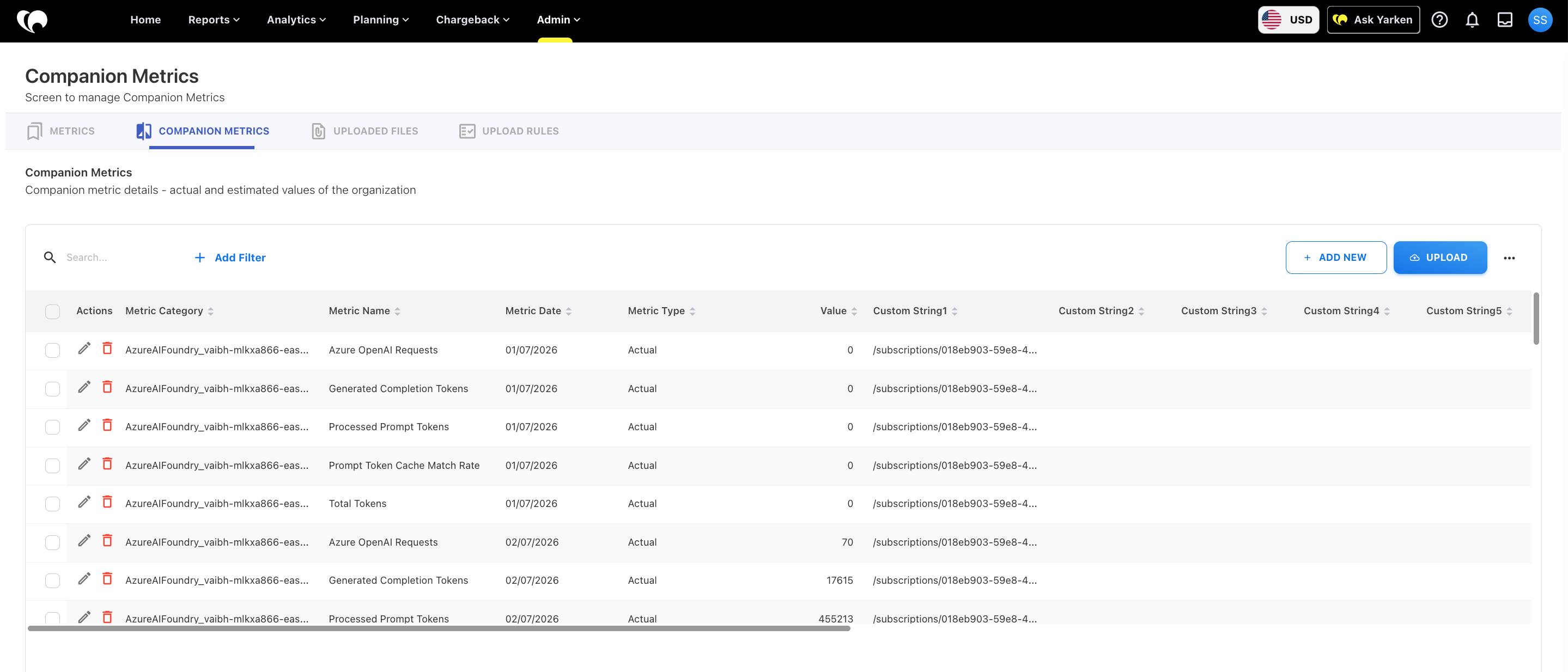
Usage data (Daily metric values) is ingested directly into the Companion Metrics table.
-
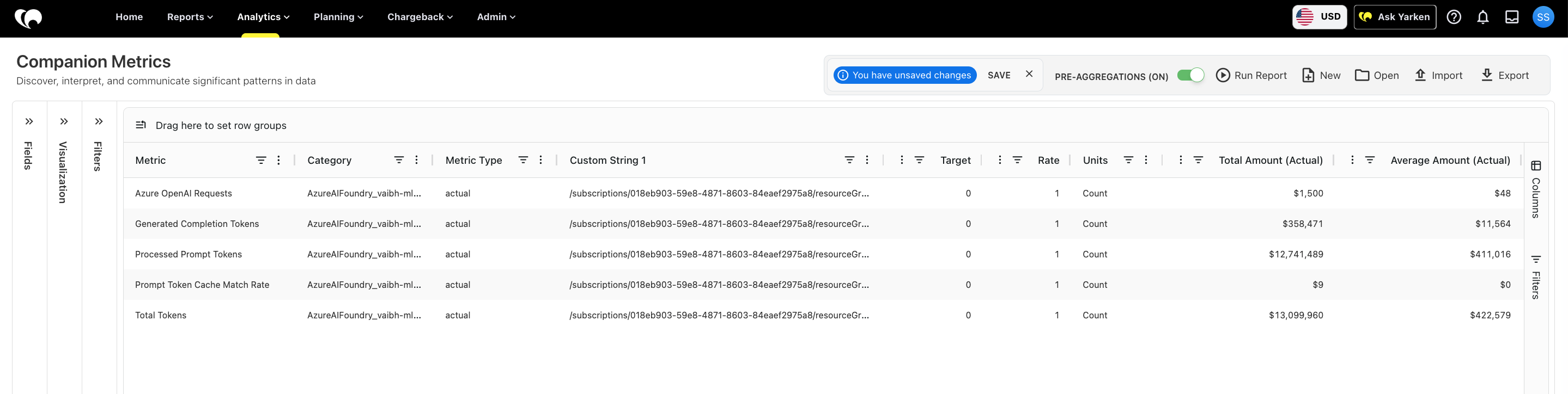
The data becomes available for dashboards, Analytics, and FinOps reporting.
Automatic metric creation
During the first execution of the integration, Yarken automatically creates the required Metric and Companion Metric definitions.
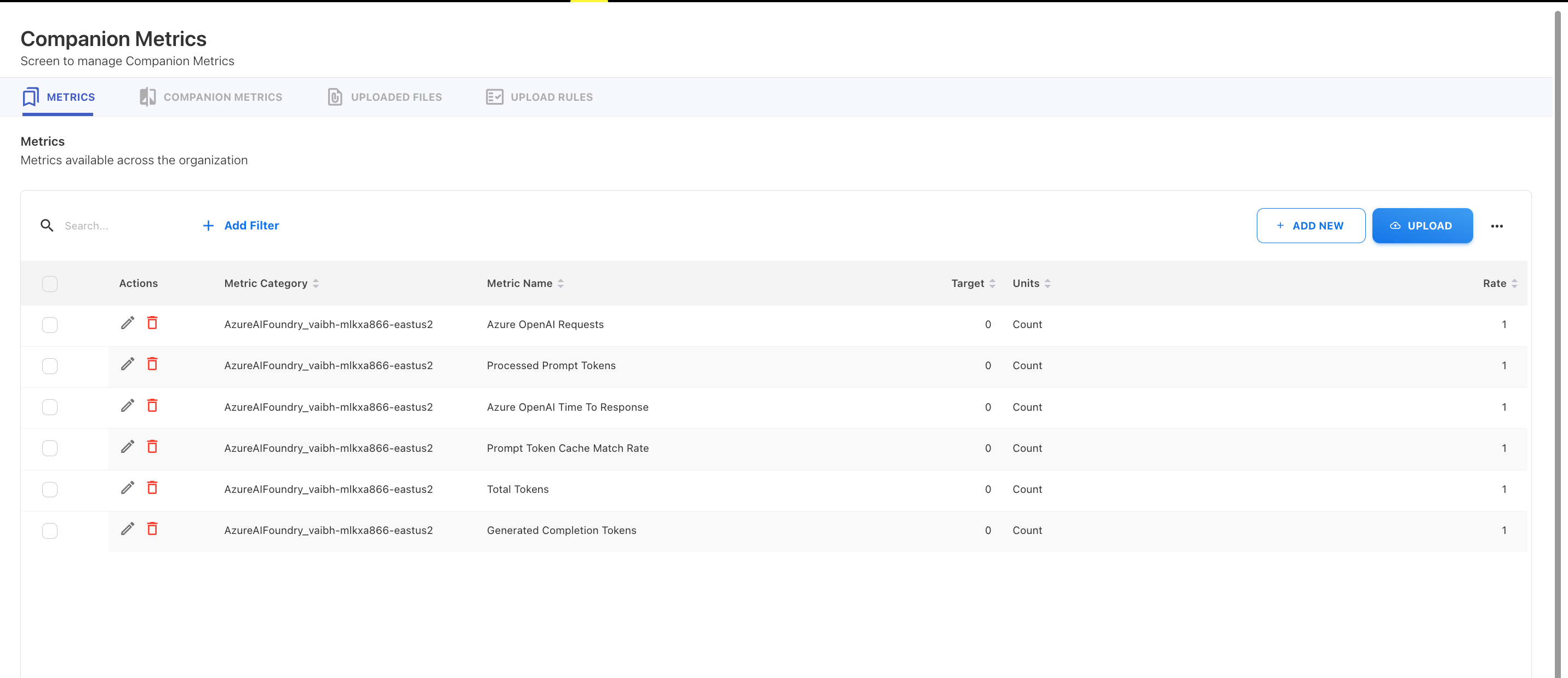
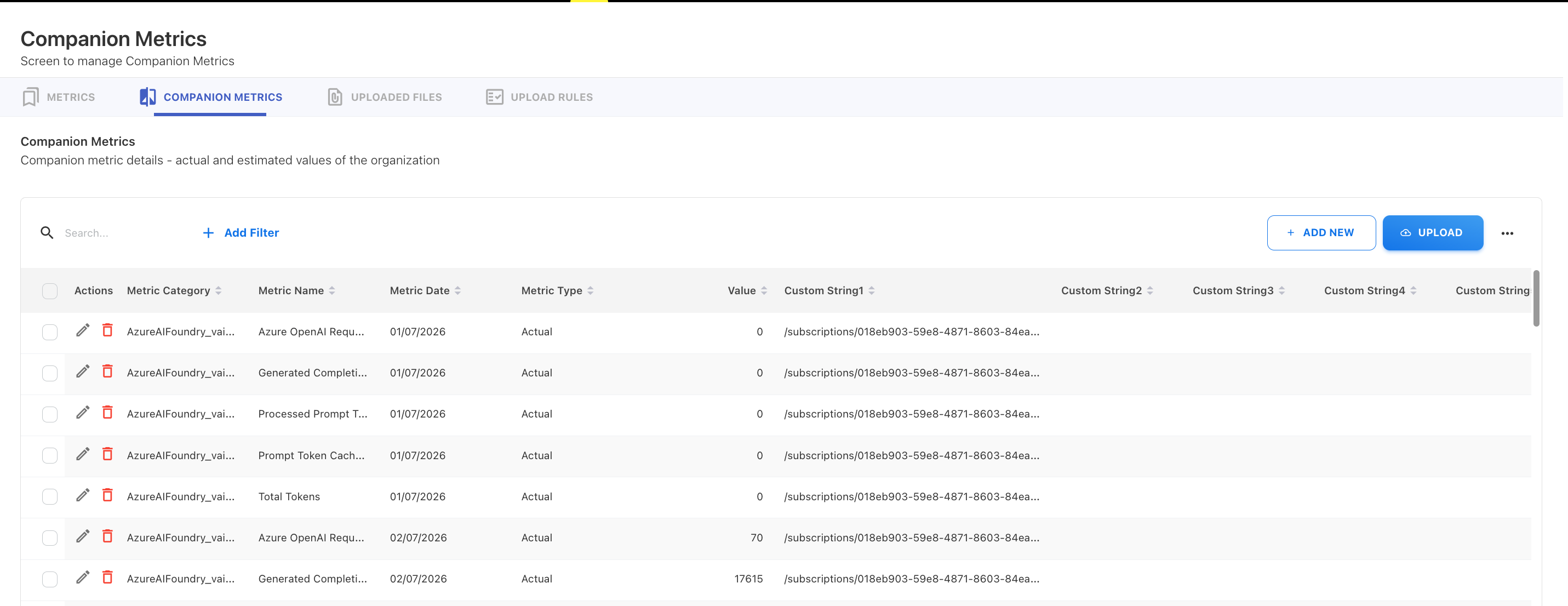
You do not need to manually configure metrics before enabling the integration.
After the definitions have been created, subsequent executions reuse the existing definitions and import only the latest Azure AI usage metrics.
Schedule and data collection
The Azure AI Foundry integration executes automatically once every week.
Although the integration runs weekly, it retrieves daily Azure Monitor metric values for the configured collection period. Each day's metrics are imported as individual Companion Metric records, allowing you to analyse historical trends at a daily level.
Monitor multiple Azure AI resources
The integration supports monitoring multiple Azure AI Foundry resources.
Each configured Azure resource is processed independently during data collection. This ensures that usage metrics remain associated with the correct Azure AI resource and can be analysed separately within Yarken.
Resource identification
Each imported metric includes the Azure Resource ID of the Azure AI Foundry resource from which it was collected.
The Resource ID is stored in the Custom String 1 field of the Companion Metrics record. This allows Yarken to distinguish metrics collected from multiple Azure AI resources and provides traceability when building reports or troubleshooting imported data.
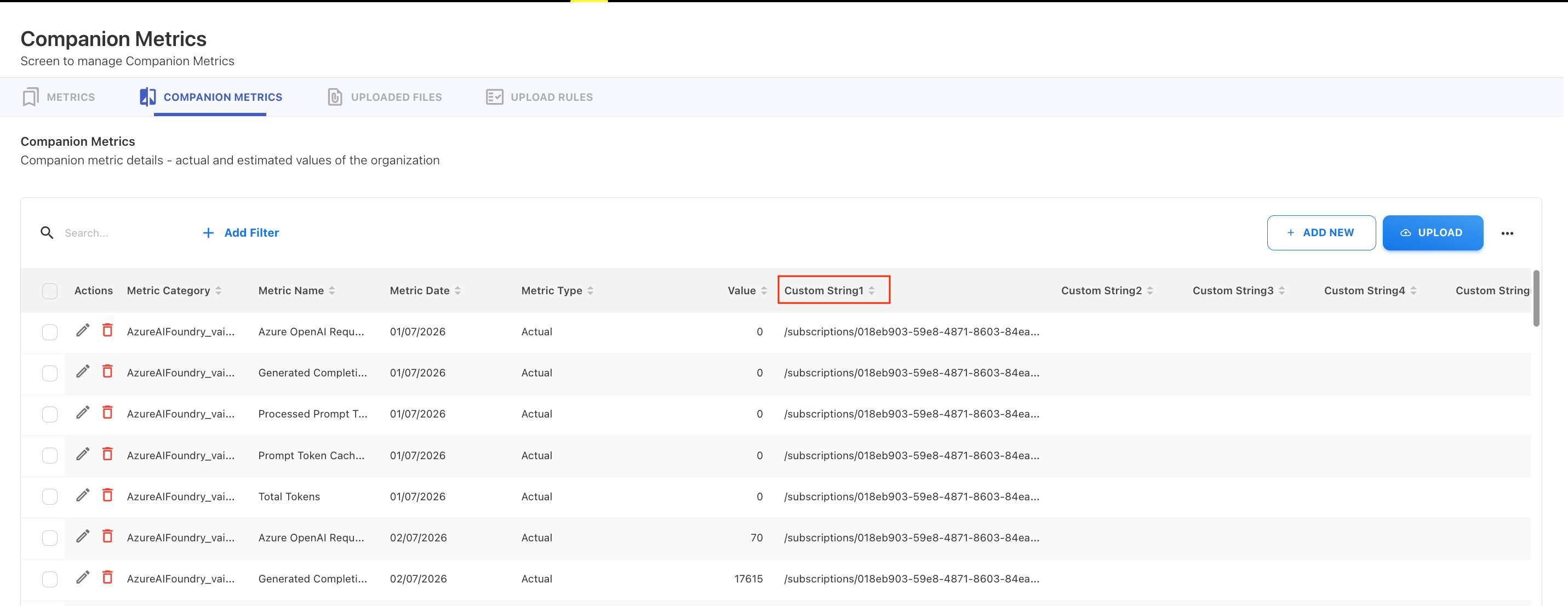
When multiple Azure AI resources are monitored, each metric remains associated with its originating resource, preventing metrics from different resources from being combined.
Data available in Yarken
After each scheduled execution, the latest Azure AI usage metrics become available in Yarken.
The imported data can be used in:
-
Companion Metrics
-
Analytics
-
Custom dashboards
-
FinOps reporting
Limitations
This initial release includes:
-
Weekly metric collection
-
Aggregated Azure Monitor metrics
Availability
The Azure AI Foundry metrics integration is available on request.
Contact your Yarken Customer Success or delivery representative for onboarding and configuration assistance.
Related Microsoft documentation