
If a contract should not be published, you can discard it from the Contract Extraction workflow. Discarding a contract removes it from the list of extracted contracts without creating a contract record in Yarken. This is useful when a document was uploaded by mistake, is not a valid contract, or should no longer be processed.
When should you discard a contract?
You may choose to discard a contract when:
-
The wrong document was uploaded.
-
The document is not a valid commercial contract.
-
The uploaded file is a duplicate.
-
The contract is incomplete or unreadable.
-
The document failed validation and cannot be corrected.
-
The contract is no longer required.
Discarding a contract prevents it from being published into Yarken. Review the document carefully before completing this action.
Discard a contract
Procedure
-
Navigate to Designer > Accounts Payable > Contracts > Contract Extraction.
-
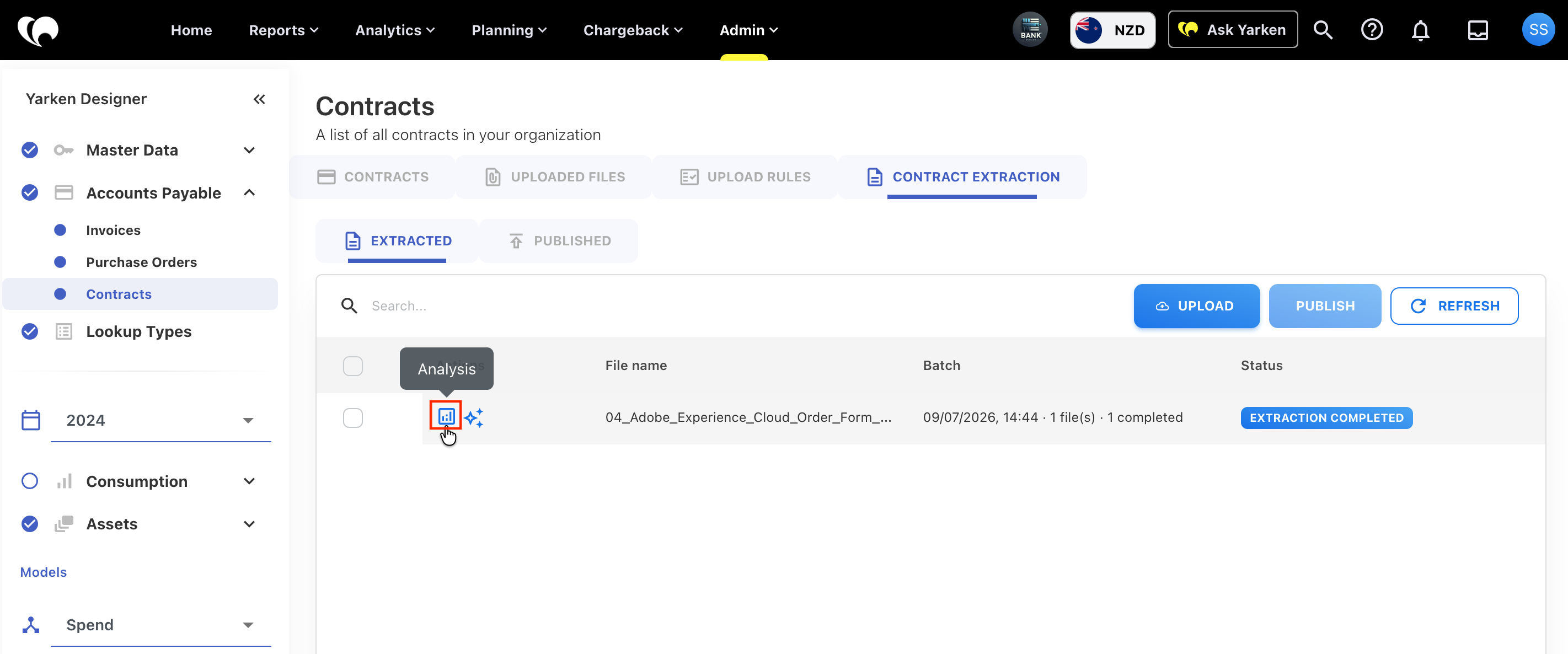
Locate the contract you want to remove.
-
Select Analysis.
-
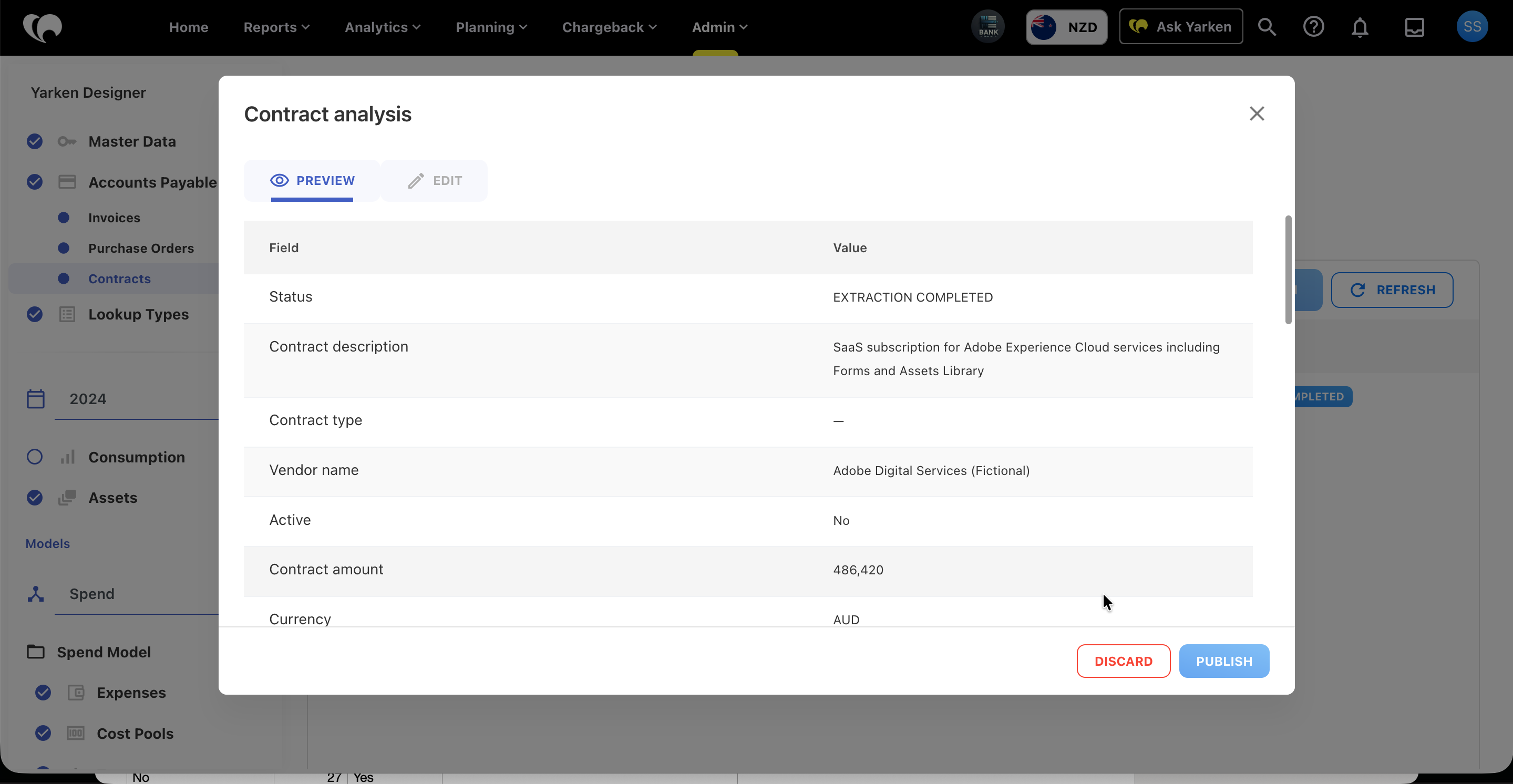
Review the contract to confirm that it should not be published.
-
Select Discard.
-
Confirm the discard action when prompted.
What happens when you discard a contract?
After a contract is discarded:
-
The contract is removed from the active extraction workflow.
-
No contract record is created in Yarken.
-
The contract cannot be published unless it is uploaded again.
-
The discarded document is no longer available for review or publication.
Before you discard
Consider whether editing the contract would resolve the issue instead of discarding it.
For example, you can often correct:
-
Vendor information
-
Contract dates
-
Contract amount
-
Missing extracted values
-
Low-confidence fields
Discard a contract only when it cannot or should not be published.
Next steps
Once your contracts have been published, you can use Contract Explorer to search contract content, ask questions in natural language, and quickly locate important clauses and commercial information.
Next article: Use Contract Explorer
Related content