
Contract Explorer helps you understand your published contracts using natural language. Instead of manually searching through lengthy contract documents, you can ask questions, locate specific clauses, and review AI-generated answers that include references to the original contract.
Use Contract Explorer to quickly find commercial terms, renewal dates, payment conditions, termination clauses, obligations, and other important contract information.
Before using Contract Explorer
Before using Contract Explorer, confirm that:
-
Contract Document Extraction has been enabled.
-
The contract has been successfully published.
Note:
Contract Explorer is available for published contracts. Contracts that are still in the Extracted workflow must be published before they can be analyzed using AI.
Open Contract Explorer
Procedure
-
Navigate to Designer > Accounts Payable > Contracts.
-
Open the Published tab.
-
Locate the contract you want to analyze.
-
Select Ask AI from the Actions column.
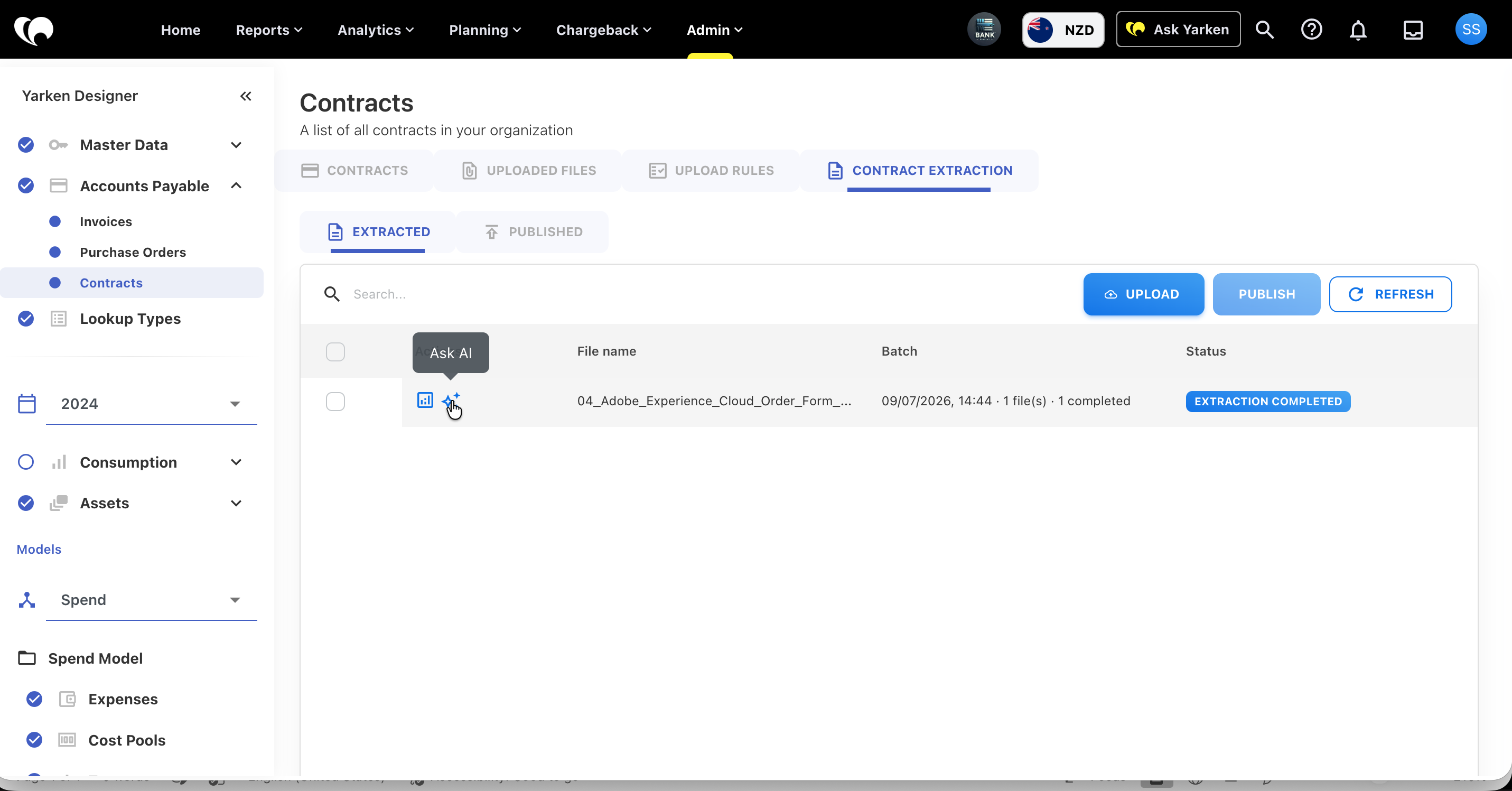
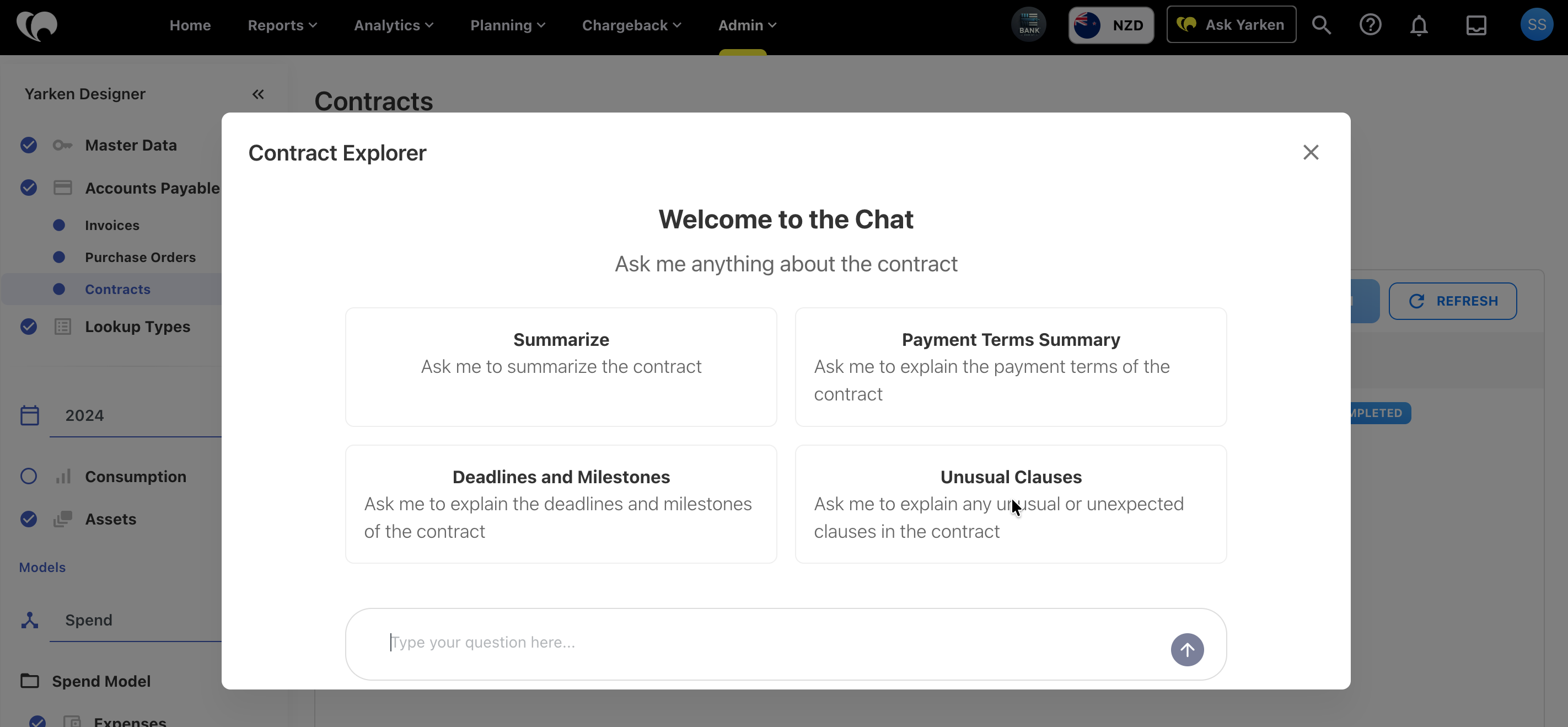
Contract Explorer opens with the selected contract loaded and ready for analysis.
Ask questions about a contract
Enter your question using natural language. Contract Explorer analyzes the selected contract and returns an AI-generated response based on the document content.
For example, you can ask:
-
When does this contract expire?
-
What is the total contract value?
-
What are the payment terms?
-
Is there an automatic renewal clause?
-
What are the termination conditions?
-
What services are included in this agreement?
-
What are the notice period requirements?
-
Does this contract include any penalties?
-
What are the key obligations of each party?
Review AI responses
Contract Explorer generates answers using information extracted from the selected contract.
Each response is based on the contract content and may include supporting references that help you verify the information in the original document.
When reviewing responses:
-
Confirm that the answer addresses your question.
-
Review any supporting references provided.
-
Refer back to the original contract if additional context is required.
Find specific contract information
Contract Explorer can help you locate important information without manually reading the entire contract.
Common use cases include finding:
-
Contract start and end dates
-
Renewal and termination clauses
-
Payment schedules
-
Pricing information
-
Service scope
-
Deliverables
-
Vendor obligations
-
Customer obligations
-
Notice periods
-
Service level commitments (SLAs)
Tips for asking effective questions
To receive more accurate responses:
-
Ask one question at a time.
-
Be specific about the information you need.
-
Use complete sentences where possible.
-
Ask follow-up questions to explore related topics.
-
Refer to contract terms or clauses if you are looking for specific information.
For example, instead of asking:
Payment?
Ask:
What are the payment terms defined in this contract?
Next steps
If you encounter issues while uploading, reviewing, publishing, or searching contracts, see Contract Extraction - FAQs and troubleshooting for solutions to common problems and answers to frequently asked questions.
Related content