
Before users can upload, review, or publish contracts, Contract Document Extraction must be enabled in your Yarken environment. This is a one-time configuration performed by an administrator. Once enabled, users with the appropriate permissions can access the Contract Extraction workspace to onboard and manage contracts.
Who can perform this task?
|
Role |
Access |
|---|---|
|
Administrator |
Can enable or disable Contract Document Extraction. |
|
Standard users |
Can use the feature after it has been enabled and appropriate permissions have been granted. |
Only administrators can enable or disable Contract Document Extraction. Users cannot access the feature until it has been enabled for the environment.
Enable Contract Document Extraction
Procedure
-
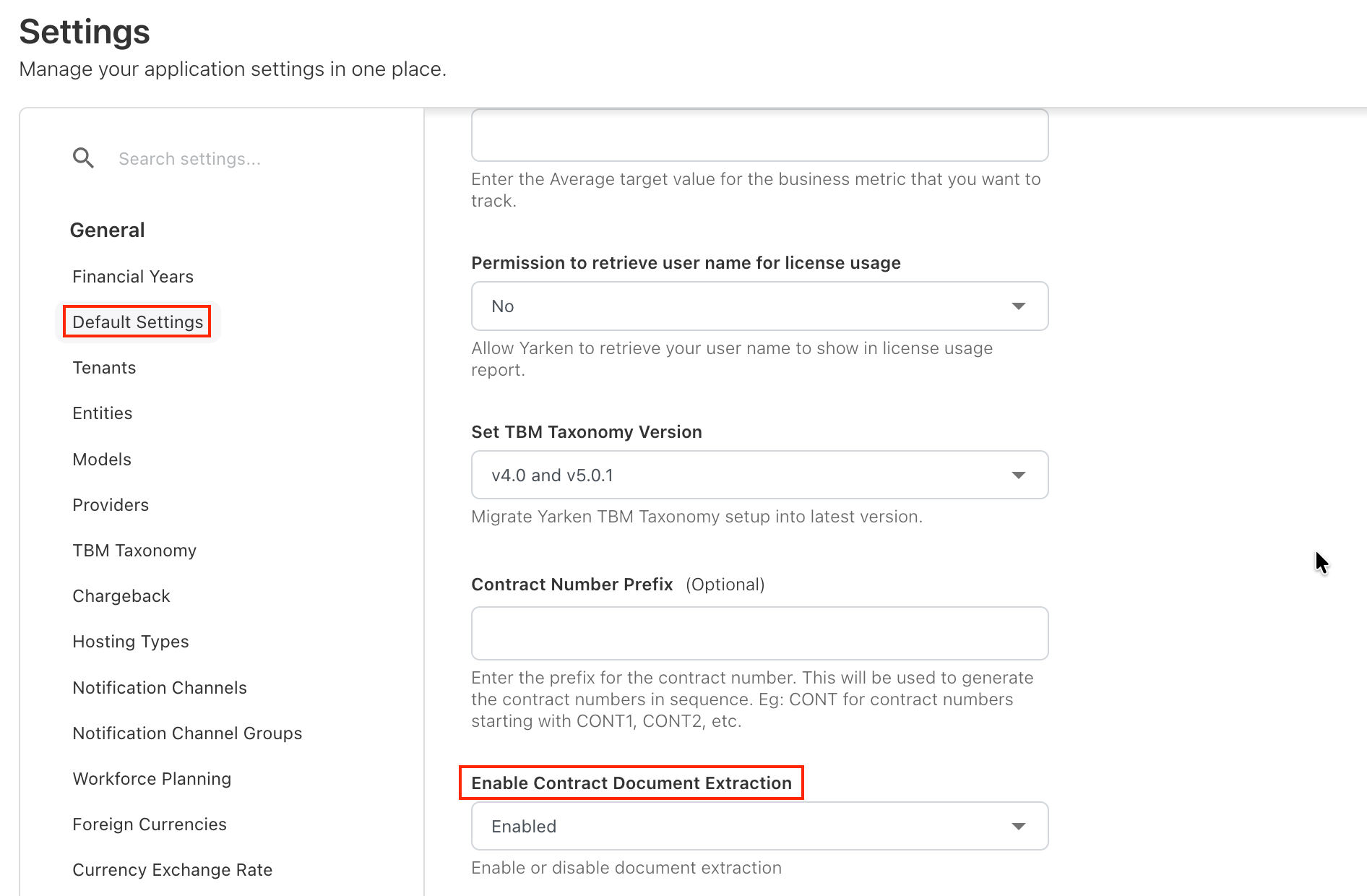
Navigate to Admin > Settings > Default Settings.
-
Locate Enable Contract Document Extraction.
-
Select Enabled.
-
Save the configuration.
Result
After the feature is enabled:
-
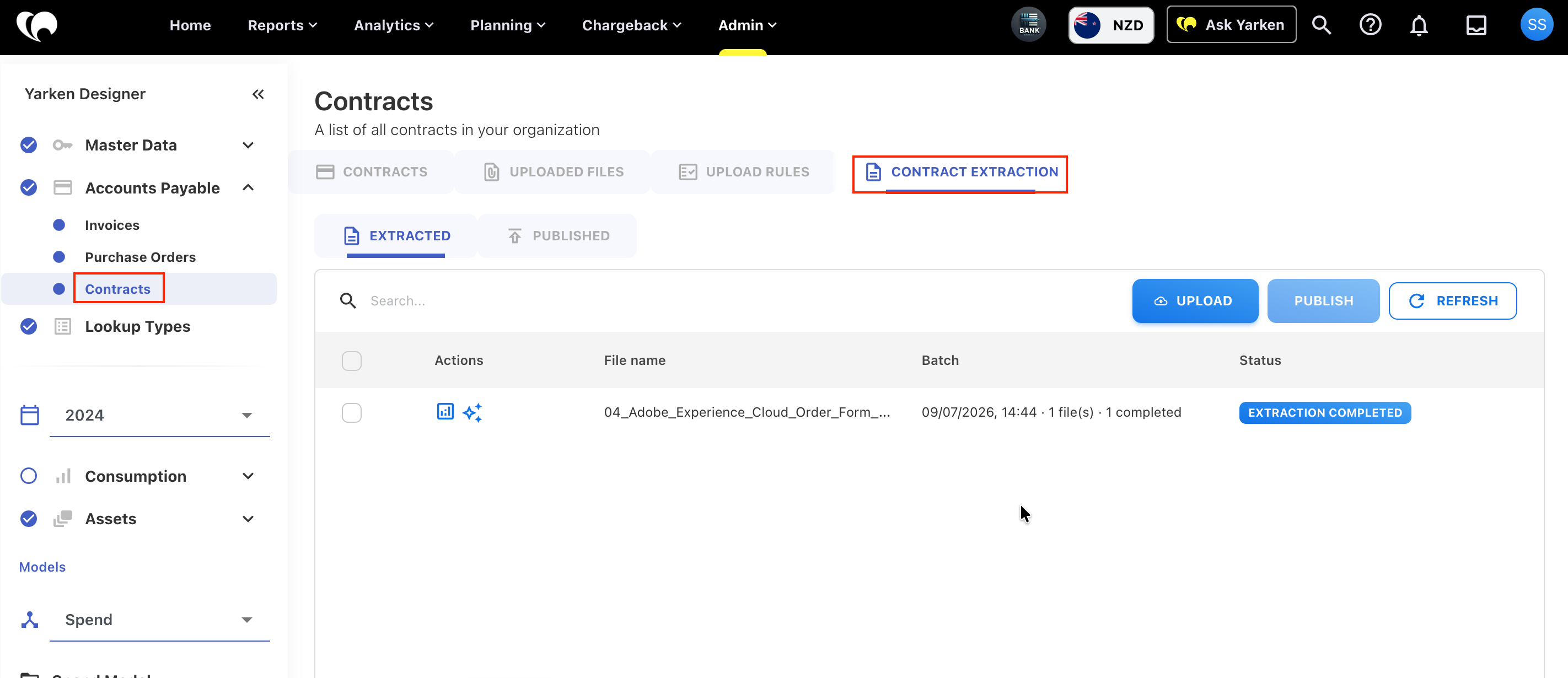
The Contract Extraction tab becomes available under Designer > Accounts Payable > Contracts.
-
Users with the appropriate permissions can begin uploading and managing contract documents.
-
Contract Extraction becomes available as part of the contract onboarding workflow.
Understand the Contract Extraction workspace
The Contract Extraction workspace is where users upload, review, publish, and manage extracted contracts. It contains two primary tabs that support different stages of the contract lifecycle.
Extracted
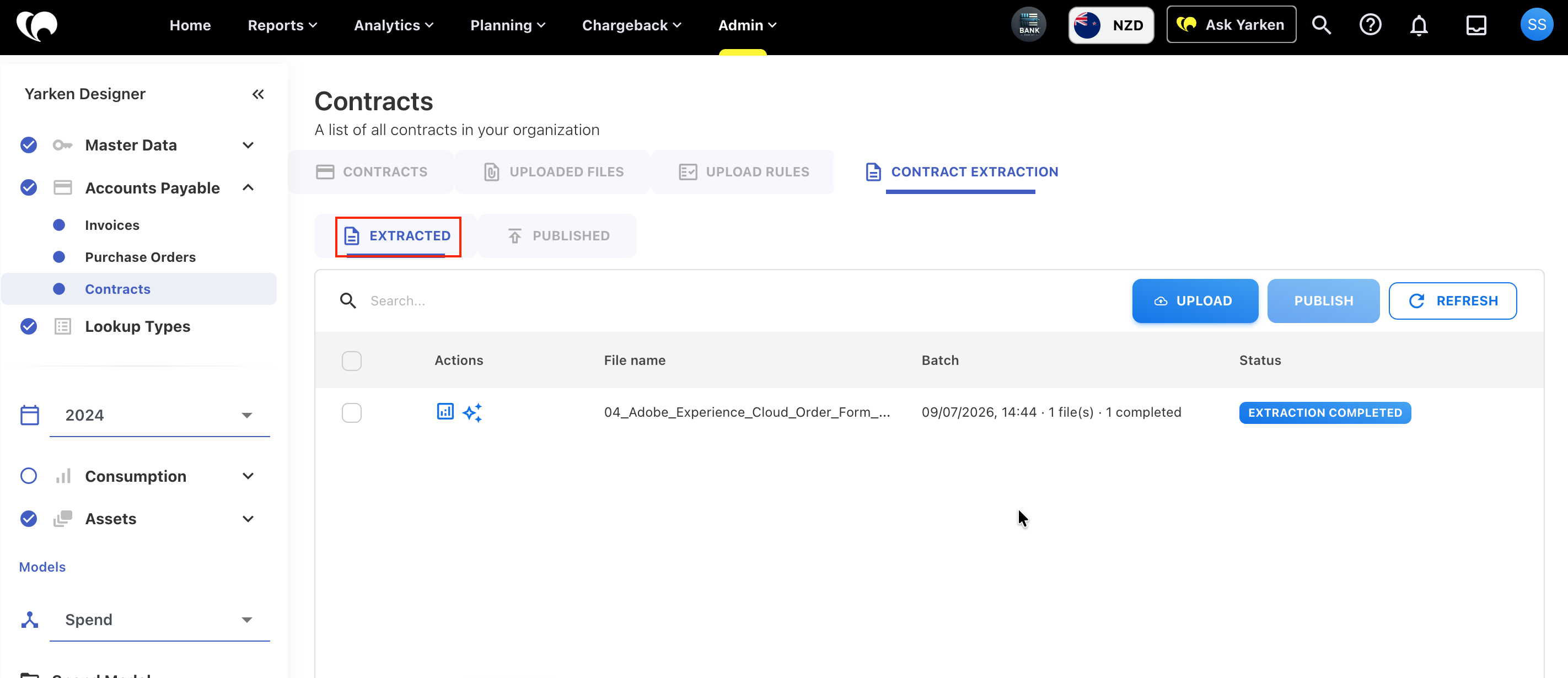
The Extracted tab displays contracts that have been processed but have not yet been published. From this tab, you can review extraction results and perform additional actions before making the contract available in Yarken.
Available actions
|
Action |
Description |
|---|---|
|
Analysis |
Opens the Contract Analysis window, where you can review extracted information, validate confidence scores and source references, edit extracted values, update vendor information, publish the contract, or discard it. |
|
Ask AI |
Opens Contract Explorer, where you can ask natural-language questions about the uploaded contract, search for specific clauses or terms, and review AI-generated responses with supporting references from the original document. |
Use the Analysis action to validate extracted information before publishing a contract.
Published
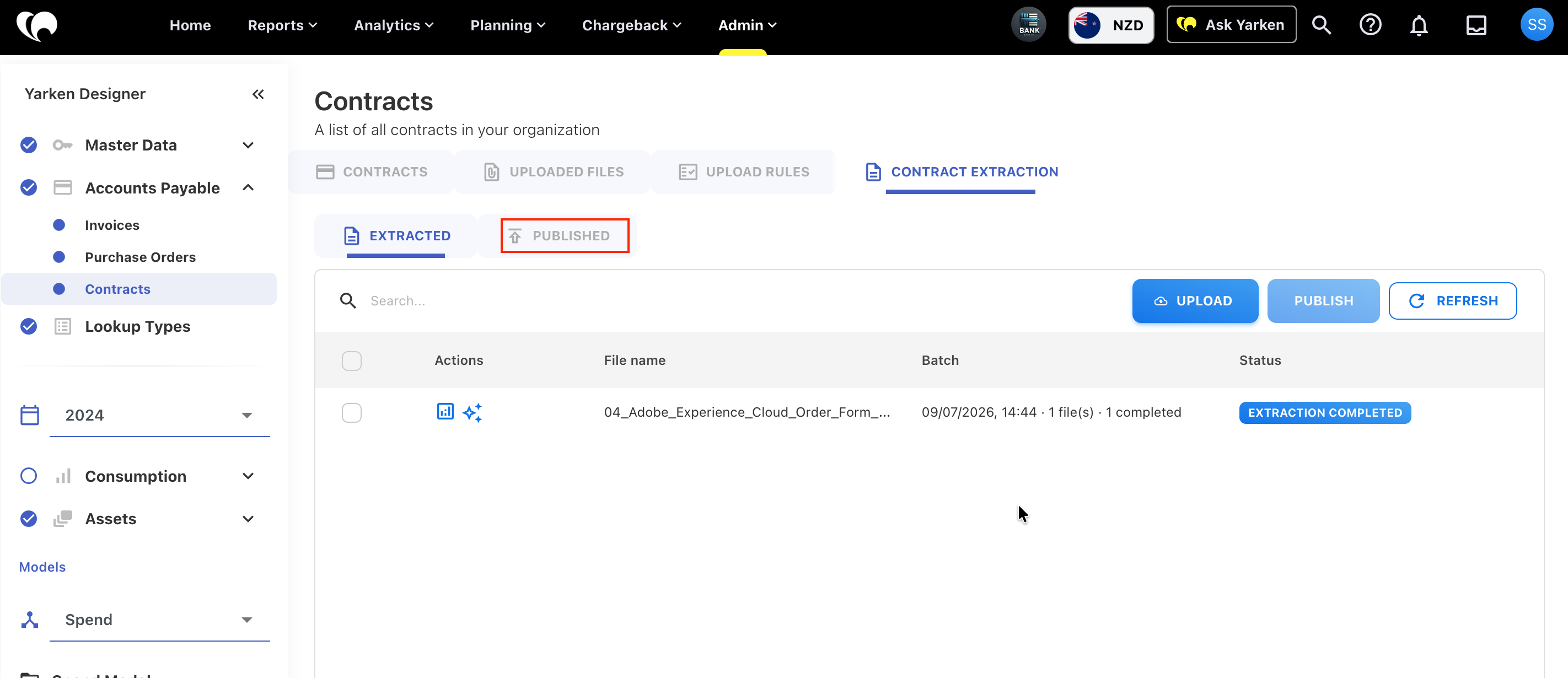
The Published tab displays contracts that have been reviewed and successfully published into Yarken. Published contracts are available for ongoing contract management, reporting, and AI-powered search through Contract Explorer.
Next steps
Once the feature has been enabled, continue with Upload Contract Documents
Related content