
Managing Cost Centers to Users
Assign Cost Centers to a User. Assigning cost centers to user which is essential for Budget Planning
Only a user with the Admin privilege has access to manage the Cost Centers to the user.
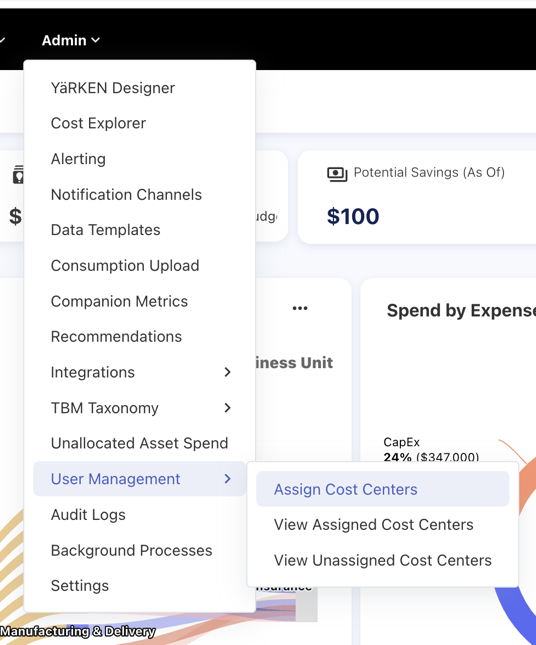
To assign Cost Centers, use the Admin menu. Hover your cursor over the User Management option to bring up a submenu. From there, choose Assign Cost Centers.
|
Admin >> User Management >> Assign Cost Centers |
Giving Users Access to Cost Centers
Cost Centers can be assigned to a user manually
Assigning Cost Centers to Users
Step 1: Select the User from the dropdown menu
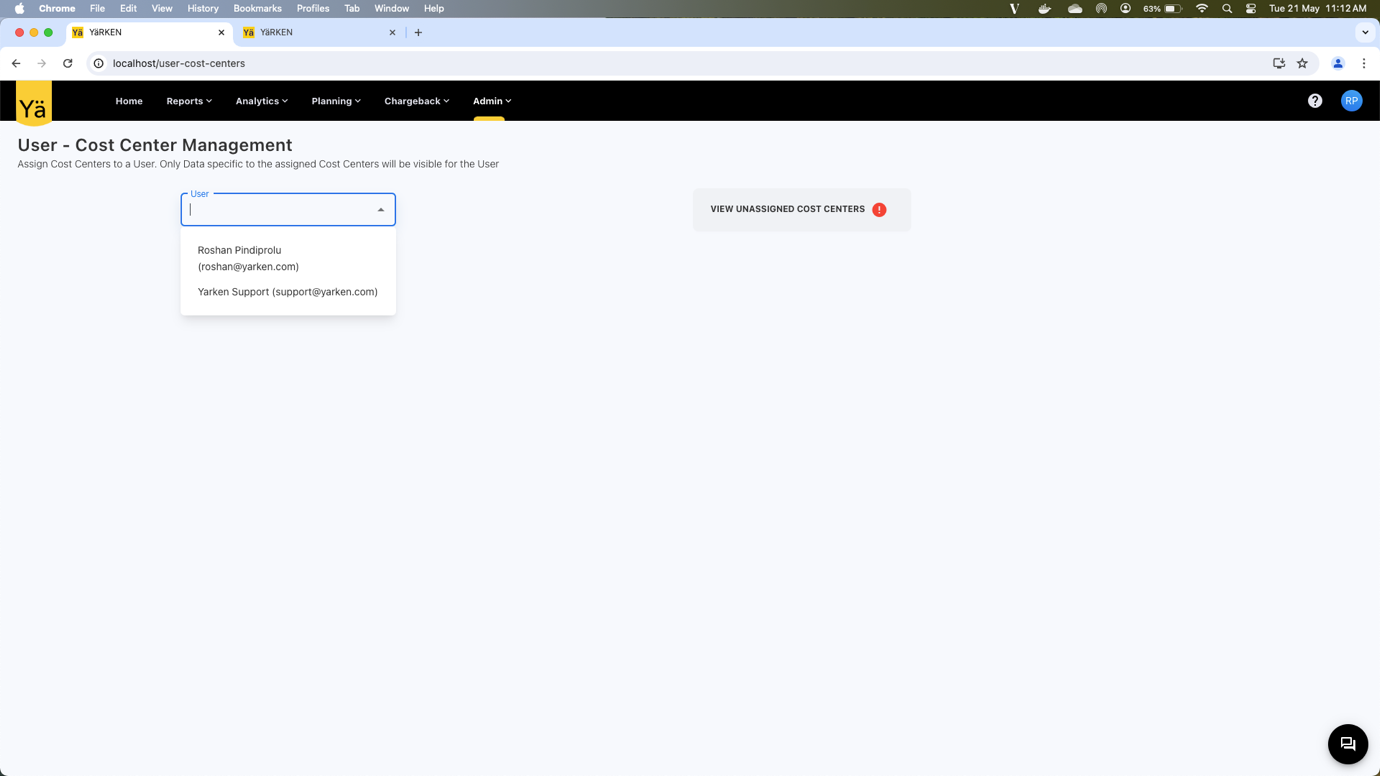
Step 2: Two tables will appear: Available Cost Centers and Assigned Cost Centers
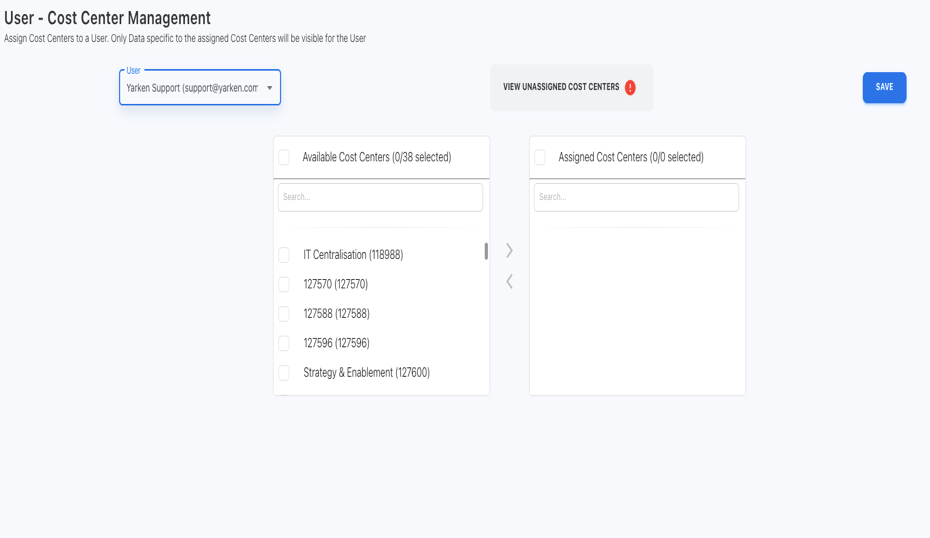
Step 3: Choose the Cost Center form Available Cost Centers on the left side
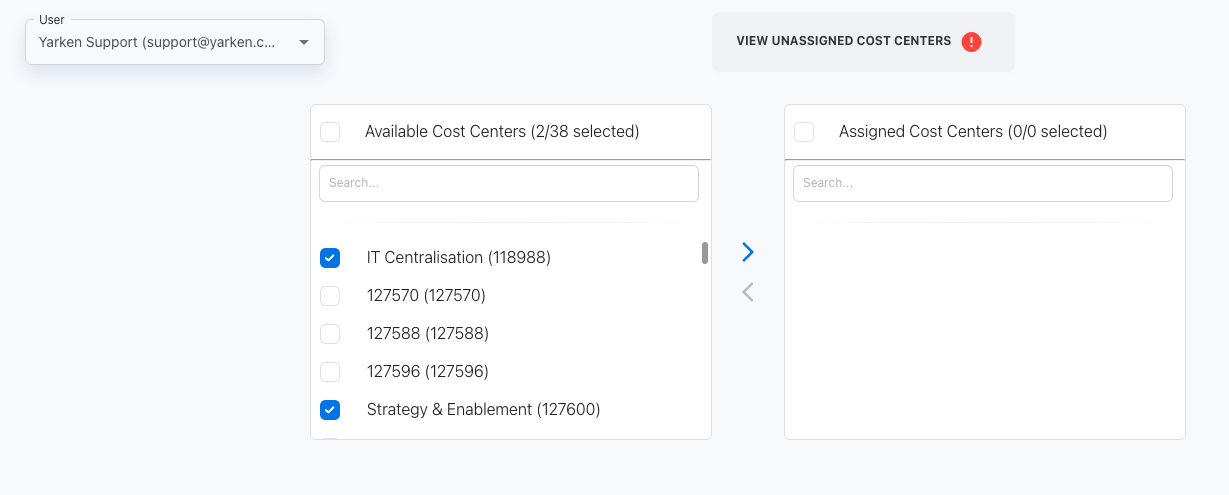
Step 4: Push the selected Cost Center to Assigned Cost Centers
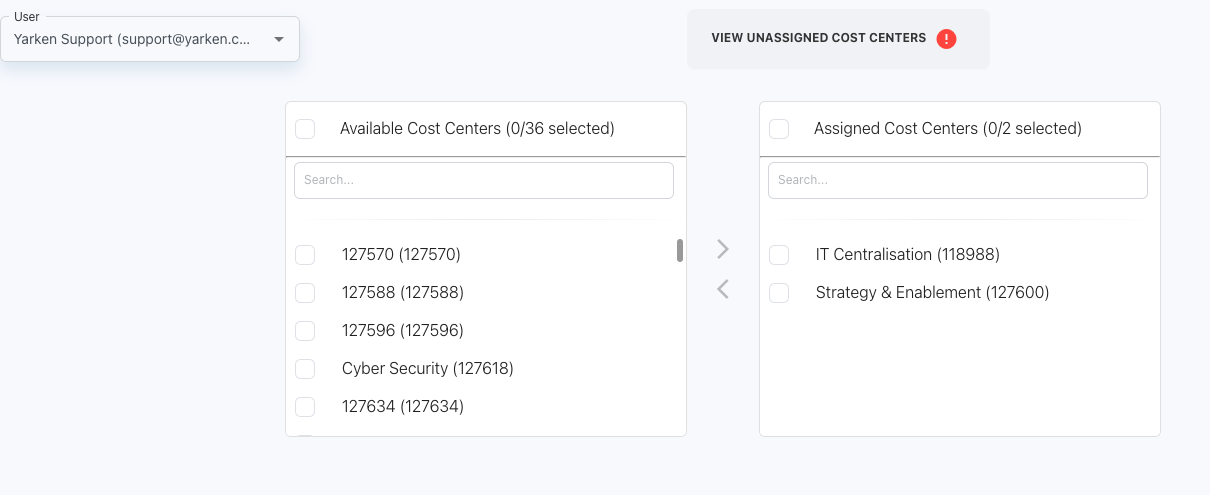
Step 5: After selecting the Cost Centers and pushing them to Assigned Cost Centers, click the Save button
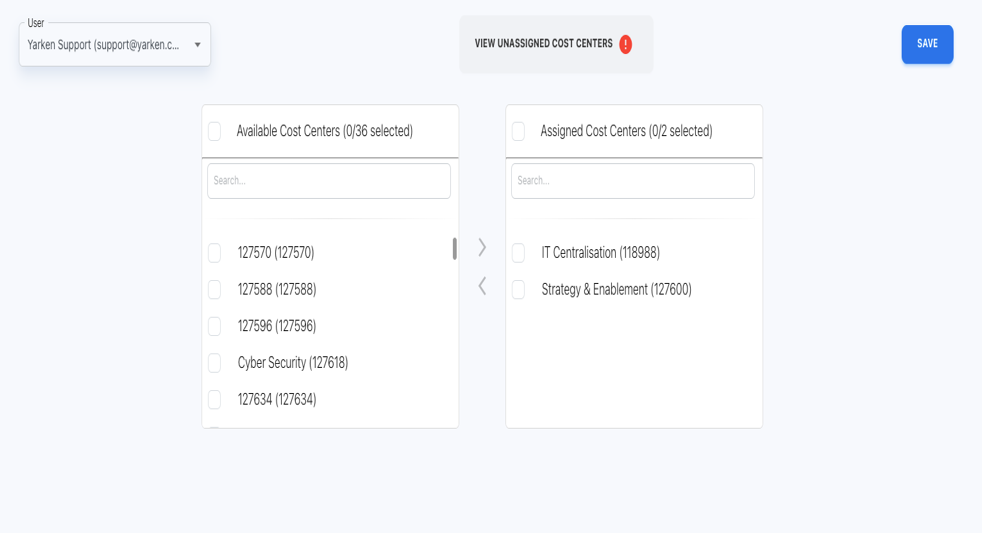
Note: After it has been pushed to the assigned cost center, pick the cost centers that you wish to keep from being pushed from the available cost centers to the assigned cost centers. Then, choose and push those centers back to the available cost centers.