
Modelling Progress
The Modelling Progress tracker indicates the completion percentage of the modelling process for the selected year. This tracks the completion percentage of data loading process in the UPLOAD, MAP, and LOOKUP section within YäRKEN Designer.
The Modelling progress indicator is located under the year filter in YäRKEN Designer.
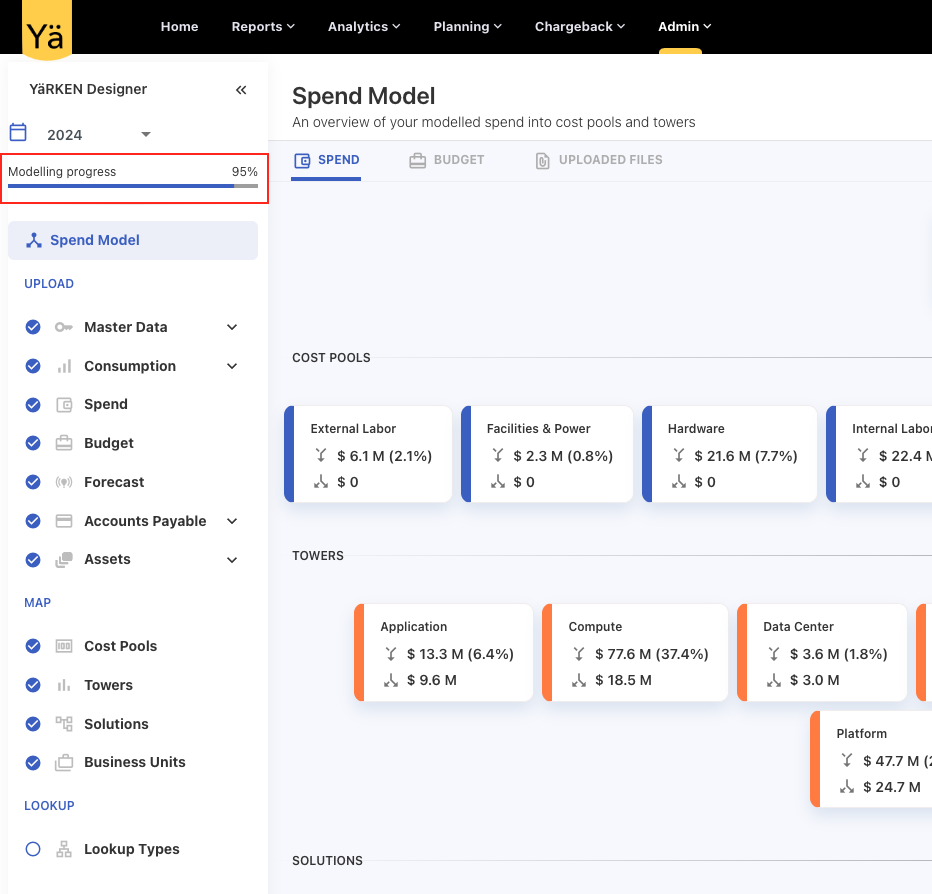
How Modelling Progress Works?
The system identifies data loading tasks within each section and assigns a weight or percentage to each item and their sub-items. As the data gets uploaded in each section, the modelling progress percentage is updated. When all uploads are completed, the system registers the progress as 100%.
The modelling progress is calculated using the formula:
Modelling progress % = (Number of data loaded items / Total items) * 100
Where,
Number of data loaded items = The count of successfully data loaded items.
Total Items = The total number of items available for data upload. In spend model, the system considers total 19 items.
Components Considered for Modelling Progress
Note:
-
All assets are considered as single item for the modelling progress.
-
If any sub-items within an item are successfully loaded, the entire item is considered loaded.
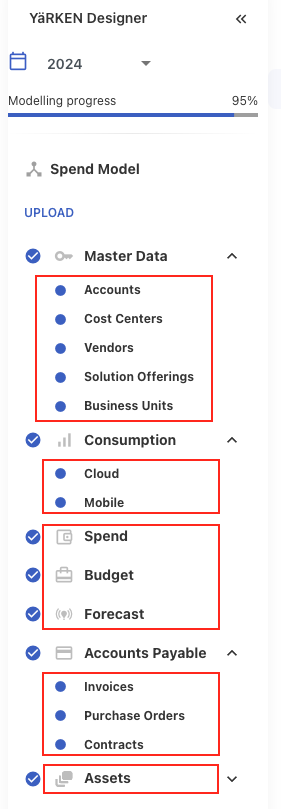
The following spend model items are considered while calculating modelling progress:
UPLOAD section,
-
Accounts
-
Cost Centers
-
Vendors
-
Solution Offerings
-
Business Units
-
Cloud
-
Mobile
-
Spend
-
Budget
-
Forecast
-
Invoices
-
Purchase Orders
-
Contracts
-
Assets
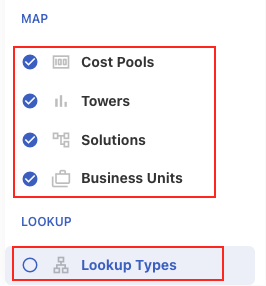
MAP & LOOKUP section,
-
Cost pools
-
Towers
-
Solutions
-
Business Units
-
Lookup Types
Example:
A user initiates a data load for the year 2024 and loads the data in 18 items; the progress reaches 95%.
Using the formula: (18/19)*100 = 94.73 % ≈ 95%
The final progress percentage is calculated based on the number of fully loaded items.